Azure OpenAI Cost Control: Stop Overspending Now
Azure OpenAI Cost Control is azure OpenAI pricing works across tokens, PTUs, and Batch APIs, what drives cost growth, and how to use budgets, quotas, monitoring, and prompt optimization to control AI spend.
Learn how Azure OpenAI pricing works across tokens, PTUs, and Batch APIs, what drives cost growth, and how to use budgets, quotas, monitoring, and prompt optimization to control AI spend.
Al Rafay Consulting
· Updated June 11, 2026 · ARC Team

Azure OpenAI can create enormous business value, but many teams discover the cost problem after usage is already growing. A few high-volume prompts, the wrong model choice, missing quotas, or idle provisioned throughput can push spend well beyond expectations.
Organizations looking to strengthen this area can work with custom AI app development.
The issue is rarely the model alone. Overspending usually comes from a combination of weak guardrails, limited observability, and architectural choices that were never designed for cost efficiency.
Cost control does not mean slowing innovation. It means making sure the pricing model, workload design, and governance model match the way your organization actually uses Azure OpenAI.
What Actually Drives Azure OpenAI Costs
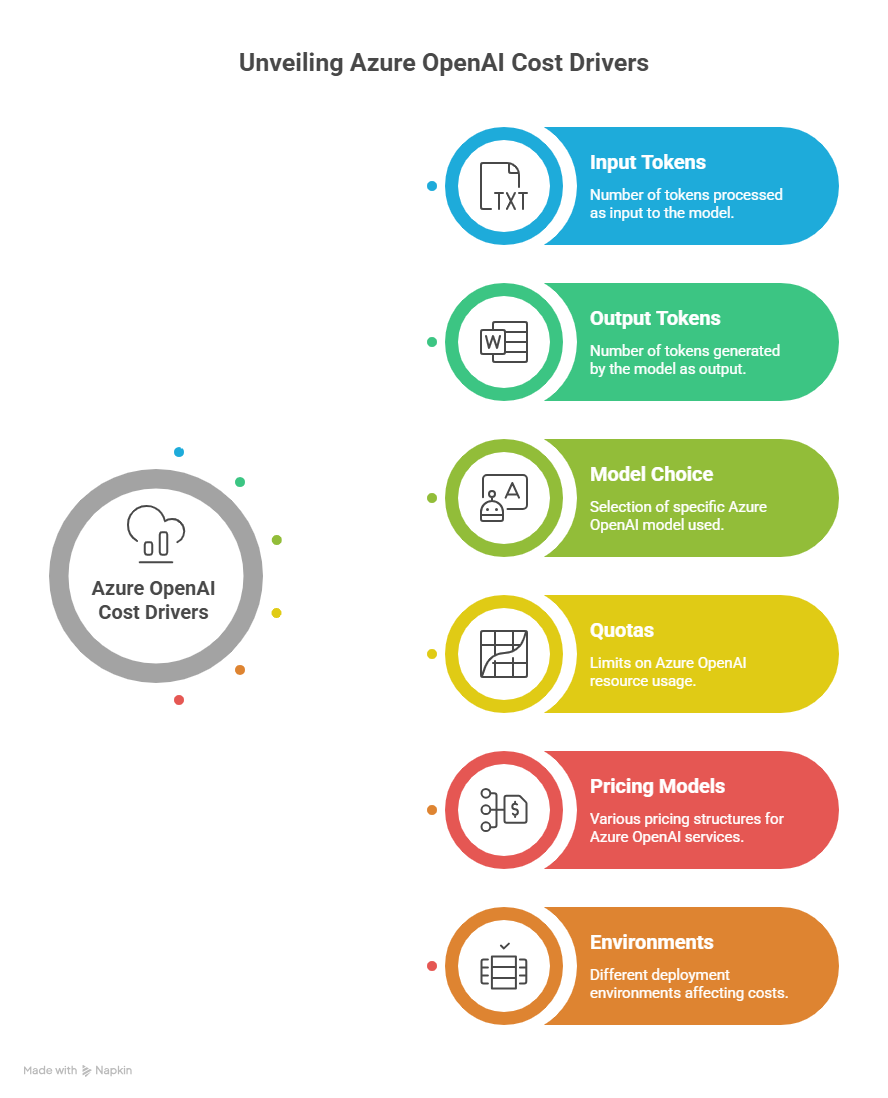
Azure OpenAI cost is shaped by more than the sticker price of a model. The main drivers include:
- Input token volume
- Output token volume
- Model selection
- Pricing model choice
- Quotas and rate limits
- Environment sprawl across dev, test, and production
These drivers compound quickly when teams use premium models for low-value tasks, allow unnecessary prompt bloat, or fail to limit response length.
Choosing the Right Azure OpenAI Pricing Model
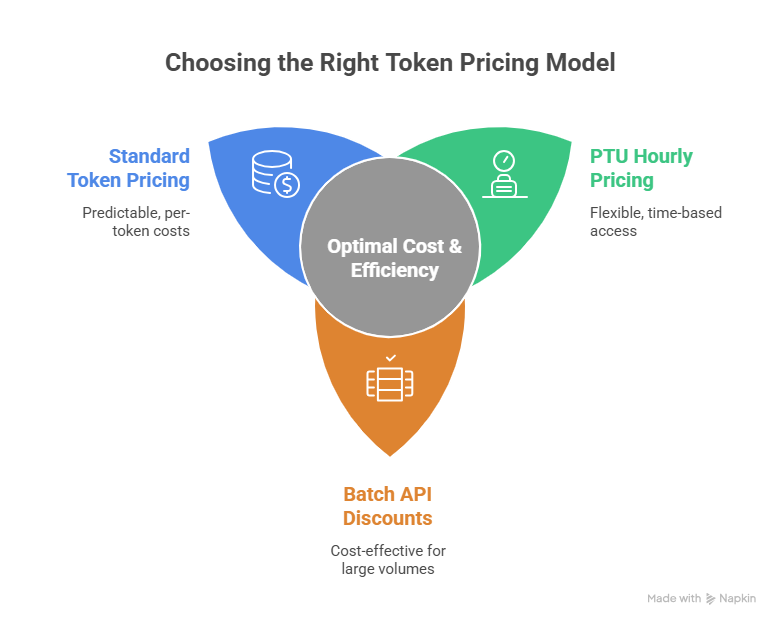
One of the biggest cost mistakes is using one pricing model for every workload.
Standard Token-Based Pricing
Token-based pricing is the most flexible starting point. It works well for variable, exploratory, or lower-volume workloads where usage is not yet stable.
Provisioned Throughput Units (PTUs)
PTUs are better for stable, high-volume, latency-sensitive production workloads. They are billed hourly, which means idle capacity still costs money. That makes PTUs powerful when utilization is high and wasteful when demand is intermittent.
Batch API Pricing
Batch is a strong fit for asynchronous, non-urgent workloads that can trade latency for lower cost. If the use case does not require immediate responses, Batch can materially improve cost efficiency.
A Practical Azure OpenAI Cost Control Framework
The most effective cost control model is operational, not just financial.
| Phase | Focus | Outcome |
|---|---|---|
| Phase 1: Create visibility | Measure spend by app, environment, team, and model | Clear cost baseline |
| Phase 2: Add guardrails | Apply budgets, alerts, quotas, and ownership rules | Fewer surprise spikes |
| Phase 3: Optimize workload design | Improve prompts, output limits, model routing, and batch strategy | Lower unit cost |
| Phase 4: Review continuously | Track trends, utilization, and policy adherence | Sustainable cost discipline |
Phase 1: Create Visibility
Tag every Azure OpenAI workload by application, environment, owner, and cost center. Teams cannot govern what they cannot attribute.
Phase 2: Add Guardrails
The source material recommends practical control points such as budget thresholds, alerting, quotas, and conservative dev/test limits. That means setting clear review triggers before a budget is exceeded, not after.
Phase 3: Optimize the Workload Design
This is where most savings come from. Reduce prompt bloat, cap unnecessary output length, route lower-value tasks to smaller models, and move bulk asynchronous jobs to Batch where possible.
Phase 4: Review Continuously
Establish weekly operational reporting for platform and application owners, and monthly reporting for finance and leadership. Cost governance only works when it becomes part of the operating rhythm.
Budgets, Alerts, and Reporting Matter More Than Teams Expect
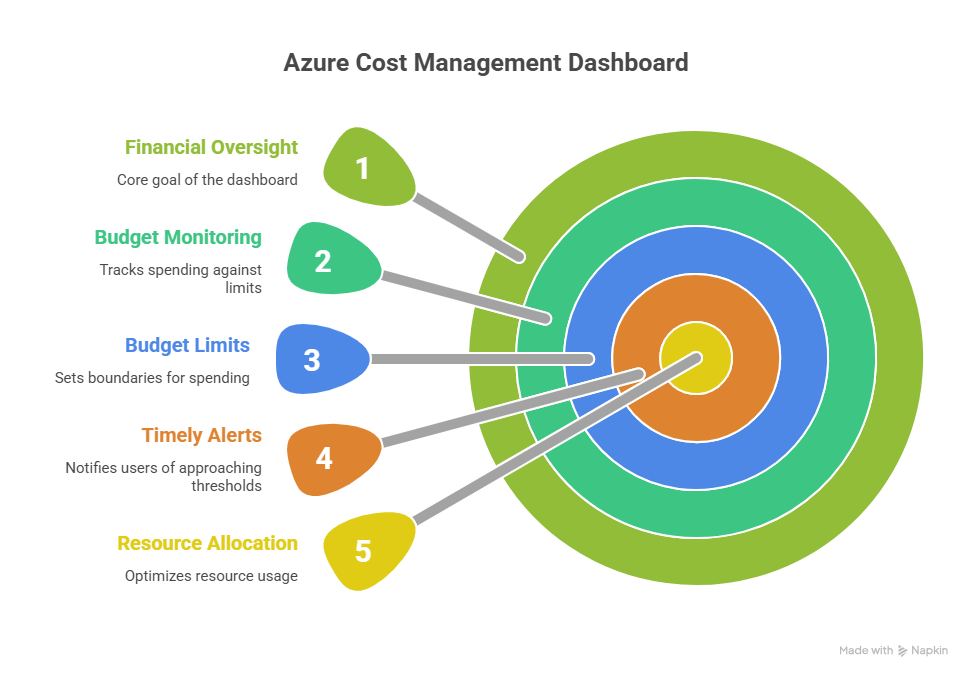
Many organizations monitor cost too late. By the time finance notices the increase, the usage pattern is already established.
Azure Cost Management and budget-based alerting should be part of the deployment standard. The source material emphasizes practical threshold-based visibility so teams know when forecast and actual usage is trending above expectation.
Common Causes of Azure OpenAI Overspending
- Using premium models for tasks that smaller models can handle
- Sending oversized prompts with unnecessary context
- Allowing responses to generate more output than the use case needs
- Running dev and test environments with loose quotas
- Choosing PTUs without stable utilization
- Missing showback or chargeback ownership between business teams
Business Value of Strong AI Cost Governance
- Predictable scaling: Teams can expand AI use cases without finance losing confidence.
- Better model discipline: Applications use the right model for the right workload.
- Lower waste: Prompt and response design become part of engineering quality.
- Faster decision making: Budget alerts and dashboards reduce blind spots.
- Stronger platform accountability: Spend is tied to owners, environments, and business outcomes.
Frequently Asked Questions
What are the biggest drivers of Azure OpenAI cost?
The main drivers are input tokens, output tokens, model choice, pricing model, quotas, and environment sprawl. Costs rise quickly when prompts are oversized, responses are not capped, or premium models are used where smaller models would work.
When should I use PTUs instead of token-based pricing?
PTUs make sense when you have stable, high-volume, latency-sensitive production demand. They are less suitable for intermittent or unpredictable workloads because you pay for provisioned capacity whether you use it fully or not.
How does prompt design affect Azure OpenAI spend?
Every extra token costs money. Verbose prompts, repeated context, and unbounded outputs increase spend immediately. Prompt trimming, response limits, and better workflow design often reduce cost without hurting result quality.
When should I use Batch API for Azure OpenAI workloads?
Use Batch when the workload is asynchronous and does not need immediate responses. Bulk content processing, classification, summarization queues, and offline enrichment tasks are common examples where Batch can improve cost efficiency.
Conclusion
Azure OpenAI overspending is usually a design and governance problem before it becomes a finance problem. The right mix of pricing model selection, quotas, prompt optimization, budget visibility, and ownership controls can reduce waste substantially without slowing delivery.
If your organization is scaling Azure OpenAI, ARC can help you put the right cost-control framework in place across architecture, operations, and governance.
Frequently Asked Questions
What is Microsoft Azure?
Microsoft Azure is a comprehensive cloud computing platform offering 200+ services including compute, storage, AI, databases, networking, and DevOps tools for building and managing enterprise applications.
How does Azure pricing work?
Azure uses pay-as-you-go pricing with options for reserved instances (1-3 year commitments) for significant discounts. Azure Cost Management helps monitor and optimize cloud spending.
Is Azure secure for enterprise workloads?
Yes. Azure has 90+ compliance certifications, operates in 60+ regions, and provides enterprise security features including network isolation, encryption, identity management, and threat detection.
Can Azure work with existing on-premises infrastructure?
Yes. Azure supports hybrid scenarios through Azure Arc, VPN gateways, ExpressRoute, and Azure Stack — allowing organizations to extend on-premises environments into the cloud seamlessly.
How do you help with Azure adoption?
We provide cloud readiness assessments, migration planning, architecture design, implementation, optimization, and ongoing managed services to ensure successful Azure adoption with measurable outcomes.

Al Rafay Consulting
ARC Team
AI-powered Microsoft Solutions Partner delivering enterprise solutions on Azure, SharePoint, and Microsoft 365.
LinkedIn Profile