Microsoft Intune: Manage Every Device Right Now
Microsoft Intune is, how MDM and unified endpoint management work, and how to deploy secure endpoint controls with compliance and Conditional Access.
Learn what Microsoft Intune is, how MDM and unified endpoint management work, and how to deploy secure endpoint controls with compliance and Conditional Access.
Al Rafay Consulting
· Updated June 18, 2026 · ARC Team

Hybrid work, BYOD, and rapid device turnover have reshaped enterprise IT. Employees now access corporate systems from laptops, phones, tablets, and virtual endpoints across locations and networks. Each endpoint improves flexibility but expands security risk.
Organizations looking to strengthen this area can work with Microsoft Intune services.
This is exactly why organizations are prioritizing cloud-native endpoint governance. Microsoft Intune gives IT teams centralized policy control across platforms while linking device health to access decisions.
What Is Mobile Device Management (MDM)?
Mobile Device Management is a policy-driven approach to:
- Enroll and inventory devices
- Configure security and access settings
- Enforce compliance requirements
- Monitor endpoint posture continuously
Modern MDM extends beyond smartphones. It includes laptops, tablets, and remote endpoints that access business apps and data.
What Is an Endpoint in Cybersecurity?
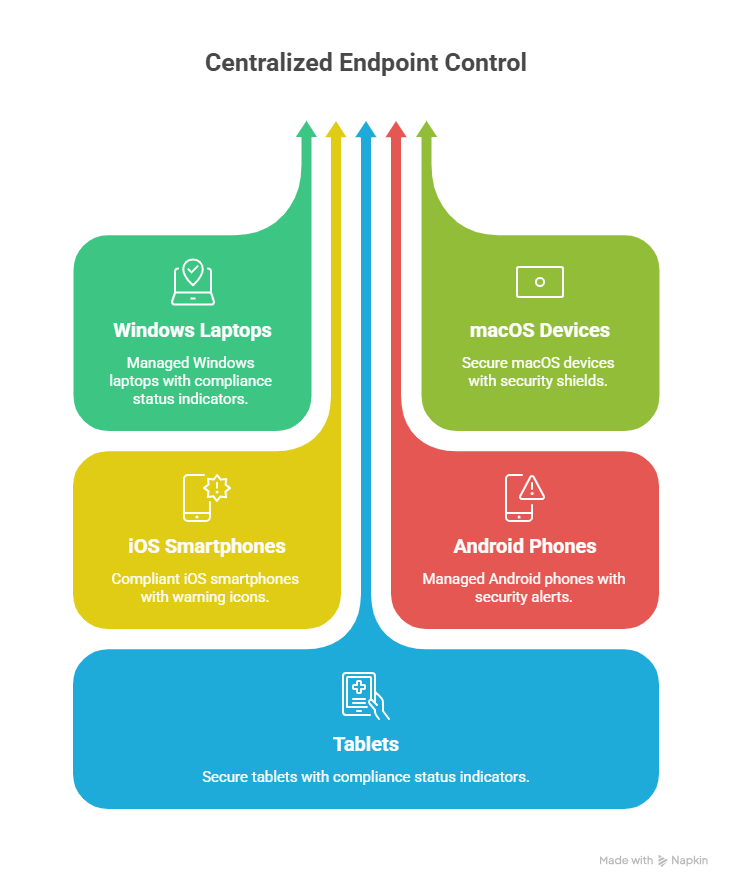
An endpoint is any physical or virtual device that connects to your organization and exchanges data, including:
- Windows and macOS laptops
- iOS and Android mobile devices
- VDI and virtual machines
- Shared and frontline endpoints
Because endpoints sit closest to user behavior, they are often the first target for phishing, malware, and credential theft. Endpoint governance is now a core security control, not just an IT operations function.
What Is Microsoft Intune?
Microsoft Intune is a cloud endpoint management platform that supports:
- Device management (MDM)
- App management (MAM)
- Endpoint security baselines
- Compliance policies
- Conditional Access integration
It works with Microsoft Entra ID and broader Microsoft security services to support Zero Trust models.
MDM vs Endpoint Management vs UEM
| Approach | Scope | Best Fit |
|---|---|---|
| MDM | Device enrollment and policy enforcement | Baseline endpoint control |
| Endpoint management | Devices, apps, security, compliance | Strong operational and security control |
| UEM | Unified cross-platform strategy | Large mixed-device environments |
Intune supports all three patterns by centralizing policy management and integrating identity, device trust, and app protection.
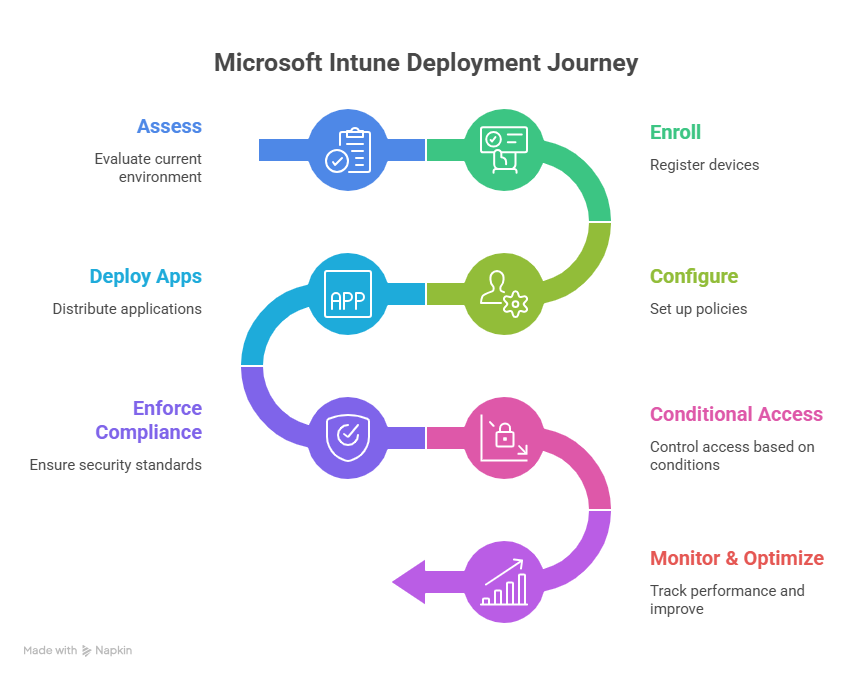
Step-by-Step Intune Deployment Framework
| Phase | Focus | Outcome |
|---|---|---|
| Step 1: Assess | Licensing, endpoint inventory, readiness gaps | Rollout plan with reduced risk |
| Step 2: Foundation | Tenant config, RBAC, groups, enrollment model | Controlled baseline |
| Step 3: Configure | Profiles, apps, security baselines | Standardized endpoint posture |
| Step 4: Enforce | Compliance policies + Conditional Access | Access based on trusted device state |
| Step 5: Optimize | Monitoring, support, policy tuning | Sustainable operations |
Step 1: Readiness and Scoping
Validate licensing, operating system mix, ownership model (corporate vs BYOD), and critical apps. Define pilot users and phased rollout rings.
Step 2: Build Core Intune Foundation
Set admin roles, dynamic groups, and enrollment pathways. Align governance and naming standards early to avoid long-term policy sprawl.
Step 3: Configure Policies and Apps
Deploy configuration profiles, baseline security settings, required apps, and update policies. Keep pilot scope narrow and measurable.
Step 4: Enforce Compliance + Conditional Access
Require compliant devices for access to sensitive resources. This shifts control from network trust to verified identity and device health.
Step 5: Monitor and Improve
Track non-compliance reasons, enrollment drop-offs, and support tickets. Tune policies based on user impact and risk profile.
Security Baselines and Compliance Controls
Intune security baselines accelerate hardening by applying tested Microsoft-recommended settings. Typical baseline controls include:
- BitLocker/FileVault requirements
- Password and sign-in restrictions
- Defender and firewall posture
- Device health and update requirements
When combined with compliance policies, these controls strengthen endpoint trust and reduce configuration drift.
How Intune Supports Zero Trust
Traditional perimeter security assumed trusted internal networks. Zero Trust assumes breach and verifies continuously. Intune contributes by ensuring access decisions consider:
- User identity
- Device compliance
- App protection state
- Risk signals and policy context
This enables organizations to grant access only when both the user and endpoint meet defined trust criteria.
Business Value
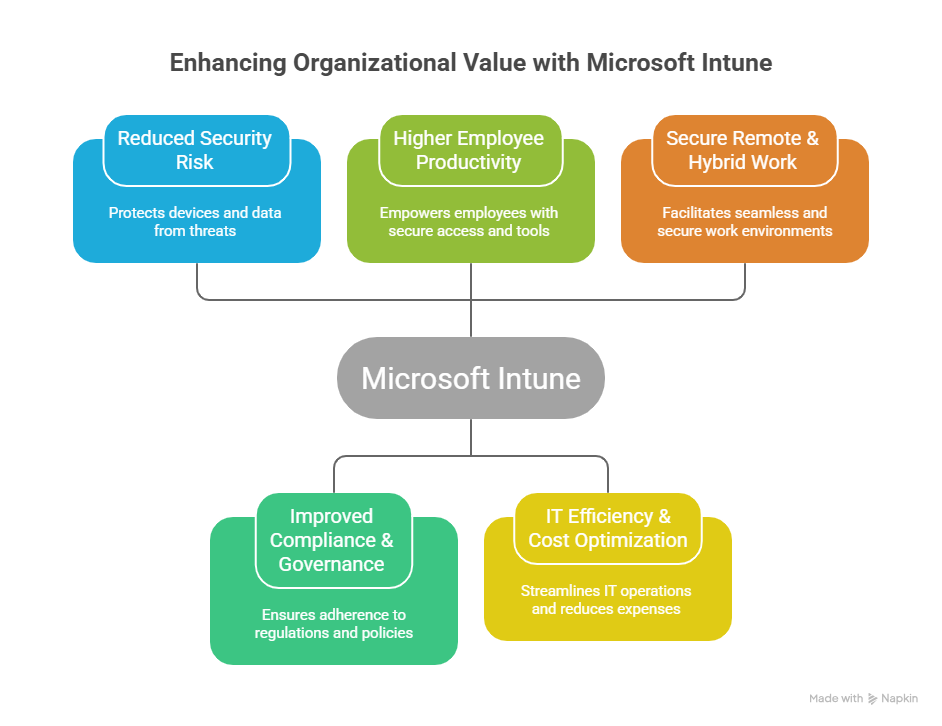
- Reduced security risk through consistent endpoint controls
- Higher employee productivity with secure access across device types
- Improved compliance posture and audit readiness
- Operational efficiency through centralized policy management
- Lower long-term cost by reducing manual endpoint administration
Common Pitfalls to Avoid
- Overly strict policies in phase one that block adoption
- Too many overlapping profiles causing policy conflicts
- Skipping pilot rings and rolling out to all users at once
- Weak communication around enrollment and access changes
- Treating Intune as only an IT tool instead of security infrastructure
Frequently Asked Questions
What is Microsoft Intune used for?
Intune is used to manage and secure endpoints through device policies, app controls, compliance checks, and access enforcement integrated with Microsoft Entra ID.
Can Intune manage both corporate and personal devices?
Yes. Organizations commonly use full device management for corporate endpoints and app-level management for BYOD scenarios to balance security and user privacy.
How does Intune work with Conditional Access?
Intune evaluates device compliance and sends that signal to Entra Conditional Access, which can block access unless endpoint trust requirements are met.
Does Intune replace Microsoft Endpoint Configuration Manager?
Not always. Many enterprises run co-management during transition, keeping some workloads in Configuration Manager while moving modern controls to Intune.
Conclusion
Microsoft Intune enables secure, scalable endpoint management across modern device fleets. With policy-driven controls, compliance enforcement, and Zero Trust integration, it helps organizations protect data while maintaining workforce flexibility.
If your organization is exploring Intune, ARC can help with strategy, implementation, governance, and optimization from pilot through enterprise rollout.
Frequently Asked Questions
What is Microsoft Intune?
What devices can Intune manage?
How does Intune support Zero Trust security?
Can Intune replace SCCM (Configuration Manager)?
How quickly can Intune be deployed?

Al Rafay Consulting
ARC Team
AI-powered Microsoft Solutions Partner delivering enterprise solutions on Azure, SharePoint, and Microsoft 365.
LinkedIn Profile