Migrate from Jenkins to Azure DevOps Right Now
Migrate from Jenkins to Azure DevOps Right Now refers to the process of to migrate from Jenkins to Azure DevOps with a step-by-step framework, feature comparison, and business benefits for modern CI/CD teams.
Learn how to migrate from Jenkins to Azure DevOps with a step-by-step framework, feature comparison, and business benefits for modern CI/CD teams.
Al Rafay Consulting
· Updated June 17, 2026 · ARC Team

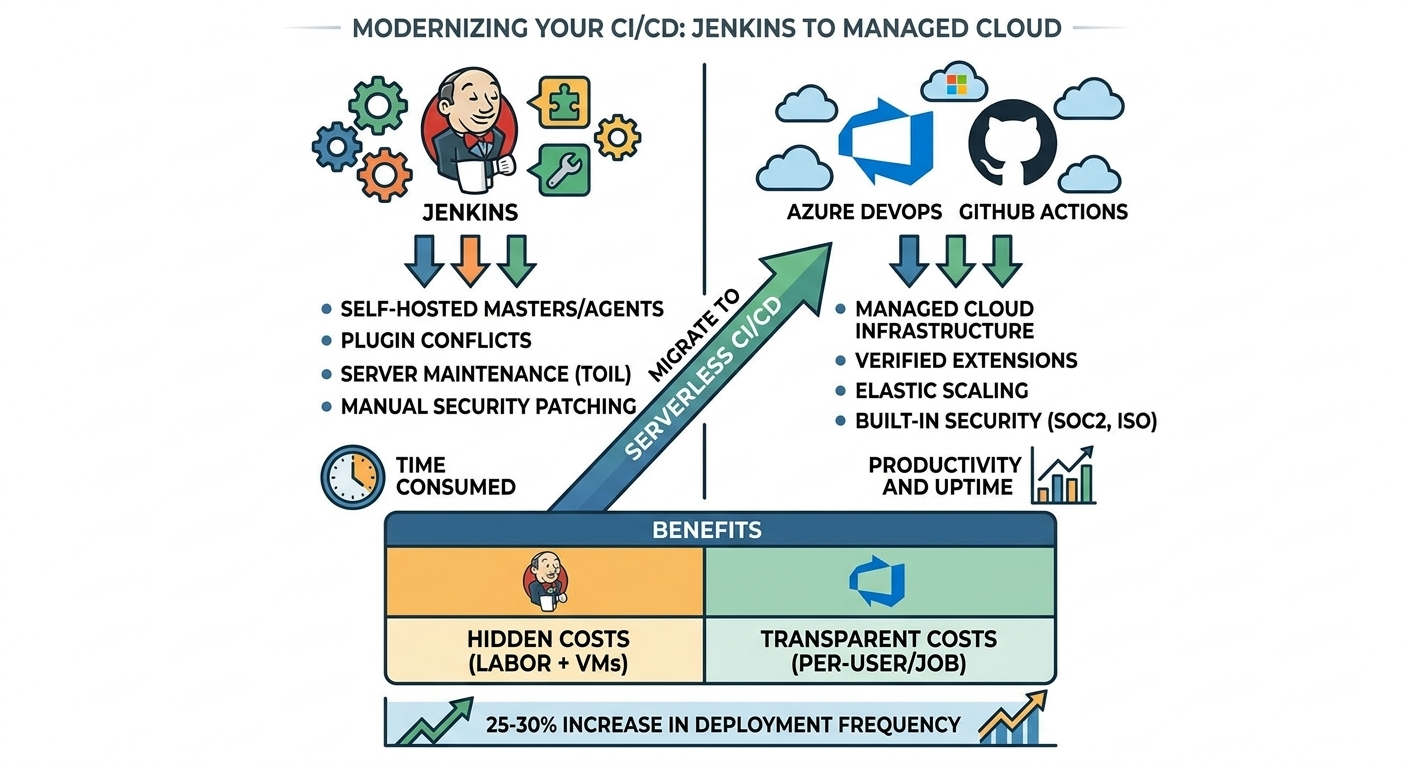
Many engineering teams still depend on Jenkins for CI/CD, but the operational cost is growing: server patching, plugin conflicts, manual hardening, and scaling overhead. These tasks consume engineering time that could otherwise go to product delivery.
Azure DevOps and GitHub now offer a fully managed cloud model with native security controls, predictable scaling, and better traceability from user story to production release. For most teams, the question is no longer if migration should happen, but how to execute it without disruption.
What Are Continuous Integration Tools?
Continuous integration tools automatically build and test code every time a developer pushes a change. This shortens feedback loops, catches defects early, and reduces production risk.
Jenkins helped define this model. Its plugin ecosystem supports almost every stack, which is why it became a standard for years. But at scale, self-hosting costs become significant.
Modern managed alternatives such as Azure DevOps and GitHub Actions preserve automation benefits while removing most infrastructure maintenance burden.
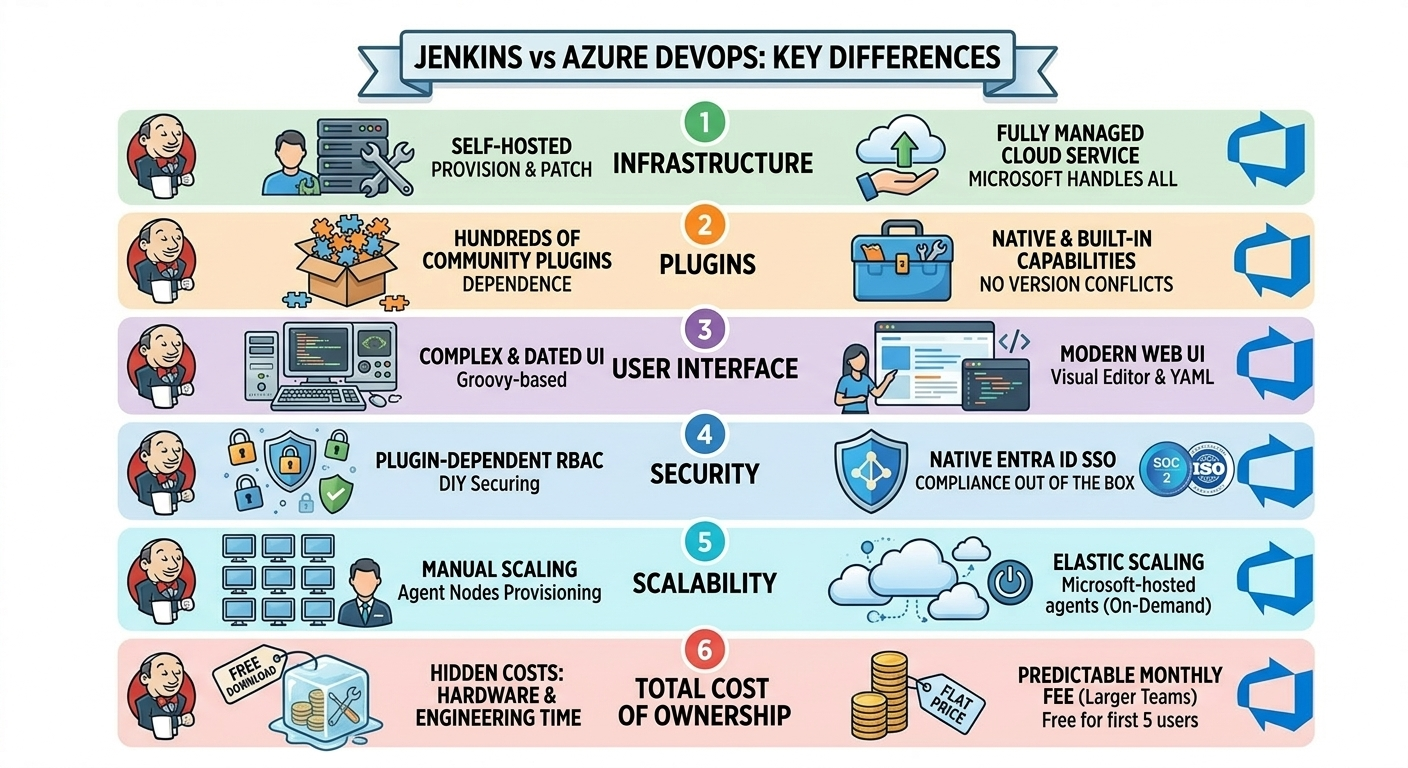
Jenkins vs Azure DevOps: Key Differences
| Area | Jenkins | Azure DevOps |
|---|---|---|
| Infrastructure | Self-hosted servers to provision and patch | Fully managed cloud service |
| Extensibility | Heavy plugin dependency | Native built-in capabilities |
| Security posture | Requires multiple plugins and manual hardening | Built-in enterprise controls and auditability |
| Scalability | Manual agent provisioning | Elastic Microsoft-hosted agents |
| Cost model | Free software, hidden ops cost | Predictable subscription model |
| Support lifecycle | Community/plugin variability | Enterprise-backed Microsoft support |
GitHub and Azure DevOps: Better Together
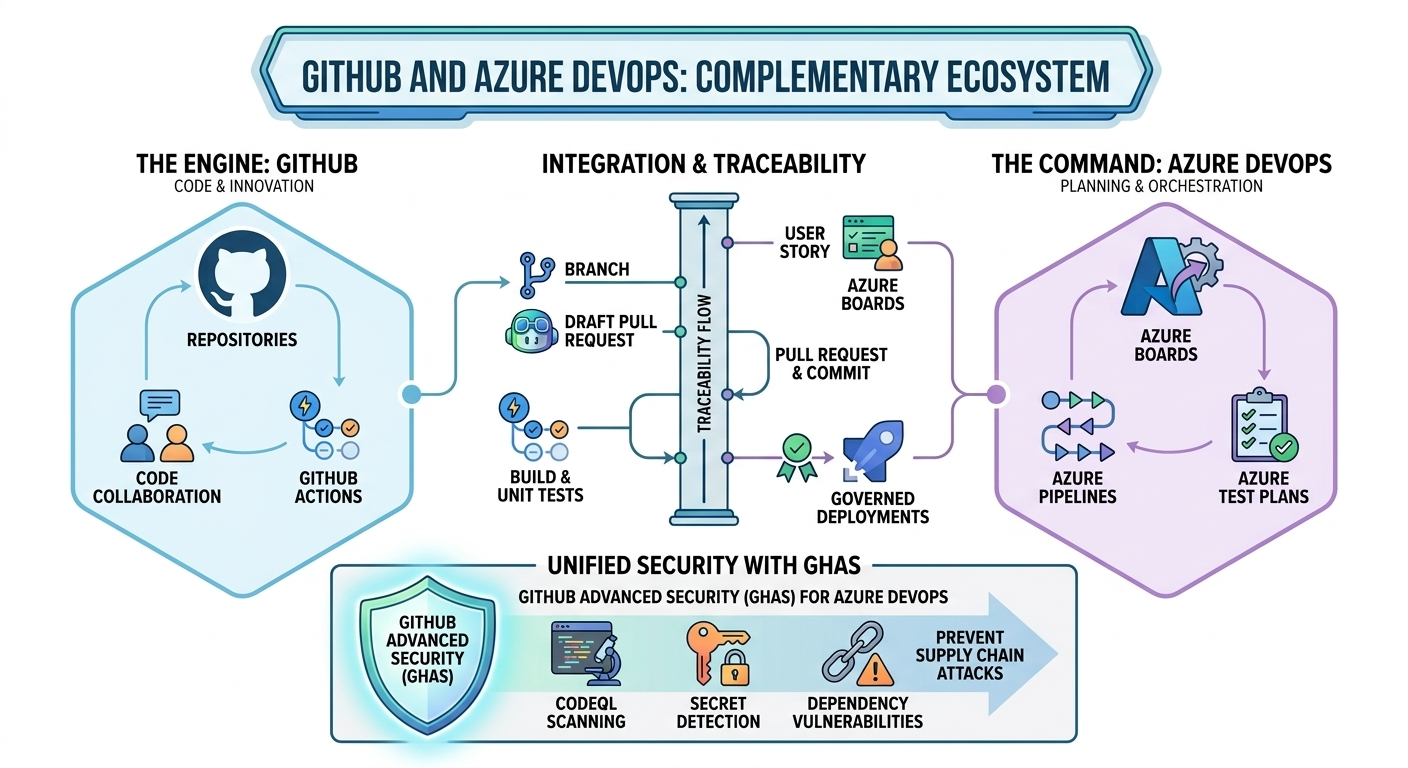
Microsoft designed GitHub and Azure DevOps to be complementary. Many teams use:
- GitHub for source collaboration, pull requests, and GitHub Actions
- Azure DevOps for enterprise planning, release governance, approvals, and advanced traceability
Azure Pipelines connects to GitHub repositories quickly and can report build status directly in pull requests. Azure Boards integration adds end-to-end traceability from work item to commit, build, and deployment.
Azure DevOps Pipelines: Key Features
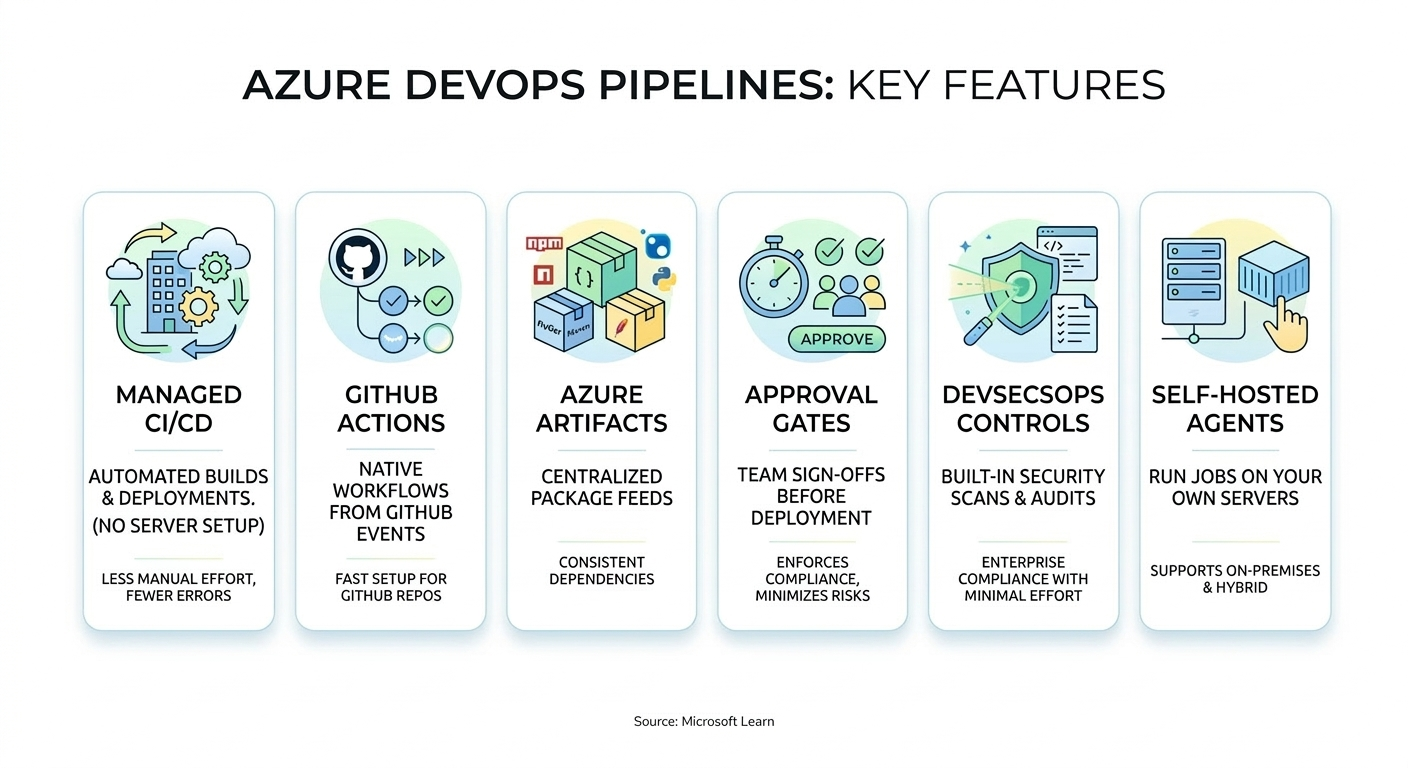
- Managed CI/CD: automated build/test/deploy with no pipeline server operations
- Azure Artifacts: centralized package feeds for consistent dependencies
- Approval gates: controlled promotions across environments
- Built-in DevSecOps: policies, scanning hooks, and auditability
- Hybrid support: self-hosted agents when on-prem targets are required
Step-by-Step Migration Framework
| Phase | Focus | Outcome |
|---|---|---|
| Step 1: Assess Jenkins Estate | Jobs, plugins, custom Groovy logic, secrets, deployment targets | Clear migration scope and complexity map |
| Step 2: Build Azure DevOps Foundation | Org setup, access model, repo strategy, service connections | Governed target platform |
| Step 3: Rebuild Pipelines in YAML | Translate pipelines, add templates, standardize stages | Repeatable and maintainable CI/CD |
| Step 4: Add Security & Release Controls | Approval gates, policy checks, secret management | Safer production promotions |
| Step 5: Parallel Run & Cutover | Run Jenkins and Azure DevOps side by side, validate outputs | Low-risk migration completion |
Step 1: Audit Jenkins Thoroughly
Inventory every job, plugin, credential store, trigger, and downstream dependency. Flag custom Groovy logic early since it usually needs deliberate YAML and script refactoring.
Step 2: Establish Target Architecture
Set repository strategy (GitHub or Azure Repos), define environment tiers, and create service connections. Align identity with Microsoft Entra ID and role-based access from day one.
Step 3: Rebuild with Reusable Templates
Convert pipelines to YAML and introduce shared templates for common jobs (build, test, scan, package, deploy). This prevents future sprawl and creates standard delivery patterns.
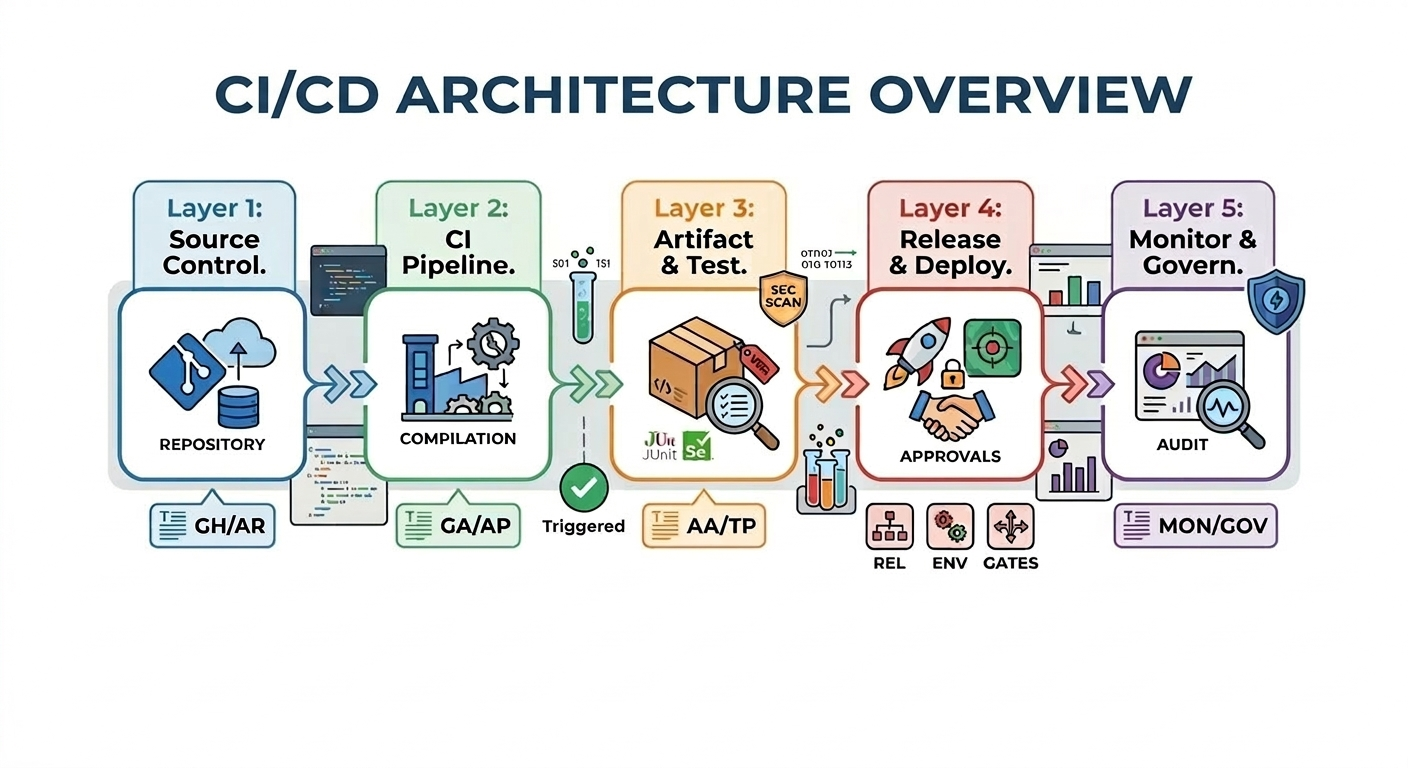
Step 4: Enforce Guardrails
Add environment approvals, branch policies, and security checks before production. Treat security and compliance as pipeline gates, not post-release reviews.
Step 5: Validate and Decommission Jenkins
Run both systems in parallel for one to two sprints, compare outputs, then retire Jenkins jobs and infrastructure in controlled stages.
Why Teams Move Now
- Reclaimed engineering hours: less server and plugin maintenance
- Faster feedback loops: scalable cloud runners reduce queue times
- Stronger governance: approvals and traceability by design
- Lower operational risk: managed platform updates and enterprise support
- More predictable spending: less hidden infrastructure overhead
Common Migration Pitfalls
- Migrating pipelines before auditing plugin dependencies
- Translating jobs one-to-one without redesigning for templates
- Enforcing strict gates too early before pilot stabilization
- Skipping developer onboarding for new YAML workflows
- Delaying governance decisions (roles, approvals, environments)
Frequently Asked Questions
What is the biggest difference between Jenkins and Azure DevOps?
Jenkins is self-hosted and plugin-driven, while Azure DevOps is managed by Microsoft with integrated CI/CD, governance, and security controls.
How long does Jenkins to Azure DevOps migration usually take?
Small estates often complete in 2-4 weeks. Large environments with heavy customization can take 2-3 months, especially when compliance and multi-environment governance are included.
Can Azure DevOps and GitHub be used together?
Yes. A common model is GitHub for collaboration and Azure DevOps for enterprise release orchestration, approvals, boards, and governance.
Is Azure DevOps CI/CD suitable for hybrid and multi-cloud targets?
Yes. Azure Pipelines can deploy to Azure, on-premises infrastructure, Kubernetes clusters, and other cloud environments via appropriate service connections and agents.
Conclusion
Jenkins remains powerful, but for many organizations the maintenance burden now outweighs the benefits. Azure DevOps provides a modern, managed CI/CD platform with integrated security, governance, and scale.
If your organization is planning to migrate from Jenkins to Azure DevOps, ARC can help with assessment, migration execution, and operating model design so your teams move faster with less risk.
Frequently Asked Questions
How long does a typical cloud migration take?
Will we experience downtime during migration?
Is there a risk of data loss during migration?
What about permissions and metadata?
Do you provide user training after migration?

Al Rafay Consulting
ARC Team
AI-powered Microsoft Solutions Partner delivering enterprise solutions on Azure, SharePoint, and Microsoft 365.
LinkedIn Profile