Teams Security: Protect Your Hybrid Team Today
Teams Security is to secure Microsoft Teams for hybrid work with identity controls, data protection, meeting governance, and lifecycle best practices.
Learn how to secure Microsoft Teams for hybrid work with identity controls, data protection, meeting governance, and lifecycle best practices.
ARC Team
· Updated April 28, 2026 · ARC Team

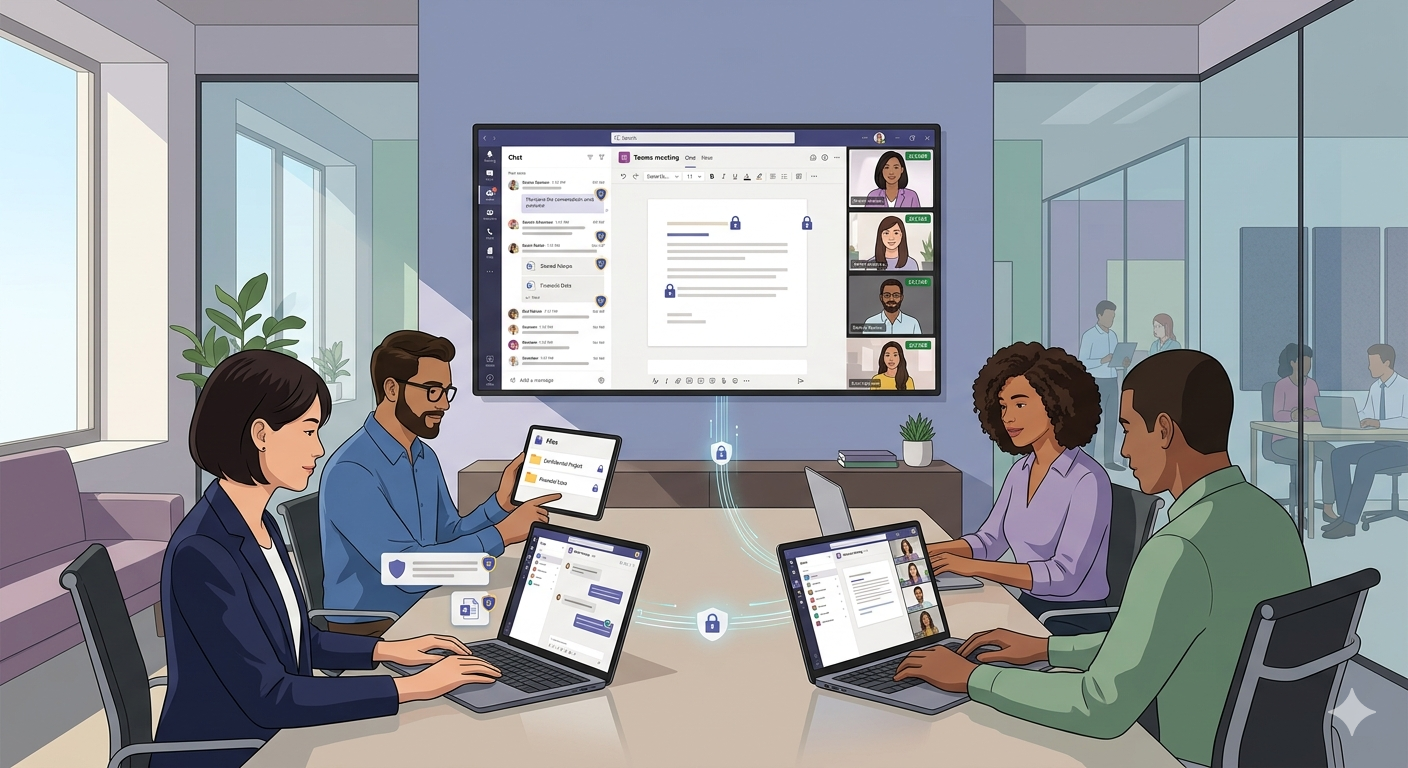
Microsoft Teams is now critical infrastructure for hybrid work. It carries conversations, decisions, files, recordings, and workflow context across departments and external partners.
Organizations looking to strengthen this area can work with Microsoft Teams consulting.
That is why Teams security is no longer optional hardening. It is a business continuity requirement.
Why Teams Security Matters More in Hybrid Environments
Hybrid operations expand the collaboration attack surface across unmanaged networks, mobile access patterns, external guests, and third-party integrations.
Without a defined Teams security model, organizations commonly experience:
- Uncontrolled team and workspace sprawl.
- Guest access drift and stale permissions.
- Oversharing of sensitive files from connected SharePoint sites.
- Inactive teams retaining high-risk content for too long.
Most incidents are not caused by Teams being inherently insecure. They are caused by weak governance and inconsistent controls.
How Teams Security Works in Microsoft 365
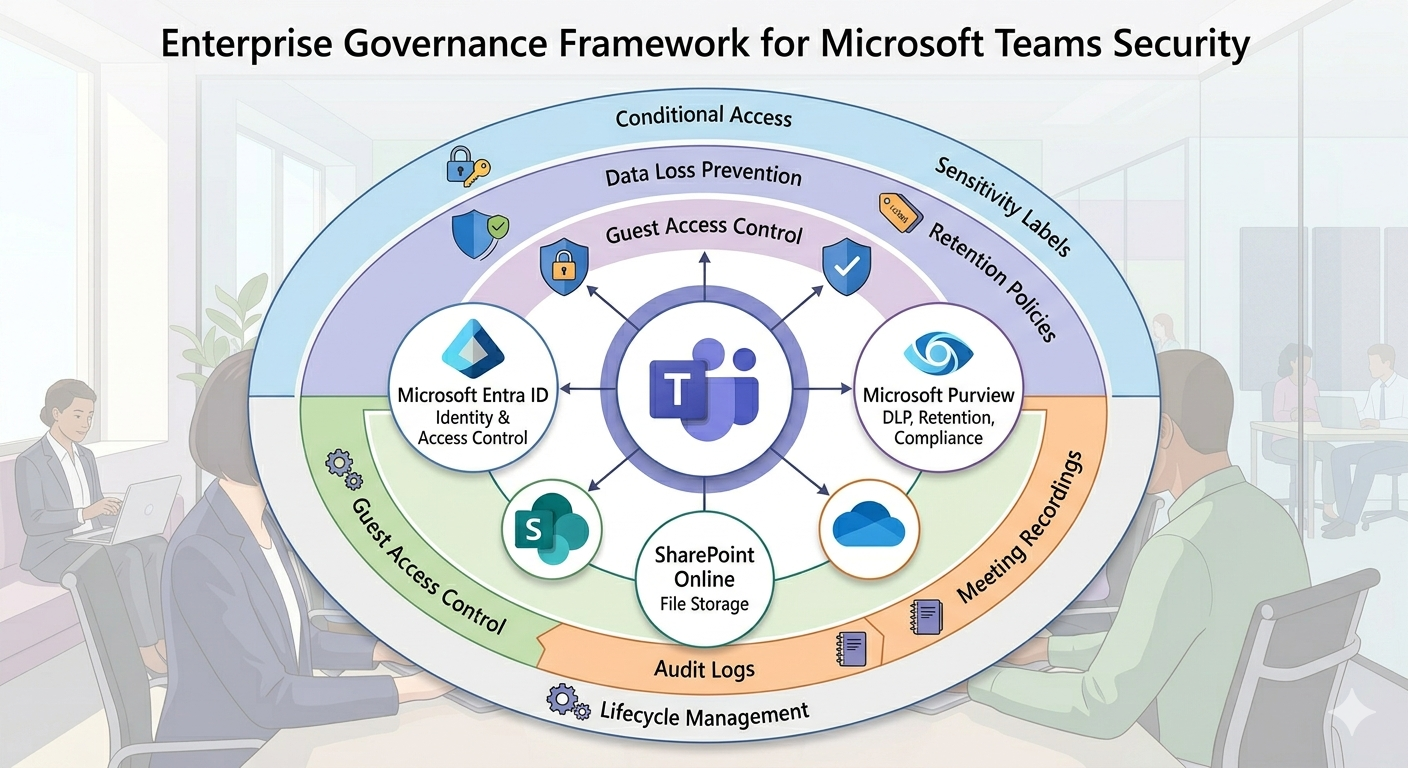
Teams data is distributed across Microsoft 365 services:
- Chats and meeting messages are stored through Exchange Online workloads.
- Files are governed through SharePoint Online and OneDrive.
- Identity and access behavior depends on Microsoft Entra ID.
- Compliance and lifecycle controls depend on Microsoft Purview.
Because of this architecture, Teams security must be planned as a Microsoft 365 program, not as an isolated app setting exercise.
Step-by-Step Teams Security Framework
| Phase / Step | Focus | Outcome |
|---|---|---|
| Step 1: Secure Identity and Access | MFA, conditional access, session controls, guest policy baseline | Lower account compromise and access risk |
| Step 2: Protect Data in Chat, Files, and Meetings | DLP, sensitivity labels, sharing boundaries, meeting controls | Reduced data leakage and oversharing incidents |
| Step 3: Operationalize Governance Lifecycle | Team creation standards, ownership model, expiration and review cadence | Sustainable security posture as adoption scales |
Phase 1: Identity Baseline
Require MFA, apply risk-based access controls, and tighten external access boundaries before adding advanced collaboration features.
Phase 2: Data Protection
Use Purview policies for Teams chat and file collaboration, then align meeting recording and transcription controls for sensitive scenarios.
Phase 3: Lifecycle Governance
Define naming standards, owner accountability, guest review cadence, and expiration/archiving rules to prevent long-term control drift.
Quick Security Baseline Checklist
- MFA and conditional access enabled for all Teams users.
- Guest invitation and access review process documented and enforced.
- Team creation controls and naming/classification standards published.
- DLP and sensitivity labels applied for high-risk collaboration patterns.
- Meeting controls configured for lobby, recording, and presenter behavior.
- Lifecycle policies in place for ownerless, inactive, or expired teams.
- Retention and audit settings validated across chat, files, and meetings.
Business Value of Strong Teams Security
- Reduced risk exposure: Fewer accidental data leaks and access incidents.
- Faster audits: Better policy consistency and evidence readiness.
- Higher trust in collaboration: Teams can move fast within clear boundaries.
- Lower long-term cleanup cost: Governance prevents expensive remediation cycles.
Frequently Asked Questions
Is Microsoft Teams secure for enterprise use?
What are the most common Teams security risks?
How do we secure Teams meetings for sensitive collaboration?
What should we prioritize first in a Teams security program?
Conclusion
Teams security success comes from combining technical controls with governance discipline and user adoption. Organizations that treat Teams as mission-critical infrastructure can reduce risk while enabling faster hybrid collaboration.
If your organization is exploring Teams security hardening, ARC can help with strategy, implementation, governance, and optimization.
Work with Al Rafay Consulting: explore our data security and governance services to put this into practice, or book a free assessment.
Frequently Asked Questions
What is Zero Trust security?
Zero Trust is a security framework that assumes no user or device should be trusted by default — requiring continuous verification of identity, device health, and access permissions for every request.
How does Microsoft implement Zero Trust?
Microsoft Zero Trust uses Entra ID for identity, Intune for device compliance, Defender for threat protection, Purview for data protection, and Conditional Access for policy enforcement.
What compliance certifications does Microsoft support?
Microsoft cloud services hold SOC 1/2/3, ISO 27001/27018, HIPAA, FedRAMP, GDPR, PCI DSS, and 90+ other compliance certifications across industries and regions.
How do you assess security posture?
We evaluate Microsoft Secure Score, conduct gap analyses against frameworks like NIST and CIS, review configurations, test access controls, and provide prioritized remediation recommendations.
Can you help with regulatory compliance?
Yes. We implement Microsoft Purview compliance solutions including data classification, retention policies, eDiscovery, audit logging, and information barriers for regulated industries.

ARC Team
ARC Team
AI-powered Microsoft Solutions Partner delivering enterprise solutions on Azure, SharePoint, and Microsoft 365.
LinkedIn Profile