Teams vs Slack vs Zoom: The Verdict Is In for 2026
Teams and Slack vs Zoom are compared here based on their capabilities, pricing, integrations, and enterprise fit — helping organizations choose the right solution for their specific requirements and existing technology stack.
Compare Microsoft Teams, Slack, and Zoom across messaging, meetings, document collaboration, governance, pricing, and AI so you can pick the best-fit platform with confidence.
ARC Team
· Updated April 24, 2026 · ARC Team

Choosing between Microsoft Teams, Slack, and Zoom is no longer a simple feature checklist. Most enterprises now need one platform strategy that supports chat, meetings, files, governance, and AI-assisted follow-through without creating tool sprawl.
This guide gives you a practical verdict, a decision framework, and a rollout path so your platform decision improves execution quality, not just communication volume.
The Quick Verdict
- Choose Microsoft Teams when Microsoft 365 is already your foundation and you want chat, meetings, and documents governed in one operating model.
- Choose Slack when channel-first collaboration and deep third-party integrations drive daily work.
- Choose Zoom when meeting quality, webinars, and external-facing live sessions are your highest priority.
For most Microsoft 365 organizations, Teams is the default strategic fit because it reduces context switching between communication and document systems.
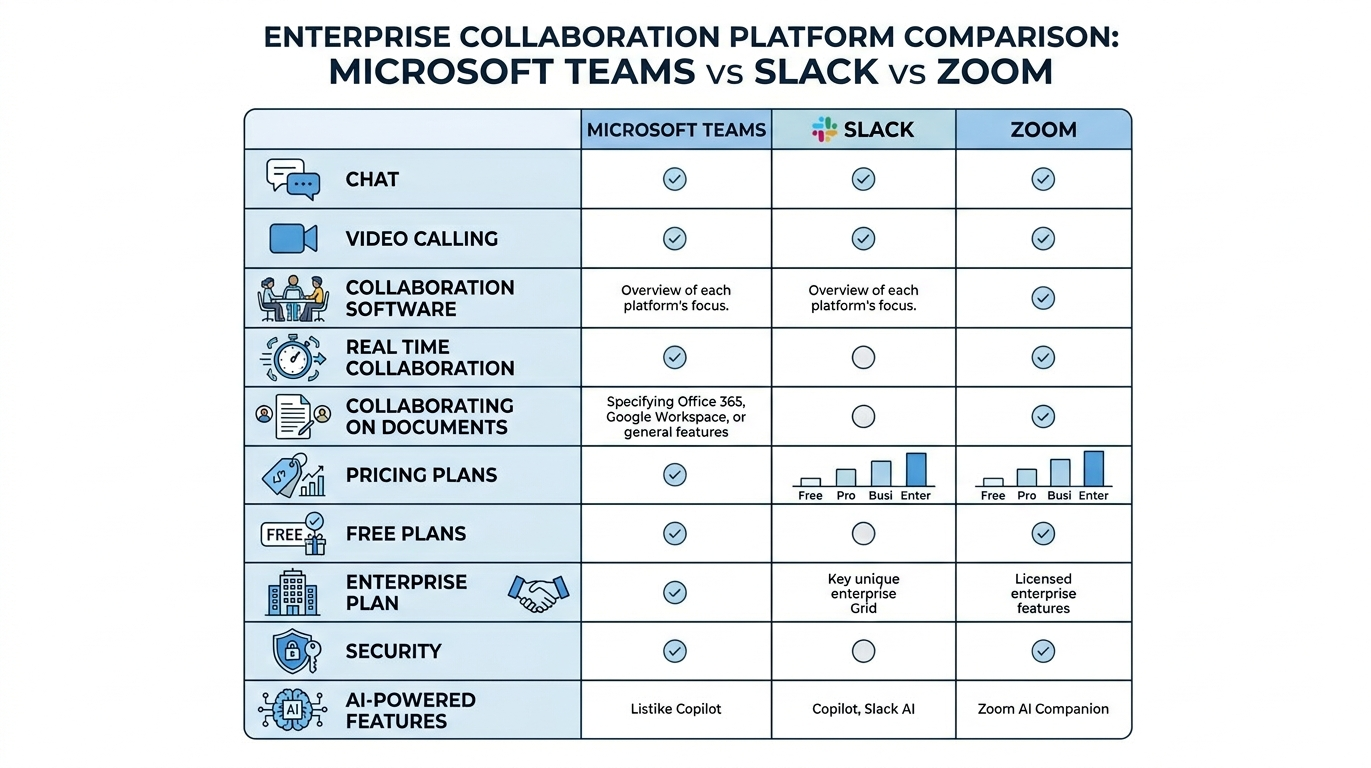
What to Compare Before You Decide
Evaluate business outcomes first, then map platform capabilities:
- Messaging model: channel depth, search quality, notification control.
- Meeting model: internal/external calls, large events, and recap quality.
- Document model: where files live, how permissions are enforced, and version control behavior.
- Governance model: external access rules, lifecycle, retention, and audit readiness.
- Cost model: realistic production cost after governance and AI requirements are included.
Teams vs Slack vs Zoom by Collaboration Layer
| Collaboration Area | Microsoft Teams | Slack | Zoom |
|---|---|---|---|
| Platform identity | Microsoft 365-first unified platform | Channel-first collaboration hub | Meeting-first collaboration platform |
| Messaging strength | Strong channels + M365 context | Best-in-class channel flow | Supports chat, but less central |
| Meeting strength | Strong and integrated | Good, often paired with Zoom | Core strength |
| Document collaboration | Native with SharePoint/OneDrive | Often integration-dependent | Works best for meeting artifacts |
| Governance fit | Strong enterprise baseline | Strong, varies by plan/config | Strong meeting controls, narrower file model |
| Typical best fit | Standardized enterprise operations | Product and integration-heavy teams | Webinar and meeting-centric operations |
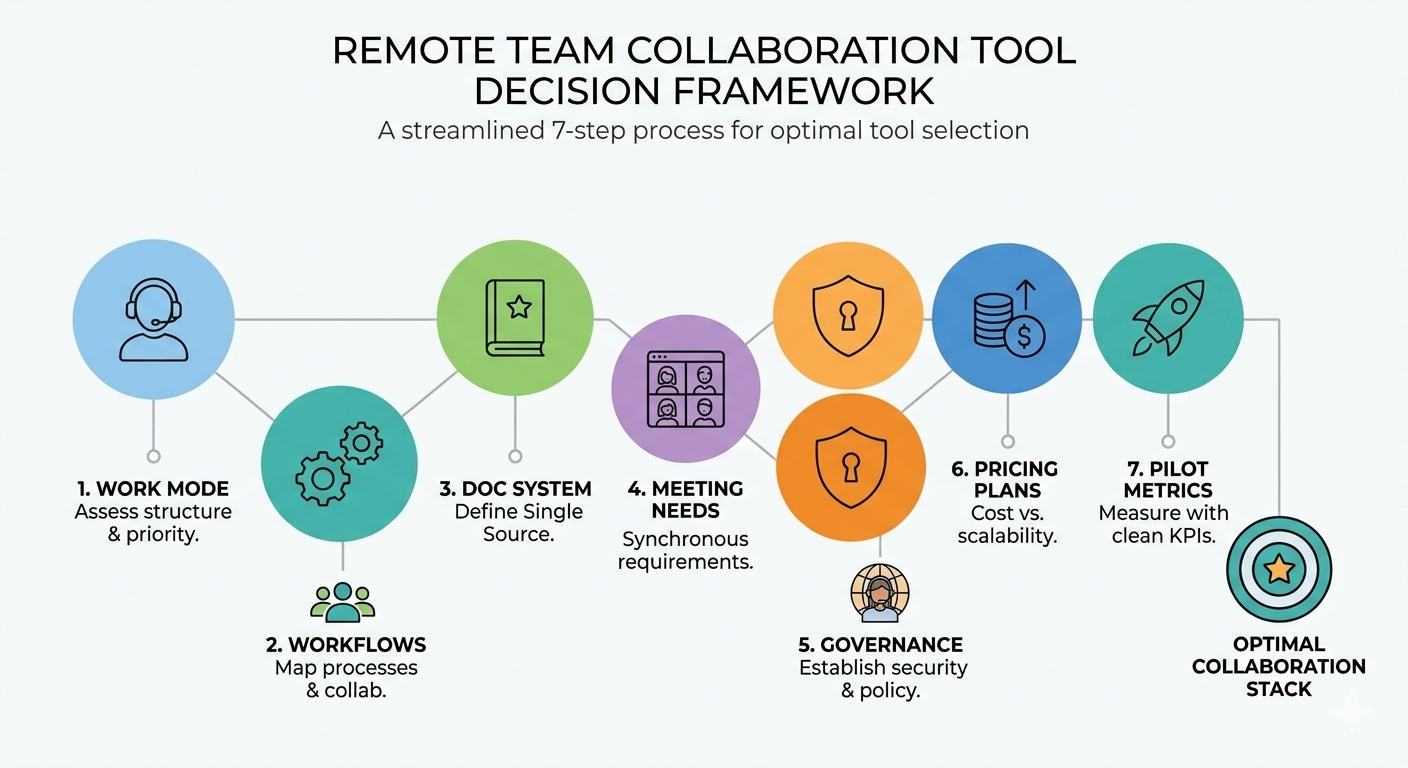
A Practical Decision Framework
Use this seven-step sequence to avoid expensive re-platforming:
- Define your dominant work mode: chat-first, meeting-first, or document-first.
- Map 5-10 recurring workflows where collaboration quality directly impacts delivery.
- Select your document system of record before selecting UI preferences.
- Set external collaboration and guest access boundaries.
- Confirm governance minimums for retention, audit, and security.
- Match plan tiers to governance requirements, not just entry pricing.
- Run a pilot with measurable metrics: decision retrieval speed, action follow-through, and tool switching frequency.
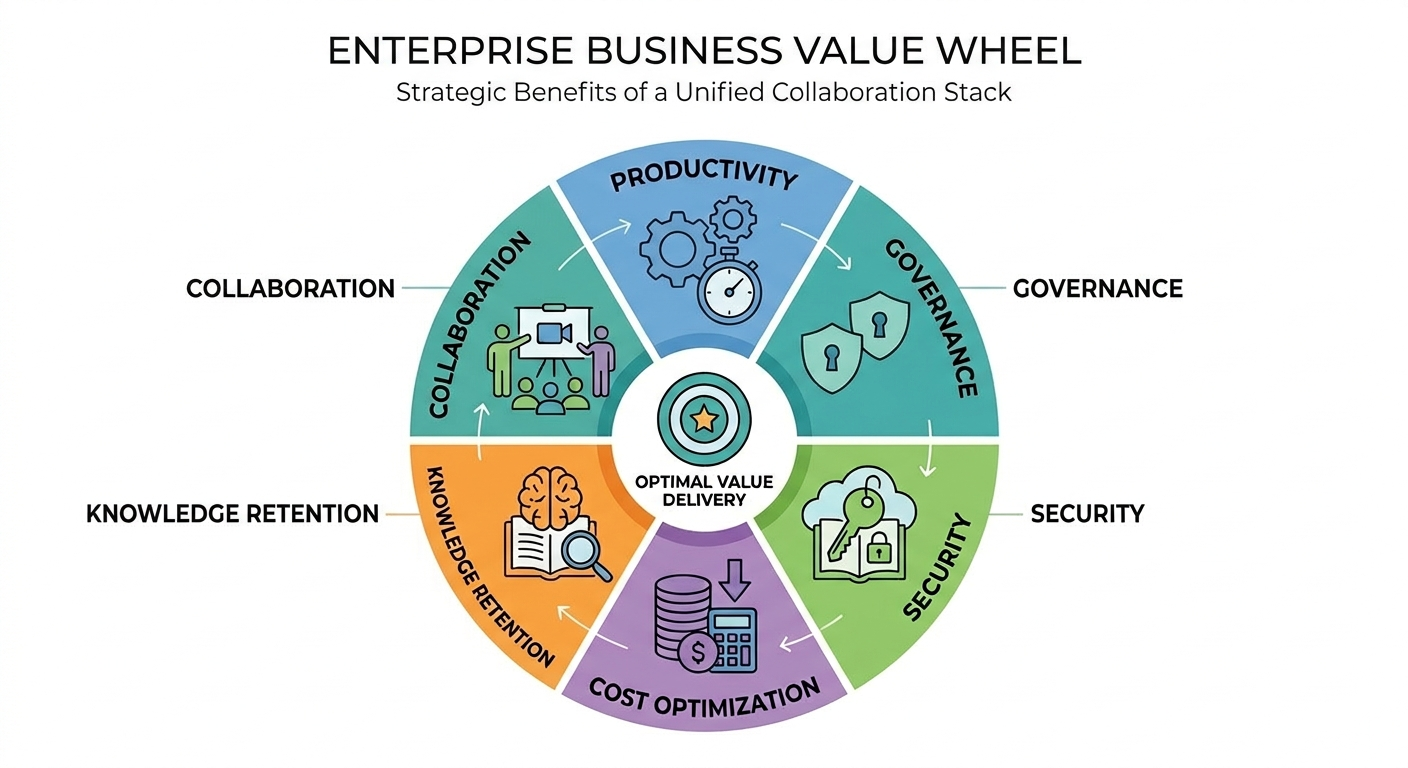
Business Value of the Right Platform Choice
| Business Area | Value Delivered |
|---|---|
| Productivity | Less context switching and faster decision cycles |
| Collaboration quality | Better action ownership and fewer dropped follow-ups |
| Security posture | Stronger control over sharing, retention, and external access |
| IT efficiency | Lower operational overhead from platform consolidation |
| Knowledge retention | More reliable retrieval of decisions, files, and meeting outcomes |
When collaboration is standardized with clear governance, the platform becomes an execution engine instead of just a messaging destination.
Key Selection Mistakes to Avoid
- Choosing based on free-tier features instead of production governance needs.
- Ignoring the document system of record until after rollout.
- Launching without ownership standards, naming conventions, and lifecycle controls.
- Treating AI add-ons as equivalent without checking recap quality and action capture needs.
Frequently Asked Questions
Which platform is best for Microsoft 365 organizations?
Is Slack better than Teams for fast-moving teams?
Should we run both Slack and Zoom together?
How do we choose without risking a bad rollout?
Conclusion
The best collaboration platform is the one that matches your operating model, governance requirements, and user behavior at scale. For many enterprises, that means standardizing around Teams. For others, a hybrid model with Slack or Zoom can still be valid when boundaries are explicit.
If your organization is evaluating Teams vs Slack vs Zoom, ARC can help with strategy, implementation, governance, and optimization.
Work with Al Rafay Consulting: explore our Microsoft Teams services to put this into practice, or book a free assessment.
Frequently Asked Questions
What is Microsoft Teams?
Microsoft Teams is a collaboration platform that combines chat, video meetings, file storage, and app integration — serving as the central hub for teamwork in Microsoft 365.
Is Teams included in Microsoft 365?
Yes. Microsoft Teams is included in all Microsoft 365 Business and Enterprise plans. A free version with limited features is also available for small organizations.
How many people can join a Teams meeting?
Teams supports up to 1,000 interactive participants in meetings and up to 20,000 view-only attendees in Town Halls (formerly Live Events) for large-scale broadcasts.
Can Teams integrate with third-party apps?
Yes. Teams has thousands of third-party app integrations in its marketplace including Salesforce, ServiceNow, Trello, Asana, and custom apps built with the Teams platform SDK.
How does Teams handle data security?
Teams data is encrypted at rest and in transit, protected by DLP policies, conditional access, retention policies, and audit logging. It inherits all Microsoft 365 compliance and security features.

ARC Team
ARC Team
AI-powered Microsoft Solutions Partner delivering enterprise solutions on Azure, SharePoint, and Microsoft 365.
LinkedIn Profile