GitHub Copilot vs Cursor vs Tabnine: Best AI IDE?
GitHub Copilot and Cursor vs Tabnine are compared here based on their capabilities, pricing, integrations, and enterprise fit — helping organizations choose the right solution for their specific requirements and existing technology stack.
Compare GitHub Copilot, Cursor, and Tabnine for AI coding—features, privacy posture, IDE fit, rollout steps, and business value. A practical decision guide for engineering leaders and platform teams.
Al Rafay Consulting
· Updated June 16, 2026 · ARC Team

AI-assisted coding is no longer a “nice-to-have.” It’s quickly becoming part of standard developer productivity, especially for teams shipping features under tight timelines. Most organizations exploring AI in software delivery start with one practical question: which tool fits our workflow and governance model?
Teams usually compare these tools for three reasons: how well they fit existing IDE habits, how much repository context they can use, and how comfortable leadership is with the privacy and governance model.
- Copilot brings AI into the IDEs teams already use
- Cursor is an AI-first editor built around deeper repo context and multi-file workflows
- Tabnine is commonly considered when privacy and controlled deployment are the deciding factors
This guide is for engineering leaders, platform teams, software architects, and developers who need a clear decision on the best AI assistant for coding—without getting stuck in marketing noise.
Quick Verdict
| Criteria | GitHub Copilot | Cursor | Tabnine |
|---|---|---|---|
| Best fit | Fast adoption + GitHub workflow | Repo context + multi-file edits | Privacy/compliance + controlled deployment |
| IDE model | Extension inside common IDEs | Cursor IDE (VS Code-based) | Extensions across many IDEs |
| Strongest value | Low friction, consistent completions | Deep context + agent workflows | Governance posture + enterprise options |
| Watch-outs | Context depends on open files | Requires editor switch | Agent depth varies by plan |
Simple starting point: Copilot is usually the easiest win. Cursor is strongest for repo-wide work. Tabnine is often chosen when governance is the deciding factor.
What to Look for in the Best AI IDE (ARC Decision Lens)
Before you pick an AI coding assistant, align on constraints and outcomes. ARC evaluates tools across four areas:
- Context depth: Do you need full repo understanding or primarily inline suggestions? This is the biggest practical difference between Copilot and Cursor.
- Developer experience: Will developers switch tools, or must the AI live inside existing IDEs?
- Governance and privacy: Is cloud processing acceptable, or must code remain inside your environment?
- Measurable impact: What will you track—cycle time, PR throughput, build success, or developer satisfaction?
Practical rule: Treat these as AI code completion tools first, then evaluate “agent” features second. Many teams win early by starting with completions, then layering advanced workflows after adoption stabilizes.
GitHub Copilot Overview
GitHub Copilot is one of the most widely adopted AI pair programming tools because it integrates into common IDEs and GitHub workflows. For many teams, it’s the fastest path to “AI in the flow of work.”
Where Copilot performs best:
- Low-friction rollout: Fits inside existing IDEs—adoption is easier than switching editors
- Reliable day-to-day completions: Performs well for mainstream languages and common frameworks
- Strong enablement guidance: GitHub provides a clear rollout model (pilot → champions → training → support)
- Microsoft ecosystem integration: Native fit with Azure DevOps, GitHub Actions, and Microsoft 365
Practical limitations:
- Context can be narrower—Copilot often relies on nearby context and open files
- Governance still matters—set expectations for code review, security scanning, and safe usage, especially in regulated environments
Cursor Overview
Cursor is often described as an AI-native editor—an IDE experience rebuilt around AI rather than an add-on. The headline differentiator is repo awareness and multi-file change workflows.
Where Cursor performs best:
- Repo indexing for deeper context: Strong fit when you need cross-file understanding
- Agent workflows for multi-file edits: Helpful for refactors and broad updates across large codebases
- AI-first UX: Chat and edit flows are core to the product, not a sidebar add-on
Trade-offs:
- Editor standardization: You get the most benefit when developers actually use Cursor as the primary editor—which requires a tool switch
- Policy fit: Some environments require extra review if code is processed in the cloud
The decision typically comes down to three factors: how much repository context you need, how often you expect multi-file edits/refactors, and whether teams are willing to standardize on a new editor experience.
Tabnine Overview
Tabnine is frequently evaluated when governance and privacy are top priorities. Many teams shortlist it as a GitHub Copilot alternative when they need more control over deployment posture and risk handling.
Where Tabnine is strongest:
- Enterprise posture: Commonly positioned for regulated environments where code must stay inside controlled boundaries
- Broad IDE coverage: Useful when teams use multiple IDEs and still want consistent AI assistance
What to watch:
- Agent depth varies by plan and configuration—if you expect heavy multi-file planning workflows, validate capabilities before committing
- Enterprise deployment paths require planning and operational ownership
Feature-by-Feature Comparison
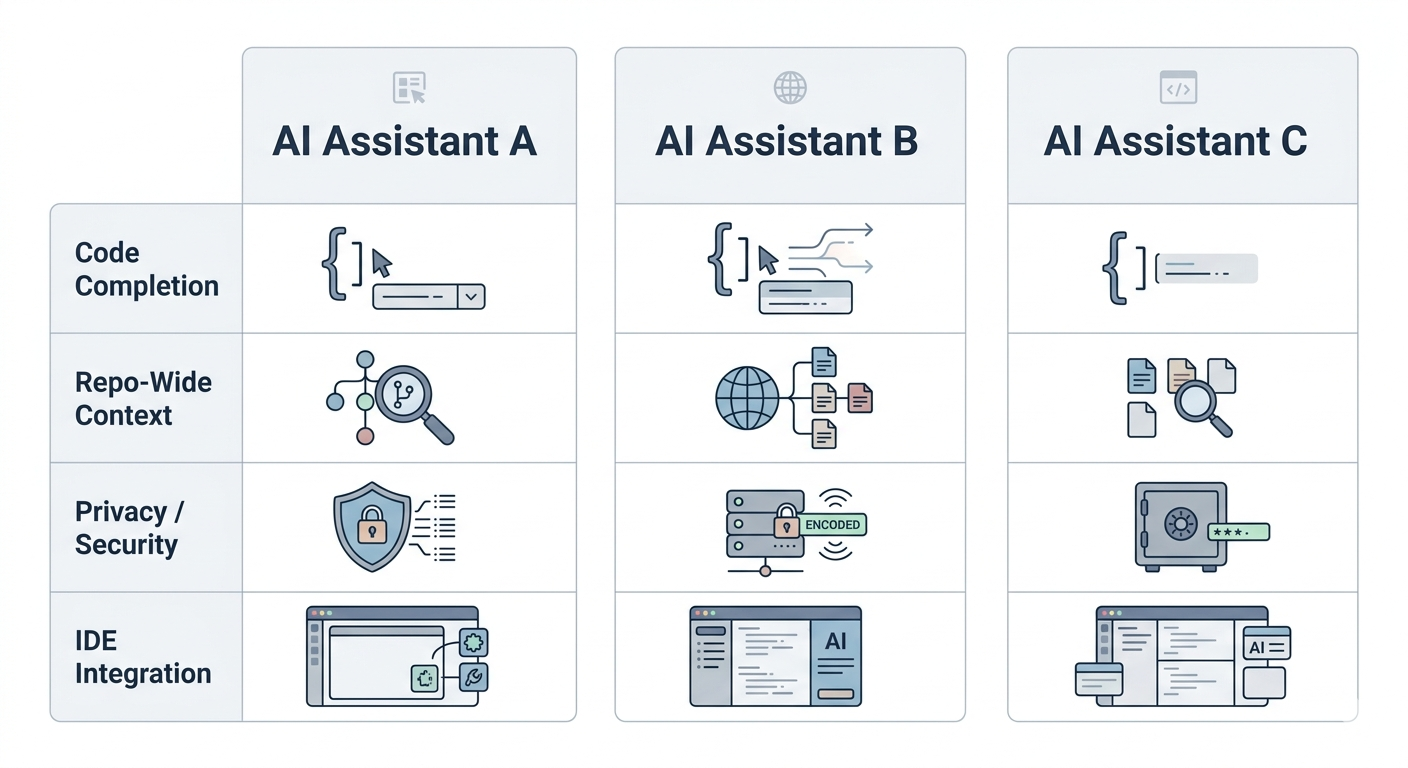
| Capability | GitHub Copilot | Cursor | Tabnine |
|---|---|---|---|
| Inline completions | Strong | Strong | Strong |
| Chat assistance | Strong | Strong (AI-first) | Varies by plan |
| Repo-wide context | Medium by default | High (indexed) | Medium (varies) |
| Multi-file refactors | Limited | Strong | Limited |
| IDE flexibility | High | Medium (Cursor IDE) | High |
| Governance posture | Policy-driven | Policy-driven | Often privacy-forward |
How to interpret this table:
- If your goal is fast wins with AI code completion, start with Copilot
- If you need deep refactors and repo-wide AI workflows, Cursor may be the best fit
- If you need a privacy-driven AI tool for software development, Tabnine is often shortlisted
How to Get Started (Step-by-Step)
Getting Started with GitHub Copilot
- Select a pilot group (representative stacks) and define success metrics (throughput, build success, satisfaction)
- Grant licences to pilot users
- Install the IDE extension and sign in
- Publish onboarding resources: safe prompt patterns, review expectations, and examples
- Run enablement sessions led by champions; keep support available during early adoption
Getting Started with Cursor (Team Evaluation)
- Install Cursor and import VS Code settings to reduce friction
- Index a representative repository and validate accuracy on known code
- Run a controlled refactor in a safe branch and review diffs carefully
- Set guardrails: PR review is mandatory; define when agent edits are allowed
Getting Started with Tabnine (Governed Rollout)
- Choose the deployment posture aligned with policy (cloud vs on-premises/hybrid)
- Roll out extensions across standard IDEs with consistent settings
- Align coding standards: style, secure coding expectations, and review requirements
- Enable adoption: office hours, quick guides, and internal champions
Outcomes and Business Value

AI coding tools create value only when adoption is real and governance is clear. When implemented well, they reduce repetitive work and help developers stay focused—while still preserving review and security controls.
| Business Area | Value Delivered | Why It Matters |
|---|---|---|
| Delivery velocity | Faster iteration on repetitive tasks | Higher throughput without adding headcount |
| Quality gates | Better reuse of patterns (with review) | Lower risk of inconsistent code |
| Developer experience | Reduced context switching | Improves retention and output |
| Onboarding | Faster ramp-up on code patterns | Less time spent learning internal conventions |
ARC’s approach matches how we deliver Microsoft 365 programs: structure first, then scale. Pilot, measure, and expand only after guardrails are in place.
Frequently Asked Questions
Which is the best AI assistant for coding overall?
▼
It depends on your priorities: Copilot for low-friction adoption inside existing IDEs, Cursor for repo-wide refactors and multi-file edits, Tabnine for privacy-driven or regulated environments.
Is Cursor better than Copilot for large codebases?
▼
Cursor is often preferred when repo-wide context and multi-file edits are required. Copilot is strongest for inline completions inside existing IDEs without requiring a tool switch.
Is Tabnine a strong GitHub Copilot alternative?
▼
Tabnine is frequently evaluated when privacy and controlled deployments are key procurement constraints. It supports broad IDE coverage and enterprise deployment postures that some regulated environments require.
What is the best AI IDE for teams that can’t change editors?
▼
Copilot is usually the simplest starting point because it plugs into existing IDEs (VS Code, Visual Studio, JetBrains, Neovim) without requiring a tool switch.
How do we measure ROI from AI coding tools?
▼
Use telemetry plus developer feedback: cycle time, PR throughput, build success rate, and satisfaction scores. The strongest ROI typically appears in high-volume delivery teams where small time savings repeat daily.
What should we do about privacy, data retention, and sensitive code?
▼
Start with a written policy covering what can and cannot be shared with AI tools, then validate vendor controls, tenant/admin settings, and your secure SDLC gates (review, scanning, secrets detection). If you’re regulated, involve security and legal teams early.
Conclusion
The best AI coding assistant is the one your team will actually use—and that fits your governance model. GitHub Copilot wins on adoption speed and Microsoft ecosystem fit. Cursor wins on repo-wide context and multi-file workflows. Tabnine wins when privacy and controlled deployment are non-negotiable.
The right approach is to run a structured pilot with clear success metrics before committing to a full rollout. Measure developer satisfaction, throughput changes, and build success rates—then expand only after guardrails are confirmed in place.
If your organization is evaluating AI coding tools, ARC can help with assessment, pilot design, security posture review, and adoption strategy—so the investment delivers measurable outcomes rather than unrealized potential.
Work with Al Rafay Consulting: explore our GitHub Copilot Workspace services to put this into practice, or book a free assessment.
Frequently Asked Questions
How does Microsoft Copilot compare to Google Gemini?
Microsoft Copilot integrates deeply with Microsoft 365 apps and enterprise data, while Google Gemini is optimized for Google Workspace. Copilot excels in enterprise environments with Microsoft-centric tooling.
Which AI assistant is better for businesses?
For organizations using Microsoft 365, Copilot provides superior integration with existing workflows, security models, and compliance frameworks. Google Gemini is better suited for Google Workspace environments.
Can I use both Copilot and Gemini?
Yes, though most organizations choose the assistant that aligns with their primary productivity suite. Using both adds licensing costs and may create inconsistent user experiences.
Is Microsoft Copilot more secure than alternatives?
Copilot inherits Microsoft 365 enterprise security — RBAC, DLP, encryption, and compliance certifications. It does not send data outside your tenant, which is a key differentiator for regulated industries.
What about ChatGPT vs Microsoft Copilot?
ChatGPT is a general-purpose AI assistant, while Microsoft 365 Copilot is enterprise-focused with direct access to your organizational data, permissions, and business context within familiar Office apps.

Al Rafay Consulting
ARC Team
AI-powered Microsoft Solutions Partner delivering enterprise solutions on Azure, SharePoint, and Microsoft 365.
LinkedIn Profile