Microsoft Loop: Collaborative AI Pages Now
Microsoft Loop is a collaborative M365 app that combines portable components, flexible pages, and shared workspaces — now enhanced with Copilot Pages for AI-assisted drafting and real-time team collaboration across Teams, Outlook, and Word.
Discover how Microsoft Loop and Microsoft 365 Copilot Pages improve cross-team collaboration with live pages, AI drafts, and shared workspaces that reduce context switching.
Al Rafay Consulting
· Updated June 22, 2026 · ARC Team

Teams today rarely complete work inside one app or one meeting. Ideas start in chat, move into email, become meeting notes, then get copied into project trackers. This constant handoff creates context loss, version confusion, and slower execution.
Organizations looking to strengthen this area can work with Microsoft Loop services.
Microsoft Loop changes this by turning collaboration into a live, connected experience. With Copilot Pages, teams can convert AI output into editable, shared pages and refine work together in real time.
What Microsoft Loop Is
Microsoft Loop is a Microsoft 365 co-creation app designed to keep people, content, and tasks connected through live collaboration rather than static document handoffs.
Loop includes three building blocks:
- Loop Components: portable content blocks (lists, tables, notes) that stay synced across apps
- Loop Pages: flexible canvases where teams organize content, tasks, links, and decisions
- Loop Workspaces: shared hubs that group related pages and project context
This makes Loop especially effective for cross-functional work where multiple teams need one shared source of truth.
Why Collaborative AI Pages Matter Now
Copilot Pages turns AI-generated responses into editable pages that teams can improve together. Instead of losing valuable AI output in chat history, teams can:
- Capture it as shared working content
- Add ownership, tasks, and decisions
- Iterate quickly with cross-team input
- Keep progress visible over time
This reduces blank-page friction and speeds up idea-to-action workflows.
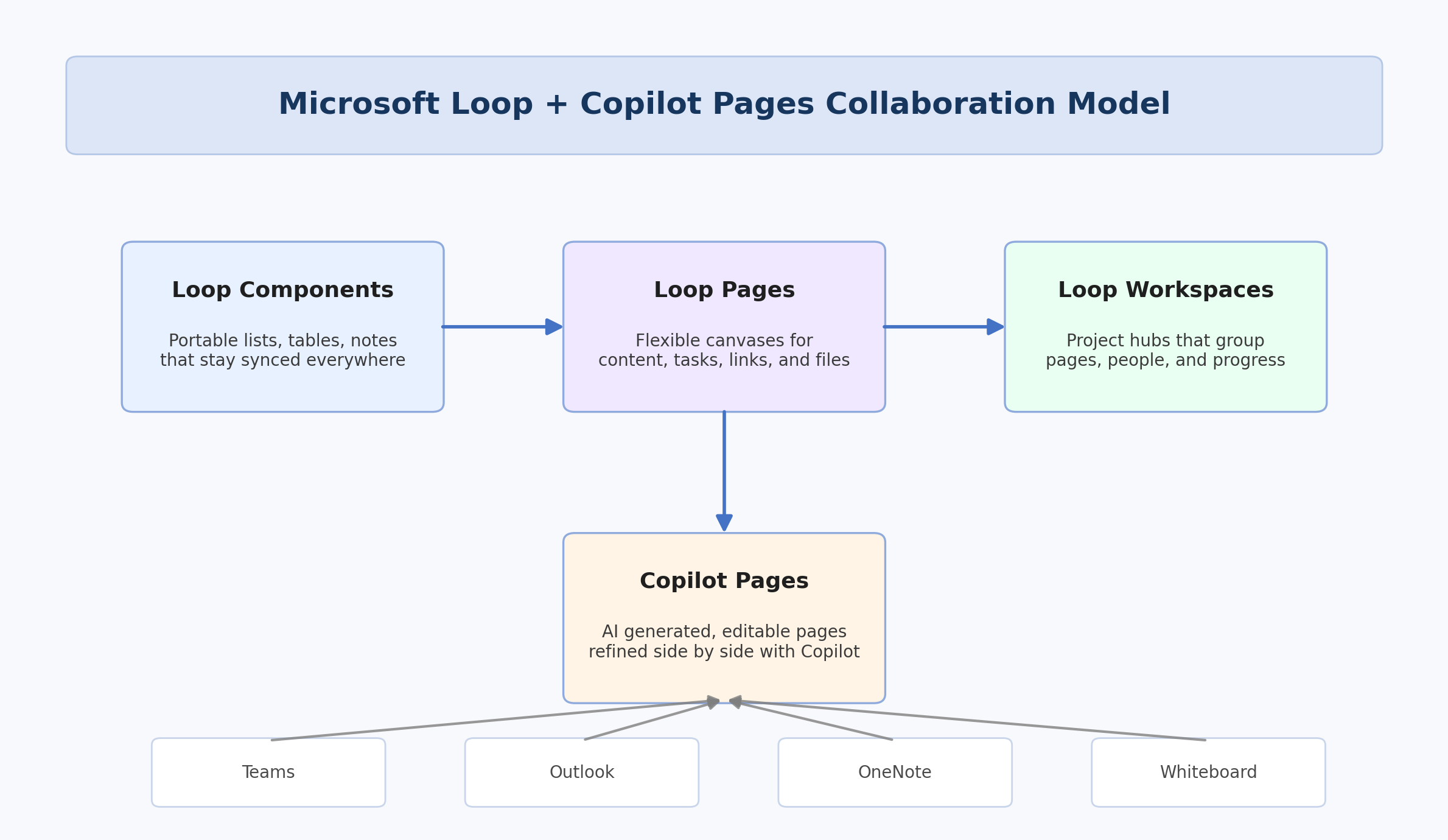
How Loop + Copilot Pages Work Together
Loop provides the shared environment. Copilot Pages accelerates first drafts. Together they support a collaboration model where AI helps teams start faster and humans drive quality, ownership, and decisions.
Loop as the Collaboration Layer
Loop keeps work synchronized across Microsoft 365 apps and gives teams persistent visibility into progress, blockers, and responsibilities.
Copilot Pages as the Drafting Layer
Copilot Pages creates structured drafts from prompts, helping teams move from concept to useful content quickly while preserving human review.
Enterprise Governance Fit
Loop content aligns with Microsoft 365 permissions and storage patterns, which helps IT teams balance collaboration flexibility with security and compliance requirements.
Step-by-Step: Operationalize Loop for Cross-Team Collaboration
| Phase | Focus | Outcome |
|---|---|---|
| Step 1: Choose High-Value Use Cases | Meeting notes, project briefs, launch pages, handoff trackers | Fast adoption with visible wins |
| Step 2: Build Repeatable Templates | Standard page structures for teams | Consistent collaboration patterns |
| Step 3: Introduce Copilot Page Workflows | AI draft → team refinement → ownership assignment | Faster content-to-action cycle |
| Step 4: Define Governance Rules | Permissions, page ownership, lifecycle, archive conventions | Controlled scale and trust |
| Step 5: Expand by Team Rings | Pilot in key departments, then widen rollout | Lower change risk and stronger adoption |
Step 1: Start with Real Operational Pain Points
Prioritize workflows where fragmentation hurts most, such as recurring cross-team projects or multi-department status handoffs.
Step 2: Create Reusable Collaboration Templates
Design templates for kickoff pages, decision logs, risk trackers, and action reviews to reduce setup time and increase consistency.
Step 3: Add Copilot for Faster Drafting
Use Copilot Pages to create first-pass summaries, plans, and comparisons, then refine collaboratively in Loop with explicit ownership.
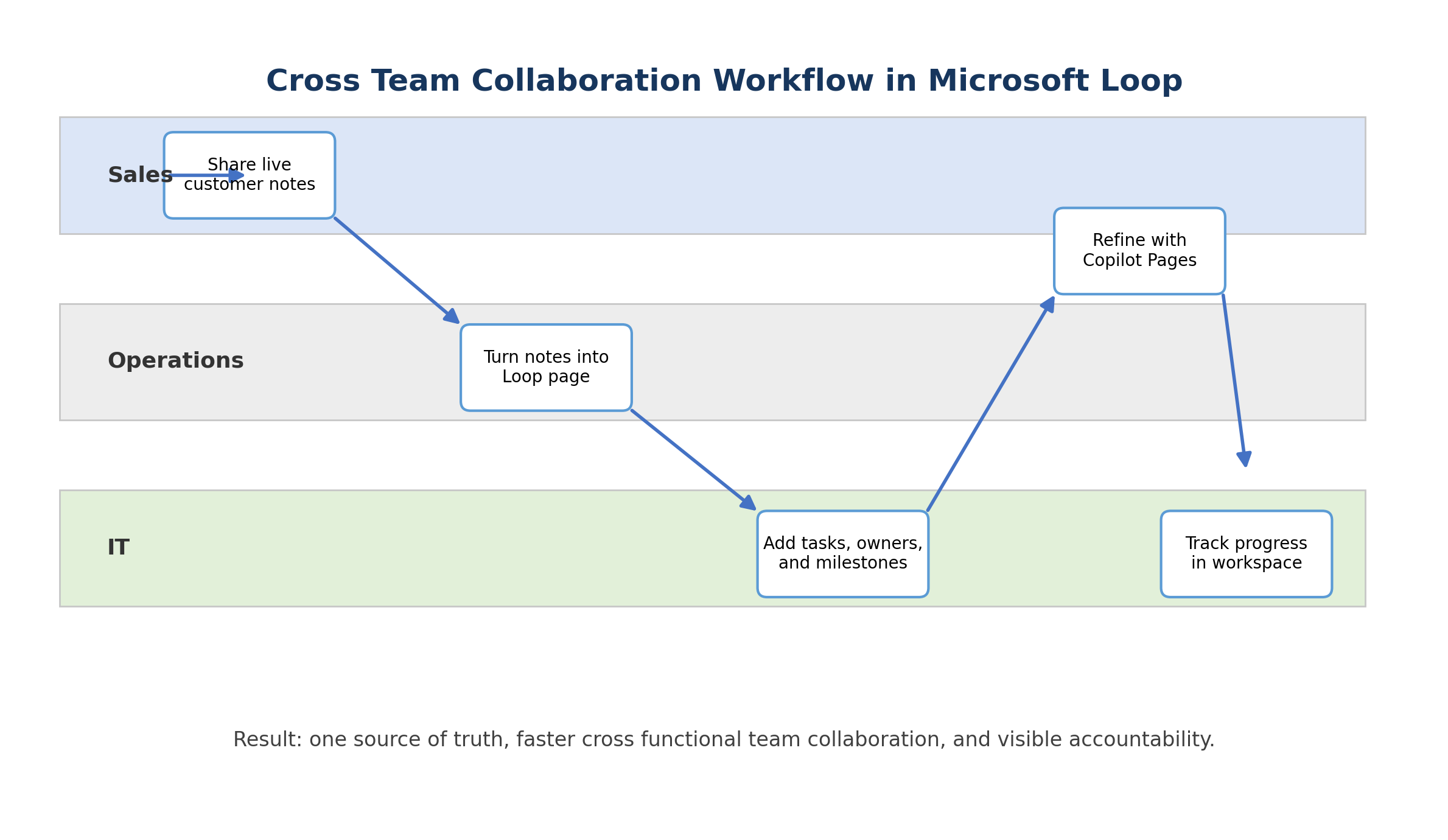
Step 4: Define Ownership and Lifecycle
Clear ownership improves accountability. Define who updates pages, closes actions, and archives stale content.
Step 5: Measure Adoption and Outcome Quality
Track reuse, completion rates, and cycle-time improvements to prove business value and guide rollout optimization.
Use Cases That Deliver Fast Value
- Product launch planning across marketing, operations, sales, and IT
- Consulting/project delivery pages with live task and decision tracking
- Recurring meeting operating pages that preserve continuity week to week
- Remote and hybrid collaboration hubs for asynchronous team contributions
- Cross-functional initiative dashboards with shared ownership and visibility
Business Value for Decision Makers
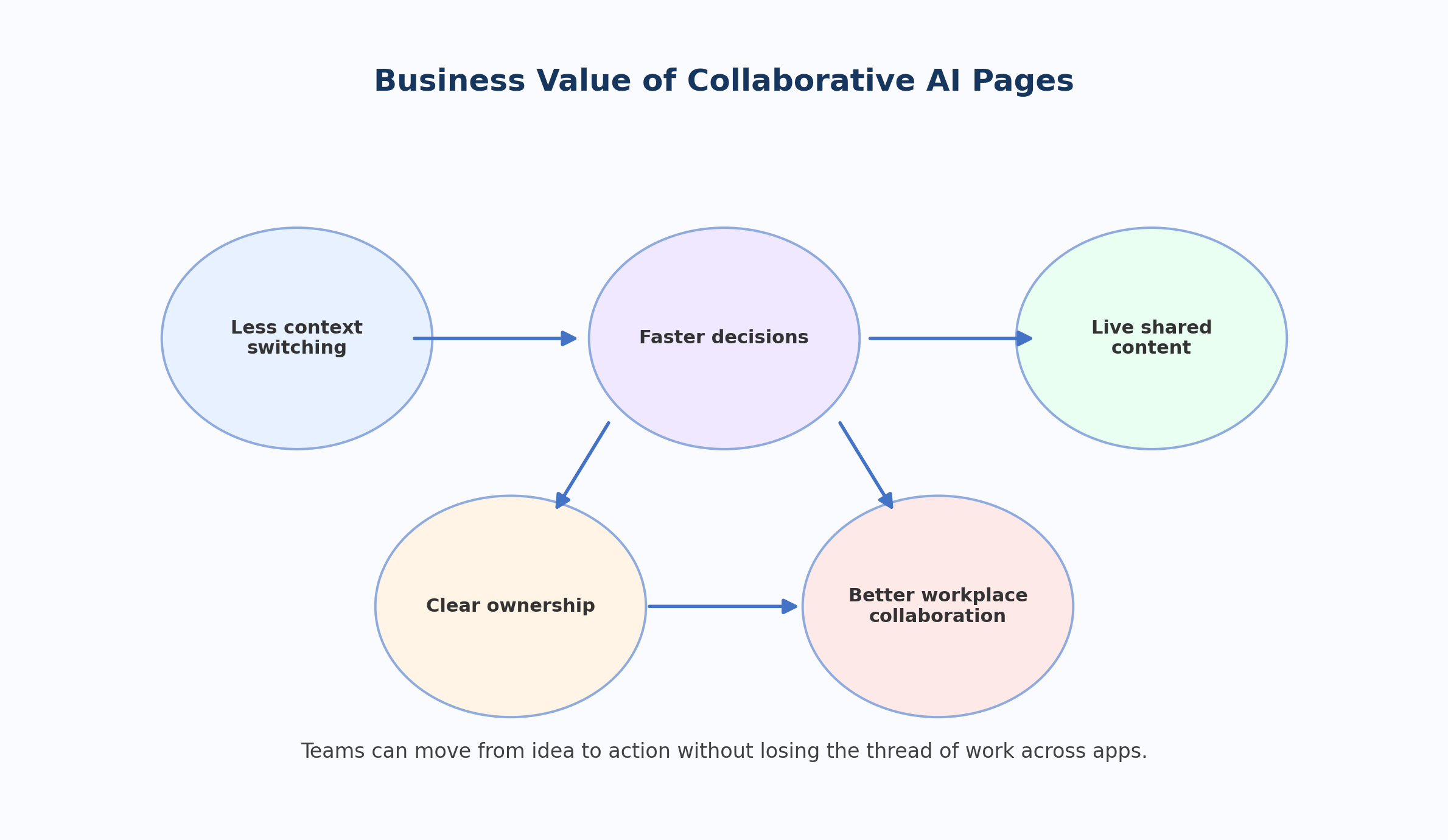
- Less context switching across disconnected tools
- Faster decisions through shared live content
- Better accountability with clearer ownership
- Higher collaboration quality across functions
- Improved workplace productivity with reduced coordination friction
Common Adoption Mistakes to Avoid
- Treating Loop as just another note-taking app
- Launching without ownership conventions
- Rolling out too many use cases at once
- Ignoring change support for non-technical teams
- Measuring activity (pages created) instead of outcomes (decisions, cycle time, execution speed)
Frequently Asked Questions
What is Microsoft Loop?
Microsoft Loop is a Microsoft 365 collaboration app with components, pages, and workspaces that keep content live and synchronized across apps.
What are Copilot Pages?
Copilot Pages are editable and shareable pages created from Microsoft 365 Copilot responses, allowing teams to transform AI drafts into collaborative working assets.
How does Loop improve cross-team collaboration?
Loop reduces duplication and handoff friction by keeping shared content synchronized and visible across teams and apps, which improves execution speed and accountability.
Is Loop suitable for remote and hybrid teams?
Yes. Loop supports asynchronous collaboration by letting contributors update live content from the Microsoft 365 apps they already use.
Conclusion
Microsoft Loop and Copilot Pages provide a practical model for modern teamwork: live shared content, faster drafting, clearer ownership, and better cross-functional execution. Organizations that adopt this model thoughtfully can reduce coordination overhead while increasing decision velocity.
If your organization is exploring collaborative AI workflows, ARC can help with strategy, implementation, governance, and adoption.
Frequently Asked Questions
What is Microsoft 365 Copilot?
How much does Microsoft 365 Copilot cost?
Is my data safe with Microsoft 365 Copilot?
What are the prerequisites for deploying Copilot?
How can I measure Copilot ROI?

Al Rafay Consulting
ARC Team
AI-powered Microsoft Solutions Partner delivering enterprise solutions on Azure, SharePoint, and Microsoft 365.
LinkedIn Profile