Stop BYOD Risks with Microsoft Intune MAM Today
Stop BYOD Risks with Microsoft Intune MAM Today is bYOD increases data leakage risk. Learn how Microsoft Intune MAM and app protection policies secure corporate data in Outlook, Teams, and Microsoft 365 without full device enrollment.
BYOD increases data leakage risk. Learn how Microsoft Intune MAM and app protection policies secure corporate data in Outlook, Teams, and Microsoft 365 without full device enrollment.
Al Rafay Consulting
· Updated June 20, 2026 · ARC Team

Bring Your Own Device (BYOD) is now standard in hybrid work. Employees use personal phones to access Outlook, Teams, and business documents, which improves flexibility but increases data leakage risk when controls are weak.
Organizations looking to strengthen this area can work with Microsoft Intune services.
Most BYOD incidents are not malicious. They happen through everyday behavior: copy-pasting content into personal apps, saving files to unmanaged storage, or sharing through unapproved channels.
Blocking BYOD entirely is rarely practical. The better model is to protect corporate data inside apps instead of taking full control of personal devices.
What Is Intune MAM?
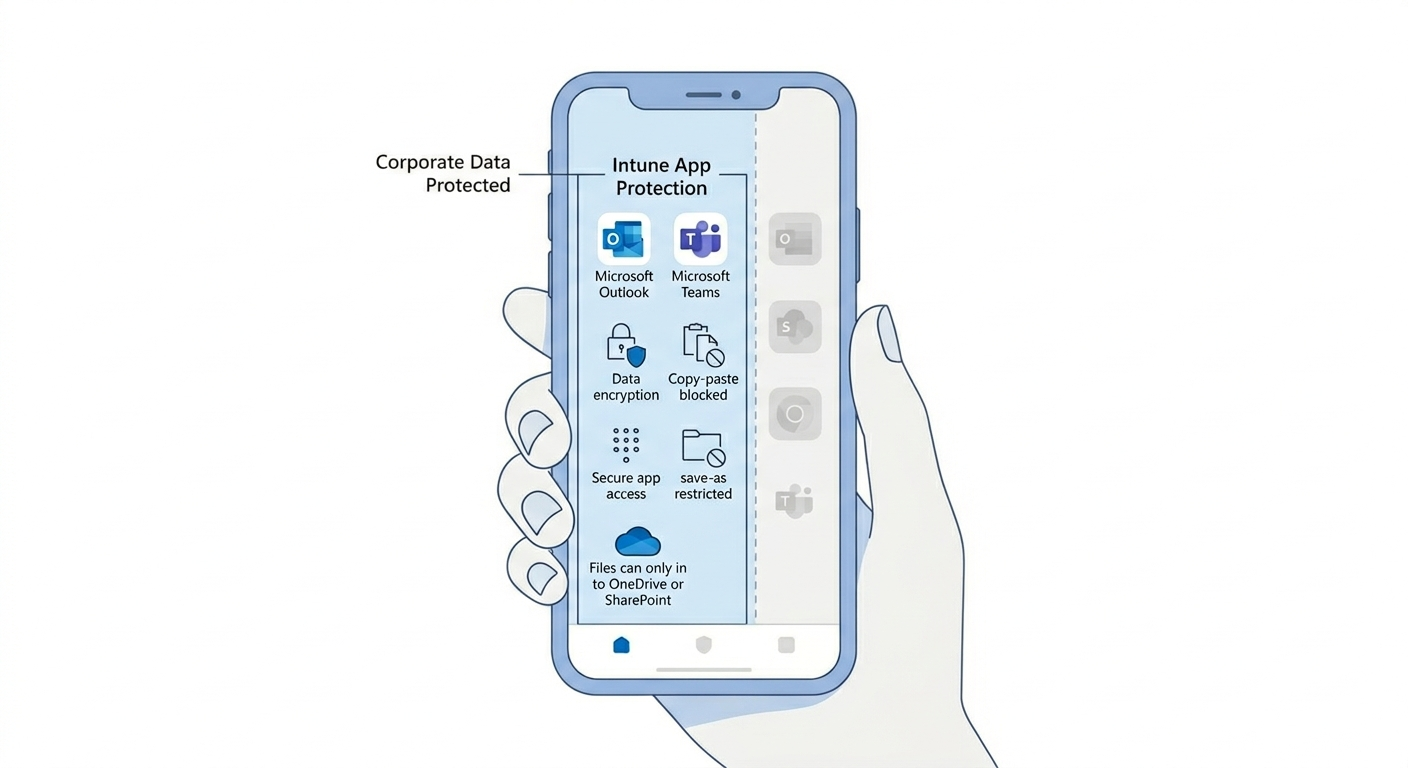
Microsoft Intune MAM (Mobile Application Management) protects organization data at the app layer through app protection policies.
With MAM, you can:
- Require PIN/biometric before app data opens
- Restrict copy/paste from managed to unmanaged apps
- Block save-as into personal storage
- Control data sharing boundaries between apps
- Wipe corporate app data selectively if needed
This is especially effective for BYOD because security is applied to business apps without full device enrollment.
Why BYOD Creates Security and Compliance Gaps
On unmanaged personal devices, IT usually lacks full control over OS hardening and endpoint configuration. Even with MFA, data can still leak after sign-in.
Common risks include:
- Exporting files from work apps to personal apps
- Sharing business data through unapproved messaging tools
- Accessing sensitive content in non-protected clients
- Limited auditability of mobile data handling behaviors
Intune MAM addresses these risks by creating app-level data boundaries.
MAM vs MDM for BYOD
| Decision Area | Intune MAM (App-Level) | Intune MDM (Device-Level) |
|---|---|---|
| What is managed | Corporate data inside approved apps | Full device posture and settings |
| Best for | Personal/BYOD scenarios | Corporate-owned endpoints |
| User privacy impact | Lower | Higher |
| Security control depth | Strong in-app containment | Full endpoint governance |
| Typical strategy | BYOD baseline model | Corporate device model |
Most enterprises use both models: MDM for corporate devices and MAM for BYOD users.
Step-by-Step BYOD MAM Rollout
| Phase | Focus | Outcome |
|---|---|---|
| Step 1: Scope and Segmentation | Define target users, apps, and risk tiers | Controlled rollout plan |
| Step 2: Policy Design | Configure app protection controls by platform | Consistent data boundaries |
| Step 3: Pilot Deployment | Assign policies to pilot users and validate experience | Lower rollout disruption |
| Step 4: Conditional Access Enforcement | Require app protection policy for access | Stronger enforcement model |
| Step 5: Scale and Optimize | Expand in rings, monitor outcomes, tune controls | Sustainable BYOD governance |
Step 1: Scope Critical Mobile Workflows
Identify what users access on personal devices and which apps must be protected first (typically Outlook, Teams, and Microsoft 365 apps).
Step 2: Configure Protection Controls
Set controls such as PIN/biometric, encryption requirements, copy/paste restrictions, and save location limitations.
Step 3: Pilot with Real User Behavior
Validate sign-in flow, sharing behavior, and support impact before broad enforcement. Pilot data reveals where controls need tuning.
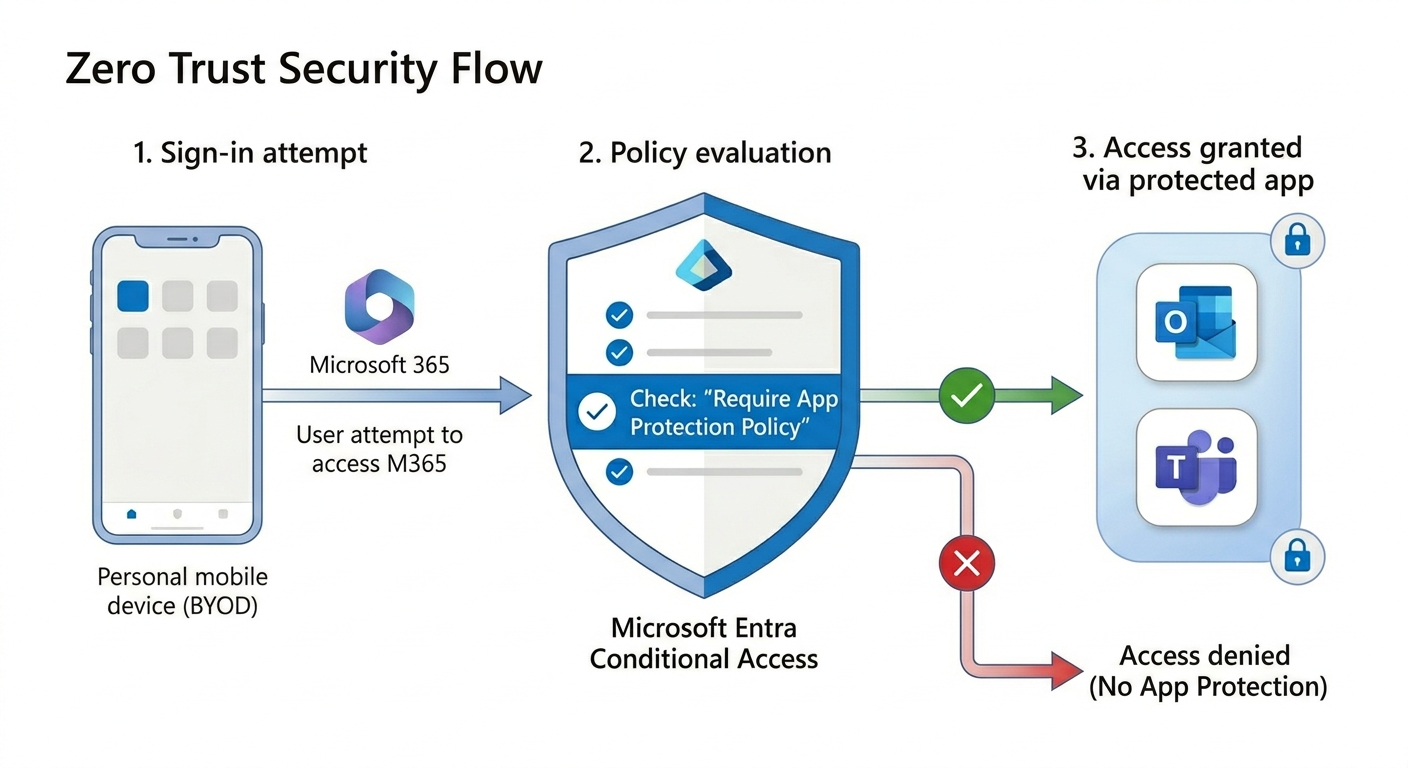
Step 4: Enforce with Conditional Access
Require approved apps and app protection policy for mobile access to sensitive resources. This closes common bypass paths.
Step 5: Monitor and Refine
Track policy failures, user friction signals, and support trends. Strengthen controls iteratively by risk tier.
Policy Design: Basic to High Protection
A tiered model prevents over-restriction and improves adoption:
- Basic: baseline protection for broad user groups
- Enhanced: stronger data handling controls for most business users
- High: strict containment for regulated or high-risk roles
Start broad users on enhanced controls and reserve high restrictions for sensitive functions such as finance, legal, or executive workflows.
Business Value of Intune MAM
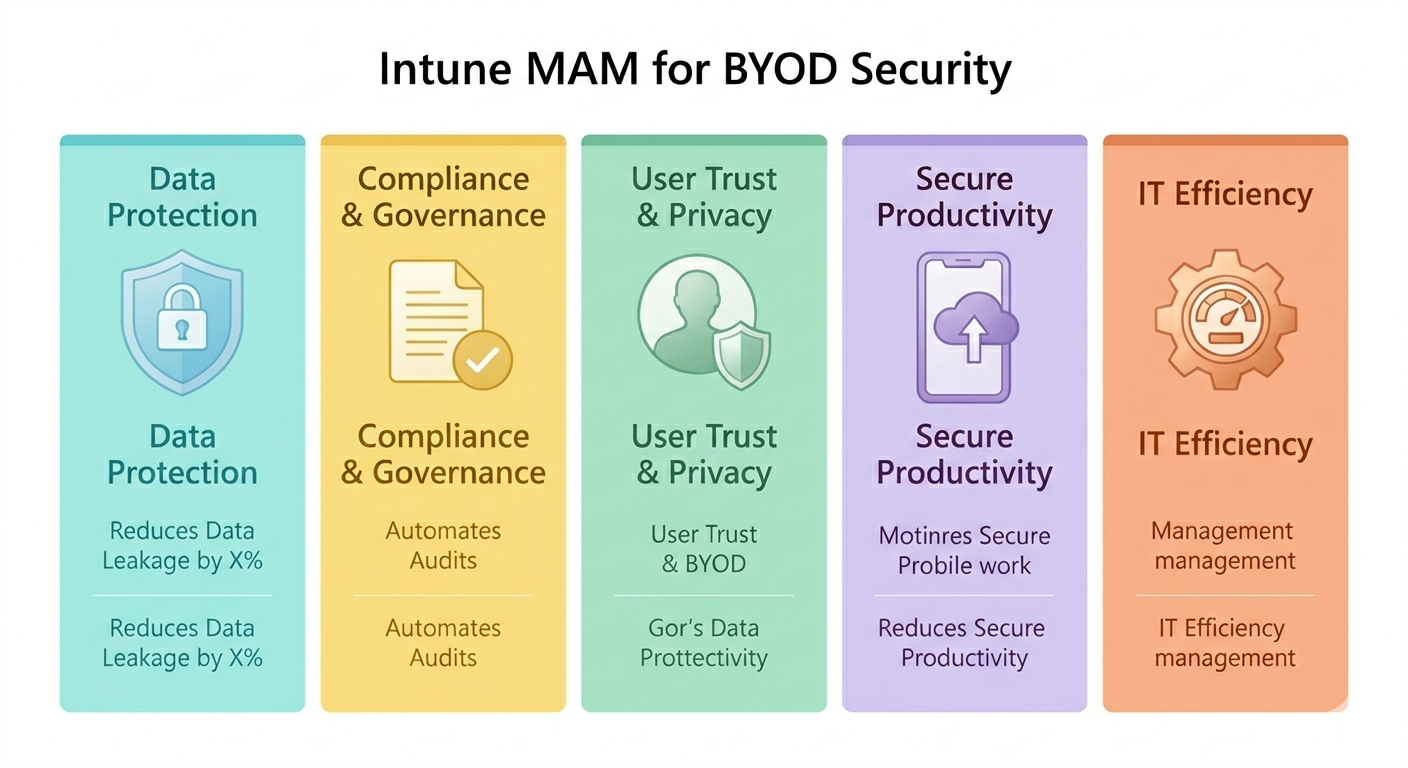
- Reduced data leakage risk in mobile workflows
- Better compliance posture with policy-backed controls
- Improved user trust by avoiding full personal device takeover
- Faster BYOD enablement without heavy endpoint enrollment friction
- Operational efficiency through centralized policy and reporting
Governance Best Practices
- Use pilot rings before organization-wide enforcement
- Define clear owners for MAM policy, Conditional Access, and exceptions
- Document user impact and provide concise onboarding guidance
- Align helpdesk workflows with common policy-block scenarios
- Review policy outcomes regularly and tune by risk tier
Common Issues and Troubleshooting
- Policy not applying: verify assignment scope (users, apps, platform)
- Users bypass with other apps: confirm Conditional Access requires app protection
- High support tickets: improve communications and stagger rollout waves
- Unexpected workflow breakage: run pilot-based testing for file sharing and collaboration scenarios
Frequently Asked Questions
What is Intune MAM and how is it different from device enrollment?
Intune MAM protects corporate data inside managed apps. Device enrollment manages the full device. MAM is usually preferred for BYOD where privacy sensitivity is higher.
Can MAM work without enrolling personal devices?
Yes. Intune supports app protection for unenrolled devices, allowing organizations to protect business data in approved apps without taking full control of personal devices.
How does Conditional Access strengthen BYOD MAM security?
Conditional Access can require approved apps and app protection policy before granting access. This prevents sign-in from non-protected mobile app paths.
What is the safest rollout approach for BYOD app protection?
Use phased rings: pilot first, review support and adoption signals, then expand. Pair policy rollout with user communication and support readiness.
Conclusion
BYOD does not have to mean uncontrolled data risk. With Microsoft Intune MAM and app protection policies, organizations can secure corporate data in mobile apps while maintaining a practical user experience for personal devices.
If your organization is exploring BYOD security modernization, ARC can help with strategy, implementation, governance, and optimization.
Frequently Asked Questions
What is Microsoft Intune?
Microsoft Intune is a cloud-based endpoint management service that manages mobile devices, desktop computers, and applications — enforcing security policies and enabling secure access to corporate resources.
What devices can Intune manage?
Intune manages Windows, macOS, iOS, iPadOS, Android, and Linux devices. It supports both corporate-owned devices and BYOD (Bring Your Own Device) scenarios with appropriate policy controls.
How does Intune support Zero Trust security?
Intune is a core component of Zero Trust architecture — verifying device health and compliance before granting access to corporate resources through conditional access policies.
Can Intune replace SCCM (Configuration Manager)?
For cloud-first organizations, yes. Many organizations use co-management during transition, running both Intune and SCCM while gradually shifting workloads to cloud-native management.
How quickly can Intune be deployed?
Basic Intune setup takes 2-4 weeks. Full enterprise deployment with conditional access, compliance policies, app protection, and device enrollment typically takes 6-12 weeks.

Al Rafay Consulting
ARC Team
AI-powered Microsoft Solutions Partner delivering enterprise solutions on Azure, SharePoint, and Microsoft 365.
LinkedIn Profile