Top Copilot Studio Templates to Deploy Today
Top Copilot Studio Templates to Deploy Today is explore high-impact Copilot Studio templates for HR, IT, support, and operations to accelerate enterprise AI adoption with governance and scalability.
Explore high-impact Copilot Studio templates for HR, IT, support, and operations to accelerate enterprise AI adoption with governance and scalability.
ARC Team
· Updated April 12, 2026 · ARC Team

Most enterprise AI programs stall because teams start from scratch every time. Copilot Studio templates solve this by giving organizations repeatable patterns for common business workflows.
When templates are used correctly, teams launch faster, enforce governance more consistently, and scale AI adoption with less rework.
Why Templates Matter for Enterprise Rollout
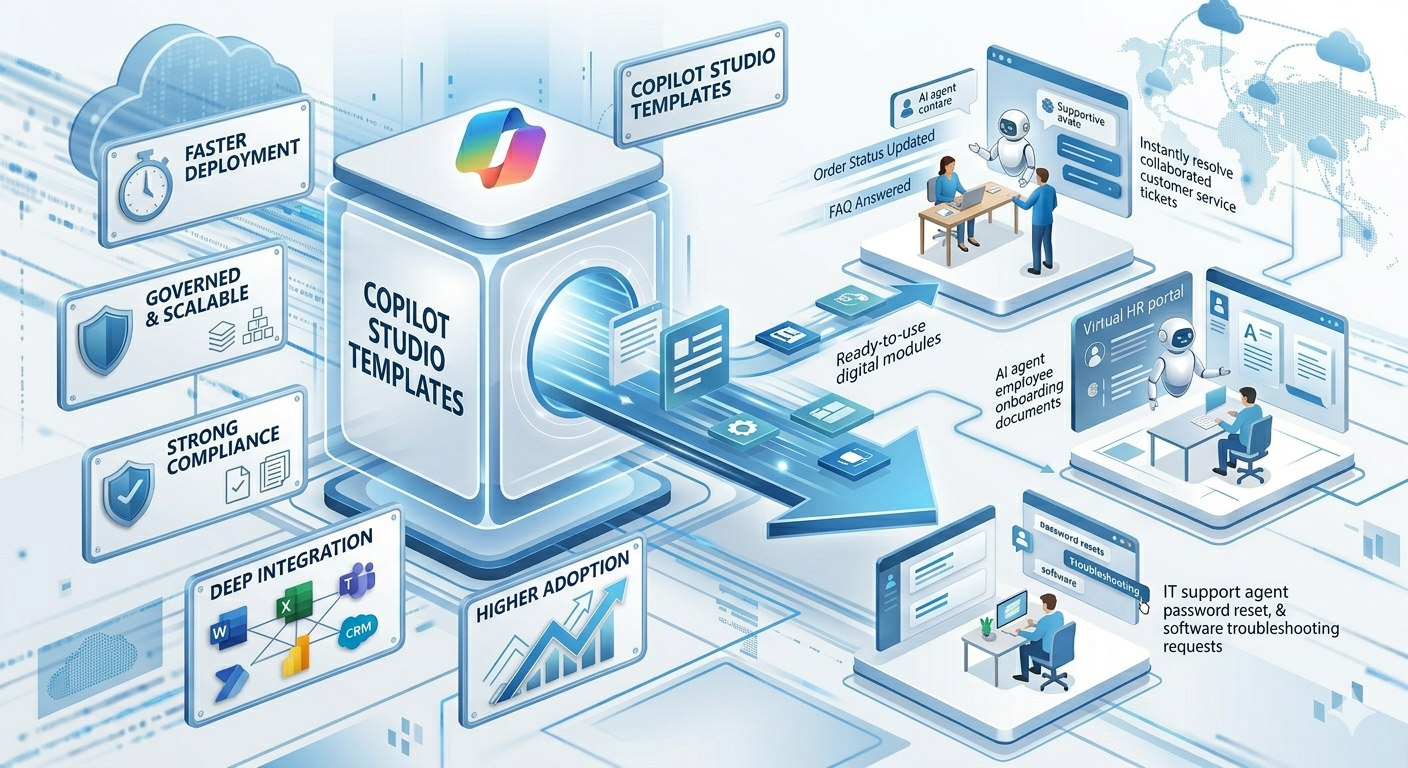
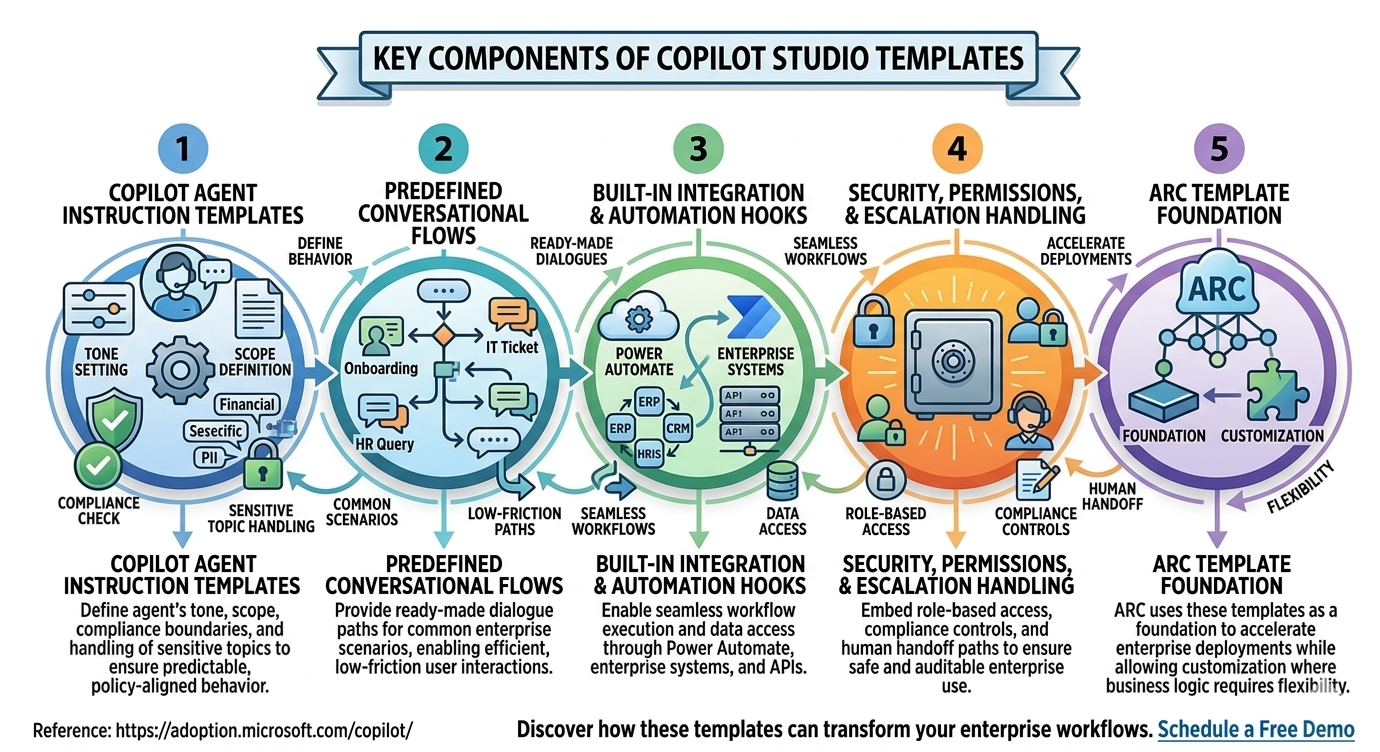
Templates are not shortcuts for quality. They are accelerators for consistency. They help standardize conversation structure, connector usage, escalation logic, and operational controls.
High-Value Template Categories
IT Service and Help Desk
Templates for password reset guidance, access requests, software troubleshooting, and ticket routing reduce L1 support burden.
HR and Employee Support
Templates for onboarding, policy Q&A, leave workflows, and benefits guidance improve employee self-service.
Operations and Field Requests
Templates for status checks, workflow updates, and escalation handling improve responsiveness and consistency.
Customer and Internal Support
Templates for case triage, account lookup, and response summarization help teams deliver faster support outcomes.
Template Deployment Framework
| Phase | Focus | Outcome |
|---|---|---|
| Phase 1 | Select template priorities | Clear deployment roadmap |
| Phase 2 | Configure and secure templates | Governed agent behavior |
| Phase 3 | Launch, monitor, optimize | Sustainable adoption model |
Phase 1: Prioritize by Business Impact
Pick workflows with high ticket volume, repetitive tasks, and measurable KPIs.
Phase 2: Configure for Your Environment
Map templates to enterprise connectors, user roles, escalation paths, and compliance rules.
Phase 3: Scale with Governance
Monitor usage and quality metrics, then evolve template libraries for broader departments and use cases.
Business Benefits
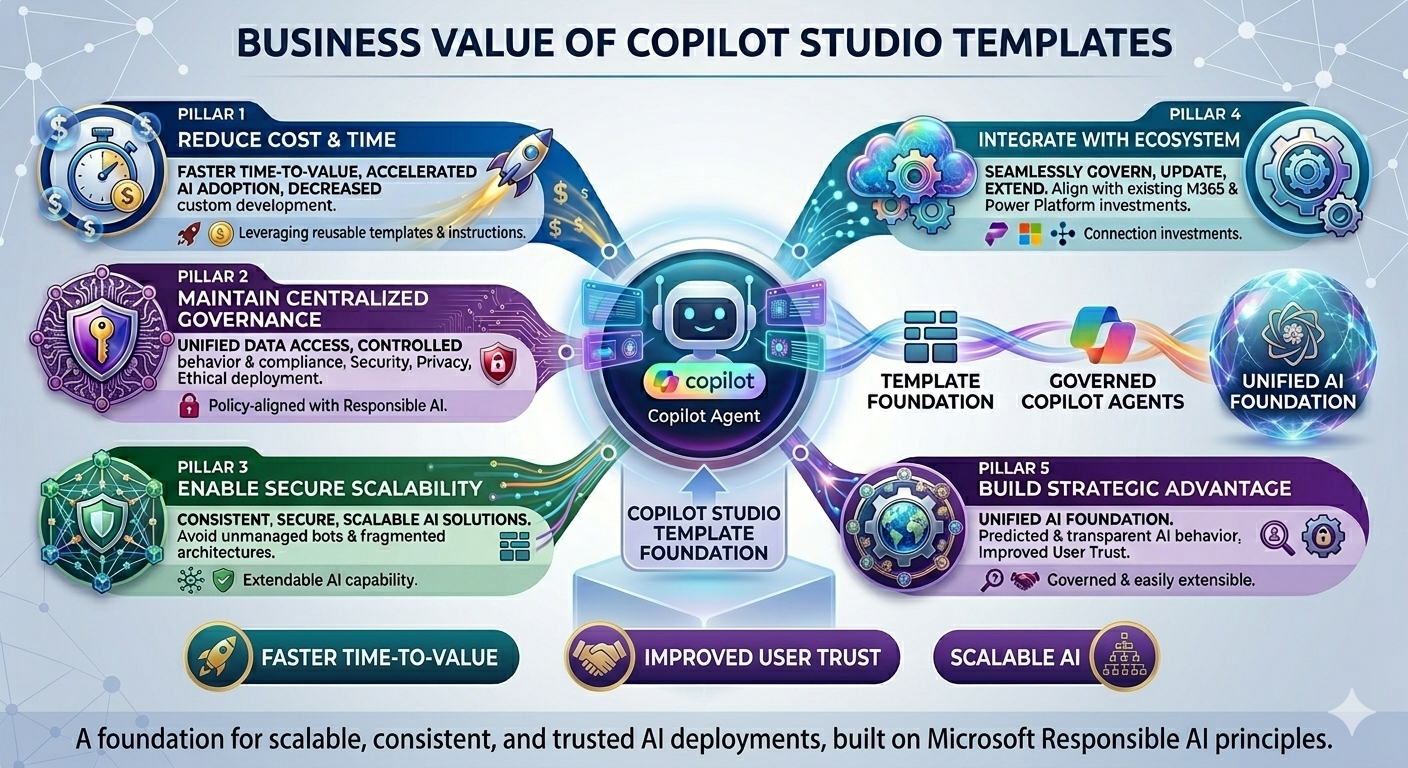
- Faster Time-to-Deploy: Teams launch practical agents in less time.
- Standardized Governance: Common controls reduce compliance drift.
- Lower Implementation Cost: Reuse reduces repeated design effort.
- Improved Adoption: Consistent experiences build user trust.
Implementation Considerations
- Align templates with role-based access expectations
- Define handoff patterns for complex or sensitive requests
- Keep prompts domain-specific to improve relevance
- Establish template versioning and ownership
Frequently Asked Questions
Are templates only for simple chatbot use cases?
No. Templates can support advanced workflows when combined with proper connector strategy, orchestration, and governance.
Can templates be customized for different departments?
Yes. Most organizations start with a shared template core, then apply domain-specific customization by function.
How do templates affect governance?
Templates improve governance by embedding standardized controls, escalation paths, and policy-aligned response patterns.
What should we measure after deployment?
Track containment rate, resolution quality, escalation rate, adoption trends, and business-cycle impact.
Conclusion
Copilot Studio templates help enterprises move from pilot enthusiasm to repeatable AI delivery. With the right template strategy, organizations can accelerate deployment while keeping governance and operational quality intact.
If your organization is scaling Copilot Studio adoption, ARC can help with template strategy, governance, and rollout execution.
Frequently Asked Questions
Are templates only for simple chatbot use cases?
Can templates be customized for different departments?
How do templates affect governance?
What should we measure after deployment?

ARC Team
ARC Team
AI-powered Microsoft Solutions Partner delivering enterprise solutions on Azure, SharePoint, and Microsoft 365.
LinkedIn Profile