Viva Amplify: The Internal Comms Tool HR Needs Now
Viva Amplify is streamline multi-channel internal communications with Viva Amplify. One message, multiple channels, consistent impact—designed for HR leaders.
Streamline multi-channel internal communications with Viva Amplify. One message, multiple channels, consistent impact—designed for HR leaders.
Al Rafay Consulting
· Updated July 3, 2026 · ARC Team

HR and internal communications leaders face a mounting challenge: reach your workforce consistently across multiple channels without creating duplicate work or losing message coherence.
Organizations looking to strengthen this area can work with Microsoft Viva implementation.
Organizations looking to strengthen this area can work with Microsoft Viva implementation.
Here’s the problem: Your organization likely has employees on Teams, email, SharePoint, and Viva Engage. When you publish a policy update, culture initiative, or strategic announcement, you need to ensure everyone sees the same message in the right context.
Without a unified approach, you either:
- Duplicate effort (writing the same message multiple different ways)
- Lose ROI (employees miss critical HR communications)
- Risk miscommunication (channel-specific variations create confusion)
- Can’t measure impact (no insight into who saw, engaged, or understood the message)
This is where Viva Amplify changes the game.
What is Viva Amplify?
Viva Amplify is a communications platform built into Microsoft 365 that allows HR leaders and communicators to author one message and distribute it intelligently across multiple channels with tailored formatting for each, while maintaining unified analytics.
Think of it as a broadcast studio for internal communications — but with intelligence and Copilot assistance built in. In 2026, Viva Amplify includes Microsoft 365 Copilot integration, allowing communicators to draft messages, adjust tone, and generate channel-specific content variations with AI assistance — dramatically reducing the time from idea to published communication.
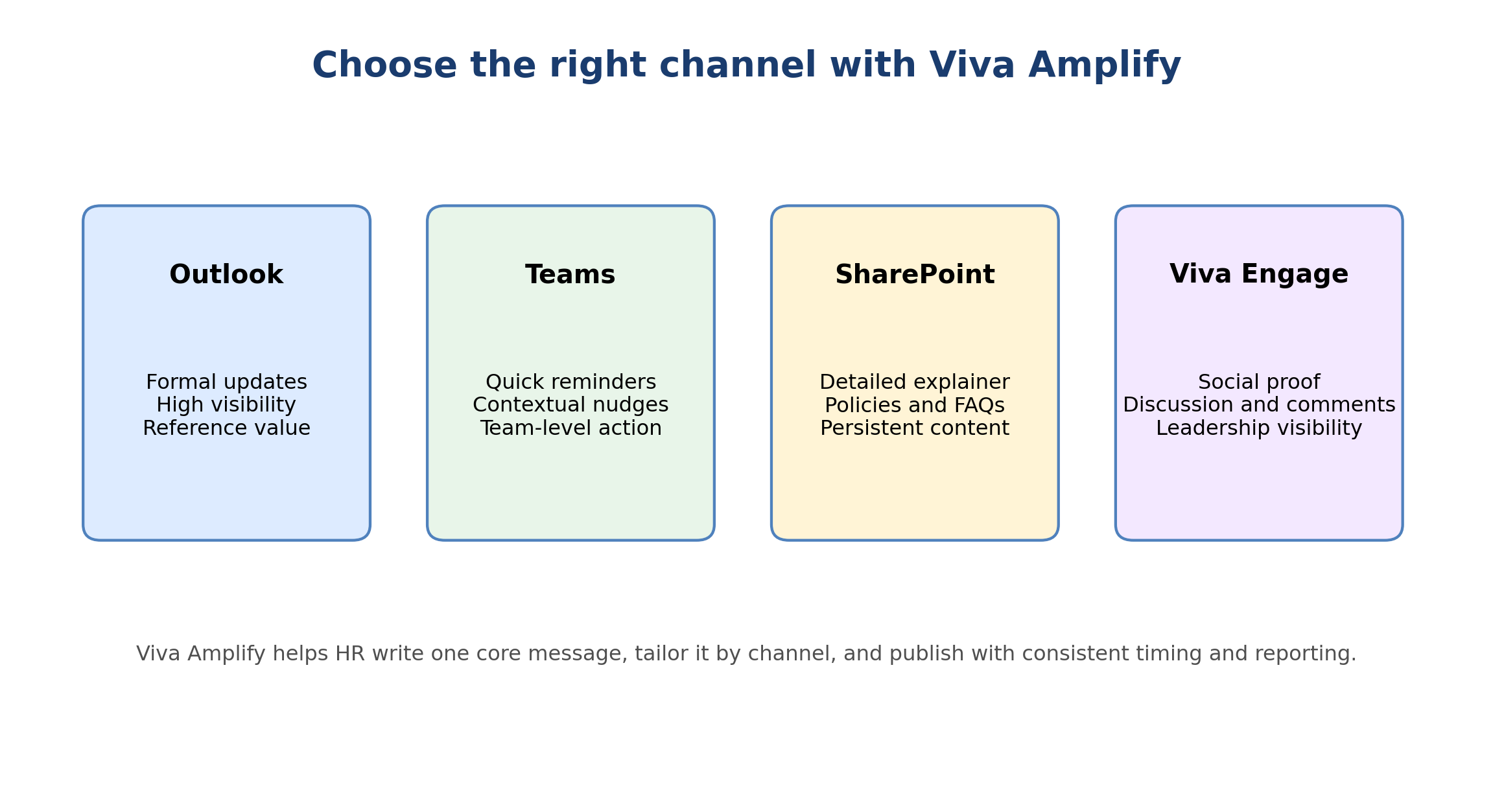
The Channels Viva Amplify Reaches
1. Outlook (Email)
Context: Formal, persistent, search-friendly
Email remains the most reliable way to ensure message receipt, especially for critical HR communications like policy changes or benefits updates. Viva Amplify formats the message in Outlook with your branding, CTAs, and visual hierarchy.
2. Teams
Context: Immediate, social, conversational
Teams is where day-to-day work happens. Quick reminders, cultural updates, and engagement-focused content thrive here. Viva Amplify adapts the message for Teams channels, creating threaded conversations and enabling quick reactions.
3. SharePoint
Context: Persistent, searchable, deeply documented
Policy documents, strategic announcements, and detailed reference materials need a permanent home. SharePoint is that home. Viva Amplify archives your communication and makes it discoverable long after publication.
4. Viva Engage
Context: Social, community-driven, discussion-focused
For announcements that benefit from employee dialogue — culture initiatives, new programs, company updates — Viva Engage creates space for conversation and organic amplification through communities. With Yammer fully retired, Viva Engage is now the standard social channel within Microsoft 365, making this integration more important than ever.
Core Features That Transform HR Communications
1. Copilot-Assisted Authoring
Microsoft 365 Copilot is now built directly into the Viva Amplify authoring experience. Communicators can prompt Copilot to draft a message based on a brief description, adjust the reading level or tone, generate a Teams-specific short version from a long email, or suggest a subject line. This reduces drafting time significantly and ensures consistent brand voice across messages authored by different team members.
2. Multi-Channel Publishing
Author your message once. Viva Amplify adapts it for each channel:
- Email gets formatted as a beautifully branded communication
- Teams gets a visual card with quick-read summary
- SharePoint gets full-form documentation
- Viva Engage gets a post optimized for discussion
No more copy-paste. No more mistakes from manual translation.
3. Audience Segmentation
Not every message is for everyone. Viva Amplify lets you target:
- By department (Finance gets fiscal announcements; Marketing gets campaign updates)
- By role (Managers get different content than individual contributors)
- By location (Regional announcements only go to relevant geographies)
- By Microsoft Entra ID group (Precise targeting using existing directory groups)
One announcement. Thousands of tailored delivery experiences.
4. Scheduling & Timing
Publish immediately or schedule for optimal engagement times:
- Monday morning for strategic announcements
- Wednesday for routine updates
- Friday for culture and social content
- Time-zone awareness so messages go out at 9 AM in each region
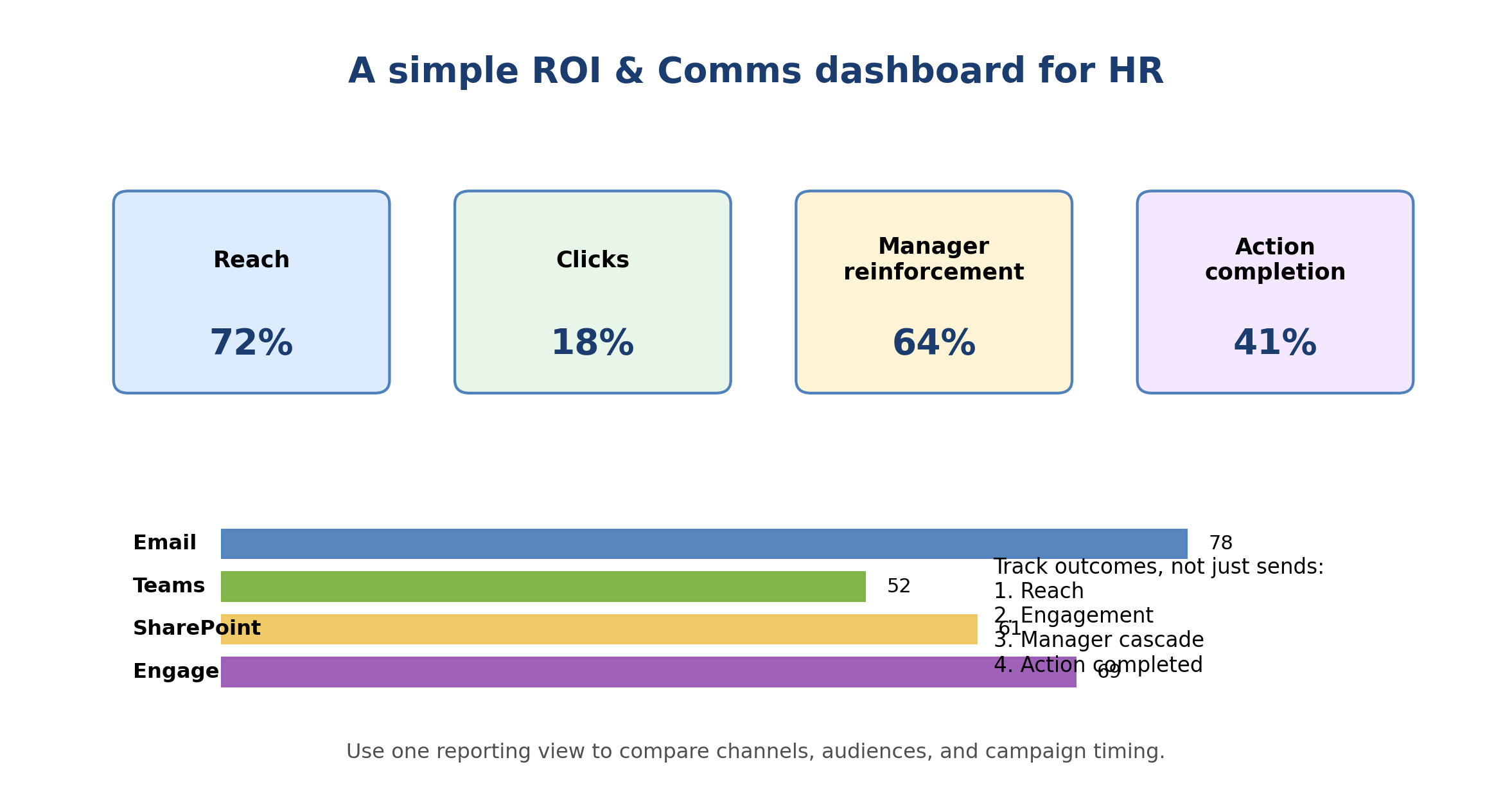
5. Analytics & Engagement Tracking
You finally get clear visibility into:
- Who opened the email (Outlook tracking)
- Who viewed the Teams message (channel activity)
- Who clicked the CTA (conversion tracking)
- Who engaged in Viva Engage discussion (sentiment, comments)
- Who shared the content (organic amplification)
| Metric | Traditional Email | With Viva Amplify |
|---|---|---|
| Visibility | Who opened email? | Who engaged across all channels + sentiment |
| Recall | Unknown | Post-communication survey via Teams |
| Action compliance | Unknown | Task completion tracking |
| Sentiment | None | Analyzed from Viva Engage discussion |
| Reach | Hope everyone saw it | Confirmed reach by segment and channel |
Real-World Use Cases
Use Case 1: Benefits Enrollment Campaign
Challenge: Employees miss the benefits enrollment deadline.
Solution:
- Week 1 (Email): Formal announcement with enrollment link and deadline
- Week 1-2 (Teams): Reminders in employee channel with quick videos
- Week 2 (SharePoint): Comprehensive benefits guide and FAQ
- Week 2-3 (Viva Engage): Peer Q&A and discussion around plan options
- Week 3: Targeted follow-up to non-completers with deadline reminder
Use Case 2: New Policy Communication
Challenge: Introduce a new flexible work policy without confusion or backlash.
Solution:
- Initial announcement (all channels): Explain policy rationale and key details
- Email: Formal policy document and Q&A
- SharePoint: Complete policy guide with examples
- Teams: Manager briefing channel for leader-specific guidance
- Viva Engage: Executive Q&A addressing employee concerns
- Follow-up via Viva Pulse: Measure understanding and gather feedback
Use Case 3: Strategic Announcement
Challenge: Communicate a company transformation without losing employee confidence.
Solution:
- CEO message (email + Teams): Leadership moment, personal and direct
- Department-specific versions via Copilot: How does this affect my team?
- SharePoint documentation: Full strategy and timeline
- Viva Engage communities: Discussion by function and geography
- Weekly check-ins via Viva Pulse: Track sentiment and address concerns
Four-Step Implementation to Success
Phase 1: Assessment (Week 1)
- What messages do you currently communicate? (policies, culture, announcements, updates)
- Which channels are employees actively using?
- What are current pain points? (low engagement, confusion, duplicate authoring work)
- Define KPIs: engagement rate, comprehension level, action compliance
Phase 2: Pilot (Weeks 2-4)
- Select 2-3 communications campaigns (benefits enrollment, new policy, culture initiative)
- Use Viva Amplify with Copilot assistance to author and distribute
- Gather feedback from HR team and sample employees
- Measure engagement compared to previous approaches
Phase 3: Rollout (Weeks 5-8)
- Develop a playbook for different message types
- Train HR and comms teams on Viva Amplify and Copilot authoring
- Begin routing all internal communications through the platform
- Establish performance baseline by channel and audience segment
Phase 4: Optimization (Weeks 9+)
- Analyze engagement data by channel, audience, and message type
- Refine timing and messaging based on what resonates
- Expand to include Microsoft Stream for video content
- Use Viva Pulse alongside Amplify to measure comprehension after major announcements
Common Questions
Does everyone need to see every message?
No. Viva Amplify’s segmentation means you target specific audiences using Microsoft Entra ID groups or manual selections. A benefits update goes to employees, not contractors. A technical initiative goes to IT-focused departments. Smart targeting improves engagement and reduces noise.
What about email fatigue?
By distributing across channels intelligently, you actually reduce email volume. Quick updates go to Teams. Deep content goes to SharePoint. Discussions go to Viva Engage. Email is reserved for critical messages. The result is less volume and more thoughtful reading.
Can we schedule messages for specific times?
Yes. You can schedule delivery for specific dates and times, including time-zone-aware delivery so each region receives the message at a locally appropriate time. Avoid scheduling notifications for late night — you can make content available while allowing employees to engage on their own schedule.
How does Copilot help in Viva Amplify?
Copilot in Viva Amplify assists communicators at the drafting stage. You can describe the communication goal and Copilot generates an initial draft, adapts tone and reading level, creates channel-specific shorter versions from longer content, and suggests subject lines. This speeds up authoring and ensures consistency across communications produced by different team members.
The Bottom Line: Communication is Culture
How you communicate shapes your culture. When communications are scattered, delayed, or inconsistent, employees feel uninformed and disengaged. When communications are organized, timely, and personalized, employees feel valued and aligned.
Viva Amplify transforms HR communications from a broadcast problem into a strategic lever. Combined with Copilot for faster authoring and Viva Pulse for post-communication feedback, it gives internal comms teams a full toolkit for measuring and improving how their workforce hears, understands, and acts on critical messages.
Frequently Asked Questions
What is Microsoft Viva?
Which Viva modules are available?
Is Viva included in Microsoft 365 licenses?
How does Viva protect employee privacy?
Can Viva integrate with non-Microsoft HR tools?

Al Rafay Consulting
ARC Team
AI-powered Microsoft Solutions Partner delivering enterprise solutions on Azure, SharePoint, and Microsoft 365.
LinkedIn Profile