Doc Create
All AI Solutions
Governed enterprise AI workspace
Turn your data into answers. Turn your answers into finished work.
Live PipelineGoverned OutputsAudit Ready
Bayaan Workspace
Sheet
Build structured spreadsheet outputs
Produce formulas, summary tabs, and scenario sheets aligned to business reporting standards.Deck
Turn prompts into executive decks
Generate narrative slide flows, title hierarchies, and speaker notes for stakeholder meetings.Personas
Write in the right voice for each audience
Switch between analyst, executive, and operator personas without rebuilding prompts.Templates
Use approved templates by default
Apply reusable output structures to keep every document format consistent and review-friendly.Skills
Attach skill packs to each workflow
Add domain-specific behavior and guardrails to drive better output quality and coverage.Chat History
Keep full conversation context
Persist prompts and responses to continue work safely across sessions and teams.Saved Projects
Organize work in reusable project spaces
Store assets, prompts, and drafts by workspace so teams can reuse progress at any time.Plans
Run guided multi-step plans
Coordinate generation, refinement, and review with a clear sequence of governed actions.Audit
Maintain audit-ready governance trails
Track every prompt decision, model choice, and published output for compliance visibility.Core Capabilities
Explore everything Bayaan can do in one control view.
Live surfaceClickable preview
Live Charts
Blend generated narrative with live visual summaries and trend snippets.
Realtime trend overlays
Narrative + chart pairing
Built for quick readouts
RealtimeTrend cuesBoard ready
RoutingClickable preview
Model Switching
Route each request to the right model for speed, reasoning, or cost control.
Task-aware routing
Budget-aware choices
Fast handoff between models
Smart routingCost awareLow friction
AutomationClickable preview
AI Agents
Compose multi-step tasks that validate, draft, and refine content automatically.
Multi-step workflows
Validation before publish
Draft / refine / finish loops
Multi-stepValidatedAutomated
InsightsClickable preview
Data Analysis
Analyze inputs, summarize findings, and publish clean outputs for stakeholders.
Source input synthesis
Executive summaries
Stakeholder-ready outputs
AnalysisSummaryDistribution
GovernanceClickable preview
Audit Ready
Track prompts, changes, and output decisions with review-friendly controls.
Prompt audit trail
Review-friendly controls
Decision history visibility
TraceableReviewedControlled
Workflow Use Cases
Built for the daily work teams run across analysis and delivery.
01
Analyze Data
Turn spreadsheets, notes, and source docs into summarized insight packs.
02
Create Reports
Draft polished Word reports with consistent sections and governed language.
03
Build Presentations
Generate slide outlines, speaking notes, and visual structure in one flow.
04
Brainstorm Ideas
Use guided personas and model routing to explore options quickly.
Output Formats
Publish the same request as a doc, deck, or sheet.
PromptDraft a governed board memo summarizing policy exceptions, risks, and recommended actions.
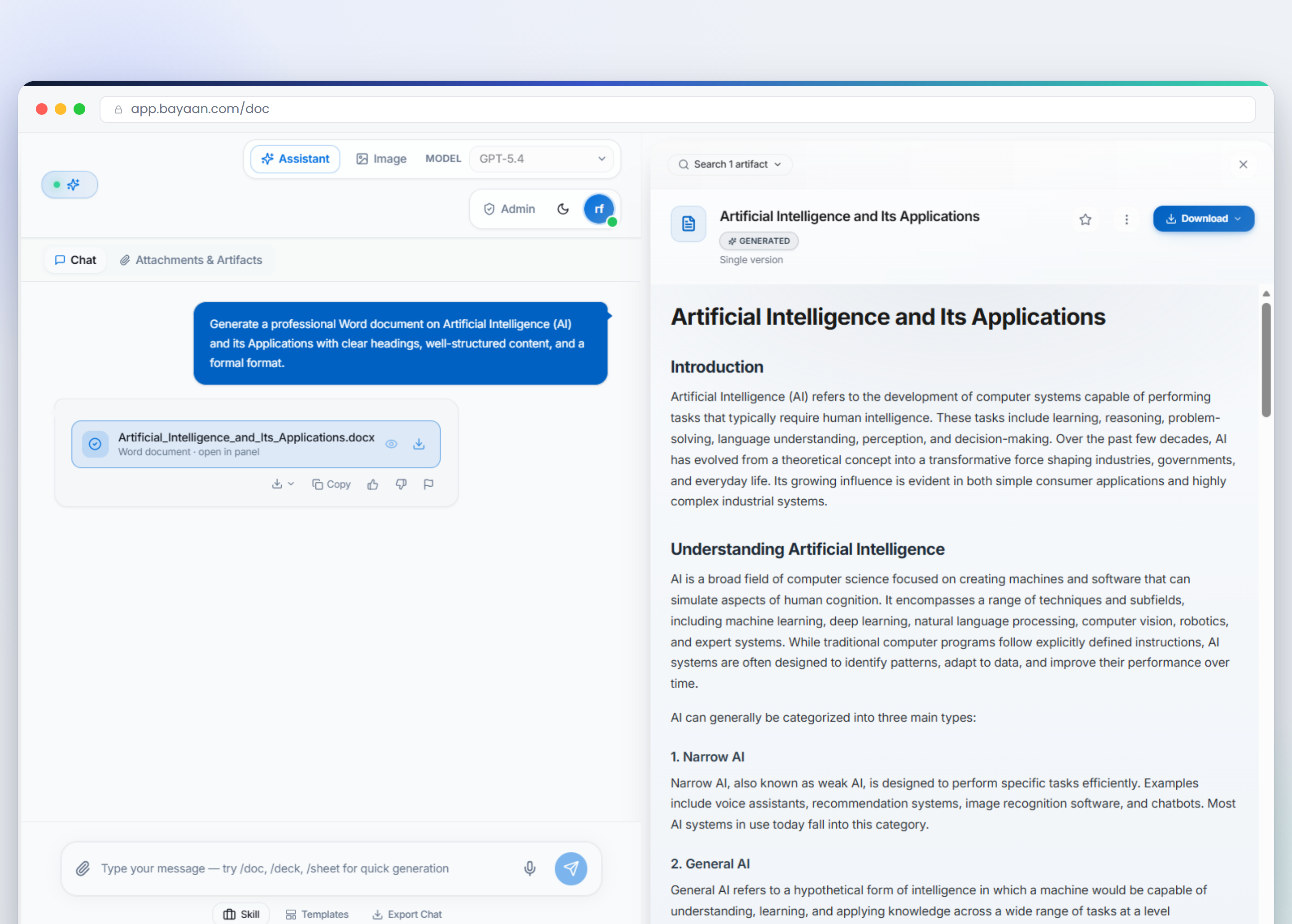
Governed Word draft
Tracked headings, references, and review-safe structurePromptCreate a 7-slide executive update with a strong narrative arc and speaker notes.
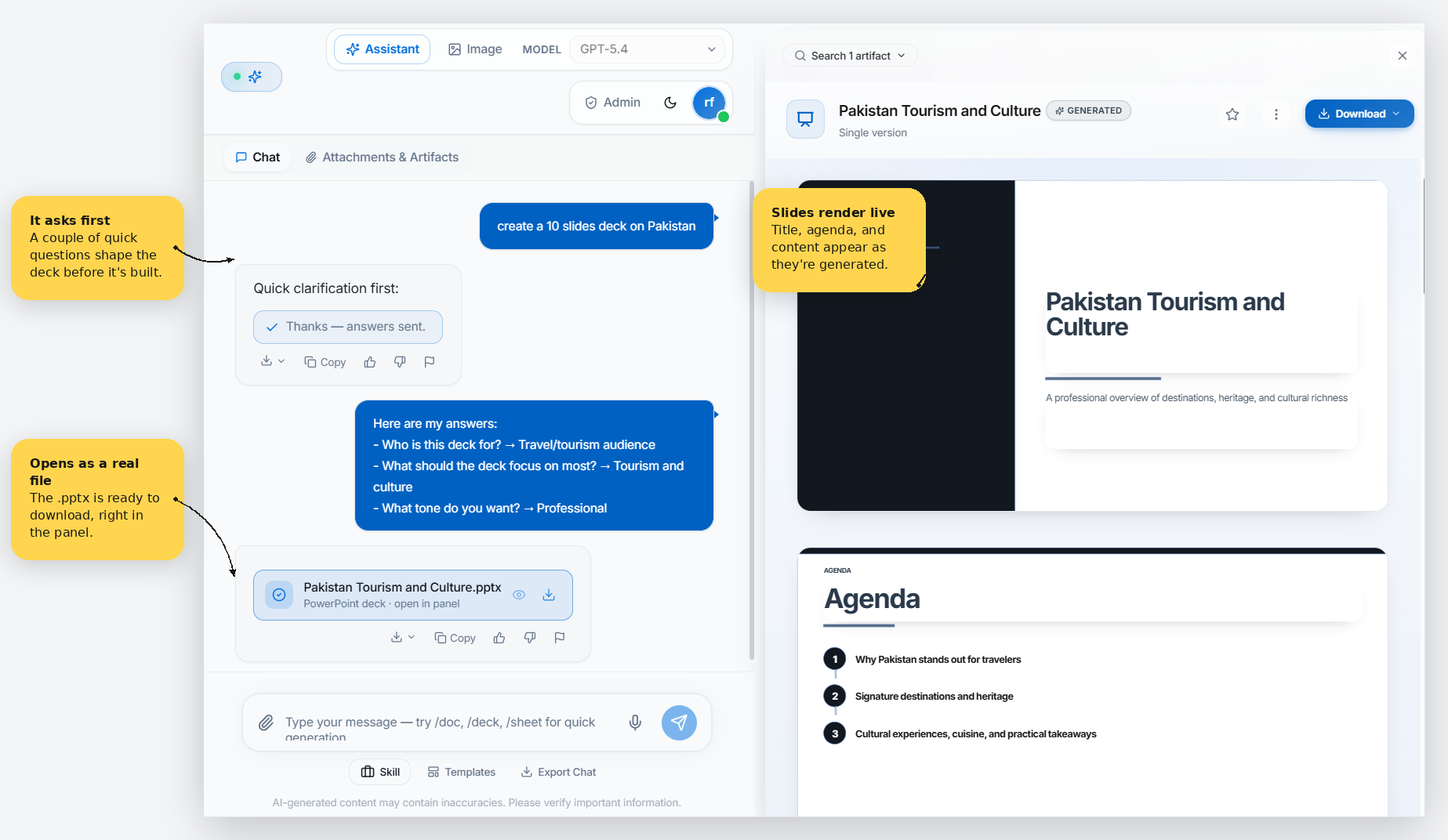
Executive slide deck
Clear title hierarchy, agenda flow, and visual emphasisPromptBuild a workbook that compares forecast scenarios, formulas, and variance analysis.
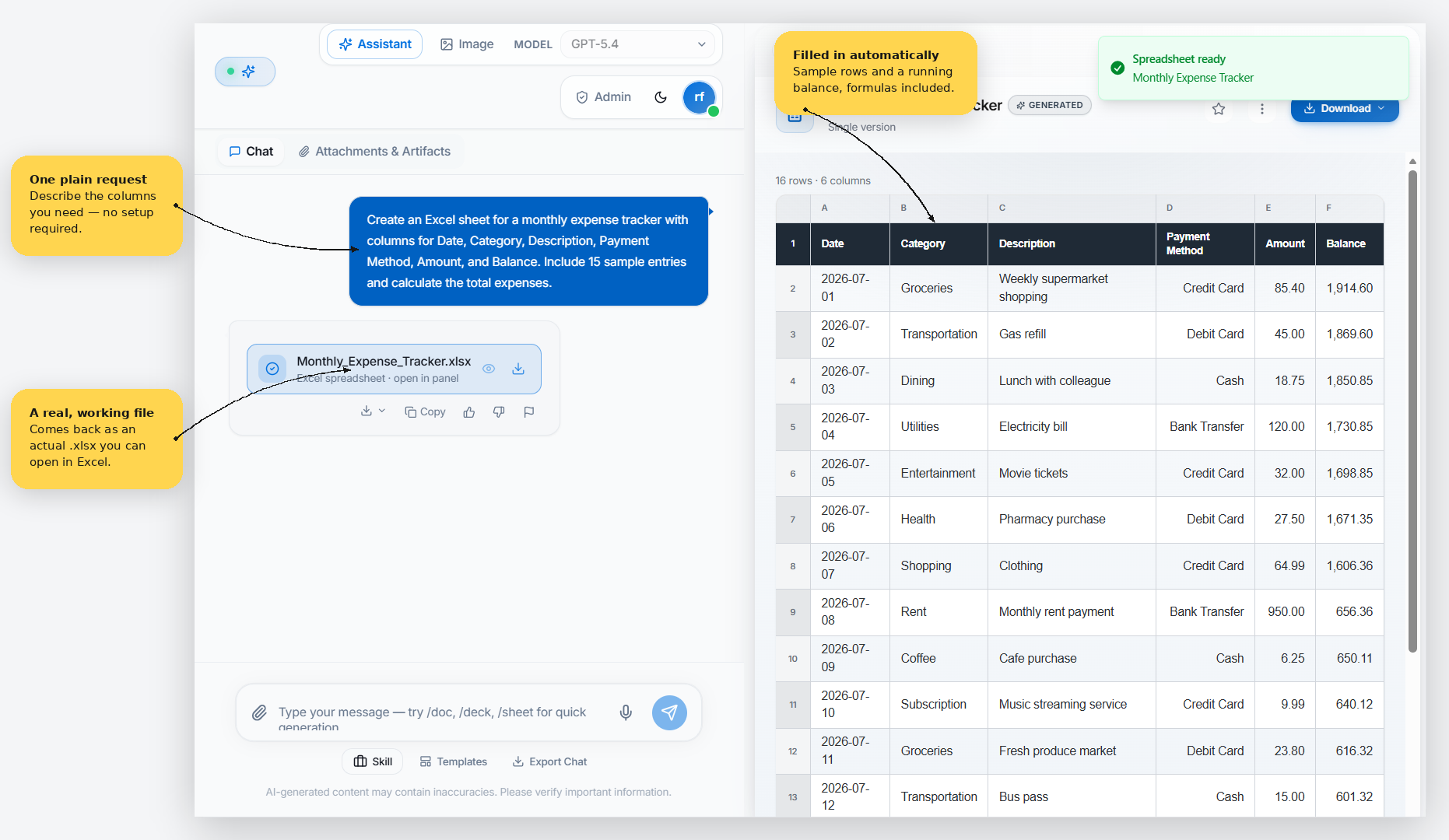
Live spreadsheet pack
Structured rows, summary tables, and formula-ready cellsPersona Controls
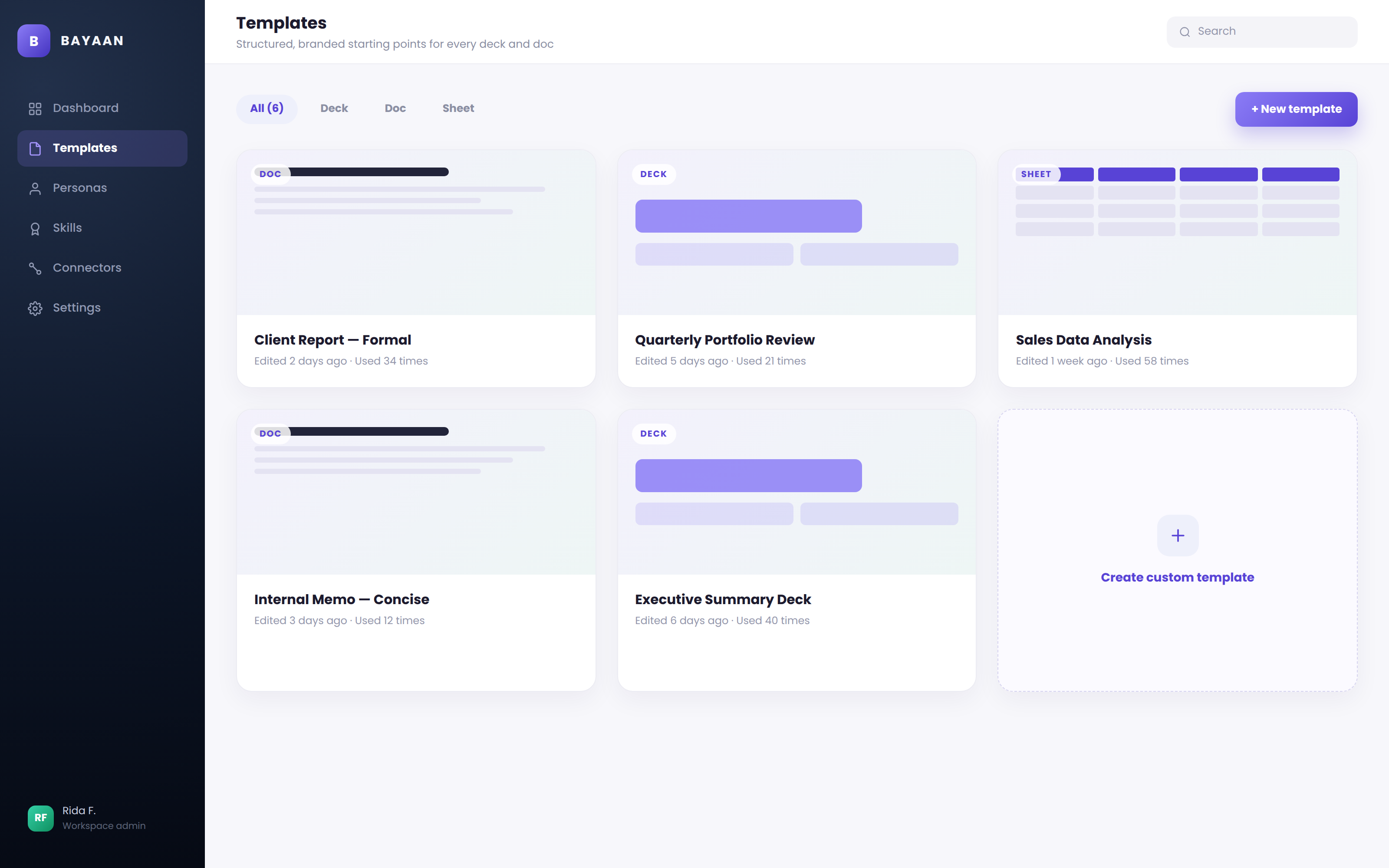
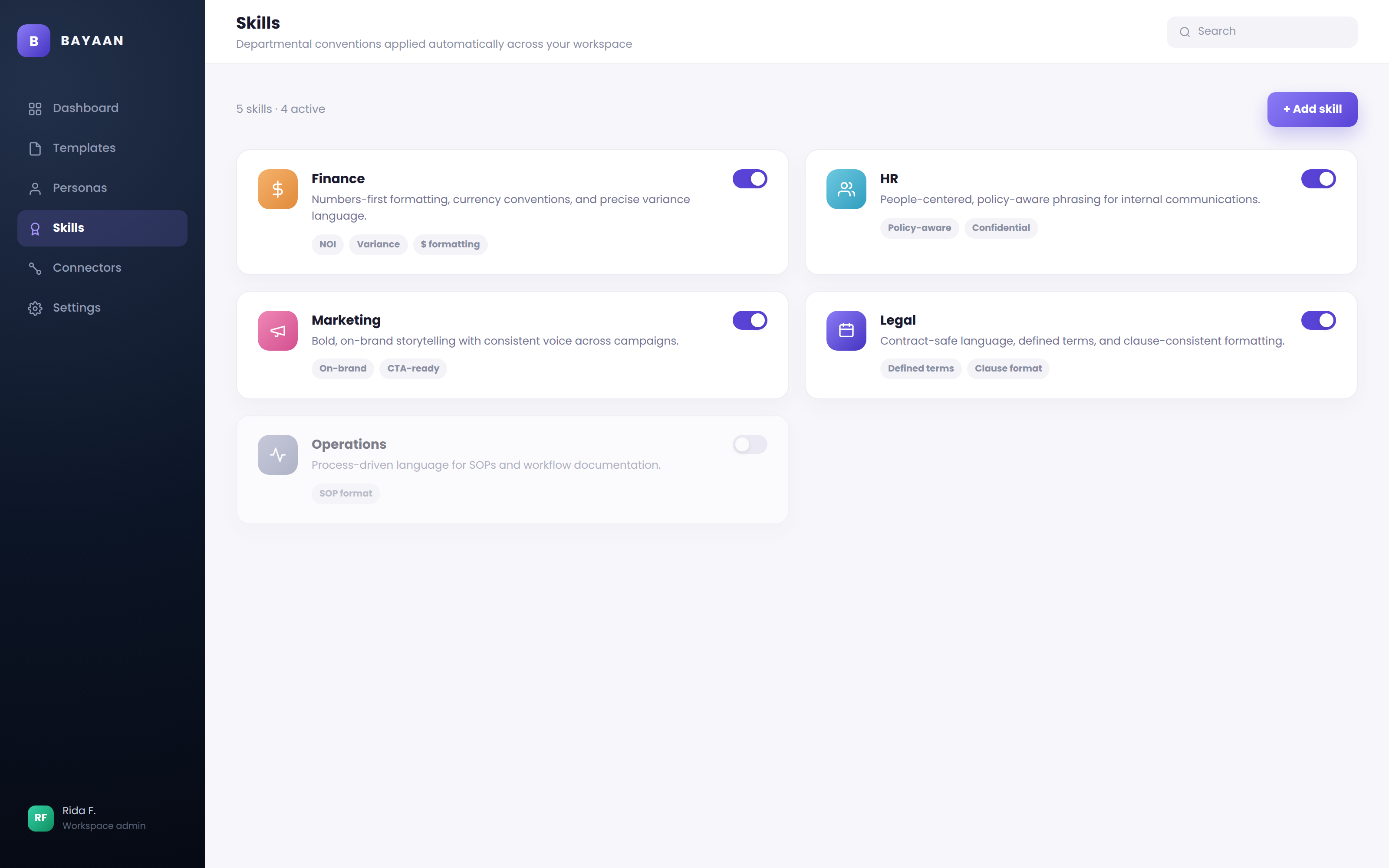
Set the voice, template, and skill before you generate.
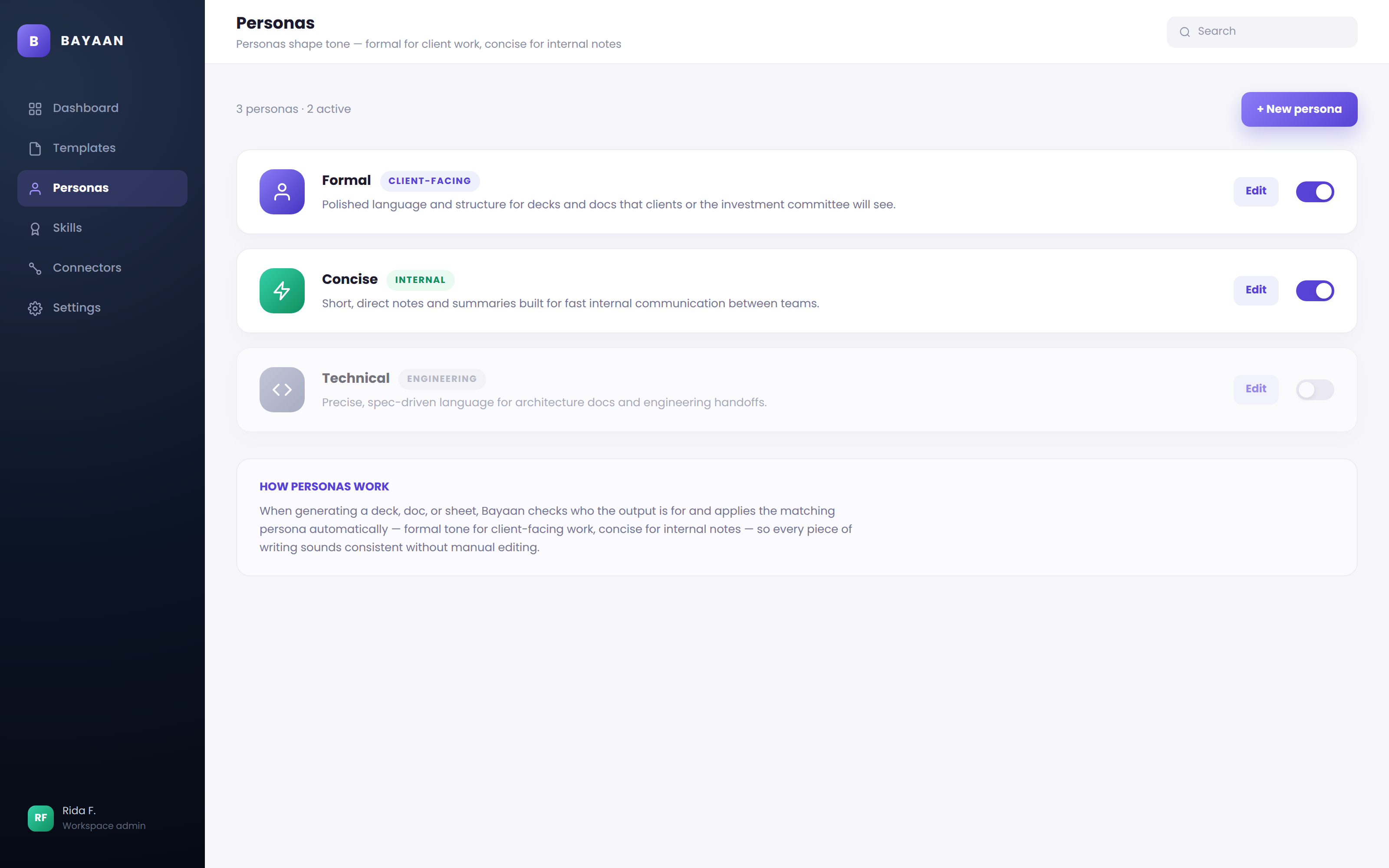
Model Selection
Choose the right model for the task in seconds.
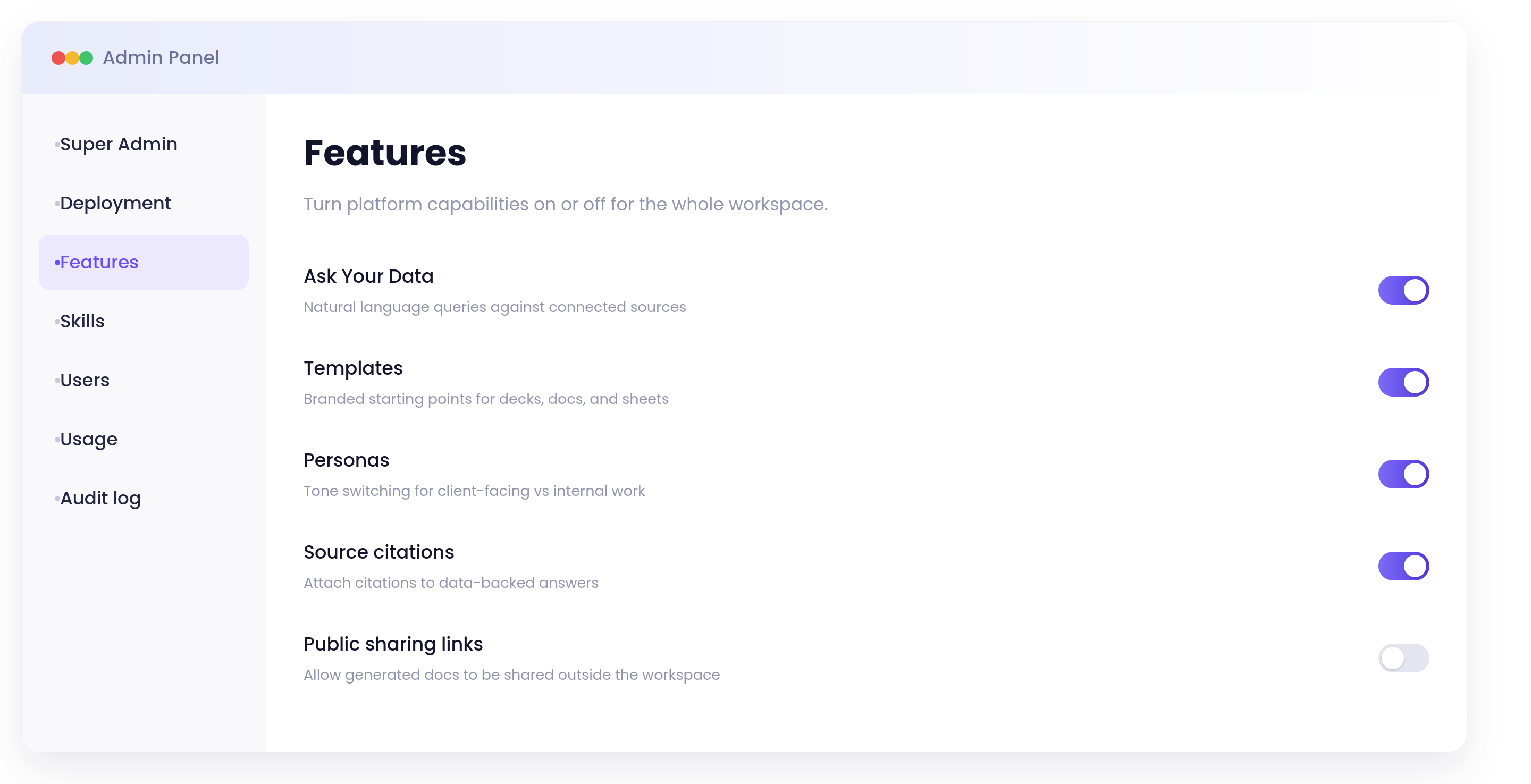
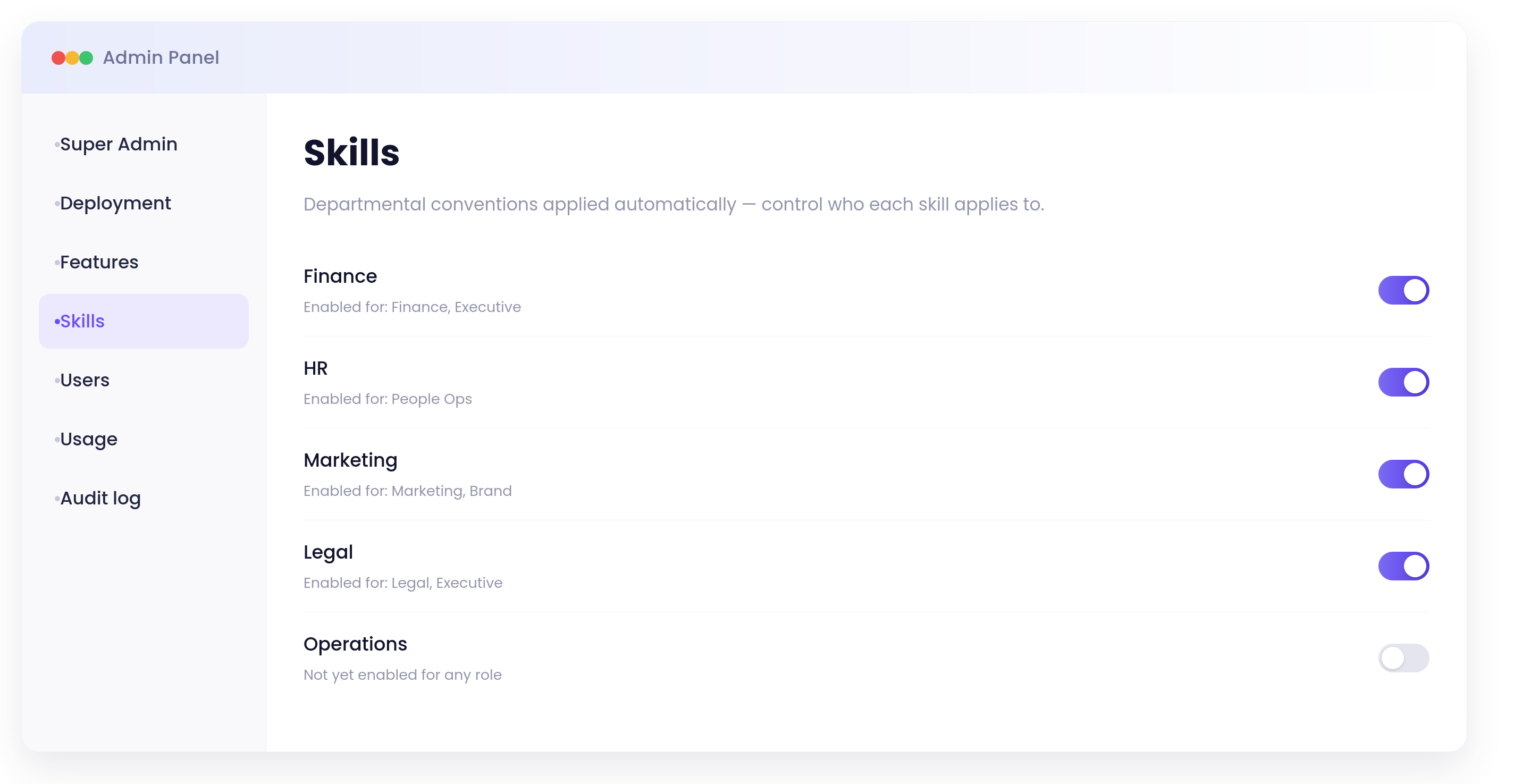
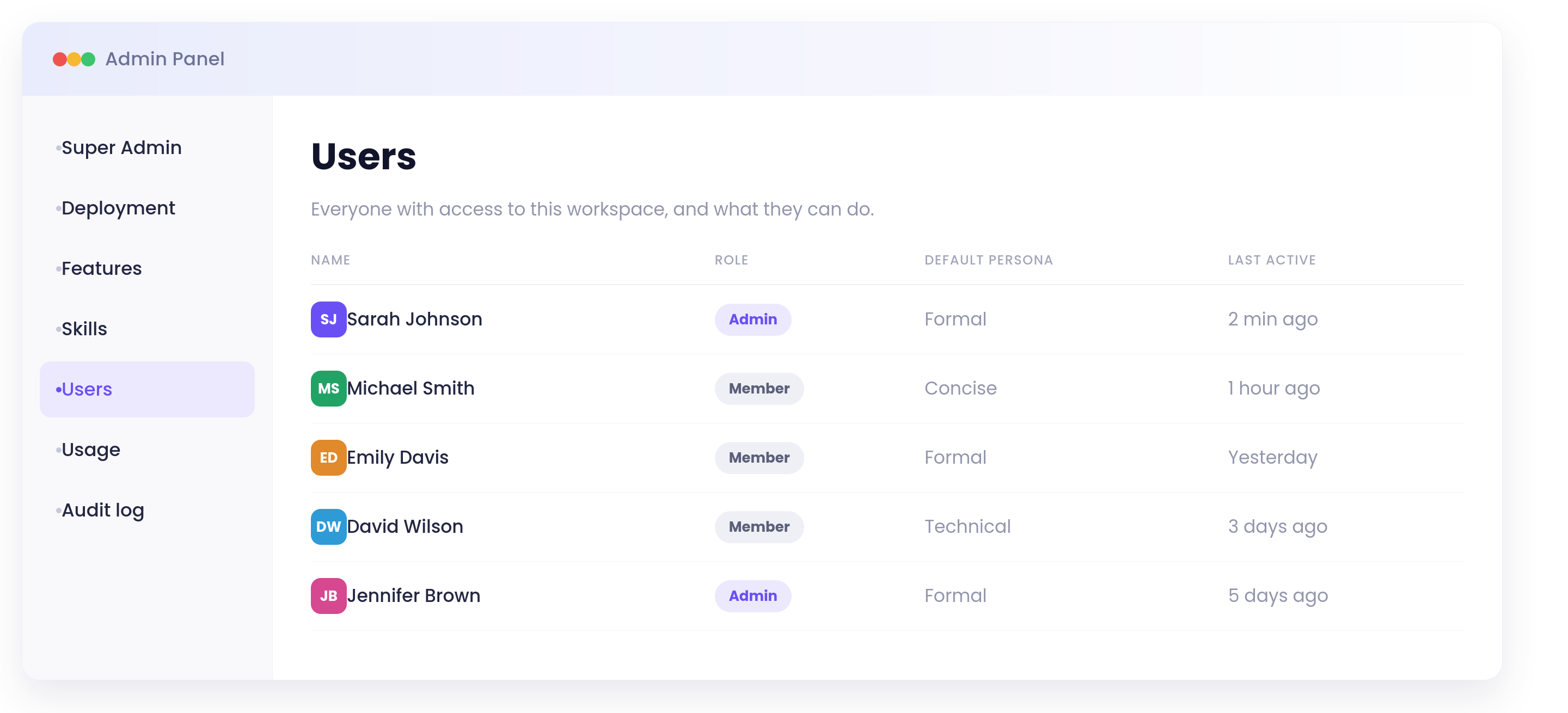
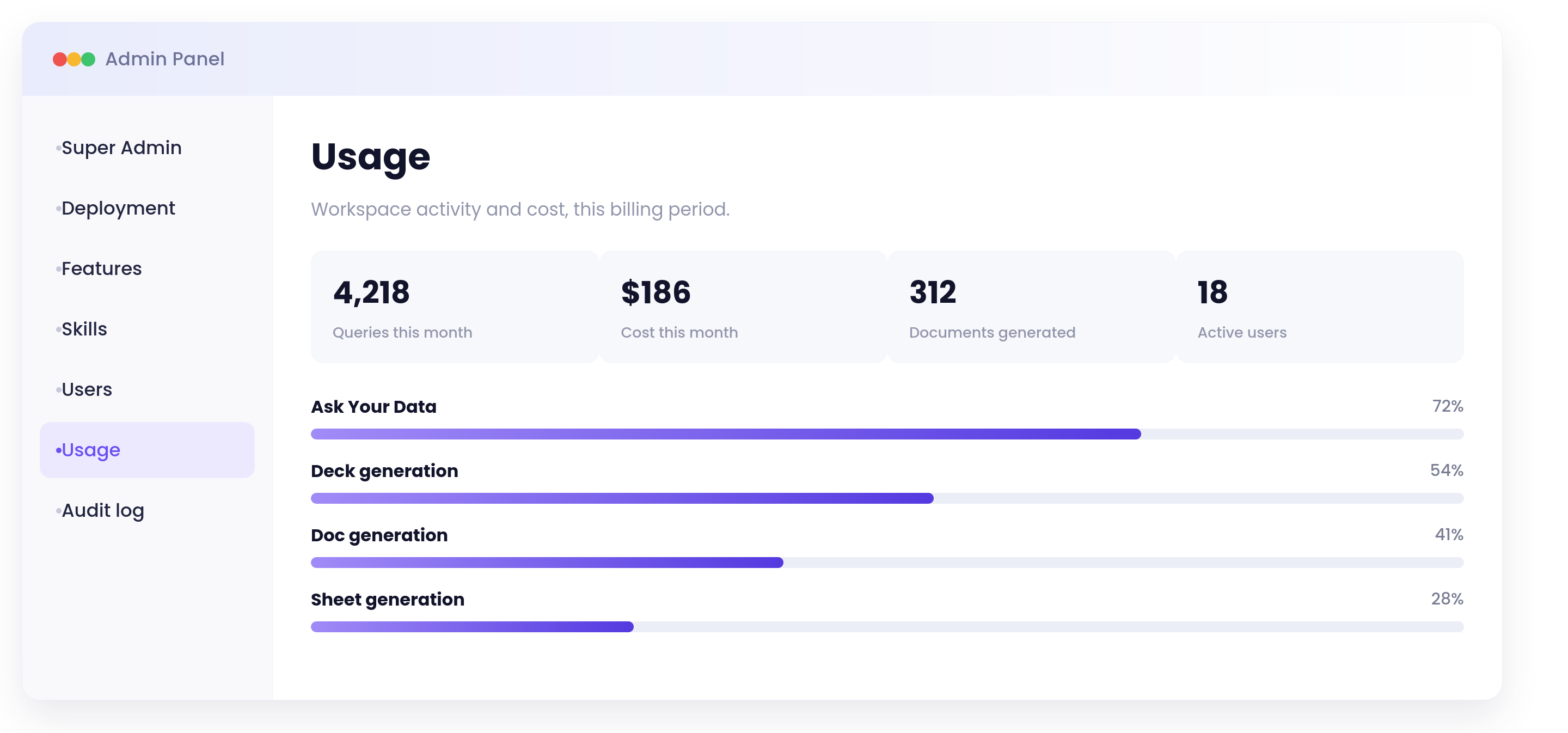
Admin Workspace
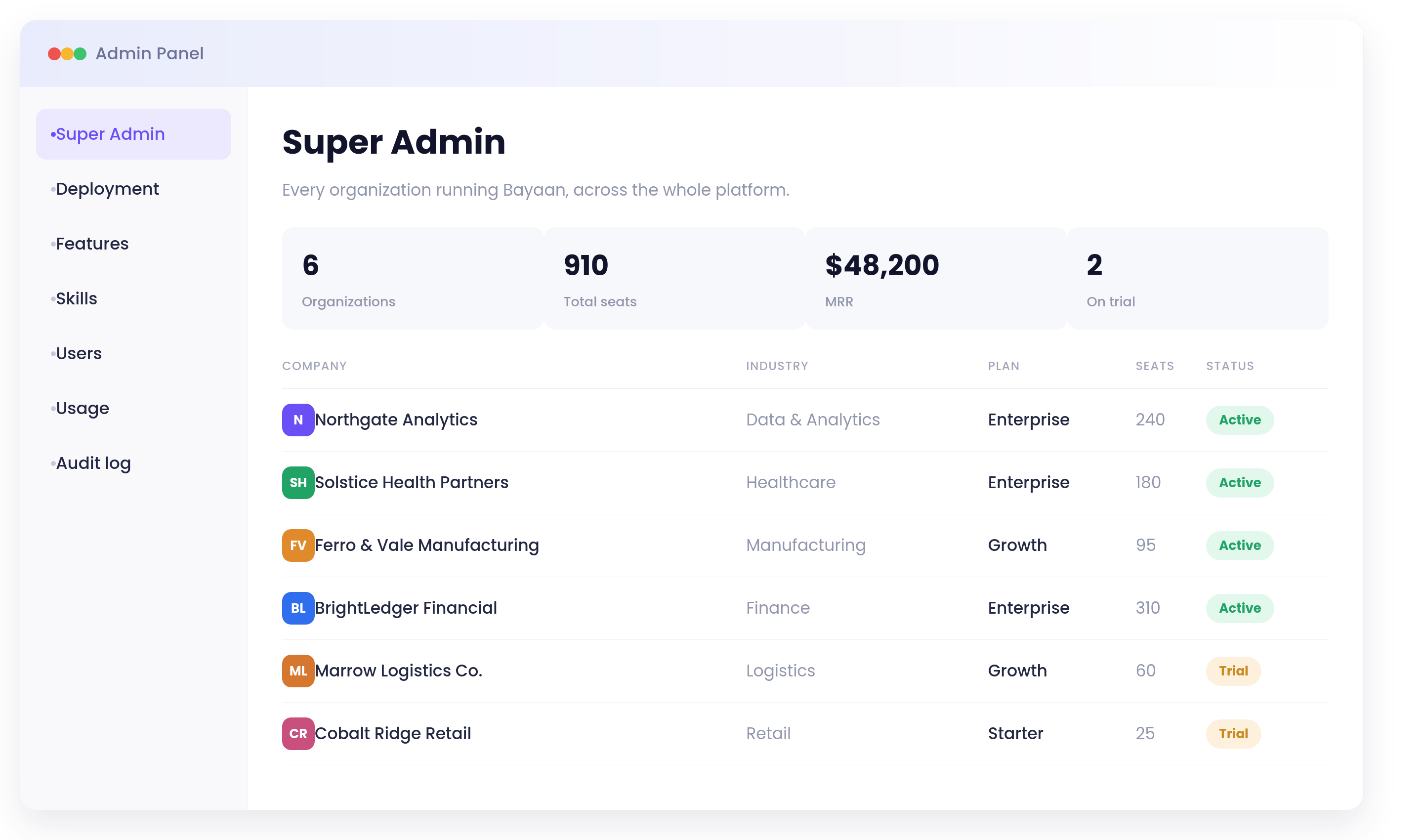
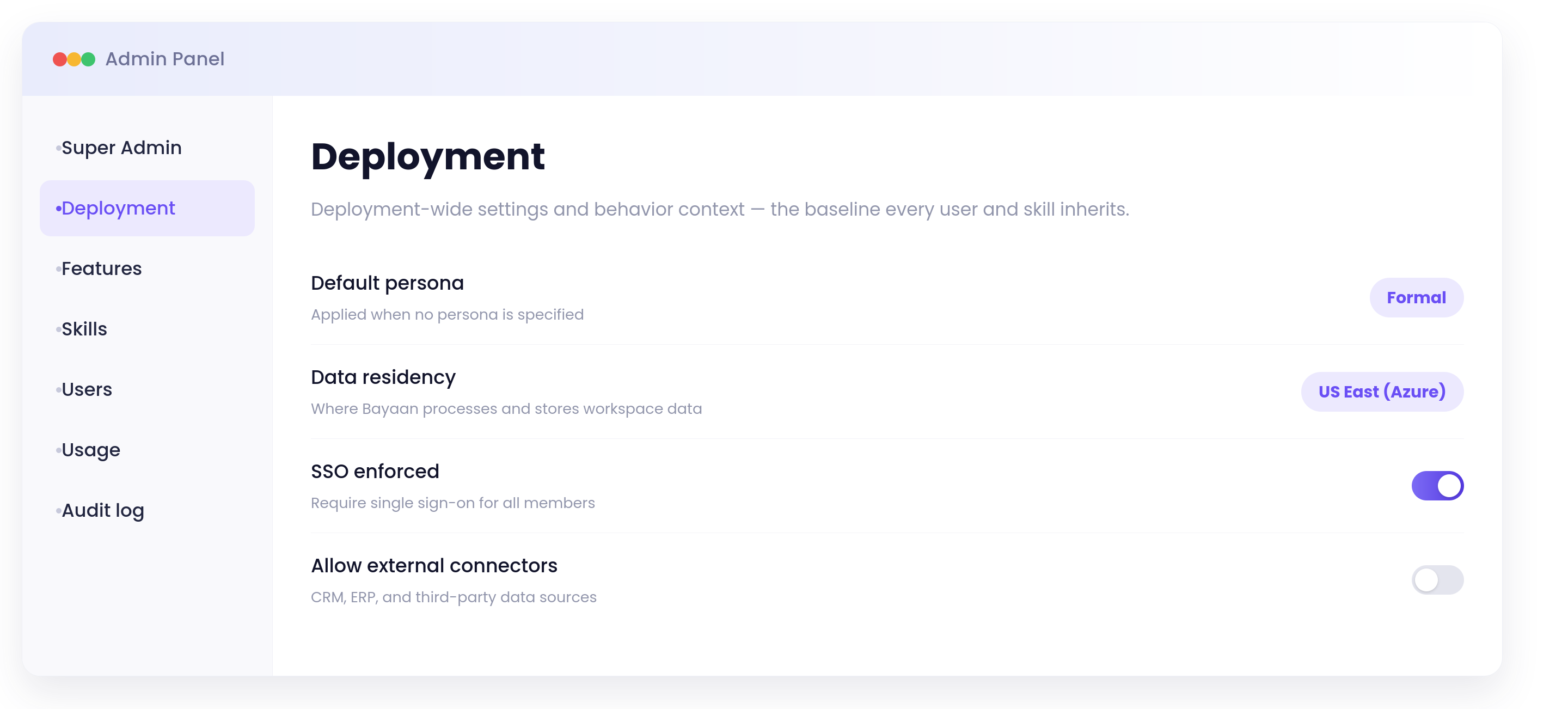
Manage teams, rollout settings, and platform controls from one place.
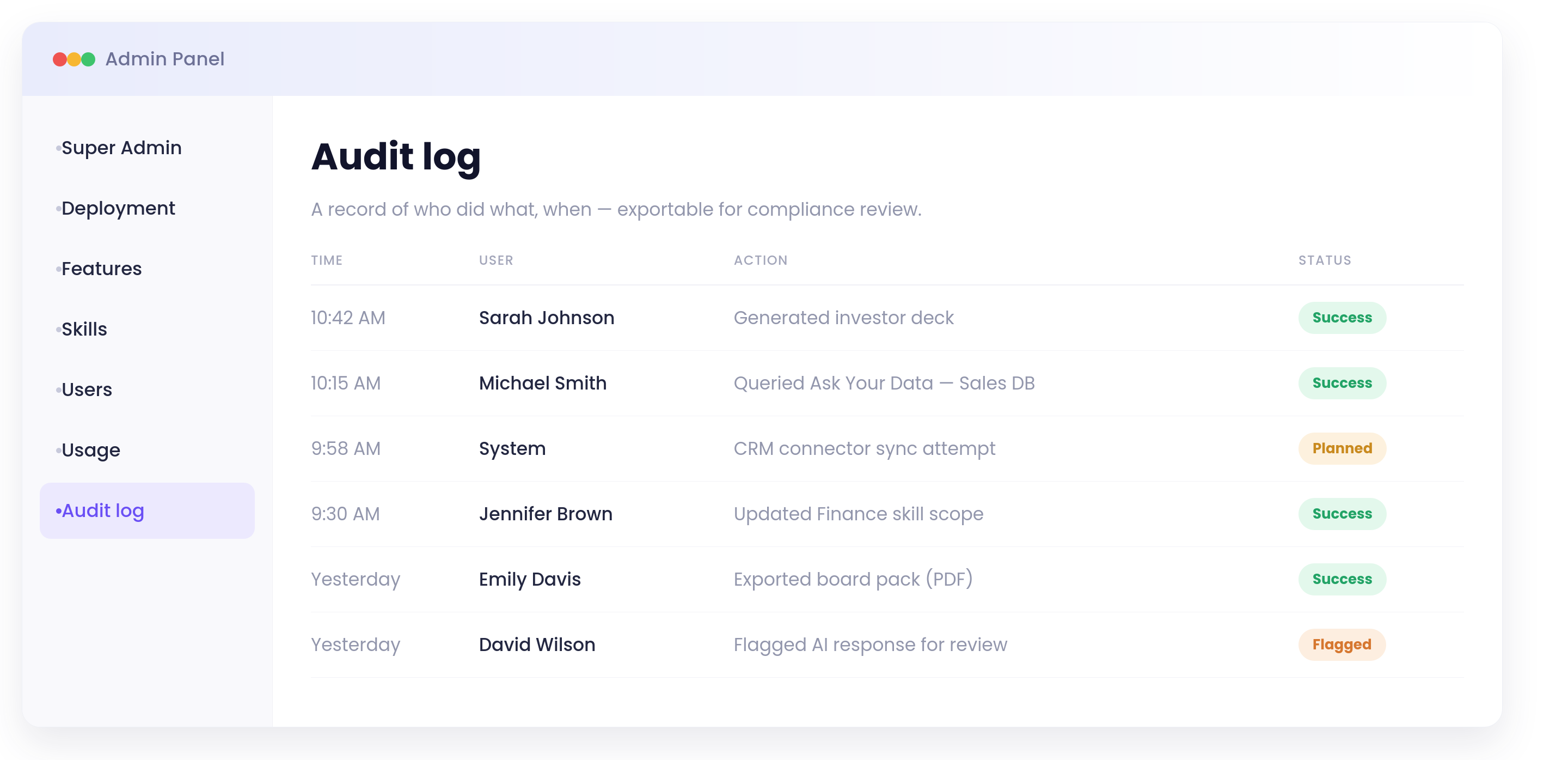
Governance Layer
Track policy performance with clear governance checkpoints.
0
Policy pass rate
0
Active workspaces
Active
Policy Checks
Validate prompt, template, and output rules before draft creation.
Live
Audit Trails
Track edits, approvals, and publishing decisions across workspaces.
Verified
Workspace Segmentation
Separate teams, policies, and outputs for clean operational control.
Active
Security Guardrails
Lock down models, permissions, and data exposure by role.
Live
Template Registry
Manage approved formats for Word, Slides, and Sheet output packs.
Ready
Quality Review
Flag draft issues before stakeholders ever see the output.
Frequently Asked Questions
What is Bayaan and how does it help enterprise teams?
Bayaan gives teams one governed workspace for producing content that would otherwise live across prompts, files, and disconnected handoffs. The platform is designed to support documents, decks, spreadsheets, and operational outputs without losing structure or control.
Instead of asking teams to start from scratch every time, Bayaan keeps the work anchored to approved templates, personas, and workflow logic. That creates consistency across outputs while still leaving room for the right level of customization.
The result is a cleaner enterprise content process: less rework, less drift in quality, and more confidence that the final output is ready for leadership review, stakeholder sharing, or audit follow-up.
For organizations that publish a high volume of content, that consistency matters as much as speed. Bayaan is designed to reduce the amount of manual correction that typically happens after the first draft is created.
Can Bayaan generate Word, PowerPoint, and Excel files with AI?
Bayaan is built to take a single idea, a source document, or a dataset and turn it into a usable output format quickly. Word, PowerPoint, and Excel are each treated as distinct publishing surfaces rather than generic text containers.
That means the generated output is shaped to match the destination format: narrative sections for Word, slide-ready structure for presentations, and analysis-friendly tables or formulas for spreadsheet workbooks.
This saves teams the time they would normally spend translating rough content into a polished business artifact, while also keeping the final document more aligned to the format expectations of internal reviewers and decision-makers.
It is especially useful when a single brief needs to become multiple artifacts at once, such as a memo for leadership, a deck for a meeting, and a workbook for analysis.
How does Bayaan ensure AI-generated content remains compliant and governed?
Governance is part of the workflow, not an afterthought. Bayaan applies policy checks, template controls, and workspace permissions so the content path is constrained before anything gets published.
Because the platform tracks prompt decisions and output history, teams have a clearer record of what was requested, which controls were applied, and how the final deliverable was assembled.
That combination of guardrails and visibility helps Bayaan fit into environments where reviewability, accountability, and controlled publishing matter just as much as speed.
The point is not to make the process rigid. It is to make it predictable enough that teams can move quickly without creating hidden risk or losing the ability to explain how a document was produced.
Which AI models are available in Bayaan?
Bayaan supports multiple AI models so teams are not locked into a single generation path for every task. That gives the system flexibility to route different requests to different models when the work demands it.
Some tasks benefit from speed, while others need stronger reasoning or more structured output. Bayaan can use orchestration logic to balance those requirements instead of forcing one model to carry every workload.
That flexibility is especially useful in enterprise settings where performance, cost, and output quality all matter at the same time. Teams can keep moving quickly without losing control over model choice.
It also gives administrators room to evolve the stack over time as better models become available, without changing the entire user experience or content workflow.
Can Bayaan be customized for my organization's workflows?
Bayaan is intended to mirror the way an organization already works. Approved templates, personas, skills, permissions, and workspace settings can be arranged to reflect internal standards instead of forcing a generic workflow.
That makes it easier to align output quality with brand voice, compliance expectations, and departmental needs. Different teams can work inside the same platform while still preserving the controls they need.
The customization layer also helps organizations evolve the system over time. As processes mature, Bayaan can adapt to new approval rules, new output formats, or new governance requirements without rebuilding the entire experience.
That makes the platform more durable than a one-off prompt library because the rules, roles, and output standards live with the workspace rather than in scattered documentation.
See Bayaan in Action
Explore the full platform, feature walkthroughs, and product details on the official Bayaan website.
Visit Bayaan WebsitePrefer to talk it through first? Request a demo with the ARC team.