Build Custom Teams Apps with Power Apps Fast and Secure
Build Custom Teams Apps with Power Apps Fast and Secure refers to the process of to build custom Teams apps with Power Apps, Dataverse for Teams, and Microsoft 365 governance controls for fast low-code delivery.
Learn how to build custom Teams apps with Power Apps, Dataverse for Teams, and Microsoft 365 governance controls for fast low-code delivery.
ARC Team
· Updated April 26, 2026 · ARC Team

Most organizations already have workflow pain points living inside Microsoft Teams: request tracking, approvals, field updates, and internal service tasks that still rely on email chains and spreadsheets.
Organizations looking to strengthen this area can work with Teams rollout services.
Power Apps in Teams solves this by letting you build low-code business apps directly where users already collaborate, while keeping security and governance aligned to Microsoft 365.
What Power Apps in Teams Enables
Power Apps for Teams brings app creation into the Teams workspace and uses Dataverse for Teams as the data layer. That means teams can build structured apps without waiting for long traditional development cycles.
Typical use cases include:
- Service request tracking apps.
- Department workflow apps for approvals and escalations.
- Team dashboards connected to operational data.
- Lightweight process apps that replace manual spreadsheet operations.
Step-by-Step Build Approach
| Phase / Step | Focus | Outcome |
|---|---|---|
| Step 1: Define the Process and Data | Identify workflow pain and model required fields/tables | Clear app scope and data design |
| Step 2: Build and Test in Teams | Create app screens, forms, and validation logic | Working app prototype with user feedback |
| Step 3: Publish and Operationalize | Deploy to team/channel, add automation, monitor usage | Production-ready app with adoption path |
Step 1: Set Up and Select Environment
Open Power Apps in Teams, choose the target team, and confirm ownership and access model before creating data tables.
Step 2: Model Data with Dataverse for Teams
Design your core entities first, then relationships, then validation rules. A strong data model prevents most future rework.
Step 3: Build UI and Logic
Use generated screens as a baseline, then customize user flows, controls, and rules with Power Fx.
Step 4: Add Automation and Notifications
Use Power Automate for approval flows, alerts, and status updates tied to app events.
Step 5: Publish and Iterate
Deploy to Teams tabs or personal apps, then improve based on real usage analytics and user feedback.
Security and Governance Essentials
Power Apps in Teams can be fast and safe when governance is designed from day one:
- Identity-based access: App usage aligns with Teams membership and Microsoft Entra ID.
- Data controls: Dataverse permissions and least-privilege design reduce exposure.
- Connector governance: DLP policies control which services can exchange data.
- Lifecycle control: Ownership, review cadence, and change management reduce long-term risk.
This keeps low-code speed from becoming uncontrolled sprawl.
Integration Patterns That Increase Value
- Power Automate for workflow orchestration.
- SharePoint or Lists for shared content references.
- Power BI for live reporting views inside Teams.
- Microsoft Graph-driven scenarios for advanced workflow actions.
Business Value for Decision Makers
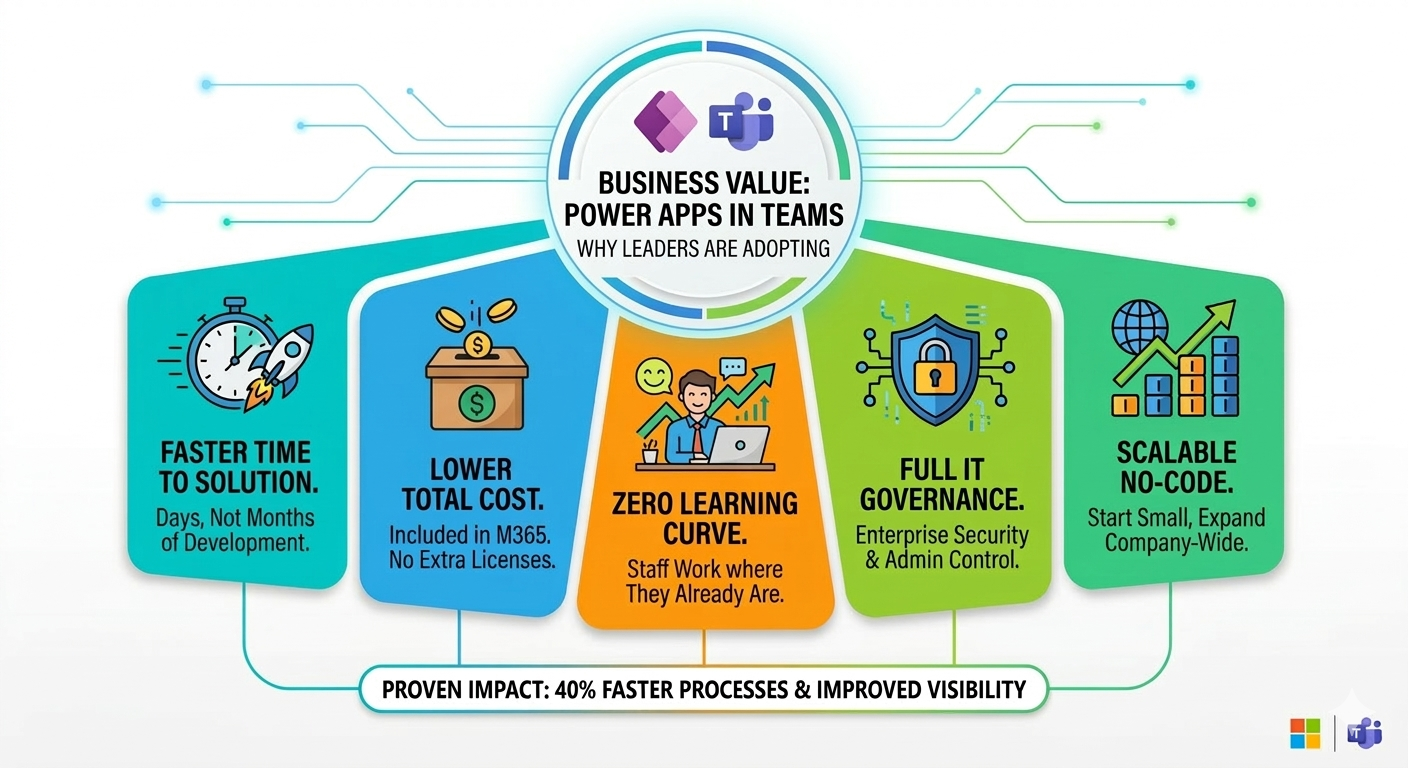
- Faster delivery: Internal apps can move from concept to pilot in days.
- Lower cost to change: Low-code reduces dependency on full custom development cycles.
- Higher adoption: Apps live inside Teams where users already work.
- Stronger control: IT keeps governance and security visibility.
- Scalable model: Start with one team and expand across business units.
Common Mistakes to Avoid
- Building screens before defining the data model.
- Launching without ownership and support processes.
- Connecting high-risk data without DLP policy review.
- Treating successful pilots as production-ready without governance hardening.
Frequently Asked Questions
Do I need developers to build a Teams app with Power Apps?
Is Power Apps in Teams secure for enterprise use?
How quickly can we deploy a first app?
What is the best rollout strategy?
Conclusion
Power Apps in Teams is one of the fastest ways to modernize internal workflows without sacrificing enterprise control. With the right architecture and governance, custom Teams apps can deliver measurable value quickly and scale safely.
If your organization is exploring custom Teams apps, ARC can help with strategy, implementation, governance, and optimization.
Frequently Asked Questions
What is Microsoft Teams?
Microsoft Teams is a collaboration platform that combines chat, video meetings, file storage, and app integration — serving as the central hub for teamwork in Microsoft 365.
Is Teams included in Microsoft 365?
Yes. Microsoft Teams is included in all Microsoft 365 Business and Enterprise plans. A free version with limited features is also available for small organizations.
How many people can join a Teams meeting?
Teams supports up to 1,000 interactive participants in meetings and up to 20,000 view-only attendees in Town Halls (formerly Live Events) for large-scale broadcasts.
Can Teams integrate with third-party apps?
Yes. Teams has thousands of third-party app integrations in its marketplace including Salesforce, ServiceNow, Trello, Asana, and custom apps built with the Teams platform SDK.
How does Teams handle data security?
Teams data is encrypted at rest and in transit, protected by DLP policies, conditional access, retention policies, and audit logging. It inherits all Microsoft 365 compliance and security features.

ARC Team
ARC Team
AI-powered Microsoft Solutions Partner delivering enterprise solutions on Azure, SharePoint, and Microsoft 365.
LinkedIn Profile