Business Central Implementation Checklist: 25 Steps for a Successful ERP Deployment
A Business Central implementation is a structured ERP rollout covering discovery, solution design, migration, testing, training, go-live, and optimization.
Choosing a business central implementation partner? Use this 25-step checklist for timelines, migration planning, testing, and post-go-live optimization.
Al Rafay Consulting
· Updated July 13, 2026 · ARC Team
Nearly one in three ERP projects misses core goals, and cost overruns of 25% or more are still common in mid-market rollouts. If you are evaluating a Business Central implementation partner, the difference between success and rework usually comes down to partner quality and implementation discipline.
This guide gives you both: a practical 25-step checklist, timeline benchmarks by organization size, migration planning guidance, testing standards, and a post-go-live optimization model aligned with how Business Central works inside the Microsoft ecosystem.
If your next step is partner selection and rollout planning, review our Dynamics 365 services to align implementation scope, migration readiness, and post-go-live support.
What Is a Business Central Implementation?
A Business Central implementation is the structured process of replacing or consolidating legacy finance and operational systems by configuring, migrating, testing, training, and deploying Dynamics 365 Business Central.
Unlike a simple software install, it affects finance, inventory, purchasing, operations, reporting, approvals, and data governance. It is a business change program, not just a technical deployment.
Business Central integrates natively with:
- Microsoft 365 (Excel, Outlook, Teams)
- Power BI
- Power Platform (Power Apps, Power Automate)
- Azure and Dataverse
- Microsoft Copilot workflows
Why the Right Implementation Partner Matters
Microsoft certified partners execute most Business Central projects. The partner you choose directly influences delivery predictability, data integrity, adoption, and long-term platform value.
A strong partner brings:
- A repeatable methodology (for example, Success by Design)
- Industry accelerators and reusable templates
- Legacy migration expertise (QuickBooks, GP, NAV, Sage, NetSuite)
- Change-management capability and role-based training
- Hypercare plus post-go-live optimization support
Business Central Timeline Benchmarks
| Company size | Typical timeline | Typical scope |
|---|---|---|
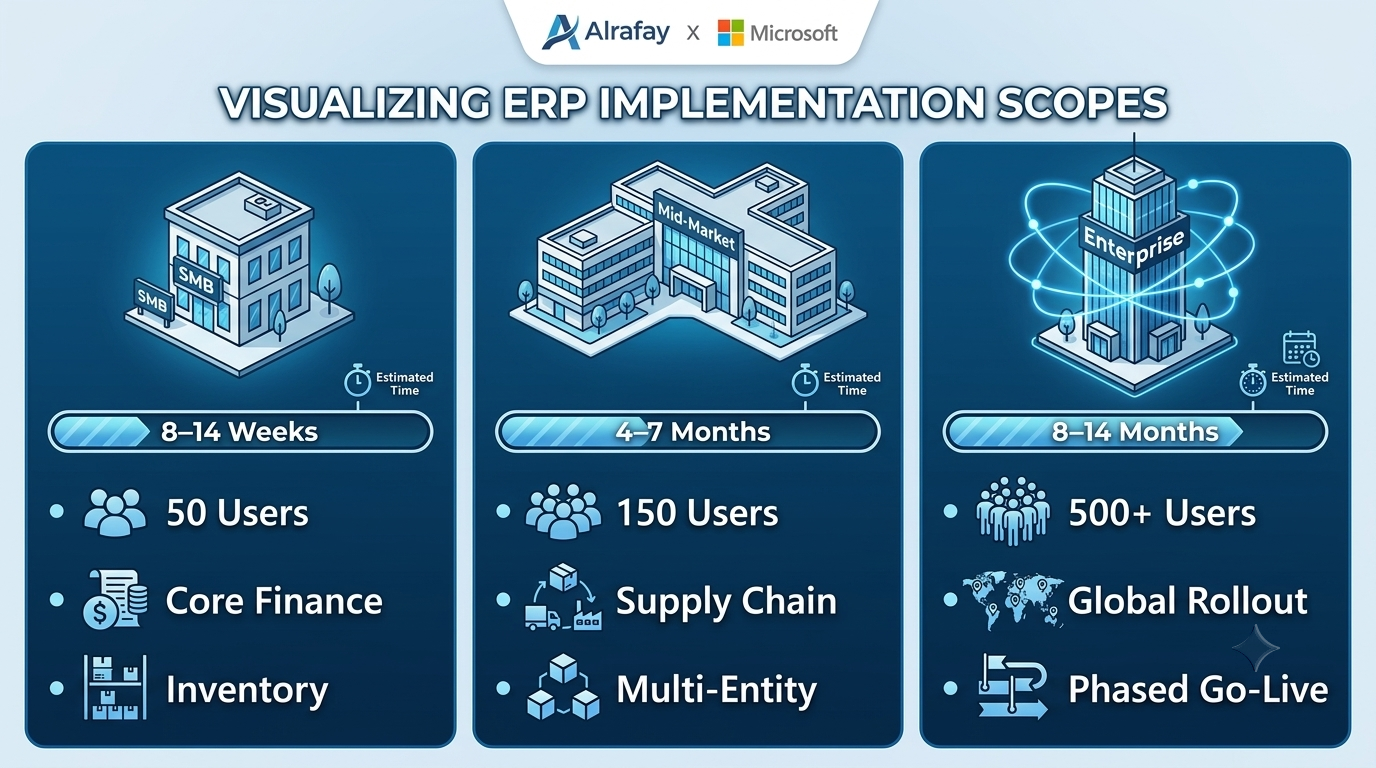
| ~50 users | 8 to 14 weeks | Finance, core inventory, standard reporting |
| ~150 users | 4 to 7 months | Finance, supply chain, multi-entity, integrations |
| 500+ users | 8 to 14 months | Global rollout, complex integrations, phased go-live |
The 25-Step Business Central Implementation Checklist
Phase 1: Pre-Implementation (Steps 1-5)
- Define measurable business outcomes.
- Appoint an executive sponsor and internal project owner.
- Build a cross-functional stakeholder group.
- Establish KPIs (close cycle, inventory accuracy, adoption, throughput).
- Finalize budget with contingency for controlled changes.
Phase 2: Solution Design (Steps 6-10)
- Map current-state workflows before configuration begins.
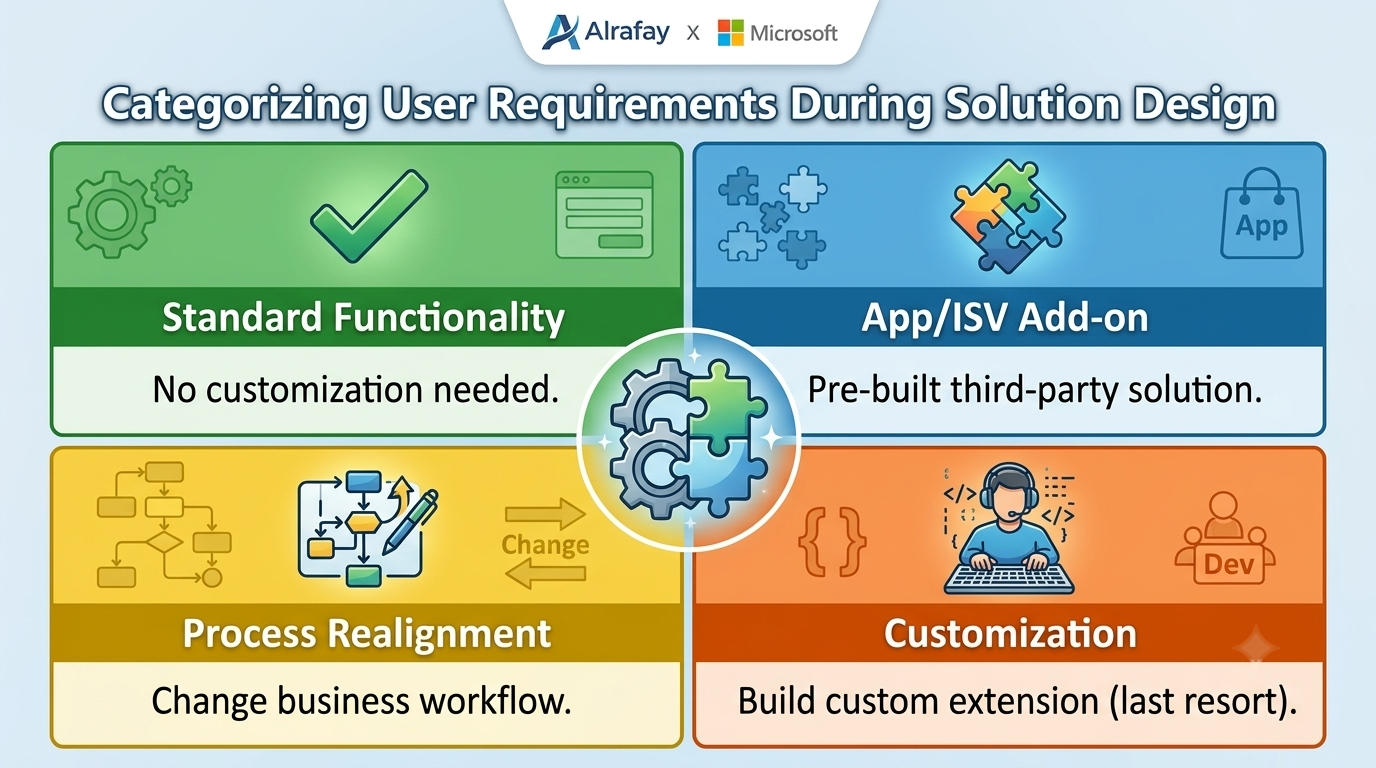
- Categorize requirements into must-have, should-have, and future-phase.
- Run fit-gap analysis against standard Business Central features.
- Define integration architecture and interface ownership.
- Confirm security model, role permissions, and audit controls.
Phase 3: Data Migration (Steps 11-14)
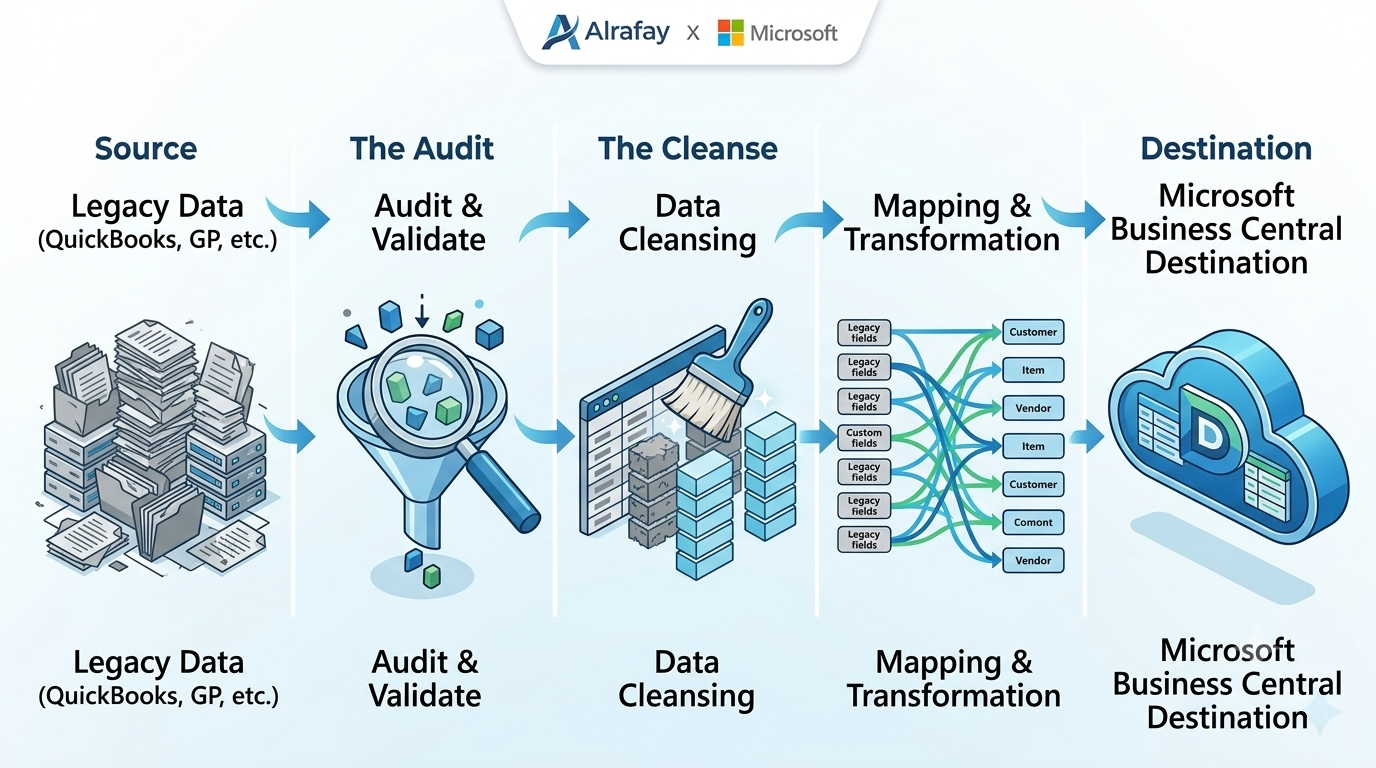
- Inventory source systems and migration datasets.
- Cleanse and standardize master and transactional data.
- Execute trial migrations with reconciliation checkpoints.
- Approve final migration cutover strategy and rollback plan.
Phase 4: Configuration and Build (Steps 15-18)
- Configure finance setup (COA, dimensions, periods, currency).
- Configure inventory and supply chain structures.
- Build reports, dashboards, and required approval flows.
- Minimize customization; document every extension decision.
Phase 5: Testing, Training, and Go-Live (Steps 19-23)
- Complete unit and integration testing.
- Run full user acceptance testing with business leads.
- Deliver role-based training and certify power users.
- Finalize cutover checklist and support escalation matrix.
- Execute go-live with monitored command-center support.
Phase 6: Post-Go-Live Optimization (Steps 24-25)
- Run hypercare with rapid issue triage and resolution.
- Review KPI outcomes at 30, 60, and 90 days and optimize.
Migration Considerations by Legacy System
| Legacy system | Key migration focus |
|---|---|
| QuickBooks | COA redesign, class mapping to dimensions, historical data strategy |
| Dynamics GP | Module mapping, extension audit, report replacement planning |
| Dynamics NAV | Version upgrade path, extension compatibility, code remediation |
| Sage/NetSuite | Data ownership model, API strategy, process standardization |
How to Choose a Business Central Implementation Partner
Use weighted scoring instead of a sales-driven decision.
| Evaluation criteria | What to verify | Weight |
|---|---|---|
| Microsoft credentials | Relevant designations and specializations | High |
| Industry track record | Similar deployments in your vertical | High |
| Data migration depth | Proven playbooks for your source system | High |
| Delivery methodology | Structured framework, not ad hoc execution | Medium |
| Post-go-live support | Hypercare plus optimization model | Medium |
| References and outcomes | Verifiable KPI improvements and timelines | Medium |
| Pricing transparency | Scope clarity and change-control method | Medium |
Red flags:
- No migration methodology
- Vague post-go-live support commitments
- Unrealistically short timeline estimates
- Little focus on adoption and training
Common Implementation Risks and Controls
| Risk | Why it happens | Control |
|---|---|---|
| Scope creep | Weak requirements and no change control | Freeze baseline after fit-gap and use formal CR process |
| Data quality issues | Dirty legacy records migrate unchanged | Add mandatory data cleansing and reconciliation gates |
| Low adoption | Generic training and rushed handover | Role-based training plus departmental champions |
| Budget overrun | Late customization decisions | Prioritize standard features and govern extension approvals |
| Testing gaps | UAT squeezed to protect date | Treat UAT as a non-negotiable milestone |
Best Practices for 2026 Rollouts
- Run governance through an executive steering cadence.
- Keep an internal project manager dedicated or near dedicated.
- Favor phased go-live for larger or multi-entity organizations.
- Plan Copilot readiness during implementation, not after go-live.
- Treat hypercare as required scope, not optional support.
Conclusion
Business Central implementation success is not just about software selection. It is about disciplined execution through discovery, design, migration, testing, and optimization, led by a partner that can prove delivery outcomes.
To align stakeholders on scope, migration controls, and delivery accountability, review our Dynamics 365 services and map the right implementation model for your organization.
Ready to Plan Your Business Central Rollout?
Al Rafay Consulting helps teams migrating from QuickBooks, Dynamics GP, Dynamics NAV, Sage, and NetSuite implement Business Central with structured delivery, data migration controls, and measurable post-go-live outcomes.
Frequently Asked Questions
What is a Business Central implementation partner?
A Business Central implementation partner is a Microsoft-certified consulting firm that plans, configures, migrates data, tests, and deploys Dynamics 365 Business Central, while also supporting training and post-go-live optimization.
How long does Business Central implementation take?
Timelines commonly range from 8 to 14 weeks for smaller organizations and up to 8 to 14 months for large multi-entity deployments, depending on complexity, data quality, integrations, and customization scope.
What is fit-gap analysis?
Fit-gap analysis compares Business Central's out-of-the-box capabilities to your documented requirements, identifying where standard functionality fits and where process changes, extensions, or customization are required.
What is user acceptance testing (UAT)?
UAT is when real business users execute real-world scenarios in the configured system to confirm workflows, outputs, and controls meet operational needs before go-live.
What is hypercare?
Hypercare is the focused support window immediately after go-live, typically two to four weeks, where the partner provides rapid issue resolution and adoption support.
How do I choose a Business Central implementation partner?
Evaluate partner credentials, industry experience, data migration depth, methodology, post-go-live support model, and references, then score each criterion with weighted decision factors.

Al Rafay Consulting
ARC Team
AI-powered Microsoft Solutions Partner delivering enterprise solutions on Azure, SharePoint, and Microsoft 365.
LinkedIn Profile