EDI Integration Explained: How Modern Enterprises Connect Trading Partners, ERP Systems, APIs, and Supply Chains
EDI integration connects electronic data interchange workflows directly to internal systems such as ERP, WMS, and CRM so business documents flow automatically without manual re-entry.
Learn how EDI integration works, how it connects ERP, WMS, CRM, and APIs, and how Microsoft Azure supports modern B2B integration at scale.
Al Rafay Consulting
· Updated July 15, 2026 · ARC Team
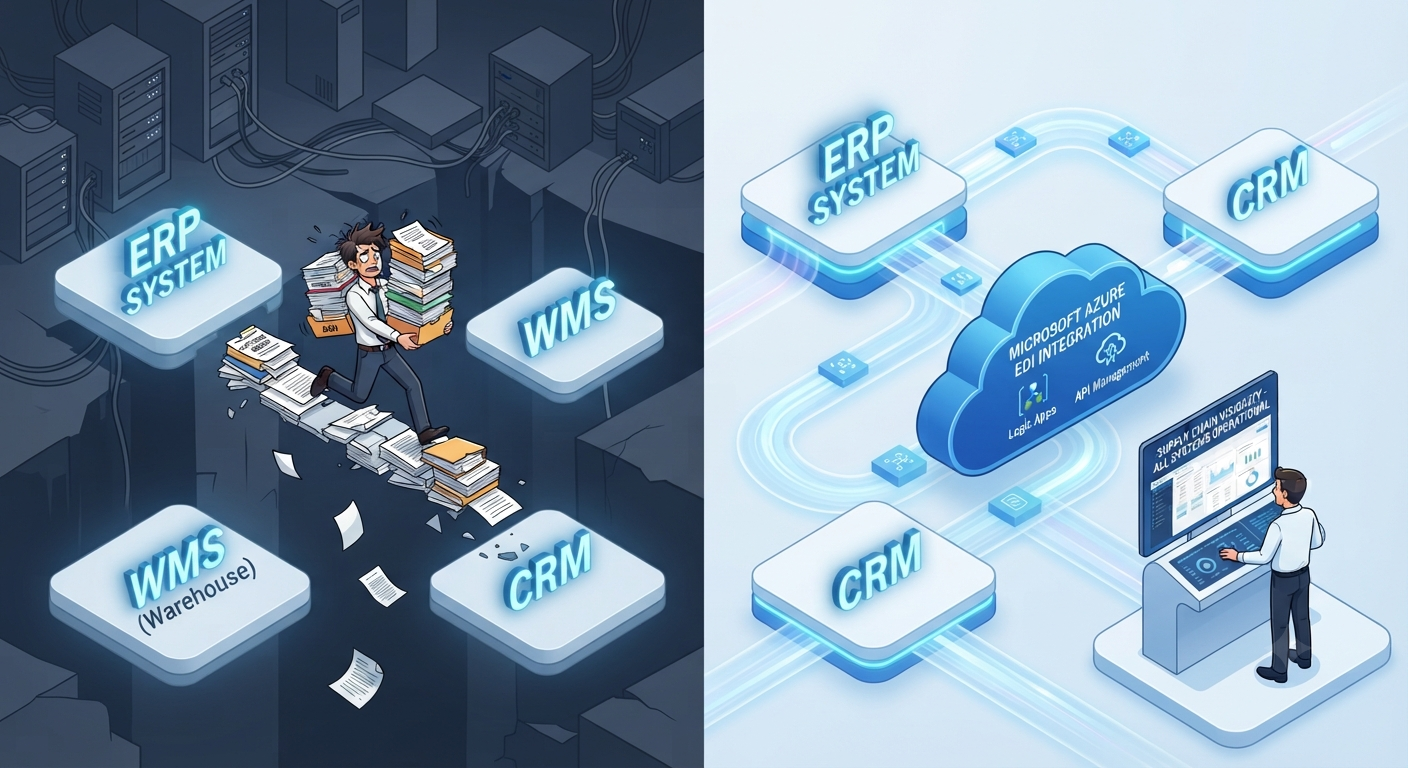
EDI has been quietly running global commerce for over 40 years, and it is not going anywhere. If your team is still keying purchase orders into your ERP by hand, chasing chargebacks caused by malformed ASNs, or dreading the onboarding of the next big-box retail partner, you already know the problem.
The issue is not that EDI is outdated. The issue is that most companies run EDI as an isolated island, disconnected from ERP, WMS, CRM, and the APIs that power the rest of the business. That disconnect is where manual work, data errors, and compliance penalties come from.
This guide explains what modern EDI integration services actually do, how EDI connects to core systems, how it coexists with APIs, and why Microsoft Azure has become one of the strongest platforms for running EDI at enterprise scale.
What Is EDI Integration?
Electronic Data Interchange is the structured, computer-to-computer exchange of business documents between trading partners using standardized formats instead of paper, email, or fax.
EDI integration takes this further by connecting the EDI platform directly to internal systems such as ERP, warehouse management, CRM, and supply chain applications so transactions flow automatically without manual re-entry.
Why Companies Use EDI
- Retail and distributor compliance mandates
- High transaction volume and speed requirements
- Reduced transcription errors
- Better auditability and compliance records
- Lower processing cost per transaction
How EDI Integration Works
A typical EDI transaction moves through five stages.
1. Data Generation
A business document is created inside an internal system such as an ERP or WMS.
2. Translation
The internal format is converted into a standard EDI format such as ANSI X12 or EDIFACT.
3. Validation
The document is checked against the trading partner’s requirements before transmission.
4. Transmission
The EDI document is sent securely using AS2, SFTP, HTTPS, FTP, or a VAN.
5. ERP or Internal Processing
Incoming documents are translated back into a format the ERP, WMS, or CRM can consume.
Common EDI Standards
| Standard | Region or Industry | Notes |
|---|---|---|
| ANSI X12 | North America | Dominant in retail, manufacturing, and logistics |
| UN/EDIFACT | International | Common across Europe and global trade |
| TRADACOMS | United Kingdom | Legacy standard still present in some retail environments |
| RosettaNet | High-tech and electronics | XML-based supply chain standard |
Common EDI Documents
- 850 Purchase Order
- 855 Purchase Order Acknowledgment
- 856 Advance Ship Notice
- 810 Invoice
- 846 Inventory Inquiry or Advice
EDI Integration Architectures
Direct EDI
Direct point-to-point connections offer control but do not scale well beyond a few partners.
VAN-Based EDI
A Value-Added Network acts as a hub for transmission and mailbox-style delivery.
Hub-and-Spoke
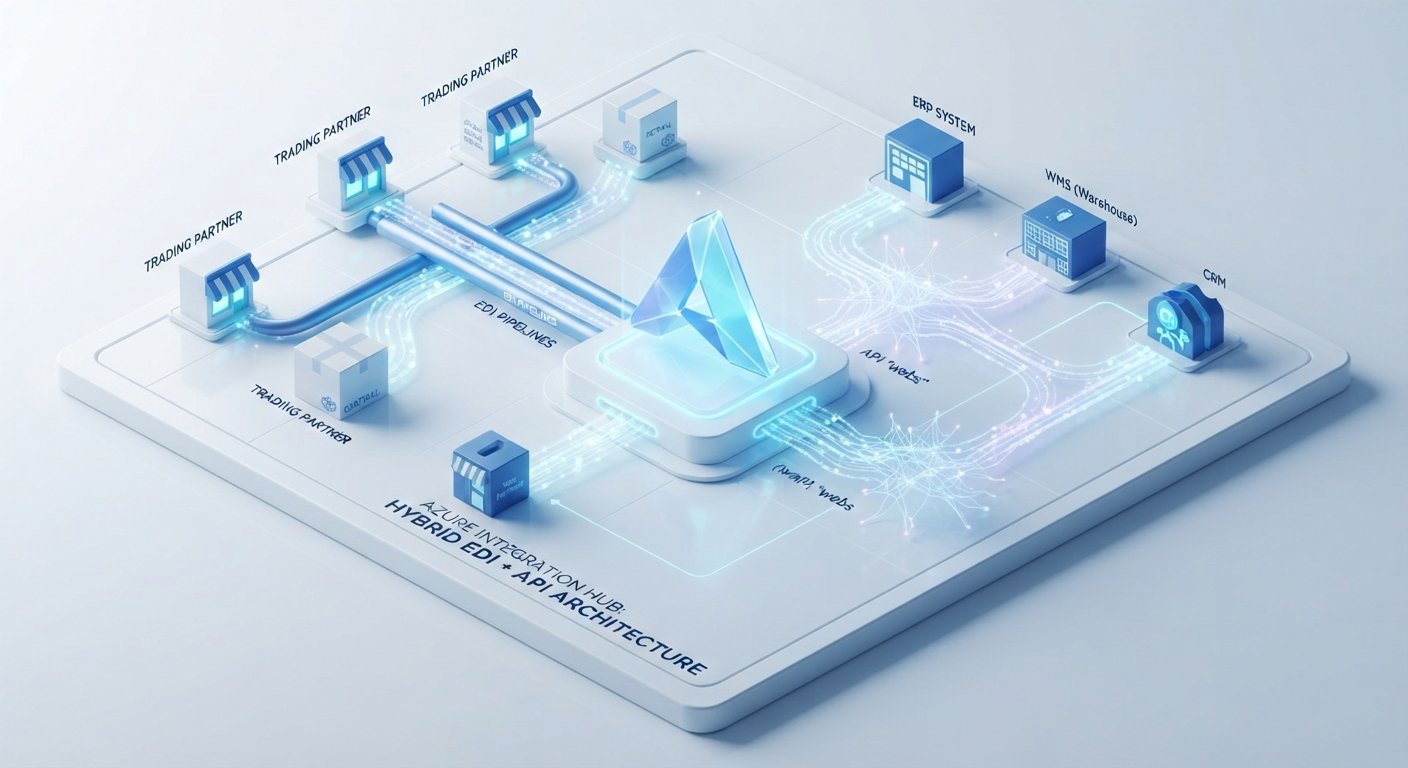
A central integration platform connects outward to trading partners and inward to internal systems.
Hybrid EDI + API Architecture
This is the model most modern enterprises need. EDI handles external trading partner exchanges, while APIs handle real-time internal communication.
Microsoft Azure EDI Integration
Azure has built native enterprise B2B capability into its integration stack.
Azure Logic Apps
Logic Apps supports EDI standards and handles workflow orchestration with a low-code design surface.
Integration Accounts
Integration Accounts store schemas, maps, certificates, and partner agreements.
API Management
API Management governs the APIs that connect EDI data to internal systems and partner applications.
Dataverse and Power Platform
These tools can surface EDI-derived data in low-code apps, Power Automate flows, and dashboards.
EDI vs API
| Factor | EDI | API |
|---|---|---|
| Primary use | External trading partner exchange | Real-time internal communication |
| Data style | Batch and document-based | Real-time and granular |
| Standardization | Highly standardized | More custom per integration |
| Best fit | Partner mandates and B2B exchange | Internal system integration |
The practical answer is not choosing one or the other. Mature enterprises use both.
When You Need EDI Integration Services
You likely need help if:
- A retailer or distributor issued an EDI compliance mandate
- Your team is manually re-keying data into ERP
- You are dealing with recurring chargebacks
- Your legacy translator or VAN is hard to maintain
- You want to move toward a hybrid EDI and API architecture
How To Choose An EDI Integration Partner
Evaluate partners on:
- Platform expertise, not just EDI expertise
- ERP integration experience
- Trading partner onboarding methodology
- Hybrid architecture capability
- Compliance and standards depth
- Support model for ongoing changes
- Track record and verifiable delivery depth
Common Challenges and How to Avoid Them
| Challenge | Why It Happens | How to Avoid It |
|---|---|---|
| Manual processing bottlenecks | EDI is not connected to ERP | Make ERP integration a core deliverable |
| Trading partner compliance issues | Validation happens too late | Validate before transmission |
| Chargebacks from formatting errors | ASN and invoice rules are missed | Automate pre-transmission validation |
| Legacy platform sprawl | Old VANs and translators are hard to scale | Migrate toward Azure-native integration |
| ERP disconnection | EDI runs in isolation | Treat end-to-end system integration as the goal |
Best Practices
- Design for hybrid from the start
- Automate validation before transmission
- Integrate directly with ERP, WMS, and CRM
- Standardize trading partner onboarding
- Choose a platform that scales
- Maintain documentation of partner specifications
- Build monitoring and alerting into the workflow

Future Trends
- EDI remains embedded in retail, logistics, and manufacturing
- Hybrid EDI and API architectures are becoming the standard
- AI-assisted mapping and onboarding are reducing manual setup work
- Cloud-native Azure-based EDI continues to mature
Key Takeaways
EDI integration is not about replacing EDI with APIs. It is about connecting EDI properly to the systems that actually run the business.
The organizations getting the most value are treating EDI, ERP, WMS, and APIs as one unified integration layer instead of separate tools.
Ready to Modernize Your EDI Integration?
If your team is still bridging the gap between EDI and ERP by hand, it is time for a structural fix.
Book an EDI Integration Assessment or explore ARC’s integration services.
Frequently Asked Questions
What is EDI integration?
EDI integration connects an EDI platform to internal systems like ERP, WMS, and CRM so business documents flow automatically without manual data entry.
How does EDI work?
EDI moves through data generation, translation, validation, transmission, and internal processing back into business systems.
What is the difference between EDI and API?
EDI is standardized, document-based exchange for external trading partners, while APIs provide flexible, real-time system-to-system communication.
Can Azure process EDI?
Yes. Azure Logic Apps, Integration Accounts, and API Management support modern EDI and hybrid integration architectures.
When do companies need EDI integration services?
Companies typically need help when they face retailer mandates, recurring chargebacks, manual ERP re-entry, or plans to modernize toward a hybrid EDI and API architecture.

Al Rafay Consulting
ARC Team
AI-powered Microsoft Solutions Partner delivering enterprise solutions on Azure, SharePoint, and Microsoft 365.
LinkedIn Profile