Microsoft 365 Cost Optimization: Cut the Bill Without Cutting Capability
Microsoft 365 cost optimization is the process of aligning licenses, usage, add-ons, and overlapping tools to reduce spend while preserving security, compliance, and productivity.
Cut Microsoft 365 costs without losing capability. License audits, right-sizing, Copilot governance, and 2026 pricing prep - all in one guide.
Al Rafay Consulting
· Updated July 16, 2026 · ARC Team

Microsoft 365 bills usually grow quietly through renewal drift: inactive users keep licenses, premium SKUs get over-assigned, and duplicate tools stay in place year after year.
This guide shows where cost leakage happens, how to audit it, and how to reduce spend without removing capabilities your teams depend on.
For organizations pursuing strategic cost optimization, Microsoft 365 licensing governance is often one of the fastest paths to measurable savings.
Why Microsoft 365 Costs Keep Rising
Most growth comes from compounding inefficiencies:
- inactive or unassigned licenses
- E5 assigned where E3 or Business Premium is enough
- add-on and tool sprawl
- unmanaged Copilot rollout
With 2026 pricing changes approaching, unresolved waste becomes more expensive at renewal time.
Audit and Right-Size Framework
A reliable optimization sequence:
- Export license assignments from Admin Center
- Compare against usage analytics
- Map licenses to actual role-level needs
- Validate compliance/security before downgrades
Right-sizing usually benefits from Microsoft 365 Consulting and a clean implementation baseline to avoid tenant misconfiguration.
SKU Decision Points
Start with workload-fit decisions, not plan defaults.
- Compare plan boundaries using a business-versus-enterprise framework aligned to role and compliance needs
- Evaluate practical downgrade opportunities in Business Premium vs E3
Copilot Cost Governance in 2026
Copilot value is highest when assigned by role and measured by usage outcomes.
Without governance, Copilot licensing and usage-based extensibility can introduce spend volatility. Treat Copilot as a governed program with periodic review cadence.
Consolidation and Broader FinOps Alignment
Microsoft 365 optimization should align with wider cloud governance. If your organization is building a cross-platform savings program, pair this work with Azure Cost Optimization Tips to coordinate SaaS and cloud FinOps.
Ongoing Governance Model
Sustained savings requires recurring controls, not one-time cleanup:
- quarterly license and assignment reviews
- offboarding automation checks
- add-on and duplicate-tool governance
- leadership reporting on realized savings
For long-term control and execution support, many teams pair license strategy with Managed IT Services.
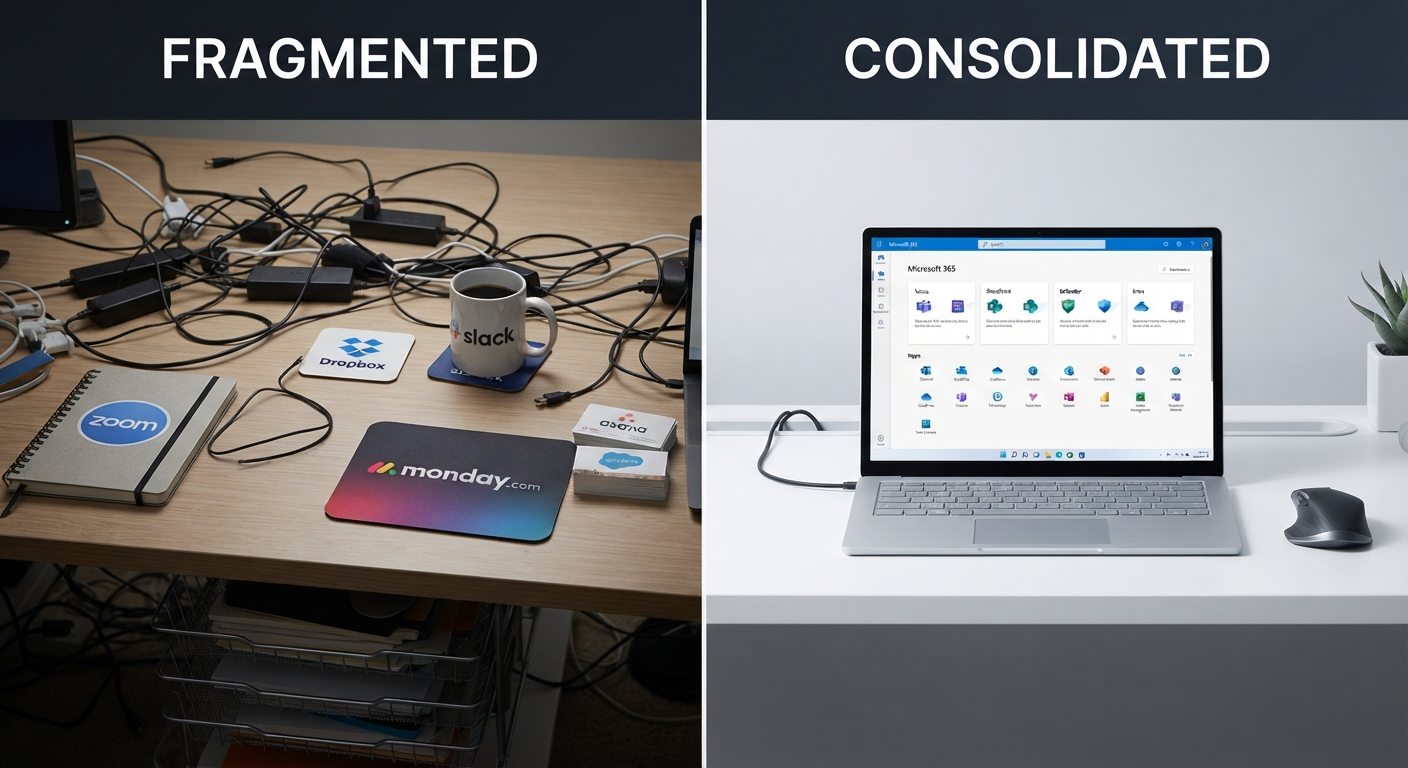
How ARC Finds and Delivers Results
ARC combines usage analytics, SKU right-sizing, and migration support so savings are implemented and sustained.
This includes:
- full inventory and spend analysis
- consolidation roadmap for overlapping tools
- role-based licensing recommendations
- adoption workflows that keep savings from eroding
This delivery model is part of ARC’s broader cost optimization approach.

Key Takeaways
- License waste is usually systemic and accumulates across renewal cycles.
- Data-driven right-sizing protects capability while reducing cost.
- Copilot rollout must be governed as part of cost management.
- Savings only persist with quarterly governance and ownership.
- Early action before renewal captures the largest optimization opportunity.
Ready to Cut Microsoft 365 Waste Before Renewal?
Use a structured review to convert hidden license drift into measurable savings and a repeatable governance model.
Book a Microsoft 365 Cost Optimization ReviewSee ARC’s full cost optimization approach for Microsoft 365 and Azure spend governance.
Frequently Asked Questions
What is Microsoft 365 cost optimization?
Microsoft 365 cost optimization is the process of aligning licenses, usage, storage, add-ons, and third-party tools with actual business needs in order to reduce spend without reducing capability.
How do I reduce Microsoft 365 license costs?
Start with a full license and usage audit, reclaim inactive and unassigned licenses, right-size oversized SKUs (like unnecessary E5 assignments) based on actual usage data, consolidate duplicate third-party tools, and govern Copilot licensing by role rather than blanket rollout.
How do I find unused Microsoft 365 licenses?
Export license assignments from the Microsoft 365 Admin Center and cross-reference them against usage analytics reports, which show product usage and user activity over a rolling 12-month period - inactive users and unused features will surface directly from this comparison.
Can I mix Microsoft 365 license types in one tenant?
Yes, mixing license types (e.g., E3, E5, Business Premium, F3) within one tenant is common and often necessary for right-sizing, but some tenant-wide features and policies can behave differently depending on the license mix, so changes should be reviewed carefully before rollout.
Should we downgrade E5 users to E3 or F3?
Only after checking usage analytics for E5-specific feature activity (advanced security, compliance, Power BI Pro); if a user shows no meaningful use of those premium features over a sustained period, downgrading is usually a safe and effective savings opportunity.
Is Business Premium cheaper than E3 for under 300 users?
For organizations under roughly 300 users, Business Premium frequently costs less than E3 while still providing strong security capability through Defender and Intune, making it worth a direct side-by-side cost comparison before defaulting to E3.
What Microsoft 365 reports show license usage?
Microsoft 365 usage analytics provides prebuilt licensing reports, product usage reports, and user activity reports, along with Power BI dashboards offering a cross-product view of usage over the past 12 months.
Does removing a license delete user data?
Removing a license does not immediately delete data - Microsoft holds Exchange mailbox data for 30 days after license removal, though retention policies and other data types may have different rules, so it's worth confirming retention behavior for your specific configuration before removing licenses at scale.
How much does Microsoft 365 Copilot cost?
As an add-on, Microsoft 365 Copilot Business is listed at $21/user/month (with promotional pricing periods sometimes offering $18/user/month), while bundled options combining Business Standard or Business Premium with Copilot are listed around $23.50 and $32.00/user/month respectively - pricing should always be verified against Microsoft's current Copilot pricing page, since it changes.
Who should get Microsoft 365 Copilot licenses first?
Roles with heavy document creation, meeting synthesis, or data analysis workloads typically see the most measurable value from Copilot first - broad, unmeasured rollout across every seat is one of the most common sources of Copilot-related waste.
What are Copilot Credits and how can they affect costs?
Copilot Credits are a usage-based billing mechanism that can apply to certain Copilot extensibility scenarios, such as Copilot Chat accessing shared tenant data through SharePoint or connectors - without monitoring, this consumption-based cost can grow unpredictably as agent usage scales.
How do we prepare for Microsoft 365 price increases?
Run a full license and usage audit at least 90 days before your renewal date, reclaim and right-size licenses ahead of the July 1, 2026 pricing change, and consolidate any duplicate third-party tools so the waste isn't repriced at the new, higher rates.
What third-party tools can Microsoft 365 replace?
Common replaceable tools include Zoom or Webex (with Teams), Dropbox or Box (with OneDrive/SharePoint), standalone SSO providers (with Microsoft Entra ID), and third-party email/endpoint security tools (with Microsoft Defender) - though replacement should be evaluated case by case against specific feature requirements.
How often should we review Microsoft 365 licenses?
At minimum, quarterly - annual-only reviews tend to let waste re-accumulate for months before it's caught, while quarterly reviews (paired with a clear offboarding workflow) keep license assignments aligned with actual headcount and usage on an ongoing basis.
What should be included in a Microsoft 365 cost optimization assessment?
A thorough assessment typically includes a full current license inventory, usage data analysis, functionality-versus-assignment comparison, third-party tool overlap review, cost comparison across license tiers, and a prioritized set of optimization recommendations with estimated savings.

Al Rafay Consulting
ARC Team
AI-powered Microsoft Solutions Partner delivering enterprise solutions on Azure, SharePoint, and Microsoft 365.
LinkedIn Profile