Microsoft Loop vs Notion: Best Pick for Teams
Microsoft Loop and Notion are compared here based on their capabilities, pricing, integrations, and enterprise fit — helping organizations choose the right solution for their specific requirements and existing technology stack.
Compare Microsoft Loop vs Notion for compliance, collaboration, and flexibility to choose the right workspace model for your business.
ARC Team
· Updated April 21, 2026 · ARC Team

Choosing between Microsoft Loop and Notion is not just a productivity decision. For many organizations, it is also a governance decision about where collaboration should happen and how data should be controlled.
Organizations looking to strengthen this area can work with Microsoft Loop consulting.
This guide compares Loop and Notion through a practical business lens: compliance fit, collaboration workflow quality, customization needs, and rollout complexity.
Why This Decision Matters
Teams often compare templates and page layouts first. A better approach is to start with knowledge-management requirements: where information is stored, how it is reused, who can access it, and how reliably it can be governed.
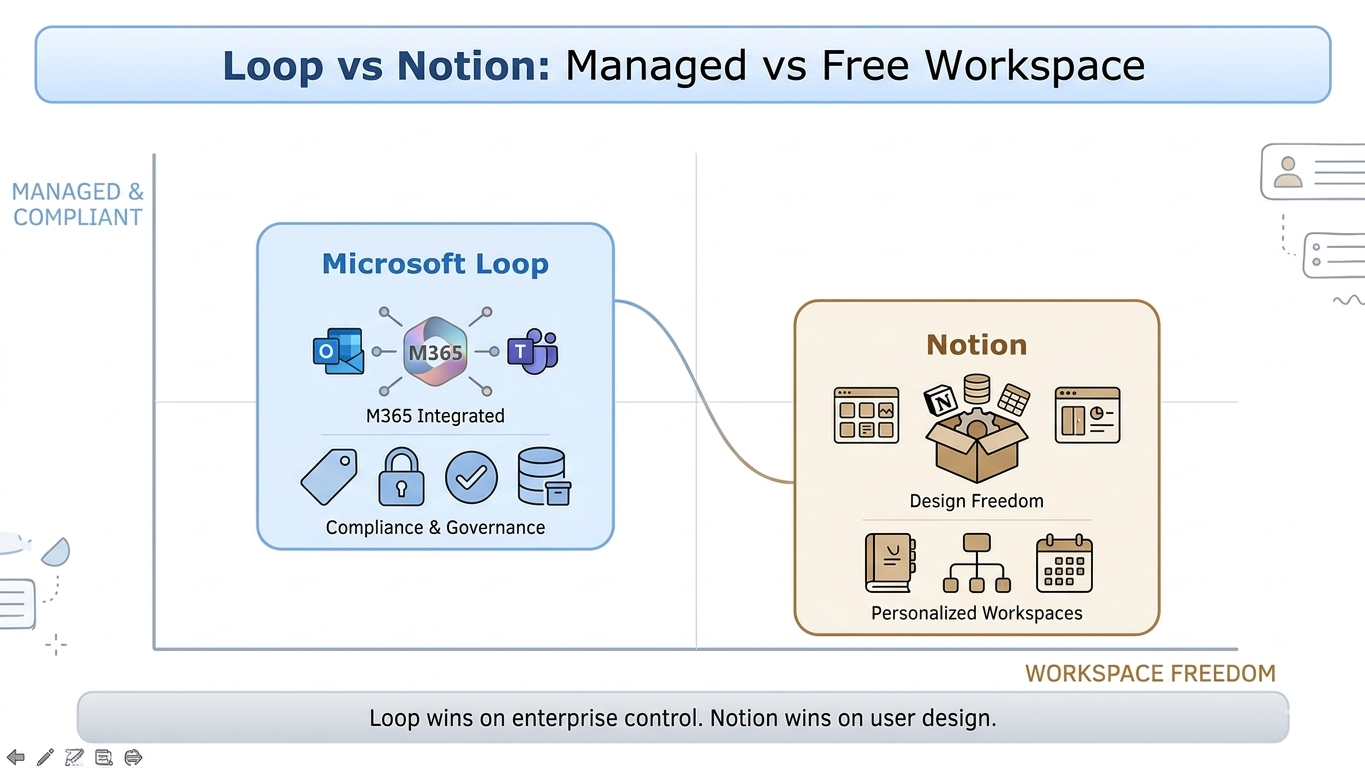
Loop and Notion optimize for different first priorities. Loop is built to work inside Microsoft 365 collaboration context. Notion is built to provide high flexibility for custom workspace design.
Microsoft Loop: Strong Fit for Microsoft 365 Governance
Loop is especially effective for Microsoft 365-first organizations that need seamless collaboration across Teams, Outlook, and shared Microsoft workspaces. It supports strong alignment with enterprise controls such as sensitivity labels, DLP, retention, and audit workflows.
This is a major advantage for regulated industries or teams with high audit expectations where collaboration speed must coexist with policy enforcement.
Notion: Strong Fit for Custom Workspace Design
Notion is often preferred when teams need highly customizable workspace structures, database-driven content organization, and broad template-led operating systems. It is attractive for project hubs, knowledge bases, planning dashboards, and cross-functional documentation.
For many teams, Notion delivers faster initial workspace design flexibility. The tradeoff is that governance and policy alignment can require more deliberate planning depending on plan tier and admin controls.
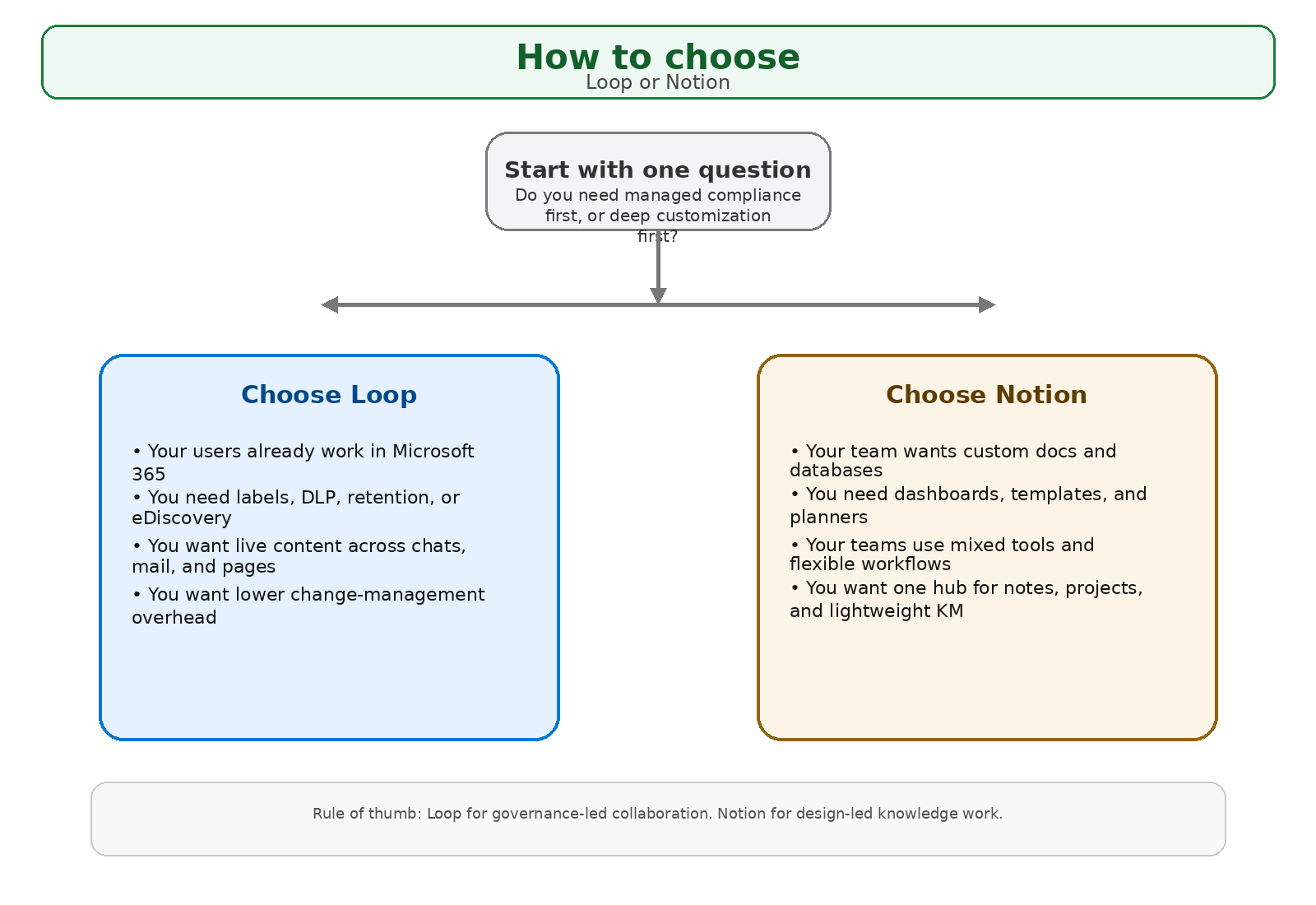
Step-by-Step Selection Framework
| Phase / Step | Focus | Outcome |
|---|---|---|
| Step 1: Define Collaboration and Governance Needs | Map data sensitivity, ownership model, and workflow complexity | Clear decision criteria |
| Step 2: Run Use-Case Pilot | Test onboarding, project tracking, and executive reporting scenarios | Evidence-based platform fit |
| Step 3: Standardize Rollout Model | Finalize templates, ownership, access controls, and review cadence | Sustainable adoption and control |
Phase 1: Start with Real Workflows
List your top collaboration scenarios and evaluate both tools against governance controls, setup effort, and user experience.
Phase 2: Measure Practical Fit
Pilot one department and track search quality, adoption speed, permission clarity, and reporting usefulness. A live pilot reveals more than a feature checklist.
Phase 3: Launch with Ownership
Define who approves new workspaces, who owns templates, how stale content is reviewed, and where sensitive records must live.
Key Business Benefits of the Right Choice
- Faster knowledge access: Teams spend less time searching and re-creating information.
- Cleaner collaboration execution: Ownership and workflow standards reduce confusion.
- Better governance confidence: Sensitive data is handled with clearer policy alignment.
- Improved adoption velocity: Users trust and use the platform when it matches real work patterns.
Core Capabilities to Compare
- Native Microsoft 365 integration depth
- Data governance and policy alignment
- Workspace customization flexibility
- Template scalability and long-term ownership model
Frequently Asked Questions
Which platform is better for compliance-heavy teams?
When is Notion the better fit?
Can both platforms coexist?
What is the safest way to choose?
Conclusion
Loop and Notion both improve team collaboration, but they start from different strengths. Choose based on your operating model, governance expectations, and pace of change.
If your organization is evaluating collaboration platforms, ARC can help with strategy, implementation, governance, and optimization.
Frequently Asked Questions
What is Zero Trust security?
Zero Trust is a security framework that assumes no user or device should be trusted by default — requiring continuous verification of identity, device health, and access permissions for every request.
How does Microsoft implement Zero Trust?
Microsoft Zero Trust uses Entra ID for identity, Intune for device compliance, Defender for threat protection, Purview for data protection, and Conditional Access for policy enforcement.
What compliance certifications does Microsoft support?
Microsoft cloud services hold SOC 1/2/3, ISO 27001/27018, HIPAA, FedRAMP, GDPR, PCI DSS, and 90+ other compliance certifications across industries and regions.
How do you assess security posture?
We evaluate Microsoft Secure Score, conduct gap analyses against frameworks like NIST and CIS, review configurations, test access controls, and provide prioritized remediation recommendations.
Can you help with regulatory compliance?
Yes. We implement Microsoft Purview compliance solutions including data classification, retention policies, eDiscovery, audit logging, and information barriers for regulated industries.

ARC Team
ARC Team
AI-powered Microsoft Solutions Partner delivering enterprise solutions on Azure, SharePoint, and Microsoft 365.
LinkedIn Profile