OneDrive Copilot AI File Management Is Live Now | ARC
OneDrive Copilot AI File Management Is Live is explore OneDrive Copilot capabilities, rollout planning, and governance considerations so your teams can use AI file management securely and effectively.
Explore OneDrive Copilot capabilities, rollout planning, and governance considerations so your teams can use AI file management securely and effectively.
ARC Team
· Updated May 12, 2026 · ARC Team

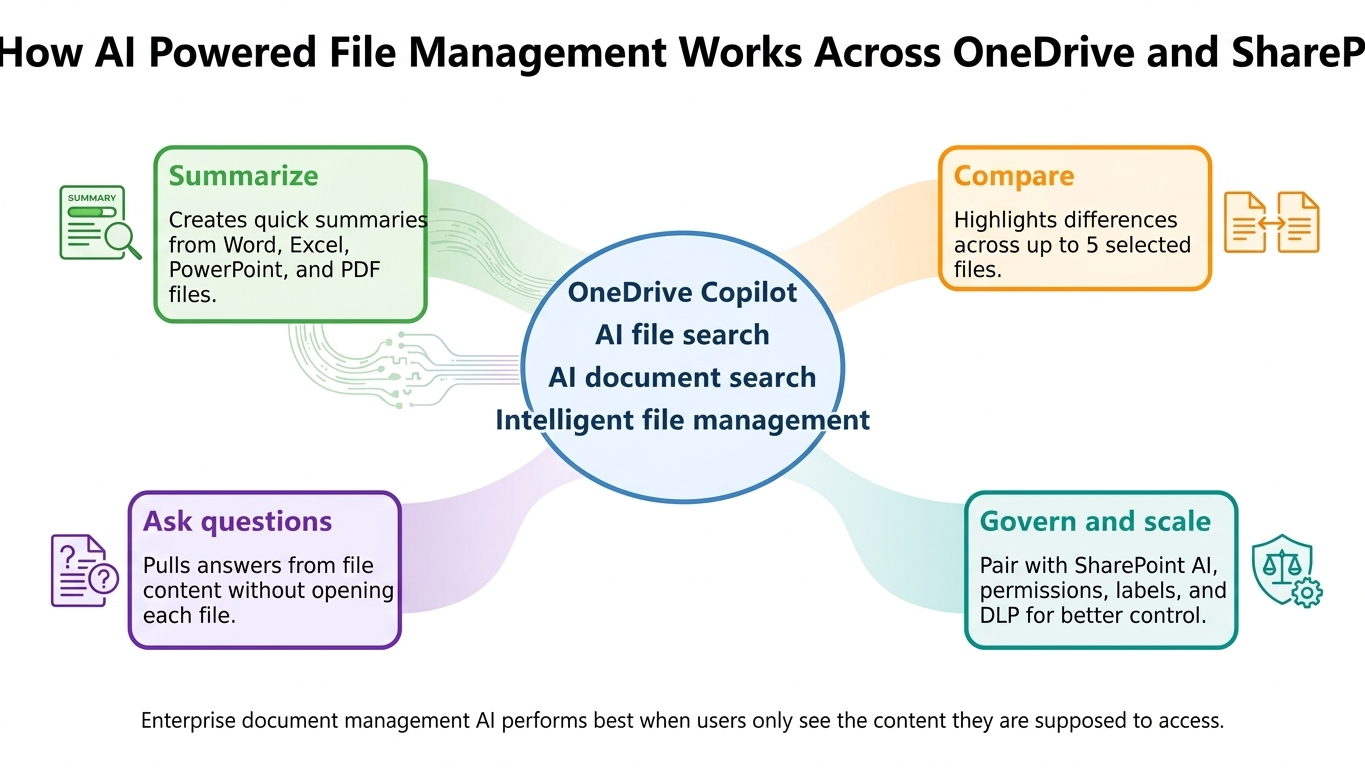
OneDrive Copilot shifts file management from manual browsing to intent-based interaction. Users can summarize, compare, and query documents without opening every file.
Organizations looking to strengthen this area can work with OneDrive for Business services.
The opportunity is significant, but adoption should be planned with permissions and governance in mind.
What OneDrive Copilot Can Do Today
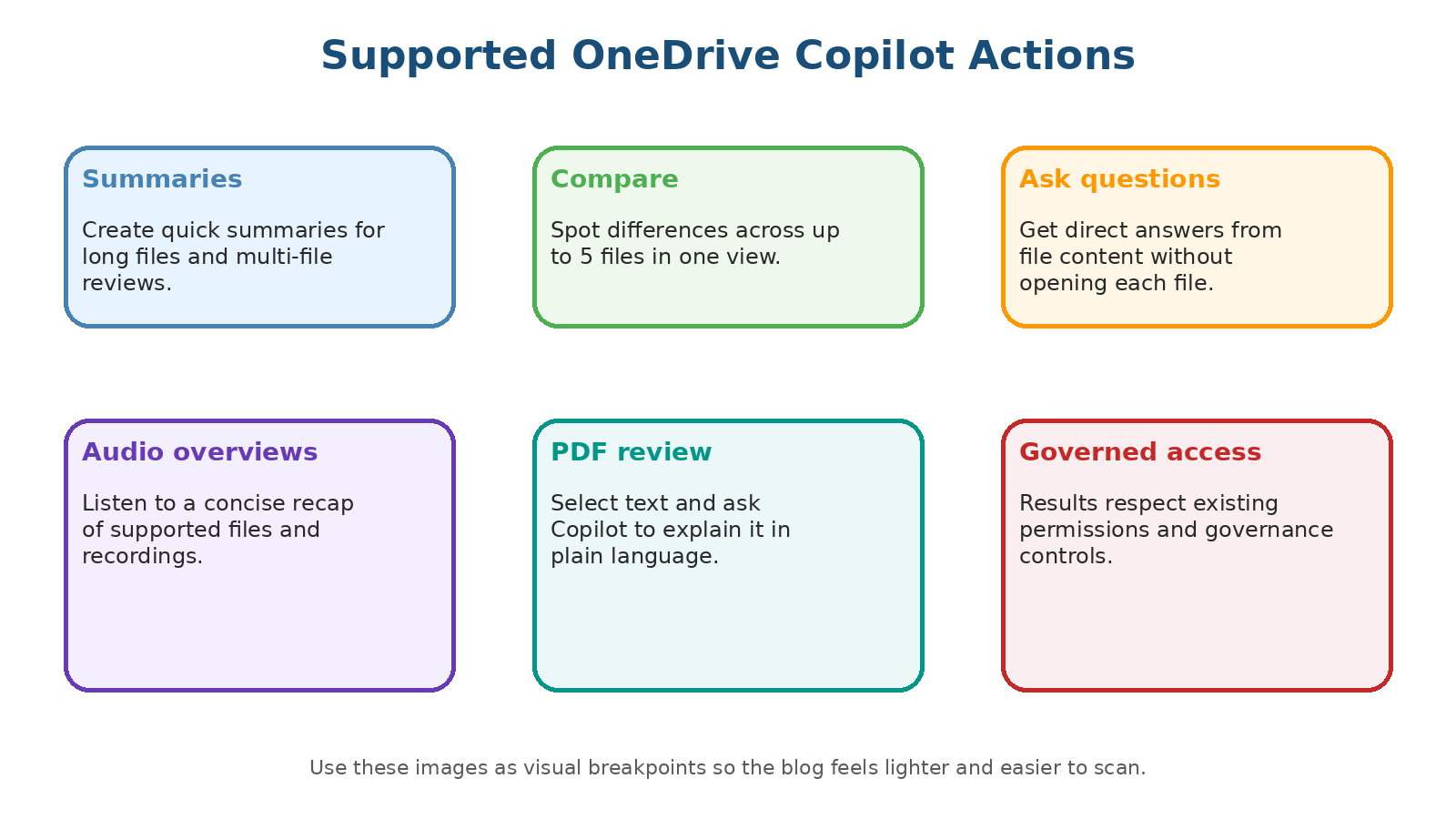
- Summarize long files quickly.
- Compare differences across multiple selected files.
- Answer questions from file content.
- Support PDF review and concise audio overviews in supported scenarios.
Setup and Rollout Sequence
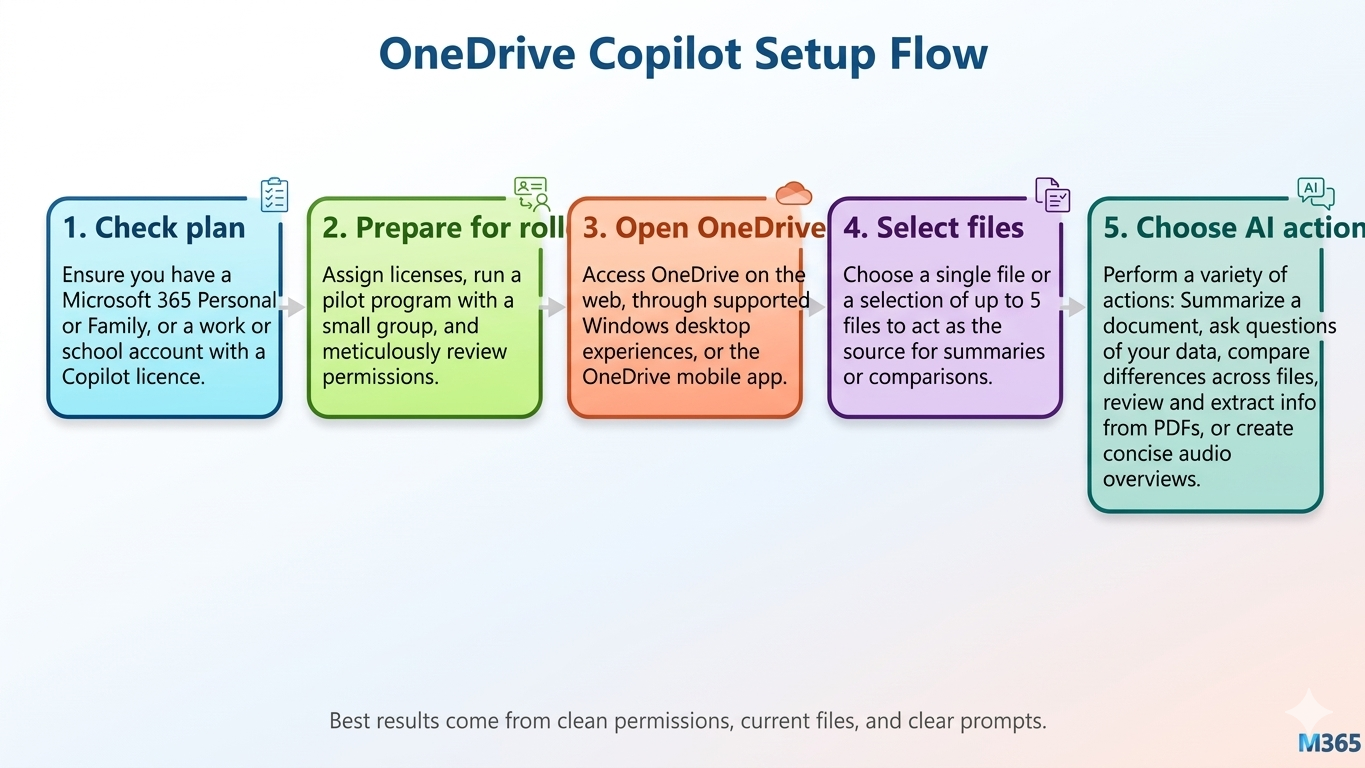
| Phase | Focus | Outcome |
|---|---|---|
| Plan check | Confirm eligible license and accounts | Technical readiness |
| Pilot prep | Small user cohort and permission review | Controlled testing |
| Enablement | Prompt training and use-case guidance | Better output quality |
| Scale | Department-based rollout | Measured adoption |
Governance Should Be Built In
- Review overexposed content before broad enablement.
- Apply sensitivity labels and data loss prevention controls.
- Train users on prompt quality and responsible output validation.
- Monitor usage patterns and adjust rollout phases.
Recommended Rollout Path
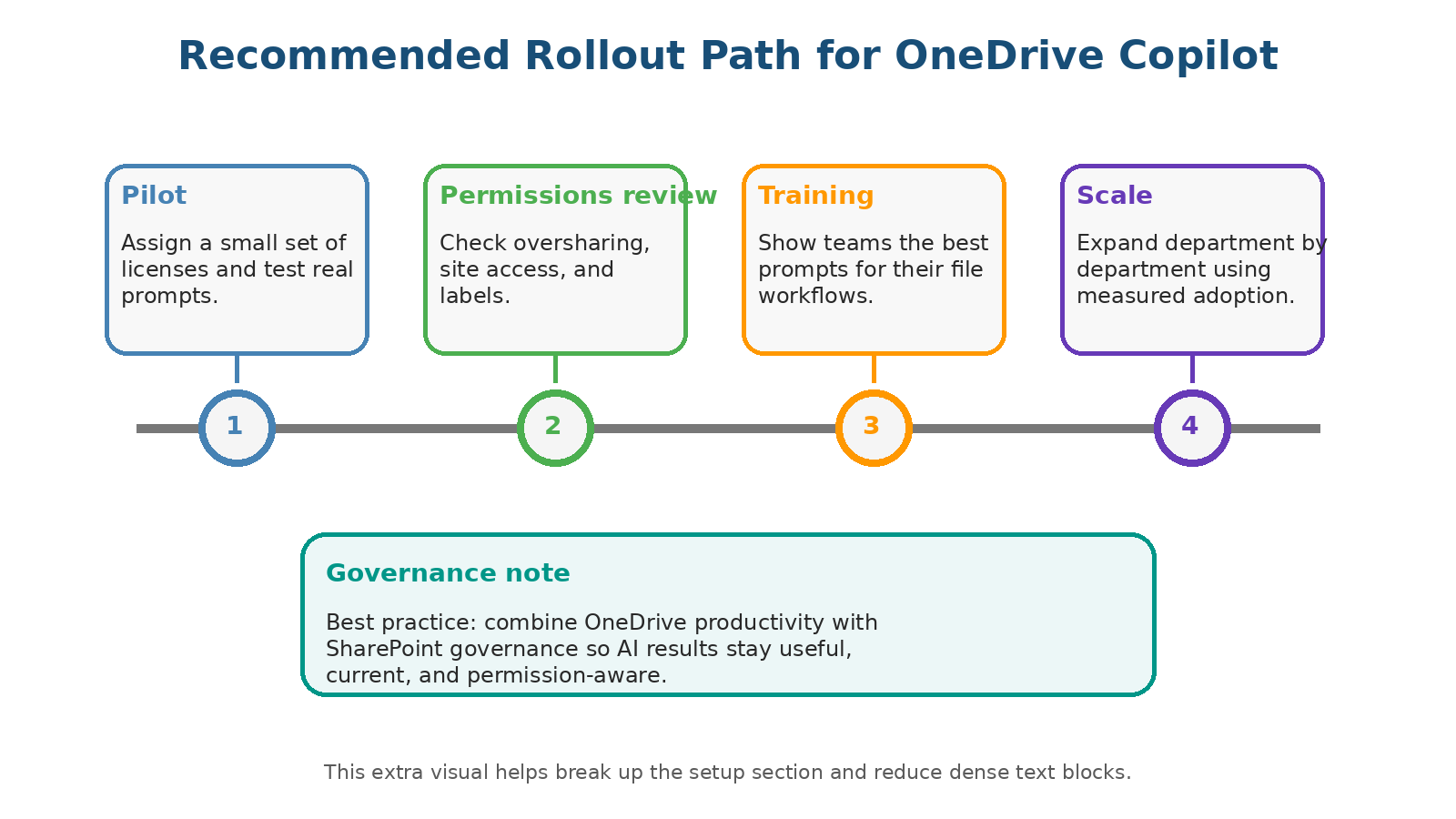
- Pilot with high-impact, low-risk teams first.
- Validate permissions and sharing hygiene before expansion.
- Train managers on practical Copilot prompt standards.
- Scale by department with measured adoption metrics.
Frequently Asked Questions
Does OneDrive Copilot ignore file permissions?
Can users compare multiple files at once?
What is the best first use case for a pilot?
Conclusion
OneDrive Copilot can deliver major productivity gains, but only when rolled out with clean permissions and governance.
If your organization is planning OneDrive Copilot adoption, ARC can help with strategy, implementation, governance, and optimization.
Frequently Asked Questions
What is Microsoft 365 Copilot?
Microsoft 365 Copilot is an AI assistant embedded in Word, Excel, PowerPoint, Outlook, and Teams that helps users draft content, analyze data, create presentations, and manage communications using natural language.
How much does Microsoft 365 Copilot cost?
Microsoft 365 Copilot is priced at $30 per user per month as an add-on to qualifying Microsoft 365 Business or Enterprise plans.
Is my data safe with Microsoft 365 Copilot?
Yes. Copilot respects existing Microsoft 365 permissions and security policies. Your data is not used to train the underlying models and stays within your tenant boundary.
What are the prerequisites for deploying Copilot?
You need a qualifying Microsoft 365 E3/E5 or Business Standard/Premium license, Azure Active Directory, and properly configured Microsoft Graph permissions for optimal results.
How can I measure Copilot ROI?
Track metrics like time saved on document creation, meeting summarization usage, email drafting efficiency, and user adoption rates. Microsoft provides a Copilot Dashboard for organizational insights.

ARC Team
ARC Team
AI-powered Microsoft Solutions Partner delivering enterprise solutions on Azure, SharePoint, and Microsoft 365.
LinkedIn Profile