Replace Your PBX with Teams Phone Right Now
Replace Your PBX with Teams Phone Right Now is modernize legacy PBX with Teams Phone using Calling Plans, Operator Connect, or Direct Routing, with a secure migration blueprint for global organizations.
Modernize legacy PBX with Teams Phone using Calling Plans, Operator Connect, or Direct Routing, with a secure migration blueprint for global organizations.
ARC Team
· Updated April 27, 2026 · ARC Team

Legacy PBX environments were built for static offices and expensive hardware cycles. Hybrid work, global teams, and modern compliance demands now require a cloud telephony model that is easier to scale and govern.
Teams Phone gives organizations a practical path to consolidate calling, meetings, and collaboration in one Microsoft 365-aligned platform without forcing a disruptive big-bang cutover.
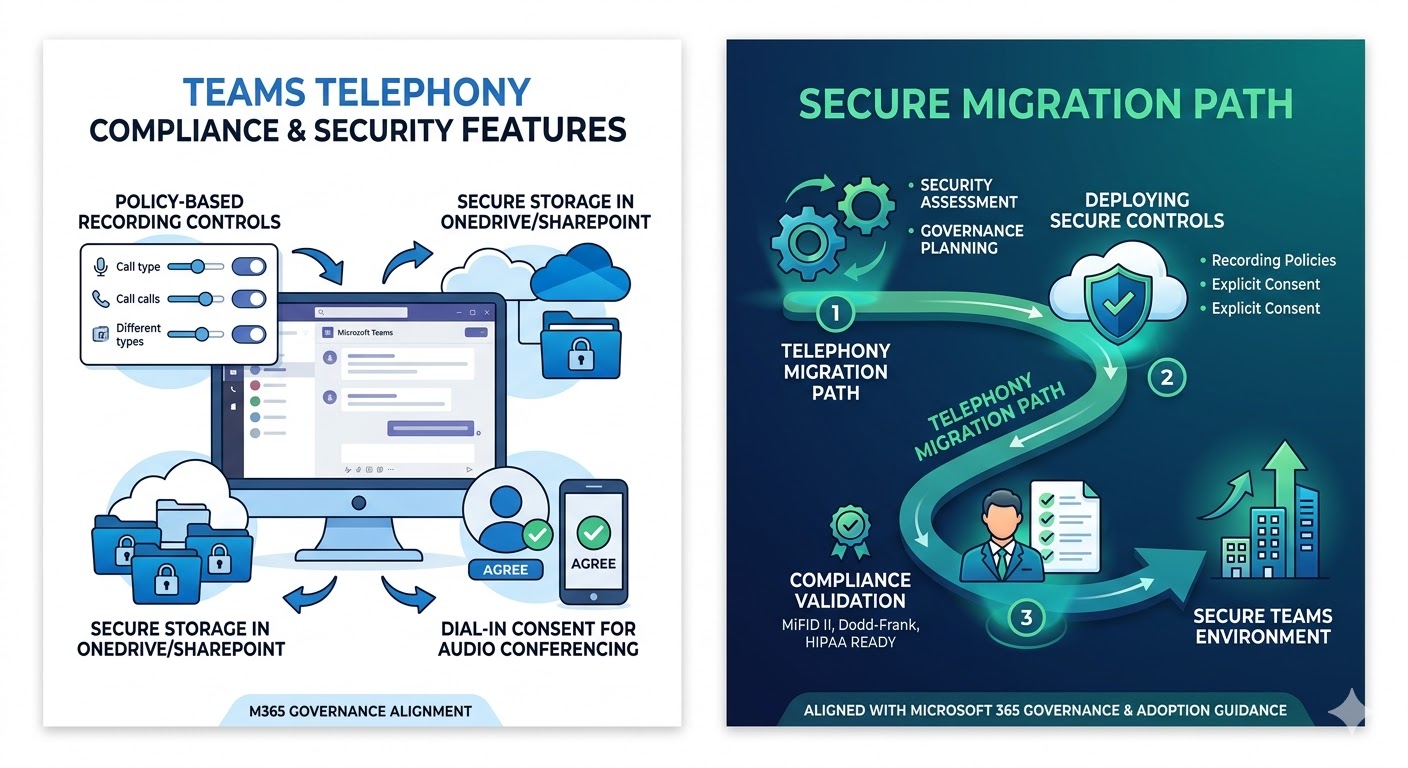
Why Teams Phone Is a Strong PBX Replacement
Teams Phone includes core PBX capabilities such as auto attendants, call queues, voicemail, and policy-based controls while offering flexible PSTN connectivity.
You can choose between:
- Calling Plans for fast cloud-first rollout.
- Operator Connect to keep certified carriers with simpler operations.
- Direct Routing for advanced integration, existing trunks, or complex telephony estates.
This flexibility helps multinational organizations optimize by region instead of forcing one model globally.
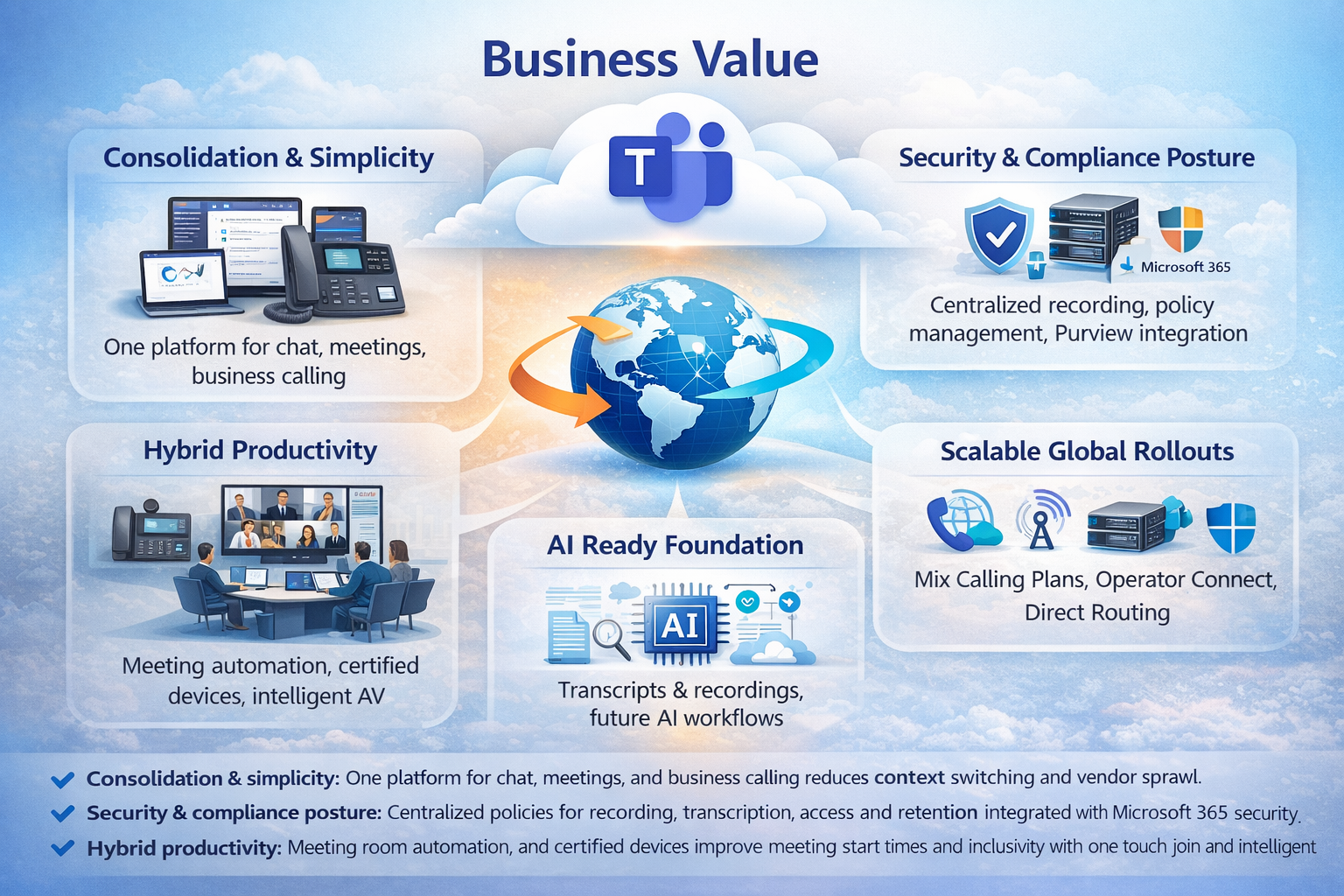
Security and Compliance in Telephony Migration
A successful PBX migration is not only a voice project. It is also a security and governance program.
Key protection areas include:
- Recording and transcription policy controls.
- Explicit consent handling where required.
- Secure storage and retention behavior for call artifacts.
- Compliance-ready recording architecture for regulated workloads.
Step-by-Step Migration Blueprint
| Phase / Step | Focus | Outcome |
|---|---|---|
| Step 1: Readiness and Network Baseline | Licensing, identity, network quality, emergency calling requirements | Clear migration prerequisites and risk profile |
| Step 2: PSTN Model by Region | Calling Plans, Operator Connect, or Direct Routing mapping | Optimal connectivity strategy for each geography |
| Step 3: Numbering and Policies | Number porting, call flows, recording/transcription policy design | Production-ready voice operations |
| Step 4: Pilot and Scale in Waves | Champion users, quality validation, adoption enablement | Low-risk rollout with measurable outcomes |
Phase 1: Prepare
Validate user readiness, number strategy, and operational ownership before enabling external calling at scale.
Phase 2: Configure
Build call flows, queue structures, and policy sets aligned to support, sales, and executive communication scenarios.
Phase 3: Pilot
Start with a controlled user group, monitor quality and behavior, then expand in waves.
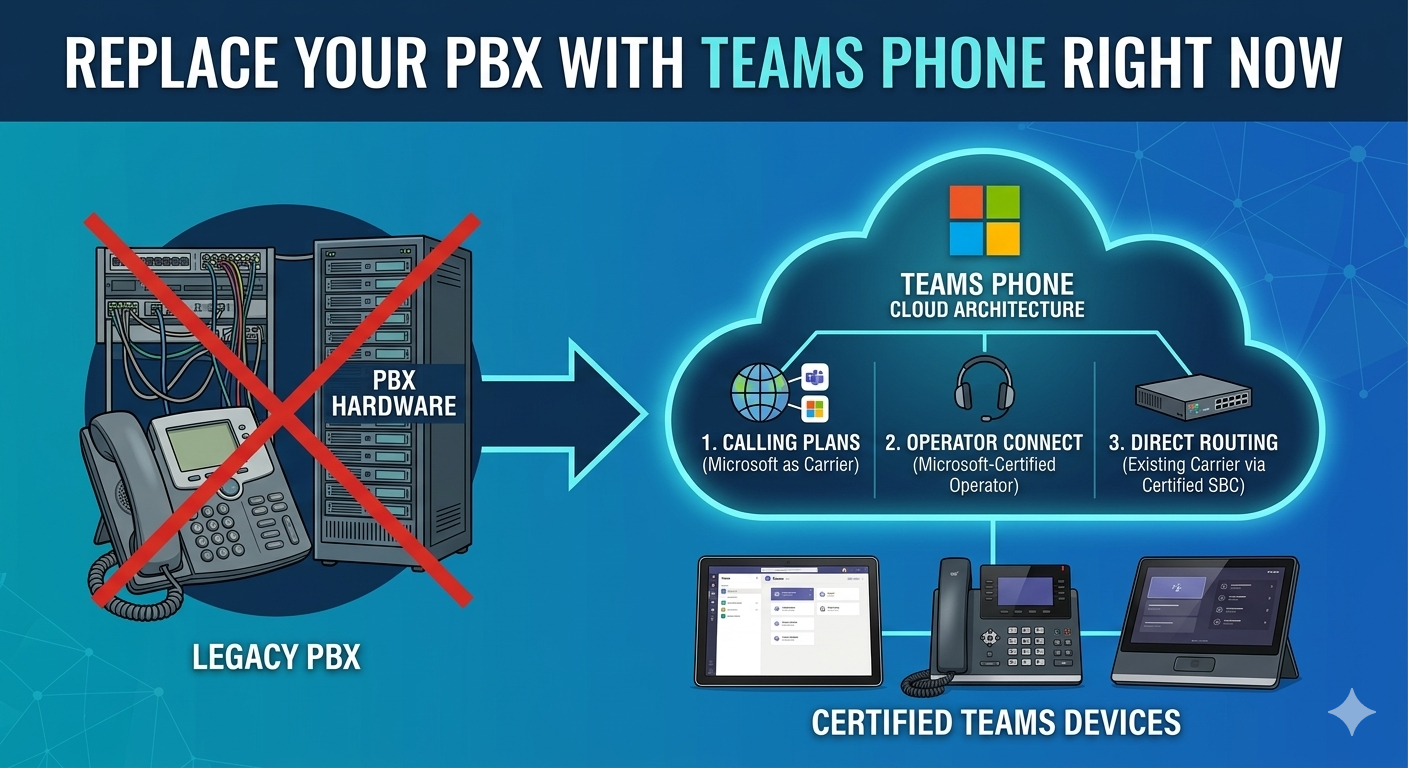
Business Value You Can Measure
- Consolidation and simplicity: One platform for business calling and collaboration.
- Lower operational overhead: Reduced PBX hardware dependency and simpler cloud administration.
- Better hybrid experience: Calling from desktop, mobile, and certified devices with consistent policies.
- Stronger governance posture: Centralized controls for security and compliance-sensitive workflows.
- Scalable global model: Mix connectivity approaches by region to balance cost and control.
Common Migration Pitfalls to Avoid
- Treating migration as only a technical cutover without governance design.
- Applying one PSTN strategy globally where local constraints differ.
- Skipping pilot success criteria and adoption readiness.
- Ignoring room and endpoint strategy for hybrid collaboration scenarios.
Frequently Asked Questions
Can Teams Phone fully replace a traditional PBX?
How do we handle international calling requirements?
Do we need certified Teams phones for all users?
What is the safest migration approach?
Conclusion
Replacing PBX with Teams Phone is a strategic modernization move that can improve communication quality, governance readiness, and operational flexibility when executed in phases.
If your organization is exploring PBX replacement, ARC can help with strategy, implementation, governance, and optimization.
Work with Al Rafay Consulting: explore our Microsoft Teams services to put this into practice, or book a free assessment.
Frequently Asked Questions
How long does a typical cloud migration take?
Migration timelines depend on data volume and complexity. Small migrations (under 50K items) take 2-4 weeks, while enterprise migrations (500K+ items) typically span 8-16 weeks.
Will we experience downtime during migration?
We minimize downtime through phased migration approaches with incremental syncs. Most migrations complete with under 4 hours of cutover downtime, often scheduled during off-hours.
Is there a risk of data loss during migration?
No. We use validated migration tools with pre-flight checks, automated reconciliation, and post-migration verification to ensure 100% data integrity with zero loss.
What about permissions and metadata?
We preserve permissions, metadata, version history, and content types during migration. A detailed mapping document is created during the assessment phase to ensure nothing is lost.
Do you provide user training after migration?
Yes. We include end-user training, admin training, quick-start guides, and adoption support as part of our migration engagements to ensure smooth transitions and high adoption rates.

ARC Team
ARC Team
AI-powered Microsoft Solutions Partner delivering enterprise solutions on Azure, SharePoint, and Microsoft 365.
LinkedIn Profile