SharePoint Copilot: AI Knowledge Search Is Here
SharePoint Copilot is see how SharePoint Copilot and scoped Copilot agents improve knowledge discovery, document search, and enterprise productivity in Microsoft 365.
See how SharePoint Copilot and scoped Copilot agents improve knowledge discovery, document search, and enterprise productivity in Microsoft 365.
ARC Team
· Updated May 3, 2026 · ARC Team

Traditional keyword search helps users find files. SharePoint Copilot helps users find answers.
If your organization is preparing for AI-enabled knowledge discovery in Microsoft 365, our SharePoint consulting services can help you establish the governance and content foundation behind a successful rollout.
Instead of opening ten documents to piece together context, teams can ask natural-language questions and receive grounded summaries from authorized content.
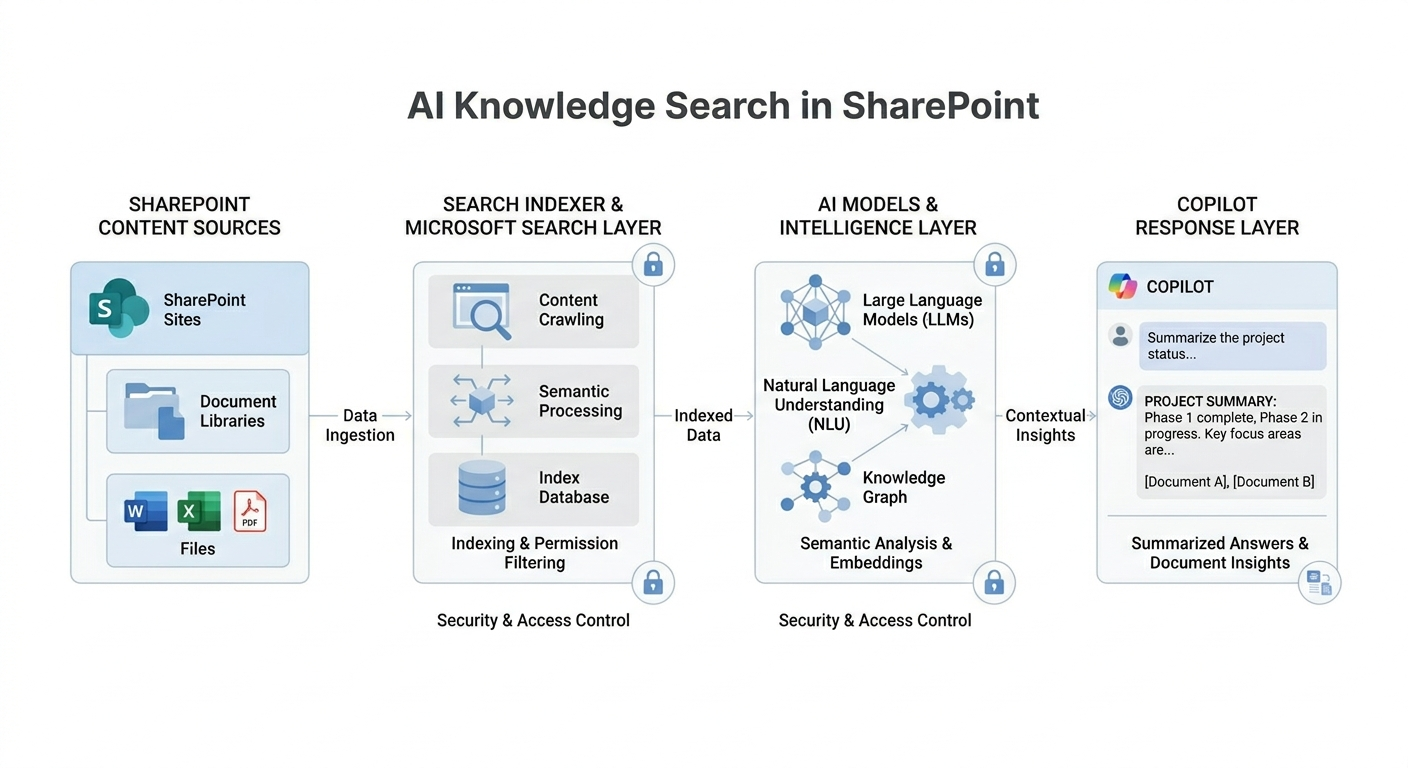
What Changes with SharePoint Copilot
- Search becomes conversational.
- Users spend less time guessing keywords.
- Knowledge retrieval shifts from file hunting to answer discovery.
- Existing permissions remain enforced.
Copilot in SharePoint vs Copilot Agents
- Copilot in SharePoint: Broad AI assistance over site content.
- Copilot Agents in SharePoint: Scoped assistants grounded in selected libraries, folders, or files.
Use agents when a team needs more precise answers from curated sources.
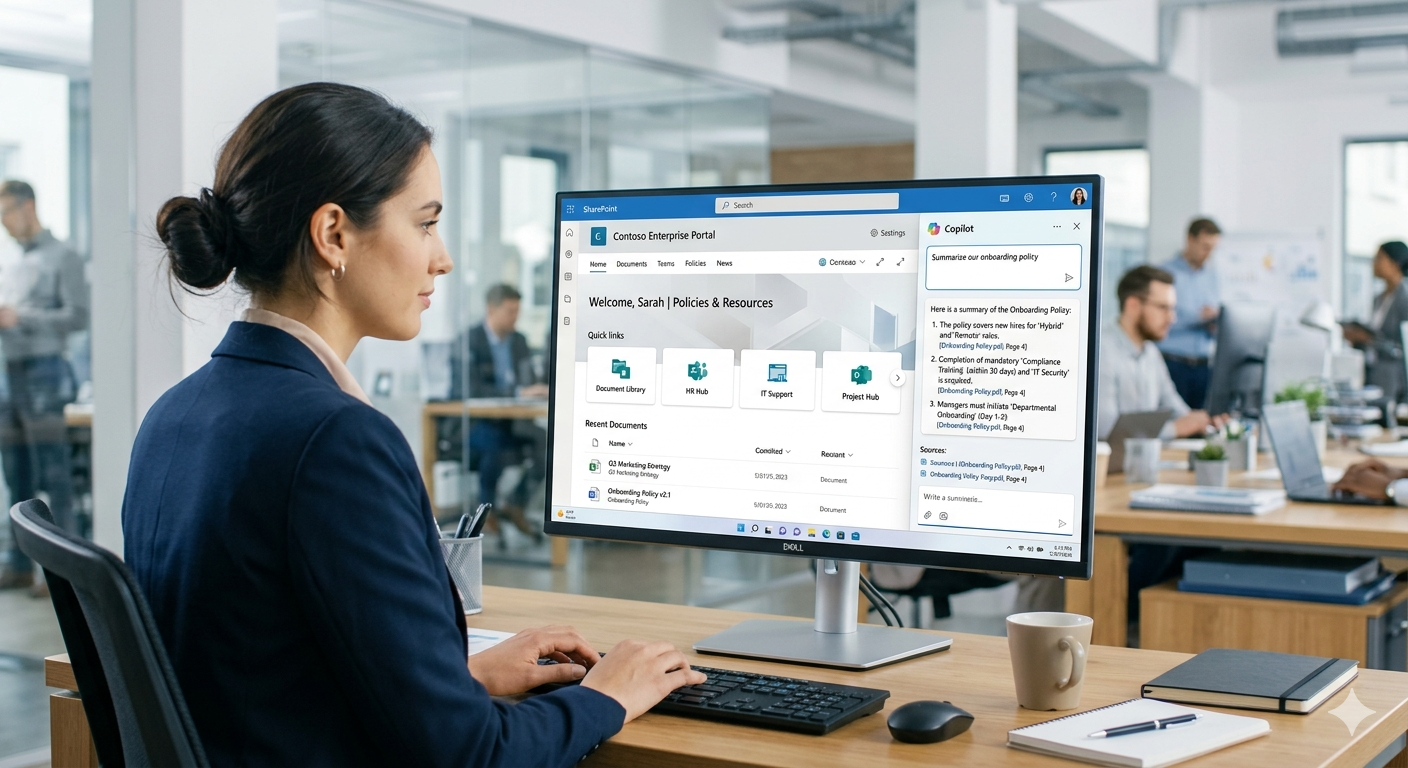
Practical Adoption Flow
- Curate high-value content sources.
- Clean permissions and sharing paths.
- Launch Copilot prompts for common use cases.
- Create scoped agents for HR, IT, Legal, and Operations.
- Measure usage quality and iterate content.
Business Impact You Can Expect
- Faster policy and SOP retrieval.
- Lower knowledge friction for new hires.
- Better decision quality from summarized context.
- Increased ROI on existing Microsoft 365 content investments.
Frequently Asked Questions
Is SharePoint Copilot secure?
Does Copilot replace SharePoint search?
What improves Copilot answer quality the most?
Frequently Asked Questions
What is Microsoft 365 Copilot?
Microsoft 365 Copilot is an AI assistant embedded in Word, Excel, PowerPoint, Outlook, and Teams that helps users draft content, analyze data, create presentations, and manage communications using natural language.
How much does Microsoft 365 Copilot cost?
Microsoft 365 Copilot is priced at $30 per user per month as an add-on to qualifying Microsoft 365 Business or Enterprise plans.
Is my data safe with Microsoft 365 Copilot?
Yes. Copilot respects existing Microsoft 365 permissions and security policies. Your data is not used to train the underlying models and stays within your tenant boundary.
What are the prerequisites for deploying Copilot?
You need a qualifying Microsoft 365 E3/E5 or Business Standard/Premium license, Azure Active Directory, and properly configured Microsoft Graph permissions for optimal results.
How can I measure Copilot ROI?
Track metrics like time saved on document creation, meeting summarization usage, email drafting efficiency, and user adoption rates. Microsoft provides a Copilot Dashboard for organizational insights.

ARC Team
ARC Team
AI-powered Microsoft Solutions Partner delivering enterprise solutions on Azure, SharePoint, and Microsoft 365.
LinkedIn Profile