Stop Data Leaks Now: OneDrive Sharing Policies That Actually Work
Stop Data Leaks Now is build practical OneDrive sharing guardrails with decision flows, link standards, and governance cadences to reduce oversharing and data leakage risk.
Build practical OneDrive sharing guardrails with decision flows, link standards, and governance cadences to reduce oversharing and data leakage risk.
ARC Team
· Updated May 13, 2026 · ARC Team

Most OneDrive data leaks are not advanced attacks. They are preventable sharing mistakes made under deadline pressure.
Organizations looking to strengthen this area can work with OneDrive for Business services.
A policy model that is too complex will fail in daily use. A simple decision framework with clear defaults usually performs better.
The Core Guardrails Every Organization Needs
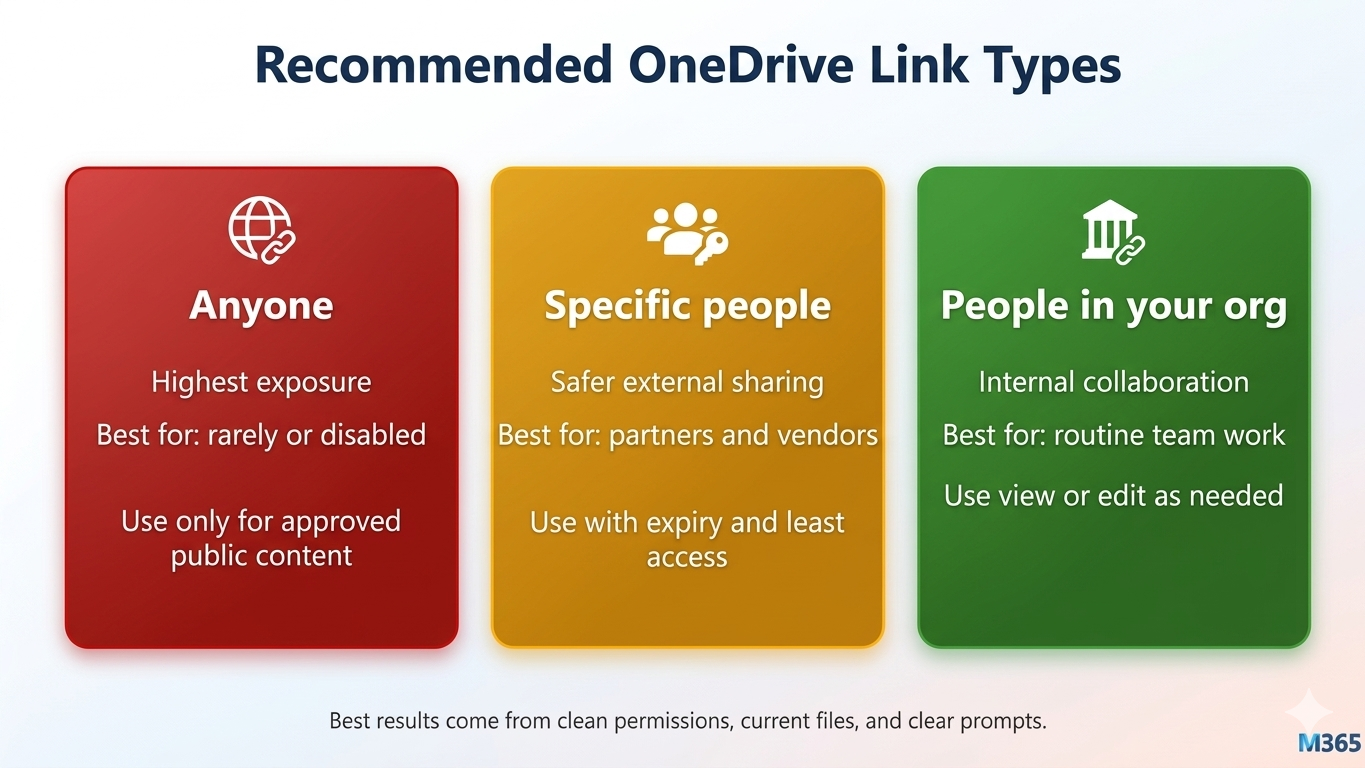
- Prefer internal sharing defaults whenever possible.
- Limit anonymous links to approved use cases.
- Require expirations for external collaborator access.
- Enforce regular review and revocation cycles.
Decision Model for Everyday Sharing
| Situation | Recommended Link Type | Extra Control |
|---|---|---|
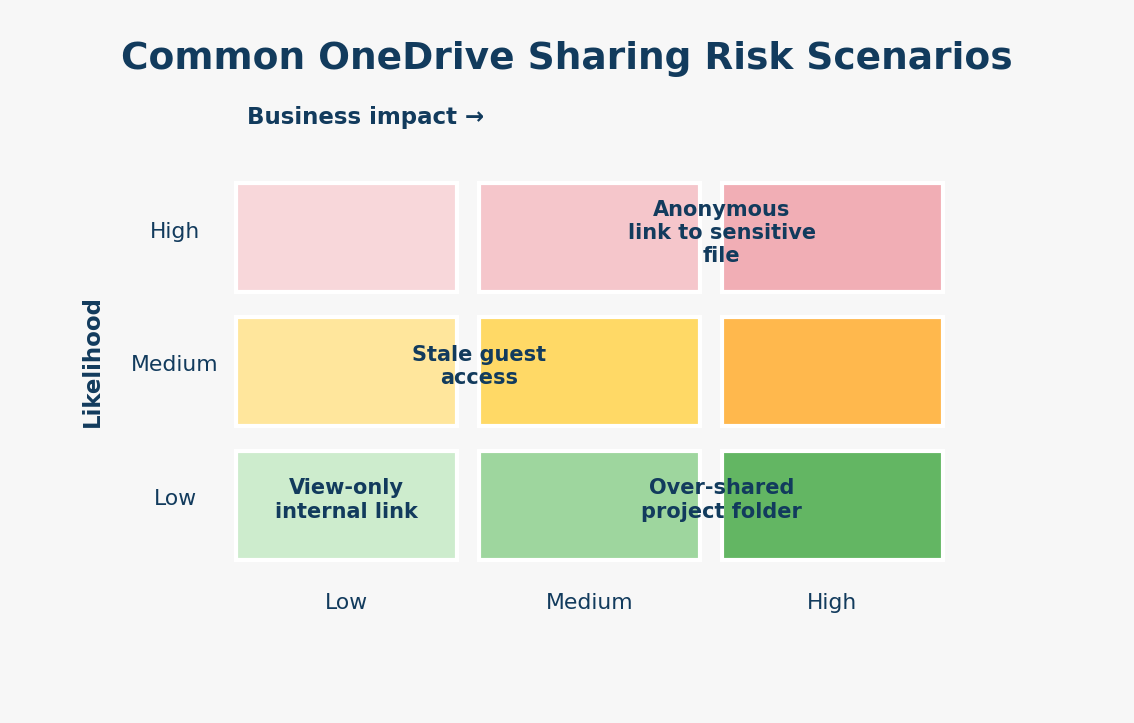
| Internal team use | People in your organization | Edit or view based on role |
| External partner collaboration | Specific people | Expiration and review date |
| Public distribution | Anyone (rare) | Business approval required |
Operational Governance Framework
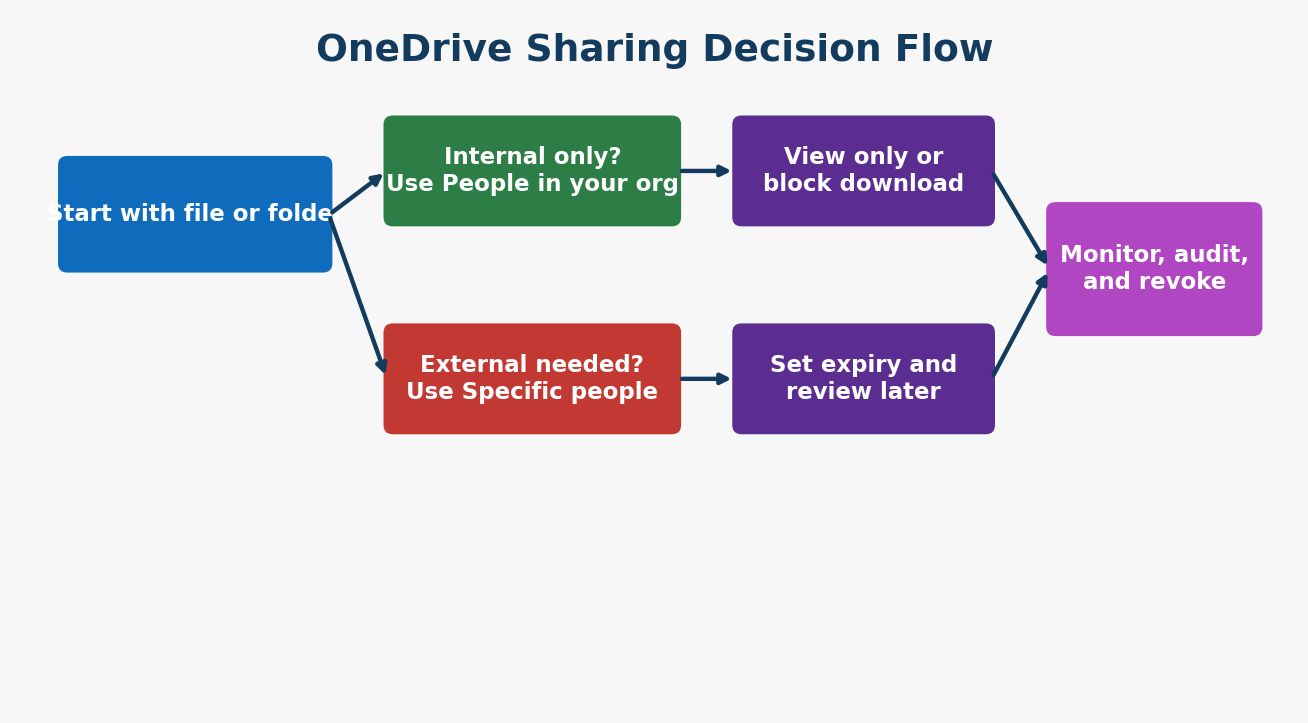
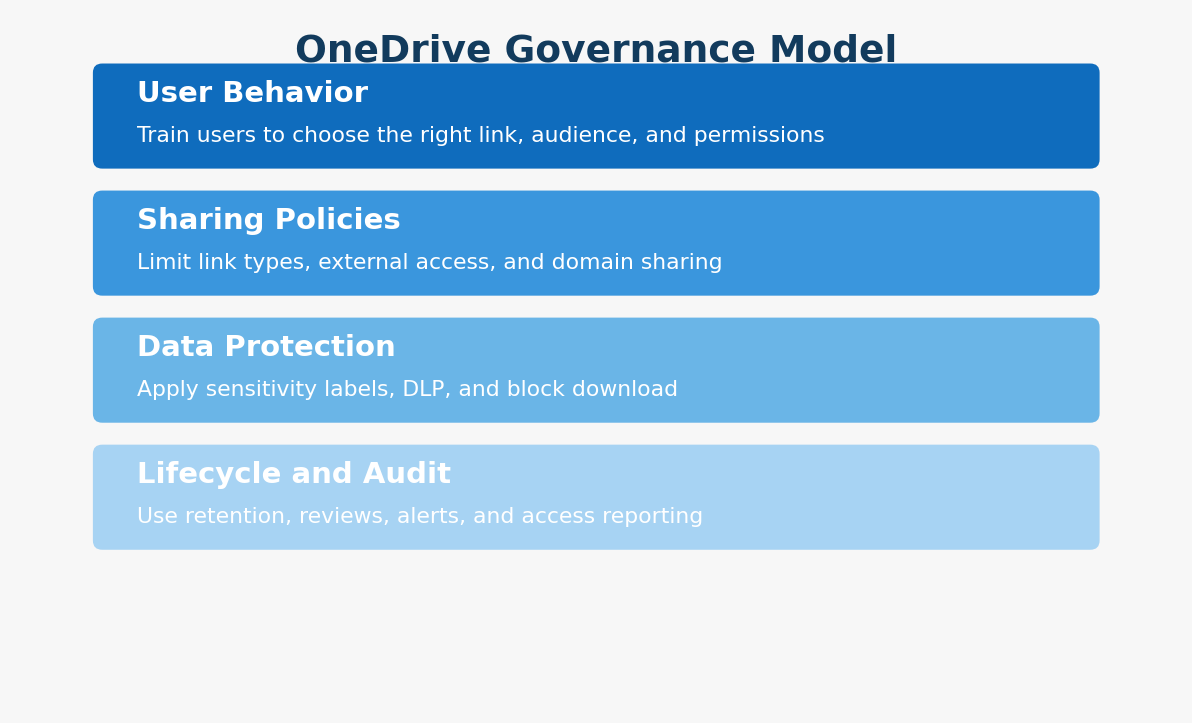
- Train users on audience and permission selection.
- Configure sharing policies and domain restrictions.
- Apply labels and DLP rules for sensitive files.
- Run monthly reviews to remove stale access.
Risk Scenarios to Monitor Closely
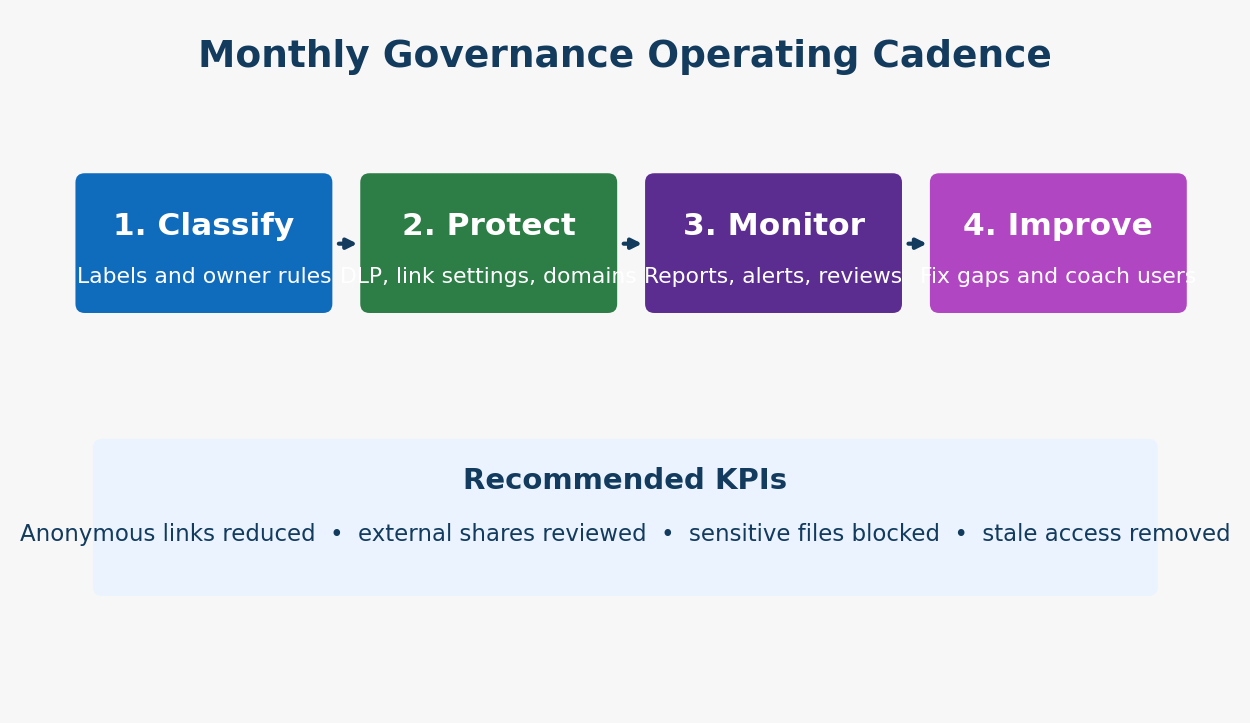
- Anonymous links to sensitive content.
- Stale guest accounts with persistent access.
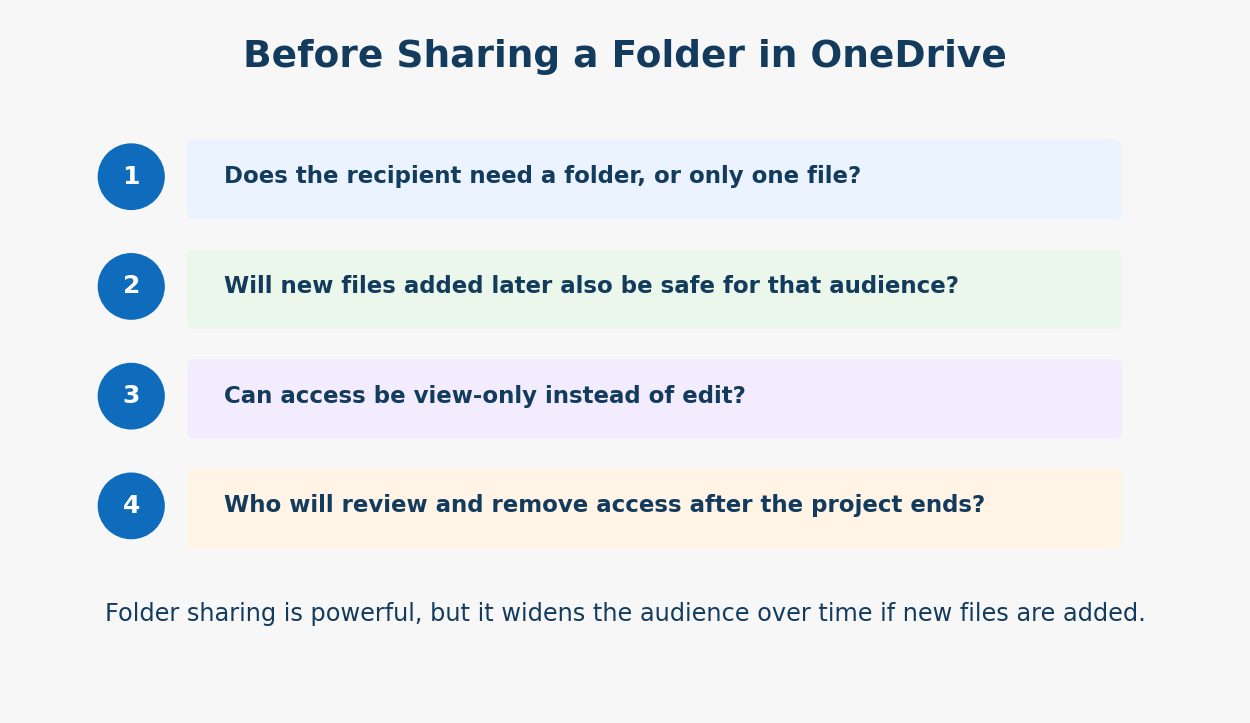
- Folder-level over-sharing that expands unintentionally.
- Missing access review owners after project closure.
Frequently Asked Questions
Should we disable anonymous links entirely?
What is the safest default link type?
How often should access reviews run?
Conclusion
The fastest way to reduce data leaks is to simplify sharing choices and enforce review discipline.
If your organization is strengthening OneDrive sharing controls, ARC can help with strategy, implementation, governance, and optimization.
Frequently Asked Questions
What is Zero Trust security?
Zero Trust is a security framework that assumes no user or device should be trusted by default — requiring continuous verification of identity, device health, and access permissions for every request.
How does Microsoft implement Zero Trust?
Microsoft Zero Trust uses Entra ID for identity, Intune for device compliance, Defender for threat protection, Purview for data protection, and Conditional Access for policy enforcement.
What compliance certifications does Microsoft support?
Microsoft cloud services hold SOC 1/2/3, ISO 27001/27018, HIPAA, FedRAMP, GDPR, PCI DSS, and 90+ other compliance certifications across industries and regions.
How do you assess security posture?
We evaluate Microsoft Secure Score, conduct gap analyses against frameworks like NIST and CIS, review configurations, test access controls, and provide prioritized remediation recommendations.
Can you help with regulatory compliance?
Yes. We implement Microsoft Purview compliance solutions including data classification, retention policies, eDiscovery, audit logging, and information barriers for regulated industries.

ARC Team
ARC Team
AI-powered Microsoft Solutions Partner delivering enterprise solutions on Azure, SharePoint, and Microsoft 365.
LinkedIn Profile