Teams AI Features You Must Turn On Today
Teams AI Features You Must Turn On Today is the Microsoft Teams AI features that improve meeting notes, recap, actions, and collaboration workflows with practical rollout guidance.
Discover the Microsoft Teams AI features that improve meeting notes, recap, actions, and collaboration workflows with practical rollout guidance.
ARC Team
· Updated April 22, 2026 · ARC Team

Many teams still lose momentum after meetings because notes are inconsistent, follow-ups are scattered, and key decisions are difficult to find later. Microsoft Teams AI features are designed to remove that friction.
Organizations looking to strengthen this area can work with Microsoft Teams consulting.
This guide covers which Teams AI capabilities to enable first, how to operationalize AI notes and recap, and how to scale deployment without losing governance control.
Why Teams AI Matters Right Now
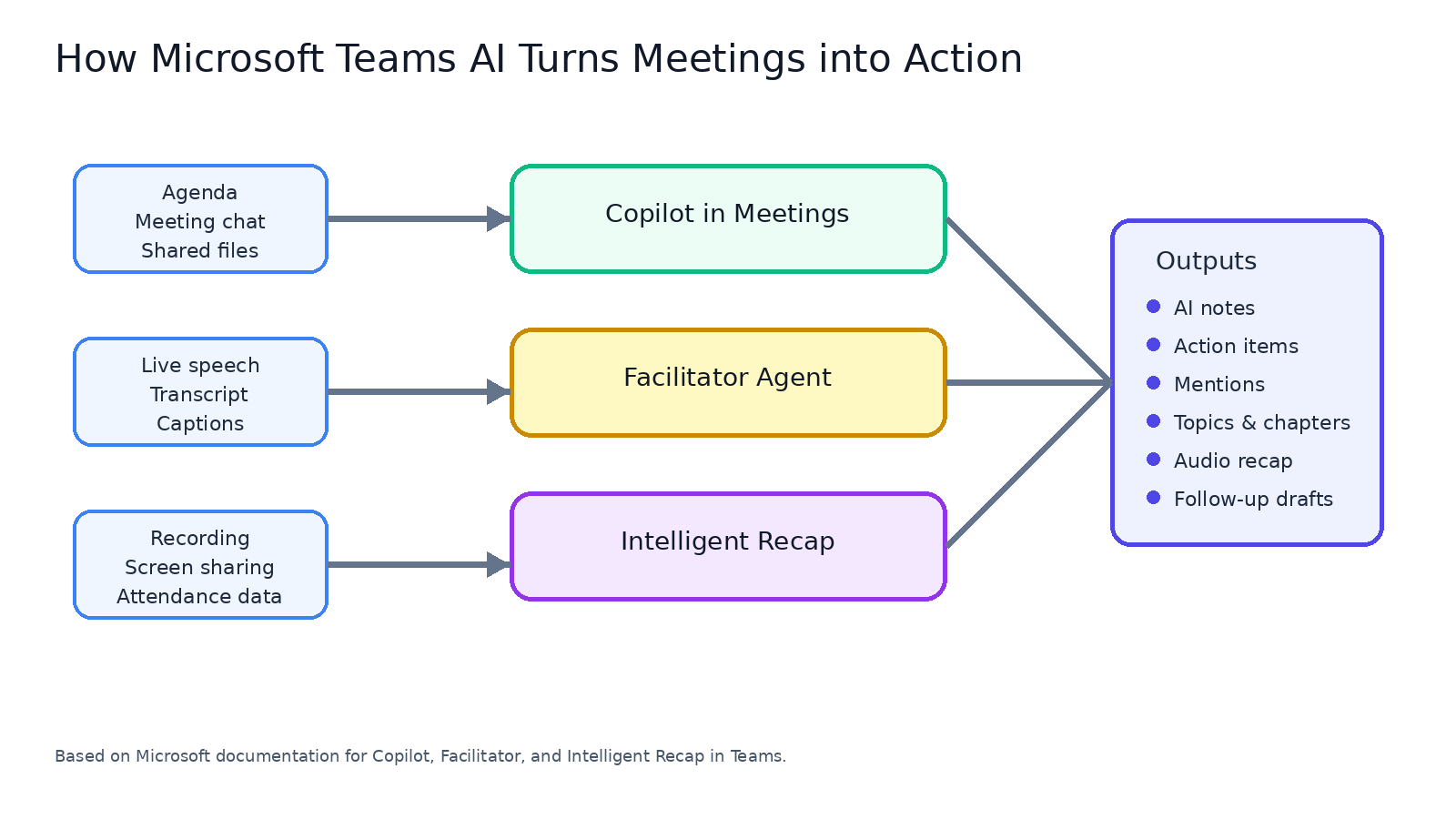
Teams has evolved from a communication tool into a workflow layer where meeting context can be captured, summarized, and converted into action. Copilot, Intelligent Recap, Facilitator, and collaborative notes work together to reduce manual meeting overhead.
The biggest improvement is context continuity. Teams AI can use transcript, chat, timeline markers, and discussion flow to generate useful summaries and next steps.
Teams AI Features to Turn On First
Start with high-impact capabilities that improve meeting quality immediately:
- Copilot in meetings for in-session prompts and clarification.
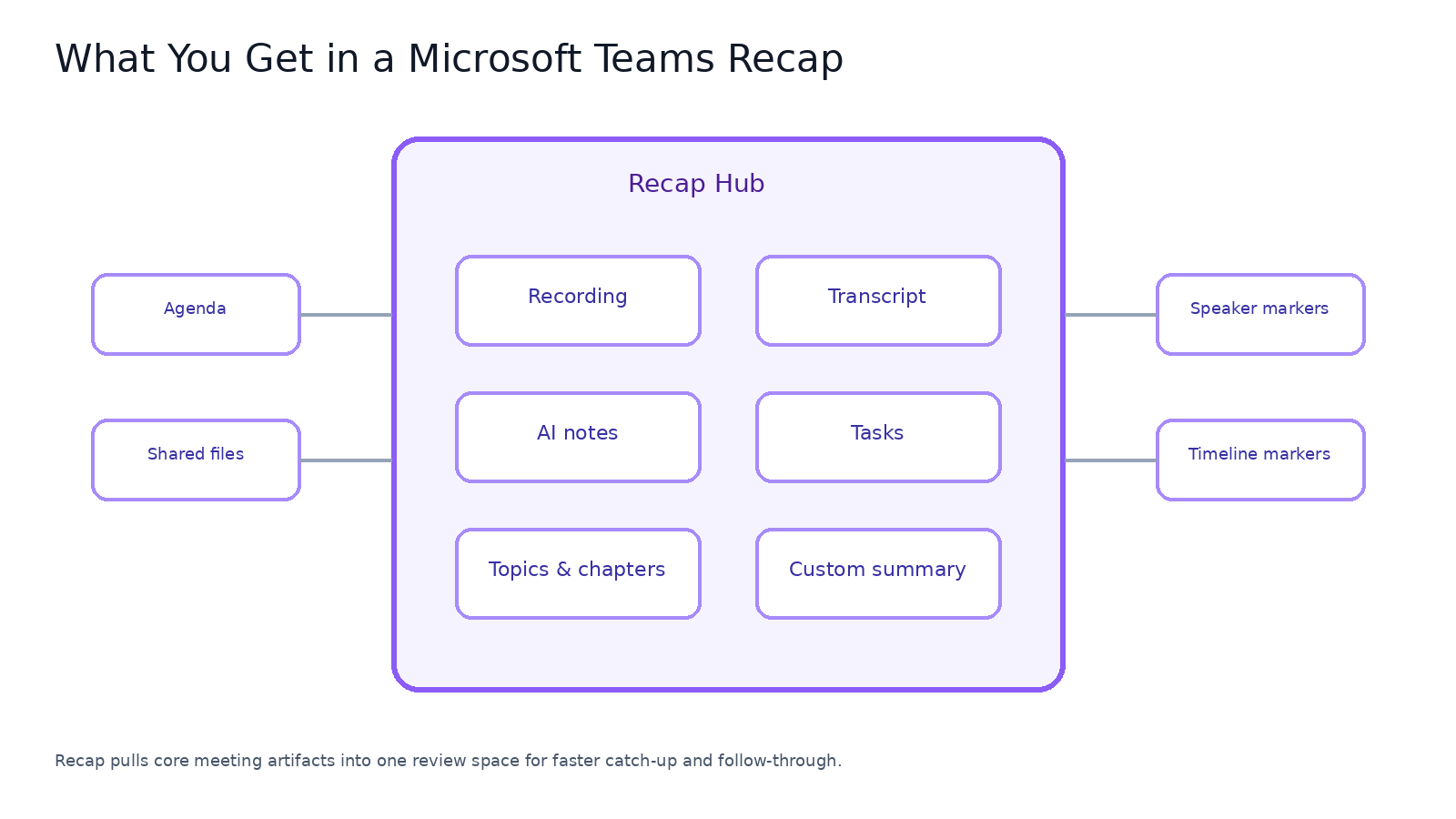
- Intelligent Recap for searchable post-meeting review.
- AI-generated meeting notes and task extraction.
- Collaborative notes for shared agenda and action ownership.
- Facilitator for structured, team-visible meeting intelligence.
These features answer common questions directly, including whether Teams has an AI note taker and how AI meeting summaries are generated.
AI Notes, Recap, and Governance Controls
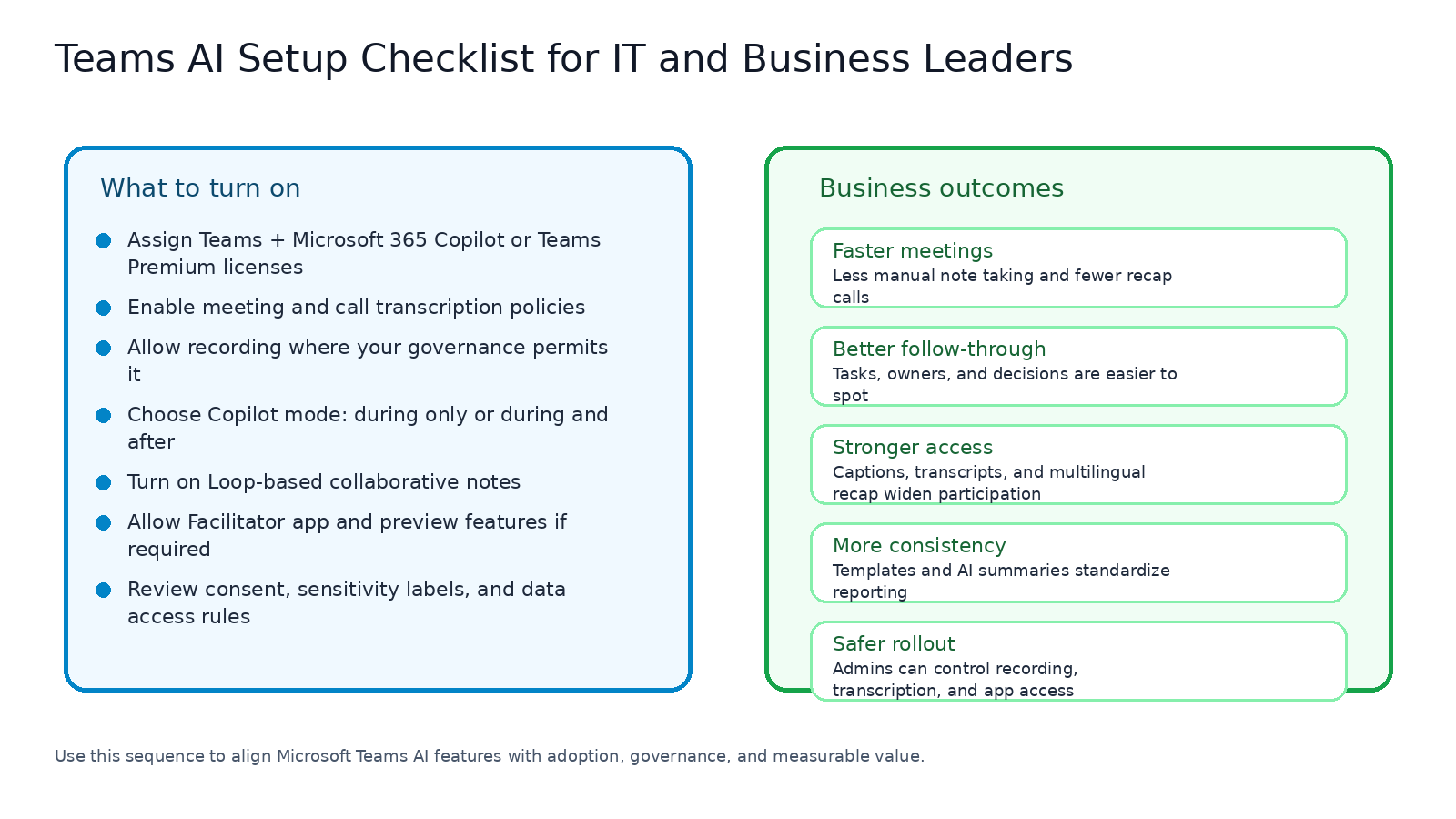
Strong rollout requires more than feature activation. Teams admins should define policies for transcription, recording, consent, and Copilot behavior before broad deployment.
Organizers should also use a repeatable setup pattern: choose Copilot mode, start transcription early, and use recap consistently as the post-meeting system of record.
Step-by-Step Rollout Framework for Teams AI
| Phase / Step | Focus | Outcome |
|---|---|---|
| Step 1: Enable Core Meeting AI Baseline | Copilot, transcription, recap, and collaborative notes for pilot groups | Immediate meeting quality improvements |
| Step 2: Standardize Governance and Organizer Practice | Policy templates for recording, recap access, and sensitive meetings | Lower compliance risk and fewer support issues |
| Step 3: Scale with Agent-Led Collaboration Patterns | Introduce Facilitator and workflow-specific AI usage patterns | Repeatable productivity gains across teams |
Phase 1: Launch Pilot Teams
Select one leadership group and one delivery team. Track time saved in note creation, decision capture, and status recap effort.
Phase 2: Publish Operating Standards
Define when transcription is required, who can access recap outputs, and how AI-generated tasks are validated.
Phase 3: Expand with Measured Use Cases
Use narrow, repeatable scenarios such as weekly project reviews or sales call recaps. Scale only after quality and governance outcomes are proven.
Key Benefits for Decision Makers
- Less meeting waste: Teams spend less time recreating context.
- Better accountability: Tasks and ownership become clearer after every meeting.
- Faster catch-up for absentees: Recap and notes reduce replay dependency.
- Higher consistency in reporting: Structured summary outputs improve executive visibility.
Core Teams AI Capabilities to Prioritize
- Copilot prompts during live meetings
- Intelligent Recap and AI summary outputs
- AI task and action extraction workflows
- Policy-driven governance for recording and transcript usage
Frequently Asked Questions
Does Microsoft Teams have an AI note taker?
Which features should be enabled first?
Can we automate recording and recap safely?
How should we evaluate business value?
Conclusion
The most valuable Teams AI features are the ones that reduce meeting friction while preserving control. Start with a focused rollout, enforce governance early, and scale the usage patterns that improve outcomes.
If your organization is exploring Teams AI, ARC can help with strategy, implementation, governance, and optimization.
Frequently Asked Questions
What are AI agents?
AI agents are autonomous software systems that can perceive their environment, make decisions, use tools, and take actions to accomplish goals — going beyond simple chatbots to handle complex, multi-step tasks.
How are AI agents different from chatbots?
Chatbots follow scripted conversation flows, while AI agents can reason, plan multi-step actions, use tools and APIs, access data sources, and adapt their approach based on results.
What business problems can AI agents solve?
AI agents excel at customer service automation, document processing, data analysis, workflow orchestration, research synthesis, code generation, and any task requiring reasoning over multiple information sources.
Are AI agents safe for enterprise use?
Yes, when properly implemented with guardrails including RBAC, content filtering, human-in-the-loop patterns, audit logging, and bounded autonomy that limits agent actions to approved scopes.
What platforms support building AI agents?
Microsoft AI Foundry, Azure AI Agent Service, Copilot Studio, Semantic Kernel, AutoGen, LangChain, and CrewAI are popular platforms. Microsoft's ecosystem offers the deepest enterprise integration.

ARC Team
ARC Team
AI-powered Microsoft Solutions Partner delivering enterprise solutions on Azure, SharePoint, and Microsoft 365.
LinkedIn Profile