AVD vs Windows 365: Which Microsoft Cloud Desktop Should You Choose?
AVD and Windows 365 are both Microsoft cloud desktop options, but differ in control model, pricing structure, and best-fit user personas.
AVD vs Windows 365 explained: architecture, pricing, security, and a persona-based framework to help you choose the right Microsoft cloud desktop.
Al Rafay Consulting
· Updated July 16, 2026 · ARC Team
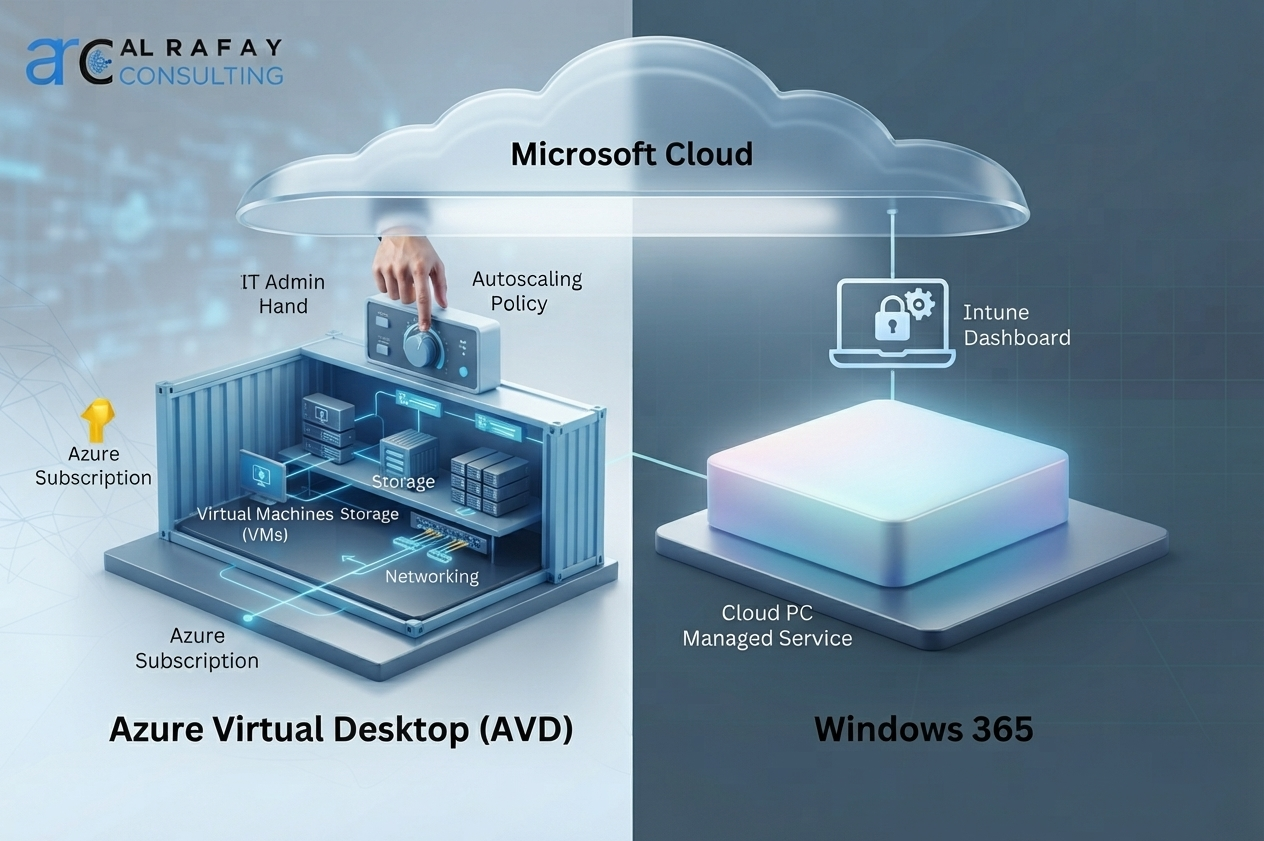
Choosing between Azure Virtual Desktop and Windows 365 is not a brand choice. It is an architecture and operating-model decision.
Both deliver cloud-hosted Windows desktops, but one is infrastructure-centric and consumption-based while the other is SaaS-like and fixed-price.
For organizations aligning desktop strategy with broader azure cloud services, this guide provides a clear persona-based path to decide when to use AVD, Windows 365, or both.
Quick Answer
- Choose Windows 365 for predictable, fixed per-user Cloud PCs and simpler operations.
- Choose AVD when you need multi-session pooling, deeper Azure control, or advanced workload tuning.
- Choose a hybrid model when workforce personas differ meaningfully by usage pattern.
Architecture Comparison
Azure Virtual Desktop
AVD runs in your Azure subscription with customer-managed compute, storage, and networking. It is better for teams that need flexibility and optimization control.
Windows 365
Windows 365 is a managed Cloud PC model with per-user pricing and Intune-native operations. It is easier to operate at scale for standardized users.
Pricing and Cost Model
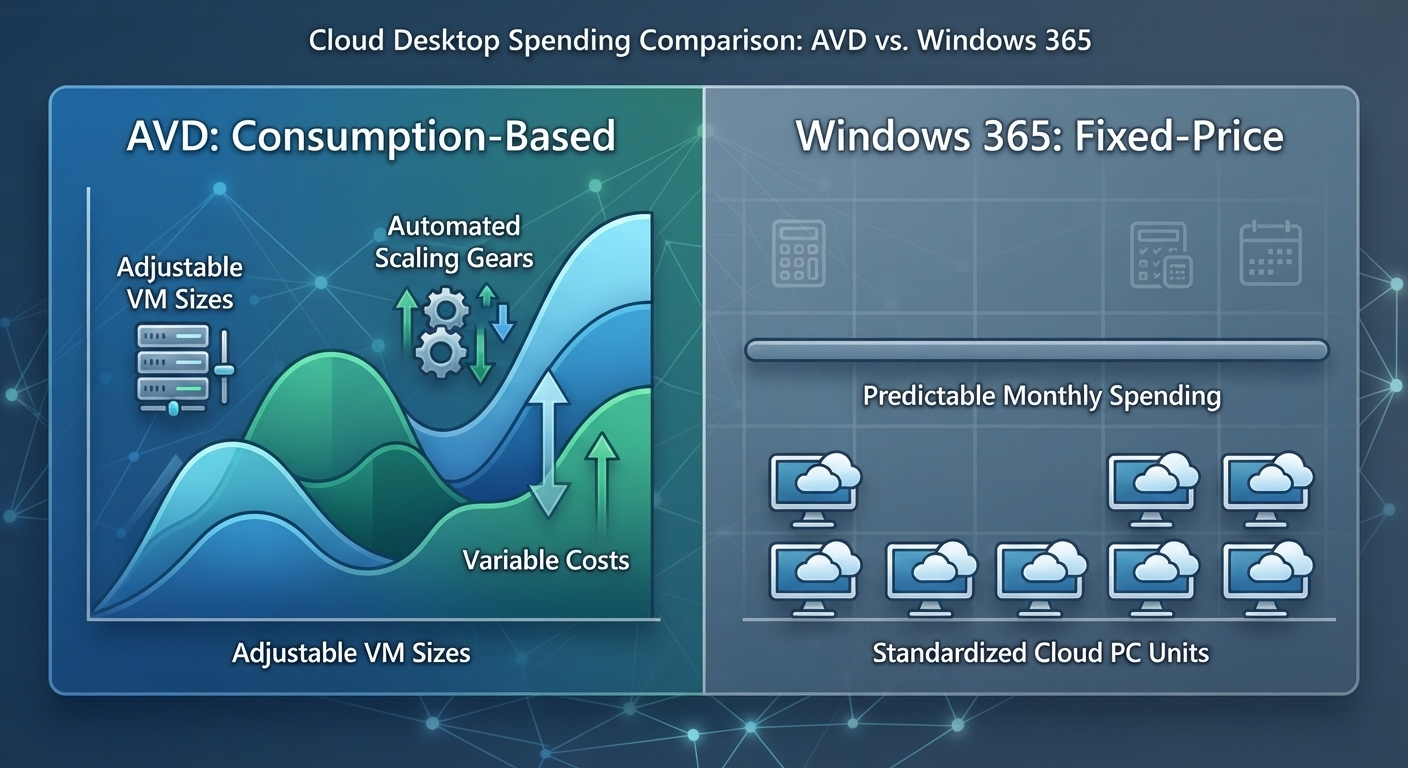
AVD cost depends on real consumption and tuning quality. Windows 365 cost is fixed by Cloud PC plan and user count.
If you are actively planning budgets, start with an AVD pricing baseline from your current workload profile and then compare against fixed Cloud PC cost by persona.
For teams evaluating migration economics in detail, also review Citrix to Azure Virtual Desktop migration.
Security and Endpoint Governance
Both platforms can meet enterprise security requirements when identity, endpoint policy, and data governance are designed correctly.
- Identity and access: Microsoft Entra ID and Conditional Access
- Endpoint controls: Microsoft Intune and device compliance
- Policy and governance: Data security and governance
For broader operating strategy, combine desktop policy with Microsoft 365 consulting and recurring cost optimization governance.
Persona-Based Decision Framework
| Persona | Better Fit | Why |
|---|---|---|
| Standard knowledge worker | Windows 365 | Predictable cost and simpler lifecycle |
| Shift-based call center teams | AVD | Multi-session efficiency |
| Developers and power users | AVD | Custom sizing and advanced control |
| Contractors and temporary users | Windows 365 Flex or AVD | Depends on duration and concurrency |
When organizations are migrating legacy VDI, a phased strategy often uses both platforms while workload behavior stabilizes.

How ARC Helps
ARC helps enterprises select, design, and operationalize the right cloud desktop model using persona-level planning, cost modeling, and governance architecture.
This work is delivered through ARC’s azure cloud services capability, including architecture, migration, security, and managed operations.
Frequently Asked Questions
What is the difference between AVD and Windows 365?
AVD runs in your own Azure subscription with customer-managed infrastructure and consumption-based pricing. Windows 365 is a Microsoft-managed Cloud PC service with fixed per-user, per-month pricing and Intune-native management.
Is Windows 365 the same as Azure Virtual Desktop?
No. Both deliver cloud-hosted Windows desktops, but Windows 365 is a SaaS-style, fully managed Cloud PC product, while AVD is a more customizable, infrastructure-level platform you configure and manage within Azure.
Is AVD cheaper than Windows 365?
It depends on usage patterns. AVD's consumption-based, pooled model can be more cost-efficient at scale with proper tuning, but Windows 365's fixed pricing may cost less for steady, predictable, single-user workloads once management overhead is factored in.
Can I use AVD and Windows 365 together?
Yes. A hybrid approach using Windows 365 for standardized knowledge workers and AVD for power users, developers, or variable workloads is increasingly common and often the most cost-efficient strategy for mixed workforces.
Does Windows 365 support multi-session?
No. Windows 365 Cloud PCs are always dedicated, single-user desktops. Multi-session, shared desktops are an AVD-specific capability.
Can AVD replace Citrix or VMware Horizon?
Yes. AVD is one of the most common landing points for organizations exiting legacy VDI platforms, offering a similar architectural model on modern Azure infrastructure.
Which is better for call centers: AVD or Windows 365?
AVD is generally better for call centers, since multi-session pooling significantly reduces per-user compute cost for large groups of users with similar, shift-based usage patterns.
How do I estimate AVD vs Windows 365 cost for my organization?
Map user personas and usage patterns, then model Windows 365 as a fixed per-user cost and AVD using its consumption formula covering access rights, compute, storage, networking, monitoring, and support. Compare per persona rather than as a single organization-wide number.

Al Rafay Consulting
ARC Team
AI-powered Microsoft Solutions Partner delivering enterprise solutions on Azure, SharePoint, and Microsoft 365.
LinkedIn Profile