Citrix to Azure Virtual Desktop Migration: Enterprise Guide to Replacing Legacy VDI
Citrix to Azure Virtual Desktop migration is a structured modernization process for moving virtual desktop workloads from legacy Citrix infrastructure to Microsoft's Azure-native desktop platform.
Planning a Citrix to Azure Virtual Desktop migration? Get the 10-step roadmap, cost model, security checklist, and risk mitigation guide.
Al Rafay Consulting
· Updated July 16, 2026 · ARC Team
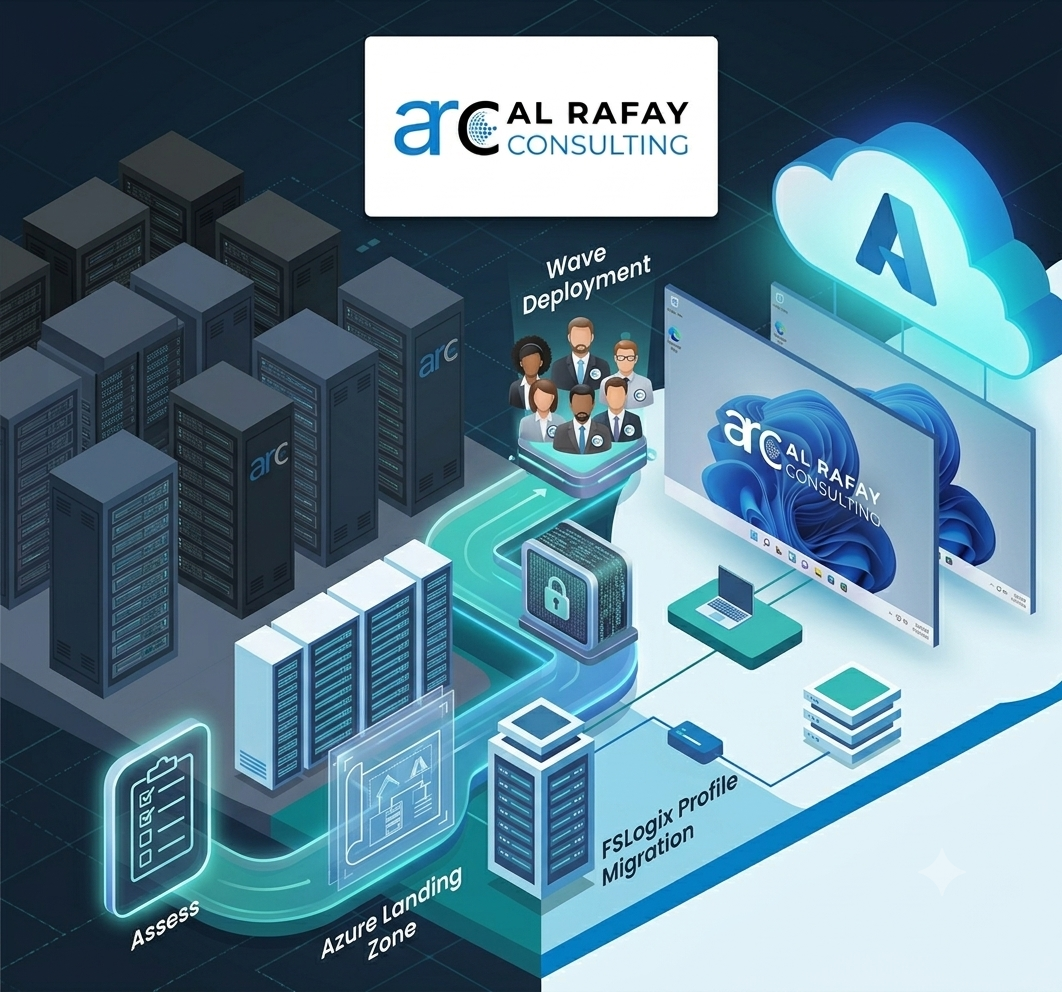
Citrix renewals often force a strategic decision: keep extending a complex legacy VDI stack or move to a modern, Azure-native desktop platform.
This guide explains how to migrate from Citrix to Azure Virtual Desktop with a phased roadmap, realistic cost model, and security-first architecture.
Why Enterprises Are Moving to AVD
Common migration drivers include:
- rising Citrix licensing and operational overhead
- Microsoft-first standardization across identity, security, and cloud
- better control over scaling and platform governance
For teams evaluating architecture choices, ARC’s Azure cloud migration services and Azure Virtual Desktop migration services provide practical planning support.
Citrix vs AVD: What Changes
- Control plane: Citrix-managed components vs Microsoft-managed AVD PaaS control plane
- Delivery model: catalogs/groups vs host pools and app groups
- Profiles: legacy profile tooling vs FSLogix-centered architecture
- Client access: modernized access through Windows App and RDP optimizations
There is no one-click migration path. A successful transition requires architecture redesign, image rebuilding, and staged rollout.
10-Step Migration Roadmap
- Assess current Citrix estate
- Build Azure landing zone
- Design host pools and session-host strategy
- Rebuild or modernize images
- Validate app and dependency compatibility
- Plan and migrate profiles with FSLogix
- Run pilot cohort and benchmark performance
- Roll out in migration waves
- Decommission Citrix safely after validation
- Optimize cost, monitoring, and security
Cost Model and Licensing
AVD economics differ from Citrix:
- access rights are often covered by existing Microsoft licensing for internal users
- runtime costs depend on Azure compute, storage, and networking consumption
- optimization comes from right-sizing and autoscaling
If cost discipline is a priority, pair migration planning with Azure managed services to keep post-cutover spend controlled.
Security and Risk Mitigation Checklist
A production-ready AVD migration should include:
- Entra ID identity strategy and Conditional Access design
- Intune policy baselines for endpoint and session host controls
- Defender integration and monitoring coverage
- rollback plans and parallel run validation

How Al Rafay Consulting Helps
ARC supports Citrix-to-AVD migration through discovery, architecture, pilot, wave-based rollout, and optimization.
This delivery model is part of ARC’s broader Azure cloud services capability, covering migration, security, managed operations, and continuous cost control.
Key Takeaways
- Citrix-to-AVD migration is a modernization project, not a one-click move.
- Phased planning and pilot validation reduce risk dramatically.
- Cost outcomes improve when sizing, autoscaling, and governance are designed early.
- Security controls should be implemented as part of migration, not after go-live.
- A structured migration model protects both user experience and long-term operating cost.
Ready to Plan Your Citrix Exit?
A structured migration assessment helps you validate architecture, cost, security, and rollout sequence before committing to a full transition.
Book an AVD Migration AssessmentExplore ARC’s full Azure cloud services capability for migration, security, and managed operations.
Frequently Asked Questions
Is there a direct migration tool from Citrix to Azure Virtual Desktop?
No. Because AVD uses a different, Microsoft-managed PaaS control plane than Citrix, there's no one-click migration tool - migration requires assessing and rebuilding images, profiles, applications, and infrastructure through a structured project.
Should we reuse Citrix VMs or build new AVD session hosts?
Best practice is to build new AVD-compatible golden images and session hosts rather than attempting to reuse Citrix VMs directly, since the underlying platform and management model are different enough that a clean rebuild reduces risk.
How do we migrate Citrix user profiles to FSLogix?
Profile migration typically involves designing FSLogix profile containers backed by Azure Files or Azure NetApp Files, then piloting the migration with a small user group to validate the profile experience before scaling to the full population.
How much does Azure Virtual Desktop cost compared with Citrix?
AVD costs combine eligible Microsoft 365/Windows license access rights (which many organizations already own) with separately billed Azure infrastructure consumption for VMs, storage, and networking - a different model than Citrix's licensing-plus-infrastructure approach, and one that offers more granular cost-optimization levers like autoscaling and reserved instances.
What Microsoft 365 licenses include AVD access rights?
Eligible Microsoft 365 and Windows licenses can provide AVD access rights for internal users accessing Windows 10/11 desktops; specific eligibility depends on your licensing agreement and should be confirmed against current Microsoft licensing documentation.
Do we still need RDS CALs after moving to AVD?
Requirements vary based on your specific licensing scenario and whether you're using AVD for internal or external commercial use; this is a detail worth confirming directly against current Microsoft AVD licensing documentation or with a licensing specialist during your assessment.
What is the difference between AVD and Windows 365?
AVD is a PaaS model offering more customization, control, and pay-per-usage infrastructure billing, while Windows 365 is a SaaS-style Cloud PC model with simpler, fixed per-user pricing and less configuration overhead - many organizations use both for different user populations.
Can AVD replace Citrix for all users?
For most organizations, yes - but some specialized workloads relying on specific Citrix protocol optimizations or ISV integrations may be better suited to remain on Citrix DaaS, at least initially, making a hybrid approach a reasonable strategy in some cases.

Al Rafay Consulting
ARC Team
AI-powered Microsoft Solutions Partner delivering enterprise solutions on Azure, SharePoint, and Microsoft 365.
LinkedIn Profile