Azure Backup Setup Guide: Configure It the Right Way
Azure backup solutions protect data only when recovery is designed, secured, and tested as an operational discipline, not just configured once.
A practical Azure backup solutions guide: vault setup, ransomware protection, RTO/RPO planning, and how to test real recovery.
Al Rafay Consulting
· Updated July 15, 2026 · ARC Team
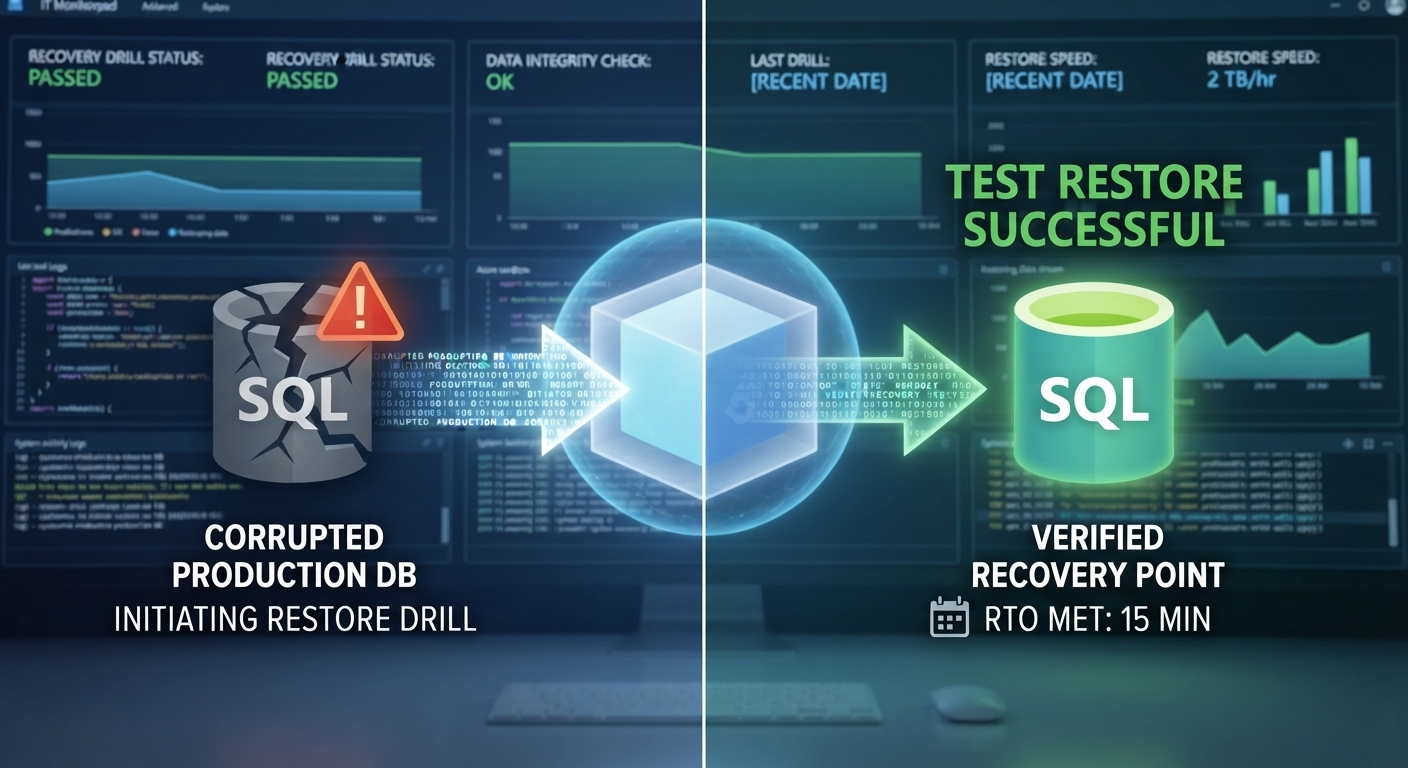
Here is the uncomfortable truth many IT teams discover too late: having backups configured is not the same as being able to recover.
Ransomware campaigns now target backup chains and recovery documentation directly. If restore procedures are untested, backup jobs marked successful can still fail when recovery is needed most.
This is where practical Azure migration services context matters. Teams modernizing workloads into Azure need backup and recovery architecture designed in parallel, not bolted on after go-live.
This guide explains what Azure backup solutions cover, which design decisions to make before implementation, and how to validate real-world recoverability.
What Is Azure Backup?
Azure Backup is Microsoft’s cloud-native backup service for protecting and restoring Azure and hybrid workloads.
It is designed to protect virtual machines, databases, files, and connected on-premises servers without maintaining traditional backup infrastructure.
What Workloads Azure Backup Can Protect
- Azure VMs running Windows and Linux.
- SQL Server and SAP HANA on Azure VMs.
- Azure Files.
- On-premises servers via the MARS agent.
- On-premises workloads protected via MABS or System Center DPM.
Azure Backup vs. Azure Site Recovery
| Azure Backup | Azure Site Recovery | |
|---|---|---|
| Primary purpose | Point-in-time data protection and restore | Replication and failover for continuity |
| Recovery scope | Files, VMs, and databases | Entire applications and dependent infrastructure |
| Typical RTO profile | Longer, restore-driven | Shorter, replication-driven |
| Best fit | Data recovery and retention | Outage continuity and disaster operations |
Before You Start: Decisions to Make First
Identify Critical Workloads
Classify systems by business impact before policy design. Not every workload needs the same retention, frequency, or resilience target.
Define RPO and RTO
- RPO defines acceptable data loss in time.
- RTO defines acceptable recovery time after interruption.
These objectives should drive backup policy design and determine where Azure Site Recovery is required.
Choose Retention Requirements
Retention strategy should align with compliance, legal, and operational needs. Default policy values are rarely sufficient for enterprise requirements.
Choose Vault Structure and Region
Plan vault segmentation by region, business unit, and workload criticality before rollout. For budgeting and architecture planning, pair this with Azure cost optimization practices.
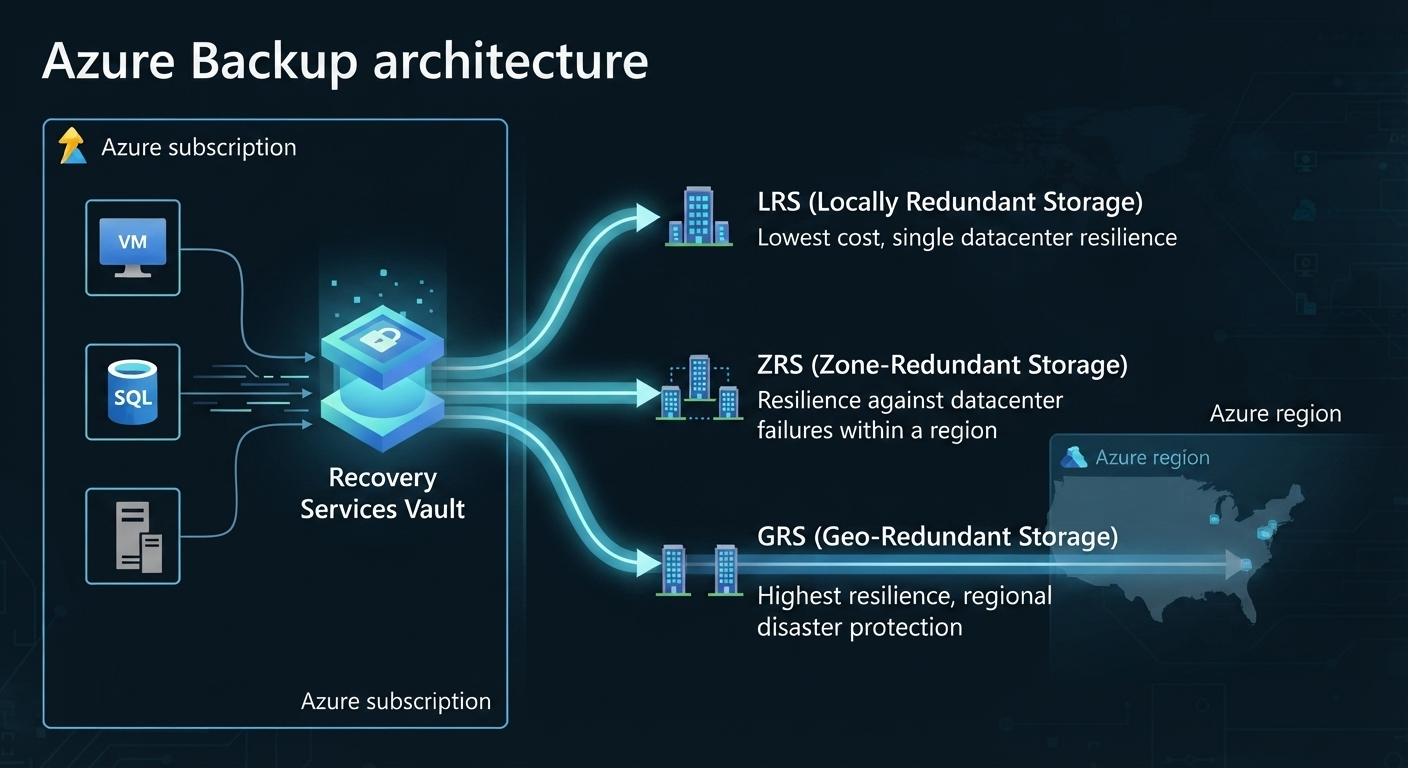
Choose LRS, ZRS, or GRS Before Enabling Backup
| Redundancy | What it means | Typical use case |
|---|---|---|
| LRS | Copies within one datacenter | Lowest cost, lower resilience |
| ZRS | Copies across zones in one region | Balance of cost and resilience |
| GRS | Copies to paired secondary region | Highest resilience for regional disruption |
Storage redundancy should be selected before backups begin. Changing it later can require disruptive reconfiguration.
Decide on Cross Region Restore
Cross Region Restore requires GRS or RA-GRS and should be planned early if regional disaster recovery is in scope.
Azure Backup Setup: Step by Step
- Create a Recovery Services vault in the correct subscription, region, and resource group.
- Review security defaults in the vault before policy assignment.
- Configure redundancy before enabling any backup workloads.
- Create or select policies aligned to RPO, RTO, and retention requirements.
- Enable backup for VMs, files, and databases in scope.
- Run an on-demand backup to validate initial setup.
- Confirm recovery points are created and visible in the vault.
Security and Ransomware Protection
Backup security is a first-class architecture concern, not a post-setup hardening task.
Key controls include:
- Soft delete and enhanced soft delete.
- Immutable vault configuration.
- Multi-user authorization with Resource Guard.
- Role-based access control with least privilege.
- Private endpoints for secure backup traffic paths.
For broader posture alignment, integrate these controls with Microsoft Defender for Cloud aligned governance and security operations.
Monitoring, Reporting, and Testing
Operational confidence comes from monitoring plus restore validation, not just successful backup jobs.
Use:
- Backup Center for centralized visibility.
- Azure Monitor and Log Analytics for alerts.
- Backup Explorer and reporting for trend and compliance views.
Ongoing operations are often most effective when embedded into Azure managed services processes with clear ownership and escalation.
Test Restore Cadence
Critical systems should follow scheduled recovery drills. If you cannot answer when the last successful test restore was executed, readiness is unverified.

When Azure Backup Is Not Enough
Azure Backup restores data, but does not by itself keep applications continuously available during major outages.
Add Azure Site Recovery when RTO targets require fast failover, dependency orchestration, and controlled failback.
For implementation planning, evaluate Backup and disaster recovery on Azure architecture patterns alongside backup policy design.
Common Challenges and How to Avoid Them
| Challenge | Why it happens | How to avoid it |
|---|---|---|
| Redundancy chosen too late | Setup starts before architecture decisions are made | Lock redundancy before enabling backup workloads |
| No restore testing | Teams trust backup job status alone | Define and run scheduled test restores |
| Backup treated as full DR | Continuity requirements are underestimated | Pair backup with Site Recovery where needed |
| Weak backup admin controls | Privileges are broad and unsegmented | Apply strict RBAC and Multi-User Authorization |
| Compliance-retention mismatch | Default policy retained without review | Align retention to legal and regulatory requirements |
Best Practices
- Decide redundancy before enabling backup jobs.
- Align policy design with target RPO and RTO.
- Enable immutability and soft delete for critical workloads.
- Require dual-control for destructive backup operations.
- Run recurring, documented restore drills.
- Segment vaults intentionally in larger environments.
- Add Site Recovery when low-downtime continuity is required.
Business Value Snapshot
Well-architected backup and DR programs typically reduce recovery time, reduce unplanned downtime cost, and improve operational resilience.
Where IDC and Microsoft statistics are referenced, re-verify exact figures before publication.
Future Trends
- Backup and cyber-resilience controls are converging into a unified discipline.
- AI-assisted anomaly detection is improving backup threat identification.
- Continuous recovery validation is replacing infrequent annual restore testing.
- Immutable recovery design is becoming a baseline requirement.
As AI-driven operations expand, resilient backup architecture increasingly intersects with enterprise data platforms and data engineering services for governed recovery and analytics continuity.
Get Help with Azure Backup and DR
If your team needs a clearer backup architecture, stronger ransomware controls, or a practical restore validation program, ARC can help define and operationalize a resilient recovery model.
This service approach is often paired with ongoing Managed IT services execution to maintain readiness beyond initial implementation.
For organizations standardizing cloud recovery strategy, explore ARC Azure cloud services and map your next phase.
Publishing Verification Notes
- Verify IDC and Microsoft-attributed ROI and performance figures before final publication.
- Reconcile ARC proof-point numbers against currently approved site claims.
- Re-check internal links before publish in case route changes occur.
- Consider adding a reviewed-by Azure Solutions Architect byline for E-E-A-T strength.
- Keep backup and BCDR messaging aligned with ARC continuity positioning.
Frequently Asked Questions
What are Azure backup solutions?
Azure backup solutions refer to Microsoft's native cloud-based services, primarily Azure Backup and Azure Site Recovery, for protecting, recovering, and maintaining continuity for data and workloads running in Azure or hybrid environments.
What is Azure Backup used for?
Azure Backup is used to back up and recover data across Azure VMs, files, databases, and on-premises servers, providing a simple, secure, and cost-effective alternative to maintaining separate backup infrastructure.
How do I set up Azure Backup?
Setup involves creating a Recovery Services vault, reviewing security defaults, configuring storage redundancy before enabling backups, creating or selecting a backup policy, enabling backup for the relevant workloads, running an on-demand backup, and confirming recovery points are created successfully.
What is a Recovery Services vault?
A Recovery Services vault is the management container in Azure Backup that stores backup data and policies for protected workloads, providing centralized configuration, monitoring, and security controls.
What is the difference between Recovery Services vault and Backup vault?
Recovery Services vaults support a broader range of workloads including VMs, SQL, and SAP HANA, while Backup vaults are used for newer backup solutions such as Azure Database for PostgreSQL and Azure Blobs.
What is the difference between Azure Backup and Azure Site Recovery?
Azure Backup protects and restores data, typically with a longer recovery time. Azure Site Recovery replicates and fails over entire workloads for business continuity, supporting much shorter recovery times during outages or disasters.
What workloads can Azure Backup protect?
Azure Backup can protect Azure VMs, on-premises servers and files via the MARS agent, SQL Server and SAP HANA databases on Azure VMs, Azure Files, and on-premises workloads using MABS or System Center DPM.
How do Azure Backup policies and retention work?
Backup policies define how frequently backups run and how long recovery points are retained, and should be configured to align with your organization's defined RPO, RTO, and compliance retention requirements.
Should I use LRS, ZRS, or GRS for backups?
LRS offers the lowest cost and resilience, ZRS balances cost with protection against datacenter-level failures, and GRS provides the highest resilience by replicating data to a distant region. This choice must be made before backups are configured.
What is Cross Region Restore?
Cross Region Restore allows backup data to be restored into a secondary Azure region during an outage, but requires GRS or RA-GRS redundancy to be enabled on the vault.
Does Azure Backup protect against ransomware?
Azure Backup includes ransomware-relevant protections such as soft delete, enhanced soft delete, and immutable vaults, but Microsoft warns that ransomware can corrupt backups and recommends validating backups before restore.
What are immutable vaults in Azure Backup?
Immutable vaults prevent backup data from being modified or deleted for a defined retention period, even by an administrative account, providing a critical safeguard against ransomware.
How do I monitor Azure Backup jobs?
Azure Backup jobs can be monitored through Backup Center for centralized visibility, Azure Monitor and Log Analytics for alerting, and Backup Explorer and Backup Reports for cross-vault inventory and compliance reporting.
How often should I test restores?
Critical workloads should have test restores performed on a regular, scheduled cadence rather than only after an incident. An untested backup should be treated as unverified, not assumed to be functional.
When should I hire an Azure backup and DR partner?
Consider a partner when your organization needs help defining RPO/RTO targets, designing vault architecture and ransomware-resilient controls, establishing a test-restore cadence, or evaluating whether Azure Site Recovery is needed alongside backup.

Al Rafay Consulting
ARC Team
AI-powered Microsoft Solutions Partner delivering enterprise solutions on Azure, SharePoint, and Microsoft 365.
LinkedIn Profile