How to Choose a Managed Services Provider (MSP) for IT Outsourcing Services
Learn how to choose a managed services provider with a proven 10-step checklist, scorecard, SLA guide, and Microsoft-specific criteria.
Al Rafay Consulting
· Updated July 14, 2026 · Microsoft 365 & Azure Managed Services Specialists

Organizations looking to strengthen their IT operations can work with managed IT services.
What Is a Managed Services Provider?
Your team is stretched thin, your Microsoft 365 and Azure environments keep multiplying, and every week brings a new security headline. At some point, the question isn’t whether to bring in outside help — it’s who to trust with your systems, your data, and your uptime.
That’s where things get risky. The market for IT outsourcing services is crowded with providers who all promise “24/7 support” and “enterprise-grade security,” but few can prove it. Pick the wrong managed services provider (MSP) and you inherit slow response times, vague contracts, unmanaged backups, and a partner who disappears the moment something breaks. Pick the right one, and IT stops being a liability and starts being a growth lever.
A managed services provider is a third-party company that proactively manages, monitors, and supports all or part of your IT environment under a defined, ongoing contract — rather than fixing problems only after they occur. Depending on scope, an MSP might handle your help desk, network and endpoint monitoring, patch management, backup and disaster recovery, cloud administration (Microsoft 365, Azure, Dynamics 365), and security operations.
Under the broader umbrella of IT outsourcing services, MSPs sit alongside several related but distinct engagement models. G2 defines IT outsourcing broadly as the practice of hiring third-party providers to carry out IT tasks, spanning services like infrastructure consulting, software development, and cloud hosting — MSP relationships are one specific, ongoing form of that outsourcing.
MSP vs. IT Outsourcing vs. Co-Managed IT vs. Break-Fix Support
| Model | How It Works | Best For |
|---|---|---|
| Managed Services Provider (MSP) | Ongoing, proactive management of defined IT scope under a monthly contract and SLA | Businesses that want predictable costs and continuous coverage |
| IT Outsourcing (general) | Broad umbrella term covering any third-party IT task — from full outsourcing to project work, dev, or hosting | Organizations sourcing specific capabilities they don’t want to build internally |
| Co-Managed IT | MSP works alongside an existing internal IT team, filling gaps (after-hours coverage, specialized security, cloud expertise) | Companies with an internal IT team that needs extra capacity or expertise |
| Managed Security Services Provider (MSSP) | Specializes in security monitoring, detection, and response (SOC, MDR, SIEM) | Organizations prioritizing cybersecurity and compliance |
| Break-Fix Support | Reactive, pay-per-incident support with no proactive monitoring | Very small businesses with minimal, infrequent IT needs |
When Does Outsourcing IT Make Sense?
Outsourcing tends to make sense when any of the following apply:
- Your internal team lacks specialized expertise in cloud platforms, security, or compliance
- You’re supporting a hybrid or remote workforce without dedicated IT coverage
- Cybersecurity threats and compliance requirements have outpaced your internal capacity
- IT costs are unpredictable, or downtime is becoming a recurring cost center
- Your Microsoft 365 and Azure environments are growing faster than your ability to manage them
Datto’s 2025 State of the MSP Industry report, based on responses from 1,262 MSPs worldwide, found that the top reasons SMBs turn to MSPs are needing more technical expertise than they have in-house, needing help managing hybrid and remote workforces, and rising cybersecurity concerns.
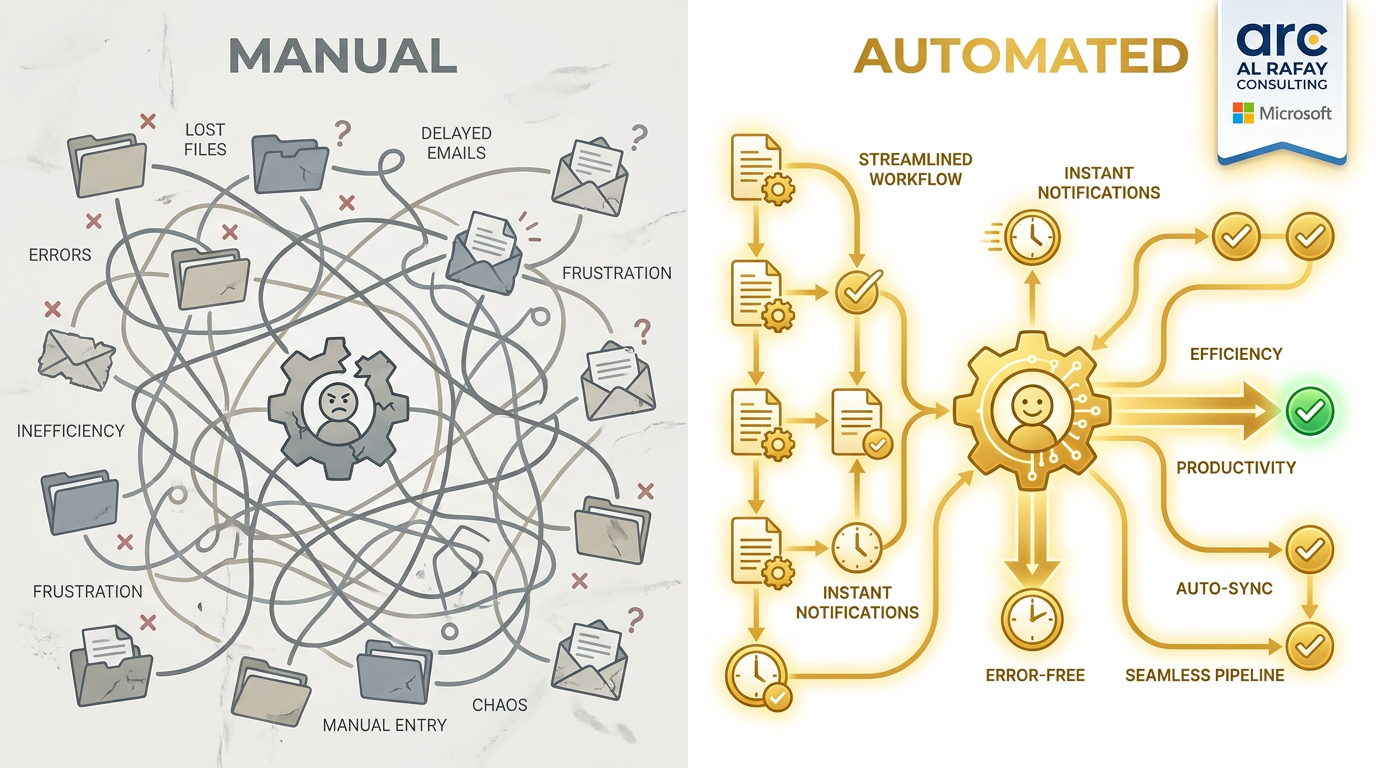
If these pain points sound familiar, the next step is understanding what a good provider relationship looks like — starting with managed IT services built around clear SLAs, security accountability, and Microsoft ecosystem expertise.
Why Choosing the Right MSP Matters
The MSP relationship isn’t a low-stakes vendor decision — it’s an operational dependency. Get it wrong, and the consequences show up in downtime, security exposure, and hidden costs.
Business Continuity and Downtime
An MSP with weak monitoring, slow escalation, or thin bench strength turns a minor outage into a multi-hour business disruption. Continuity depends on documented runbooks, defined response times, and a provider that treats your uptime as their metric, not just yours.
Cybersecurity, Compliance, and Insurance Readiness
MSPs typically require privileged access to your systems, identities, and data — which makes their own security posture part of your risk profile. The UK’s National Cyber Security Centre (NCSC) explicitly warns that because MSPs may access sensitive systems and data, organizations must evaluate MSP security practices as seriously as they would any other critical vendor, covering areas like access control, contracts, reporting, and incident response.
Weak MSP security practices can directly jeopardize your compliance posture and even your cyber insurance eligibility, since many insurers now require evidence of MFA, endpoint detection, and tested backups. Teams needing stronger controls can evaluate cybersecurity and compliance support.
Cloud, Microsoft 365, and Azure Complexity
Most mid-market organizations now run core operations on Microsoft 365 and Azure — but platform-neutral MSPs often lack the depth to optimize licensing, secure identities, or manage cloud spend effectively. Microsoft’s own reporting underscores how central this ecosystem has become: in its FY26 Q3 results, Microsoft Cloud revenue reached $54.5 billion, up 29% year-over-year, with Azure and other cloud services up 40%, Microsoft 365 Commercial cloud up 19%, and Dynamics 365 up 22%. An MSP without deep Microsoft expertise is managing the platform most businesses now depend on most.
How to Choose a Managed Services Provider: 10-Step Checklist
Use this checklist to structure your evaluation from first conversation to signed contract.
- Define your business and IT outcomes. Before comparing vendors, document what “success” looks like — uptime targets, security posture, cost predictability, or freeing internal staff for strategic work.
- Audit your current environment. Inventory your assets, licenses, cloud tenants, and pain points so every MSP is quoting against the same scope.
- Confirm Microsoft ecosystem expertise. Ask about Microsoft partner status, certified engineers, and hands-on experience with Microsoft 365, Azure, and Dynamics 365.
- Evaluate security maturity. Look for MFA enforcement, endpoint detection and response (EDR/MDR), patch management cadence, and a documented incident response process.
- Review services, scope, and exclusions. Get a line-item breakdown of what’s included, what’s billed separately, and what’s explicitly out of scope.
- Compare SLAs and escalation paths. Response time, resolution time, and how issues escalate when the first-line tech can’t resolve them.
- Understand onboarding and transition. Ask for a documented onboarding timeline, what data/access is required, and how disruption is minimized.
- Check pricing model and hidden fees. Confirm whether quotes are per-user, per-device, flat-fee, or hybrid — and what triggers additional charges.
- Validate references, certifications, and case studies. Speak to current clients in a similar size range or industry, not just the logos on the website.
- Review contract, ownership, and exit terms. Confirm who owns your tenant, documentation, and scripts, and what offboarding looks like if the relationship ends.
MSP Evaluation Scorecard
A structured scorecard turns “gut feeling” into a defensible, comparable decision — especially when multiple stakeholders are involved in the selection.
Weighted Criteria Table
| Criteria | Weight | What to Evaluate |
|---|---|---|
| Security maturity | 25% | MFA, EDR/MDR, patch cadence, incident response, backup testing |
| SLAs and escalation | 20% | Response/resolution time commitments, escalation paths, service credits |
| Microsoft ecosystem expertise | 20% | Microsoft 365, Azure, Dynamics 365 certifications and hands-on depth |
| Onboarding process | 15% | Documented timeline, transition plan, minimal-disruption approach |
| Pricing transparency | 10% | Clear pricing model, disclosed exclusions and add-on fees |
| References and proof | 10% | Verified client references, tenure, retention, case studies |
Score each prospective MSP 1–5 on every category, multiply by the weight, and total the results. This produces an apples-to-apples comparison across every proposal you receive.
Red Flags That Should Pause the Deal
- Vague or undefined SLAs (“we respond quickly” with no specific time commitment)
- Reluctance to provide client references or discuss past incidents
- No documented onboarding or offboarding process
- Ambiguity over who owns your Microsoft 365 tenant, admin credentials, and documentation
- Pricing that seems too good to be true relative to scope, or refusal to itemize costs
- No evidence of regular reporting, QBRs (quarterly business reviews), or account management
What Should Be Included in an MSP SLA?
The service level agreement is where good intentions become enforceable commitments. A strong SLA should never be a one-page formality — it should be specific enough to hold the provider accountable.
Response Time vs. Resolution Time
These are often conflated, but they measure different things:
- Response time — how quickly the MSP acknowledges a ticket and begins working on it
- Resolution time — how long it takes to actually fix the issue
An MSP that only commits to response time (not resolution time) can technically meet its SLA while your problem remains unresolved for hours. Insist on both metrics, tiered by severity (critical outage vs. minor request).
Uptime, Monitoring, and Reporting
Your SLA should specify:
- Uptime commitments for monitored infrastructure
- Monitoring coverage (24/7 vs. business hours)
- Reporting cadence — monthly reports, QBRs, and real-time dashboards
- Service credits or remedies if commitments are missed
Backup, Disaster Recovery, RTO, and RPO
Backup and disaster recovery terms deserve their own scrutiny:
- RTO (Recovery Time Objective): how quickly systems are restored after an outage
- RPO (Recovery Point Objective): how much data loss is acceptable, measured in time
- Backup testing frequency — ask for proof of tested restores, not just backup schedules
- Where backups are stored and how long they’re retained
If recovery planning is a known gap, align these requirements with Azure BCDR services before finalizing contracts.
NCSC’s MSP guidance specifically recommends that organizations request evidence of regular reviews, reporting, audits, and backup testing rather than taking provider claims at face value.
Microsoft-Specific MSP Selection Criteria
If your organization runs on Microsoft 365, Azure, or Dynamics 365, platform depth should be a primary evaluation criterion — not an afterthought.
Azure Management and Optimization
Look for MSPs who can demonstrate Azure Cloud Adoption Framework alignment, Azure Well-Architected Framework practices (reliability, security, cost optimization, operational excellence, and performance efficiency), and active cost-optimization work using tools like Azure Advisor. Microsoft’s Azure Expert MSP designation requires providers to pass an independent audit covering people, process, technology, and delivery — asking whether a prospective MSP holds this status is a fast way to separate genuine Azure depth from marketing language. Review Azure managed services and this supporting guide on Azure cost optimization tips.
Microsoft 365 Administration and Security
Evaluate how the MSP handles:
- Tenant administration and license optimization
- Identity security via Microsoft Entra ID (conditional access, MFA)
- Microsoft Defender and Microsoft Purview for threat protection and data governance
- SharePoint, Teams, and Power Platform governance
For organizations standardizing operations, compare delivery depth in Microsoft 365 managed services.
Dynamics 365 and Power Platform Support
If you run Dynamics 365 or build on the Power Platform, confirm the MSP has specific experience supporting business application customizations, integrations, and upgrades — this is a distinct skill set from general infrastructure management. Validate direct Dynamics 365 / Power Platform support.
Security Stack, Identity, and Compliance
A Microsoft-savvy MSP should be fluent in Microsoft Defender, Microsoft Sentinel (SIEM/SOAR), Microsoft Entra ID, and Microsoft Purview, and should be able to map their security practices to recognized frameworks like NIST CSF 2.0. Given that Microsoft’s Digital Defense Report 2025 describes the company processing roughly 100 trillion security signals daily and blocking 4.5 million new malware files per day, an MSP that leverages this native Microsoft security telemetry has a meaningful advantage over one relying on disconnected third-party tools.
How Much Do MSP / IT Outsourcing Services Cost?
Pricing is one of the most common sources of buyer frustration — mostly because so few providers are transparent about it. Here’s how to evaluate cost without getting locked into a bad deal.
Pricing Models Compared
| Pricing Model | How It Works | Best For |
|---|---|---|
| Per-user | Flat fee per employee/user per month | Predictable, people-heavy environments |
| Per-device | Flat fee per managed device (servers, endpoints) | Device-heavy or mixed environments |
| Flat-fee (all-inclusive) | Single monthly fee covering an agreed scope | Businesses wanting maximum cost predictability |
| Tiered/co-managed | Base fee plus add-ons for specific services (security, backup, cloud) | Organizations with an internal IT team needing supplemental support |
| Project-based | One-time fee for a defined project (migration, deployment) | Discrete initiatives outside ongoing management |
What Affects Pricing?
- Number of users, devices, and servers under management
- Scope of security services (basic monitoring vs. full MDR/SOC coverage)
- Cloud platform complexity (multi-tenant Microsoft 365, hybrid Azure environments)
- Onboarding and migration effort required at contract start
- After-hours and weekend support requirements
- Compliance requirements (HIPAA, PCI-DSS, SOC 2) that demand additional controls and reporting
Be wary of providers unwilling to explain what drives their pricing — transparent MSPs will walk you through per-user ranges, onboarding fees, and what’s excluded from the base rate rather than saying “it depends” and stopping there.
Questions to Ask Before Signing With an MSP
- What are your guaranteed response and resolution times, by severity?
- Can you provide three references from clients of similar size and industry?
- What Microsoft certifications and partner designations do you hold?
- How do you handle onboarding, and what’s the typical timeline?
- Who owns our Microsoft 365 tenant, documentation, and automation scripts?
- How often do you test backups, and can you show proof of a recent test?
- What does your offboarding process look like if we end the contract?
- How do you report on performance, and how often do we meet for reviews?
- What’s included in the base price, and what triggers additional charges?
- How do you handle security incidents, and what’s your documented incident response process?
Common Challenges and How to Avoid Them
| Challenge | Why It Happens | How to Avoid It |
|---|---|---|
| Vendor lock-in | Provider owns tenant admin rights, documentation, or proprietary tooling | Confirm ownership and portability of all assets in the contract before signing |
| Scope creep and hidden fees | Ambiguous scope definitions and undocumented exclusions | Insist on a detailed, line-item scope of work and pricing breakdown |
| Slow onboarding causing disruption | No documented transition plan | Require a written onboarding timeline with milestones before signing |
| Security blind spots | MSP security practices not vetted before granting system access | Evaluate the MSP’s own security maturity using the same rigor as your internal standards |
| Weak accountability on SLAs | SLAs measure only response time, not resolution time | Negotiate SLAs with both metrics and enforceable service credits |
| Poor communication and reporting | No structured cadence for updates or reviews | Require monthly reporting and quarterly business reviews (QBRs) in the contract |
| Difficult exits | No offboarding clause or unclear data/access return process | Define exit terms, data portability, and transition support upfront |
Best Practices
- Run a structured, weighted evaluation rather than comparing proposals informally — a scorecard removes bias and creates a defensible decision trail.
- Treat the MSP’s security posture as an extension of your own. Since MSPs gain privileged access to your systems, their security maturity is now your security maturity.
- Prioritize platform depth over platform-agnostic marketing. If you run on Microsoft 365, Azure, or Dynamics 365, choose an MSP that can prove certified expertise in those platforms specifically.
- Negotiate SLAs with teeth. Response and resolution times should be specific, tiered by severity, and backed by service credits — not vague assurances.
- Request evidence, not claims. Ask for tested backup logs, recent security audit results, and references you can actually call.
- Clarify ownership before day one. Tenant admin rights, documentation, and scripts should be explicitly defined as your property in the contract.
- Build in regular accountability. Monthly reporting and quarterly business reviews keep the relationship performance-driven rather than “set and forget.”
- Plan the exit before you need it. A clear offboarding clause protects you if the relationship doesn’t work out.
Future Trends
- AI-augmented service delivery. Deloitte’s 2024 Global Outsourcing Survey found that 83% of executives are already leveraging AI as part of their outsourced services, signaling that AI-assisted monitoring, ticketing, and threat detection will increasingly separate leading MSPs from laggards.
- Continued investment in outsourcing, with selective insourcing. The same Deloitte survey found 80% of executives plan to maintain or increase third-party outsourcing investment, even as 70% report having selectively insourced some previously outsourced functions over the past five years — a sign that businesses are becoming more deliberate about what they outsource, not whether to outsource at all.
- MSP market growth continues. Datto’s 2025 industry report found that 64% of MSPs reported revenue growth in the past year, with 67% expecting continued growth over the next three years — reflecting sustained demand for outsourced IT expertise.
- Deeper cloud platform specialization. As Microsoft Cloud revenue and Azure adoption continue to expand rapidly, expect increasing differentiation between platform-neutral generalist MSPs and providers with deep, certified Microsoft ecosystem expertise.
- Security-first positioning becomes standard. As threat volumes grow, MSPs that can demonstrate real security operations capability — not just basic antivirus and patching — will increasingly be favored over generalist providers.
Final Decision: Choose an MSP That Can Prove Outcomes
Choosing a managed services provider isn’t about finding the vendor with the flashiest sales pitch — it’s about finding a partner who can prove security maturity, Microsoft ecosystem depth, disciplined onboarding, enforceable SLAs, transparent pricing, and clean exit terms. If a prospective MSP can’t demonstrate all six, keep looking.
Key takeaways:
- Treat MSP selection as a structured, scorecard-driven decision, not a gut call
- Security maturity and Microsoft ecosystem expertise should carry the most weight in your evaluation
- SLAs must specify both response and resolution time, backed by service credits
- Contract terms — especially tenant ownership and exit clauses — deserve as much scrutiny as pricing
- The right MSP becomes an operational partner: keeping systems secure, users productive, and your IT roadmap aligned to business growth
The businesses getting the most value from IT outsourcing services today are the ones asking sharper questions before signing — not the ones hoping for the best afterward.
Frequently Asked Questions
What is an MSP?
An MSP (managed services provider) is a third-party company that proactively manages and supports an organization's IT environment — such as networks, endpoints, cloud platforms, and security — under an ongoing contract with defined service levels.
How do I choose a managed services provider?
Evaluate providers against a structured checklist covering security maturity, SLAs, Microsoft ecosystem expertise, onboarding process, pricing transparency, and verifiable references — ideally using a weighted scorecard for objective comparison.
What should be included in an MSP SLA?
An SLA should specify response time, resolution time (tiered by severity), uptime commitments, monitoring coverage, reporting cadence, and remedies such as service credits for missed commitments.
How much do managed IT services cost?
Costs vary based on pricing model (per-user, per-device, flat-fee, or tiered), number of users/devices, security scope, and cloud platform complexity — transparent providers will explain what drives their pricing rather than giving a single flat number.
What is the difference between MSP and MSSP?
An MSP manages general IT operations such as help desk, monitoring, and cloud administration, while an MSSP specializes specifically in security monitoring, detection, and incident response.
What are common MSP red flags?
Red flags include vague SLAs, reluctance to share references, unclear tenant/documentation ownership, undisclosed fees, and no documented onboarding or offboarding process.
How do MSPs support Microsoft 365 and Azure?
Microsoft-focused MSPs manage tenant administration, licensing, identity security through Microsoft Entra ID, threat protection with Microsoft Defender, and cloud cost optimization using frameworks like the Azure Well-Architected Framework.

Al Rafay Consulting
ARC Team
AI-powered Microsoft Solutions Partner delivering enterprise solutions on Azure, SharePoint, and Microsoft 365.
LinkedIn Profile