License Right-Sizing: Microsoft Licensing Optimization Guide
Microsoft licensing optimization aligns license tiers, usage, security needs, and renewal terms so organizations reduce waste without losing critical capability.
A practical guide to Microsoft licensing optimization - right-size M365, Azure, and Dynamics 365 licenses without losing capability or security.
ARC Team
· Updated July 16, 2026 · ARC Team
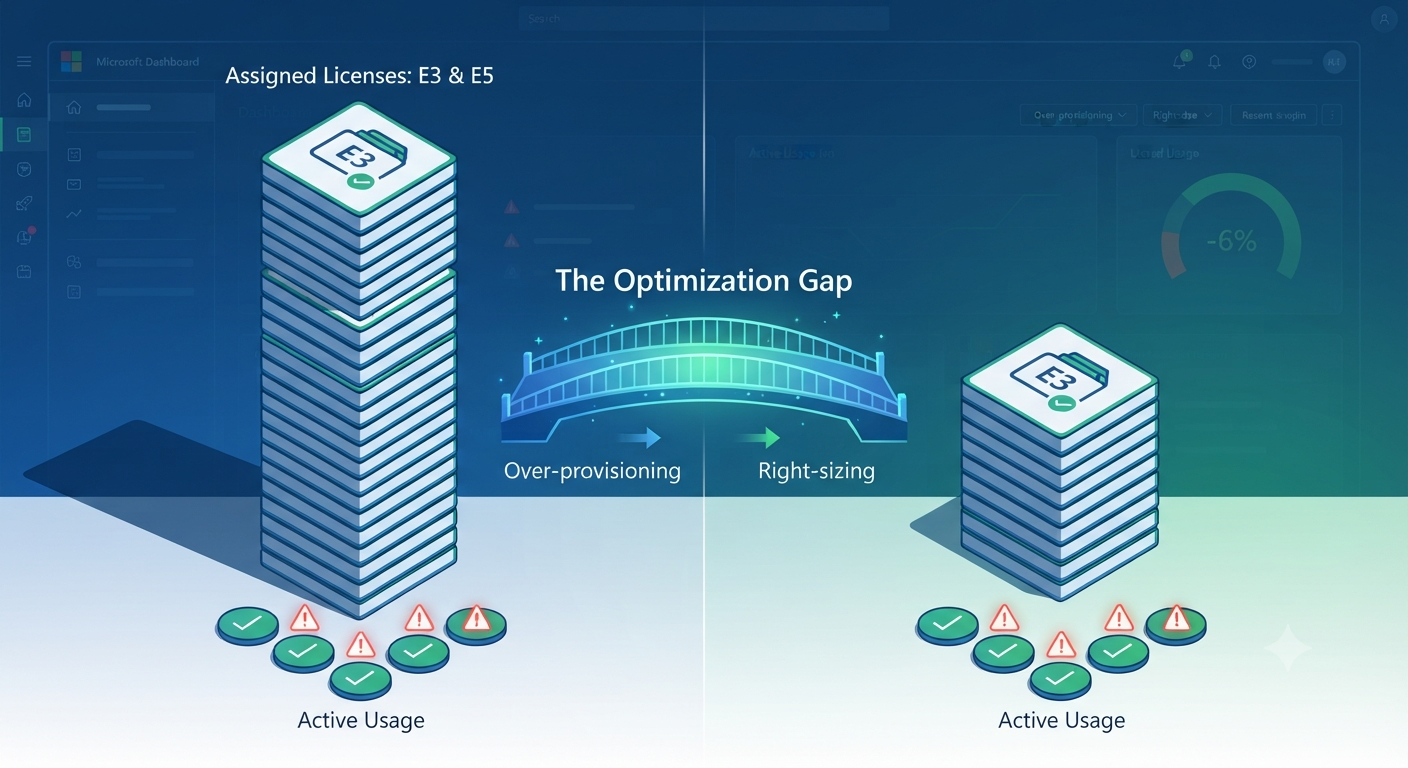
Open your Microsoft 365 admin center right now and ask one honest question: can you say, with confidence, exactly how many assigned licenses are actually used, and by whom? In most organizations, the answer is no.
Licenses are assigned during onboarding and rarely revisited. E5 becomes the safe default. Add-ons accumulate. That gap between assigned and used is where optimization opportunities live.
A structured cost optimization approach is not about cutting blindly. It is about right-sizing Microsoft 365, Azure, Dynamics 365, and Power Platform licensing to actual needs so finance gets savings without IT losing control.
What Is Microsoft Licensing Optimization?
Microsoft licensing optimization is the ongoing discipline of aligning licensing, entitlements, and spend with real usage patterns, role requirements, security controls, and renewal terms.
License Optimization vs Right-Sizing vs Cost Cutting
- Cost cutting removes spend quickly, often without capability validation.
- Right-sizing maps tier to actual need by role and usage.
- Optimization is the broader operating model: reclaim, right-size, consolidate overlap, and govern against renewal.
Why Cheapest Is Not Always Correct
Downgrading a user who genuinely requires advanced compliance or security features may reduce spend on paper while increasing organizational risk.

Why License Estates Drift Out of Alignment
- Inactive users remain assigned.
- E3 and E5 are over-assigned by default.
- Add-ons like Visio, Project, Power BI Pro, Teams Phone, and Copilot are not revisited.
- Duplicate third-party tools remain active alongside Microsoft-native capabilities.
- Role changes happen without license realignment.
- NCE commitment windows reduce mid-term flexibility.
The Microsoft License Right-Sizing Framework
1. Inventory Licenses and Commercial Terms
Create a complete inventory across Microsoft 365, Azure, Dynamics 365, and Power Platform, including agreement model (EA, CSP, MCA).
2. Map Users to Personas
Define persona groups such as executive, knowledge worker, frontline, contractor, and developer.
3. Compare Assignment vs Feature Usage
Validate whether users actually use capabilities tied to premium tiers and add-ons.
4. Classify Actions
Reclaim, downgrade, consolidate, or upgrade.
5. Validate Security and Compliance Impact
Confirm proposed changes do not remove required retention, legal hold, compliance, or security controls.
6. Build a Finance-Ready Savings Model
Prepare before/after spend, projected savings, timing, and documented exceptions for renewal planning.
Microsoft 365 Right-Sizing by Persona
| Persona | Typical Fit | Core Right-Sizing Note |
|---|---|---|
| Executives | E5 or E3 + targeted add-ons | Validate real use of premium controls before downgrading |
| Knowledge workers | E3 or Business Premium | E5 often over-assigned |
| Frontline | F3 and frontline tiers | Frequently over-licensed to E3/E5 |
| Contractors | Minimal/time-limited tiers | Reclaim quickly at offboarding |
| Developers | E3 + dev entitlements | Use specific add-ons rather than blanket E5 |
Azure and Dynamics 365 Licensing Optimization
Optimization extends beyond Microsoft 365 seats.
- Azure services strategy should include reservations, savings plans, and workload governance.
- Azure managed services can enforce recurring optimization cadence.
- Azure Hybrid Benefit reduces eligible Windows/SQL compute cost.
- Dynamics 365 Team Members licensing is a frequent right-sizing lever.
- Power Platform capacity governance prevents add-on sprawl.
- Power BI consulting helps align analytics licensing with real usage.
NCE, Renewal Timing, and Flexibility
Under NCE, many subscriptions have limited cancellation windows, so quantity and tier choices made at purchase time become more consequential until renewal.
This makes pre-renewal right-sizing materially more valuable than post-renewal corrections.
Common Pitfalls
- Downgrading without feature-level validation
- Ignoring compliance and retention dependencies
- Treating optimization as a one-time cleanup
- Running IT/finance-only review without security input
- Missing add-on and environment governance
How Al Rafay Consulting Helps
ARC helps organizations implement ongoing optimization across Microsoft 365, Azure, Dynamics 365, and Power Platform through inventory analysis, role-based right-sizing, governance controls, and renewal-aligned execution.
A broader cost optimization strategy can also reduce overlapping SaaS spend while improving security and operational consistency.
Helpful resources:

Get a finance-ready savings model before renewal.
Frequently Asked Questions
What is Microsoft licensing optimization?
Microsoft licensing optimization is the process of aligning Microsoft licenses, entitlements, and costs with actual user needs, usage patterns, security requirements, and renewal terms, as an ongoing practice rather than a one-time cleanup.
What is license right-sizing?
License right-sizing is the practice of matching each user's license tier to their actual role and usage pattern, which can mean downgrading, upgrading, or leaving a license unchanged depending on validated need.
How often should Microsoft 365 licenses be reviewed?
Quarterly reviews are a common practical cadence, with a more thorough review always scheduled ahead of your renewal date given New Commerce Experience's limited mid-term flexibility.
Can I downgrade Microsoft licenses without disrupting users?
Yes, if the downgrade is validated against actual feature usage and checked against security, compliance, and retention requirements first. Downgrading without that validation is what creates disruption and risk.
What is NCE and how does it affect Microsoft licensing?
New Commerce Experience (NCE) is Microsoft's current commercial licensing model. Under NCE, new commerce subscriptions can generally only be canceled within the first seven days of their term, making license quantity and tier decisions at purchase time more consequential than under previous models.
What are unassigned licenses and why do they still cost money?
Unassigned licenses are purchased seats not currently assigned to any user. They continue to bill as part of your subscription commitment even while unused, making them a straightforward reclamation opportunity.
What is Azure Hybrid Benefit?
Azure Hybrid Benefit lets organizations apply existing on-premises Windows Server and SQL Server licenses covered by Software Assurance toward Azure compute costs, reducing cloud spend for organizations with existing licensing investment.
Should all users get Microsoft 365 Copilot?
Not by default. Copilot access should be right-sized the same way other premium tiers are, assigned based on validated usage and value, with consumption tracked as its own governance category as adoption scales.

ARC Team
ARC Team
AI-powered Microsoft Solutions Partner delivering enterprise solutions on Azure, SharePoint, and Microsoft 365.
LinkedIn Profile