Azure Virtual Desktop Pricing Guide: AVD Cost Explained
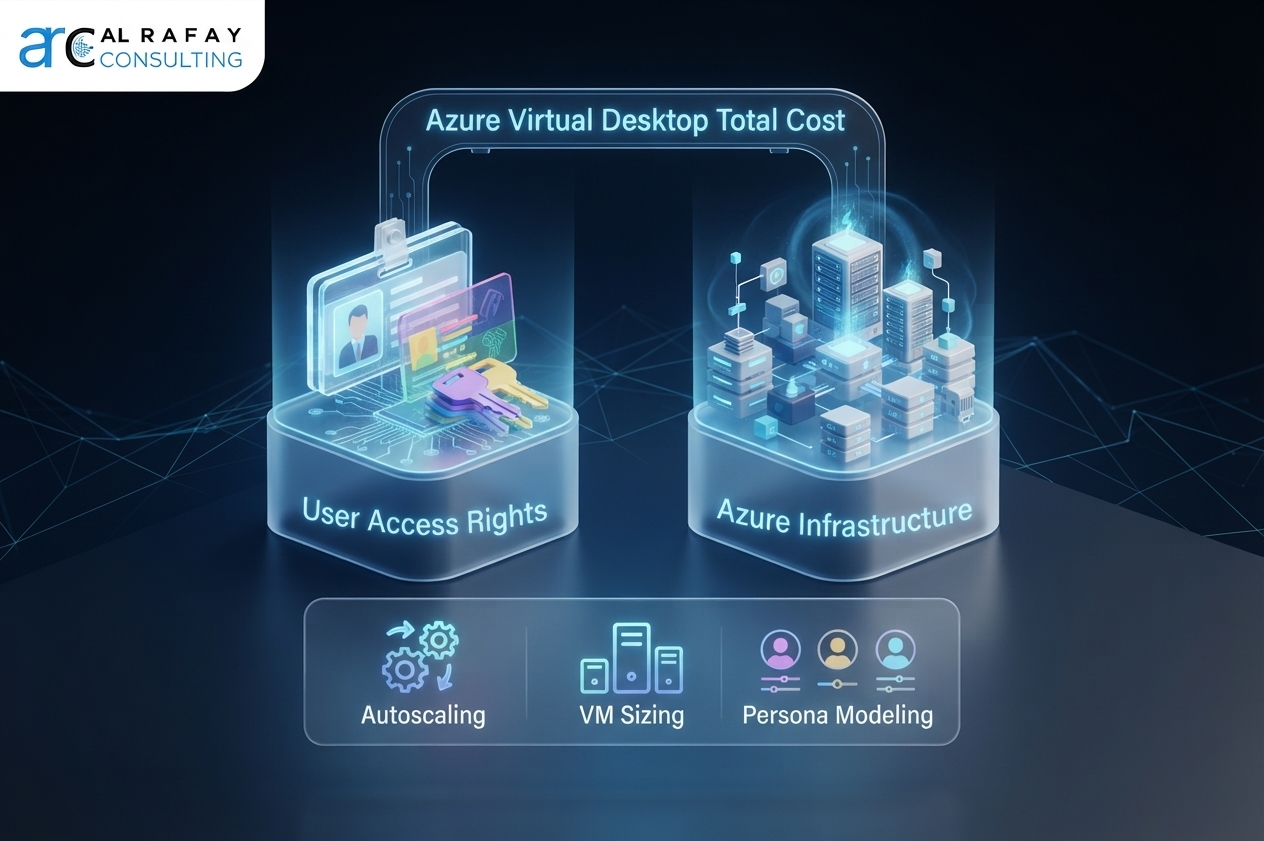
Azure Virtual Desktop pricing combines user access rights and Azure infrastructure costs, so total spend depends on sizing, usage, and governance decisions.
Azure Virtual Desktop pricing isn't one number. Learn AVD's real cost components, how to estimate per-user cost, and how to cut spend.
ARC Team
· Updated July 16, 2026 · ARC Team
If you’ve searched for “Azure Virtual Desktop pricing” hoping to find a single number, you already know the frustrating truth: there isn’t one. AVD pricing is not a flat per-user fee like a typical SaaS subscription. It is a combination of license entitlements and consumed Azure infrastructure, and the final number depends on how your organization builds, sizes, and manages its environment.
That ambiguity is exactly why so many IT and finance leaders get burned. A pilot deployment looks affordable, then production rollout brings surprise compute charges, ballooning storage costs, and licensing questions nobody flagged during planning. If you are trying to build a credible budget, compare AVD against Windows 365 or Citrix, or simply understand what you are actually paying for, you need more than a marketing page.
This guide breaks AVD costs into real components, walks through a step-by-step estimation process, compares pricing models and discount levers, and highlights the mistakes that quietly inflate AVD bills.
What Is Azure Virtual Desktop Pricing?
The Short Answer: Licensing + Azure Infrastructure
Azure Virtual Desktop pricing is built from two distinct layers:
- User access rights (licensing).
- Azure infrastructure costs (compute, storage, networking, and operations).
Microsoft’s own pricing documentation frames AVD cost this way because these layers are billed independently and optimized through different levers.
Why There Is No Single Fixed AVD Price
Unlike fixed-seat SaaS, AVD cost moves with usage. Two organizations with the same headcount can pay very different amounts depending on:
- Connected hours per day.
- Pooled versus personal desktops.
- VM size by persona.
- Autoscaling and Start VM on Connect behavior.
- Storage architecture (Azure Files, Azure NetApp Files, managed disks).
- Existing eligible Microsoft licensing.
- Monitoring, security, and support overhead.
Azure Virtual Desktop Pricing Components
1. User Access Rights and Eligible Licenses
- Internal users typically access AVD at no additional AVD-specific license charge when they already have eligible Microsoft 365 or Windows Enterprise licensing.
- External users for commercial scenarios are billed under per-user access pricing.
2. Compute: Session Host VM Runtime
Compute is usually the largest cost driver. You pay for VM runtime, VM series/size, and disk choices.
3. Storage: OS Disks, FSLogix, and Images
Storage scales with profile growth and user count, not only VM count. This is often underestimated.
4. Networking and Bandwidth
Data egress and connectivity patterns can materially impact cost, especially in multi-region or external-user scenarios.
5. Identity, Monitoring, Support, and Management
Production costs should include Entra ID posture, Log Analytics ingestion, security controls, and operations support.
The AVD Pricing Formula
Monthly AVD Cost = User Access Rights + VM Compute + Storage + Networking + Monitoring + Support + Management
Each variable can be optimized independently, which is why AVD rewards active governance rather than set-and-forget operations.
How to Estimate AVD Cost Step by Step
Step 1: Define User Personas
Group users by workload intensity:
| Persona | Typical Use Case | Compute Needs |
|---|---|---|
| Task worker | Basic line-of-business workflows | Low |
| Knowledge worker | Office productivity and collaboration | Moderate |
| Power user | Engineering, design, analytics | High |
| External contractor | Time-limited/project access | Varies |

Step 2: Estimate Concurrency and Working Hours
Concurrency has direct impact on required host capacity. Model actual overlap, not just total headcount.
Step 3: Select Pooled vs Personal Desktops
- Pooled desktops reduce per-user compute for standard roles.
- Personal desktops support persistence and specialized workloads at higher per-user cost.
Step 4: Choose VM Size and Storage Type
Oversizing “just in case” is one of the most common AVD budget failures.
Step 5: Add Support, Monitoring, and Governance
Include realistic spend on logging, security, identity, and operations in first-pass estimates.
Step 6: Validate in Azure Pricing Calculator
Use calculator outputs as a baseline and then refine with real telemetry and governance assumptions.
AVD Pricing Models and Savings Options
| Pricing Model | How It Works | Best For |
|---|---|---|
| Pay-as-you-go | Consumption billing | Pilots and variable demand |
| Savings Plans | Committed spend discounts | Predictable workloads |
| Reserved Instances | Capacity commitment discounts | Stable host baselines |
| Azure Hybrid Benefit | Reuse eligible licenses | Existing Microsoft license estates |
| Autoscaling | Start/stop by demand | Any non-24/7 pattern |
What’s New for 2026
- Dynamic Autoscaling and Automated Host Pools improve idle-capacity control.
- RDP Multipath improves reliability and should be evaluated for networking impact.
AVD vs Windows 365 Pricing
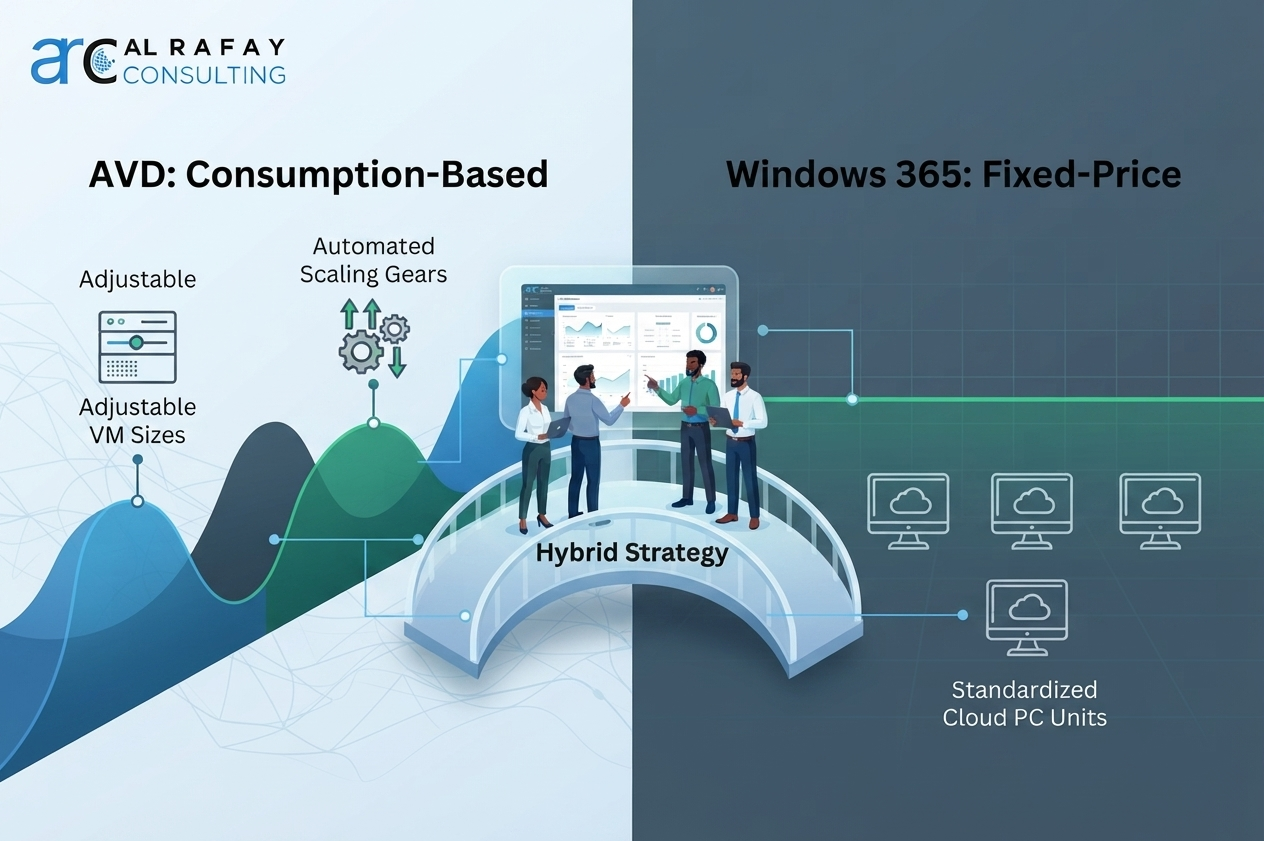
| Factor | Azure Virtual Desktop | Windows 365 |
|---|---|---|
| Pricing structure | Consumption-based | Fixed per-user/month |
| Cost predictability | Variable | High |
| Customization | Extensive | Limited |
| Multi-session support | Yes | No |
At scale, tuned AVD can be more cost-efficient. Windows 365 is usually easier for budget predictability.
Hybrid AVD + Windows 365 Strategy
Many enterprises run both: Windows 365 for standardized profiles, AVD for power users and variable workloads.
Hidden Costs and Cost Overruns
- Idle VM runtime without autoscaling.
- FSLogix profile growth without lifecycle controls.
- Log ingestion overhead from noisy diagnostics.
- Egress and network design gaps.
- Image storage sprawl.
- Licensing misclassification of internal vs external users.
Common Challenges and How to Avoid Them
- Right-size by persona, not worst-case assumptions.
- Resolve internal/external licensing classification before deployment.
- Implement profile cleanup and storage governance.
- Enable autoscaling from day one.
- Scope observability to useful signals, not maximum noise.
AVD Pricing Examples by User Type
- Task worker on pooled multi-session desktops: usually most cost-efficient.
- Knowledge worker on pooled desktop: moderate compute plus profile storage.
- Power user on personal desktop: highest predictable cost profile.
- External contractor: per-user access pricing plus consumed infrastructure.
Best Practices
- Start with personas, not headcount.
- Configure autoscaling before go-live.
- Separate licensing paths for internal and external users.
- Right-size storage architecture.
- Review usage and cost quarterly.
- Apply Azure Hybrid Benefit where eligible.
Future Trends
- More automated host lifecycle management.
- Greater AVD and Windows 365 coexistence.
- Stronger FinOps integration for virtual desktop environments.
- Rising emphasis on cost and sustainability as deployment drivers.
How Al Rafay Consulting Helps Optimize AVD Costs
Estimating AVD pricing accurately requires translating personas, concurrency, licensing, and infrastructure decisions into a model that holds in production.
As part of broader azure cloud services, ARC supports AVD planning, VM and storage sizing, FSLogix architecture, autoscaling, licensing strategy, and ongoing optimization.
Related engagements include:
- Azure Virtual Desktop services
- Azure cloud migration services
- Azure managed services
- Azure infrastructure design
Conclusion
Azure Virtual Desktop pricing is not a single lookup value. It is a flexible model where spend reflects architecture, usage, and governance decisions.
The best outcomes come from persona-driven sizing, strong autoscaling, accurate licensing classification, and recurring optimization reviews.
If you need an environment-specific estimate, start with a structured azure cloud services assessment and replace guesswork with a governed cost model.
Frequently Asked Questions
How much does Azure Virtual Desktop cost per user?
There's no fixed per-user price. Cost depends on the user's persona, whether they're on a pooled or personal desktop, VM size, storage needs, and whether they already hold an eligible Microsoft 365 or Windows license covering access rights.
Is Azure Virtual Desktop free with Microsoft 365 E3 or E5?
Access rights for internal users can be included at no additional AVD-specific cost with an eligible Microsoft 365 or Windows Enterprise license. The underlying Azure infrastructure - compute, storage, and networking - is always billed separately.
What licenses are required for Azure Virtual Desktop?
Internal users need an eligible Microsoft 365 or Windows Enterprise license, such as E3 or E5. External users accessing for commercial purposes fall under separate per-user access pricing.
What is included in Azure Virtual Desktop pricing?
Two layers: user access rights (licensing) and Azure infrastructure, including VM compute, storage, networking, and associated identity, monitoring, and support costs.
What are the main AVD infrastructure costs?
Session host VM runtime (usually the largest cost), storage (OS disks, FSLogix profiles, images), and networking/bandwidth.
How does AVD pricing compare with Windows 365?
AVD is consumption-based and can be more cost-efficient at scale with proper tuning. Windows 365 uses a fixed per-user, per-month price that trades potential savings for budget predictability.
Is AVD cheaper than Citrix DaaS?
It depends on architecture, licensing entitlements already owned, and how well the environment is optimized. A direct comparison requires modeling both platforms against your specific user base.
How do autoscaling and Start VM on Connect reduce AVD cost?
They stop session host VMs from running and billing when no one is using them, then start hosts back up automatically when a user connects, directly targeting idle compute, which is usually the largest AVD cost component.
What is the difference between pay-as-you-go, reservations, and savings plans?
Pay-as-you-go bills standard consumption rates with no commitment. Reserved Instances and Azure Savings Plans both offer discounted rates in exchange for a 1- or 3-year commitment, with reservations tied to specific VM capacity and savings plans tied to a committed hourly spend level.
How are external users billed for AVD?
External users accessing for commercial purposes are billed under per-user access pricing, charged only for users who connect at least once during the billing cycle, in addition to the infrastructure they consume.
Does FSLogix add cost to AVD?
FSLogix itself is not a separate license cost, but the storage required to host FSLogix profile containers (via Azure Files or Azure NetApp Files) is a real and often underestimated cost component.
How do Azure Files and Azure NetApp Files affect AVD pricing?
Both host FSLogix profiles and shared storage, but they are priced differently based on performance tier and capacity. The right choice depends on your scale and performance requirements.
What hidden costs should I plan for?
Idle VM runtime without autoscaling, FSLogix storage growth, Log Analytics ingestion, data egress, custom image storage sprawl, and licensing misclassification between internal and external users.
How do I estimate AVD cost in the Azure Pricing Calculator?
Input your user personas, VM sizes, storage type and capacity, networking requirements, and licensing assumptions. Treat the output as a strong starting estimate, since some costs like certain egress and add-on features may require separate modeling.
Should I use AVD, Windows 365, or both?
It depends on how much you value cost optimization control versus budget predictability. Many enterprises run a hybrid model, using Windows 365 for standardized users and AVD for power users and variable workloads.

ARC Team
ARC Team
AI-powered Microsoft Solutions Partner delivering enterprise solutions on Azure, SharePoint, and Microsoft 365.
LinkedIn Profile