Copilot Studio vs Azure AI Studio: Which Platform Should You Choose?
Copilot Studio and Azure AI Studio are compared here based on their capabilities, pricing, integrations, and enterprise fit — helping organizations choose the right solution for their specific requirements and existing technology stack.
Compare Copilot Studio and Azure AI Studio across use cases, governance, customization, and delivery speed to choose the right enterprise AI platform.
ARC Team
· Updated April 13, 2026 · ARC Team

Organizations looking to strengthen this area can work with build AI agents.
Many organizations evaluating enterprise AI ask the same question: should we use Copilot Studio or Azure AI Studio? The short answer is that both are valuable, but they are optimized for different delivery models and technical ownership structures.
Choosing correctly early can reduce rework, speed deployment, and improve governance outcomes. Teams validating rollout options often start with copilot studio consulting to map platform choice to enterprise operating models.
Core Difference in One Line
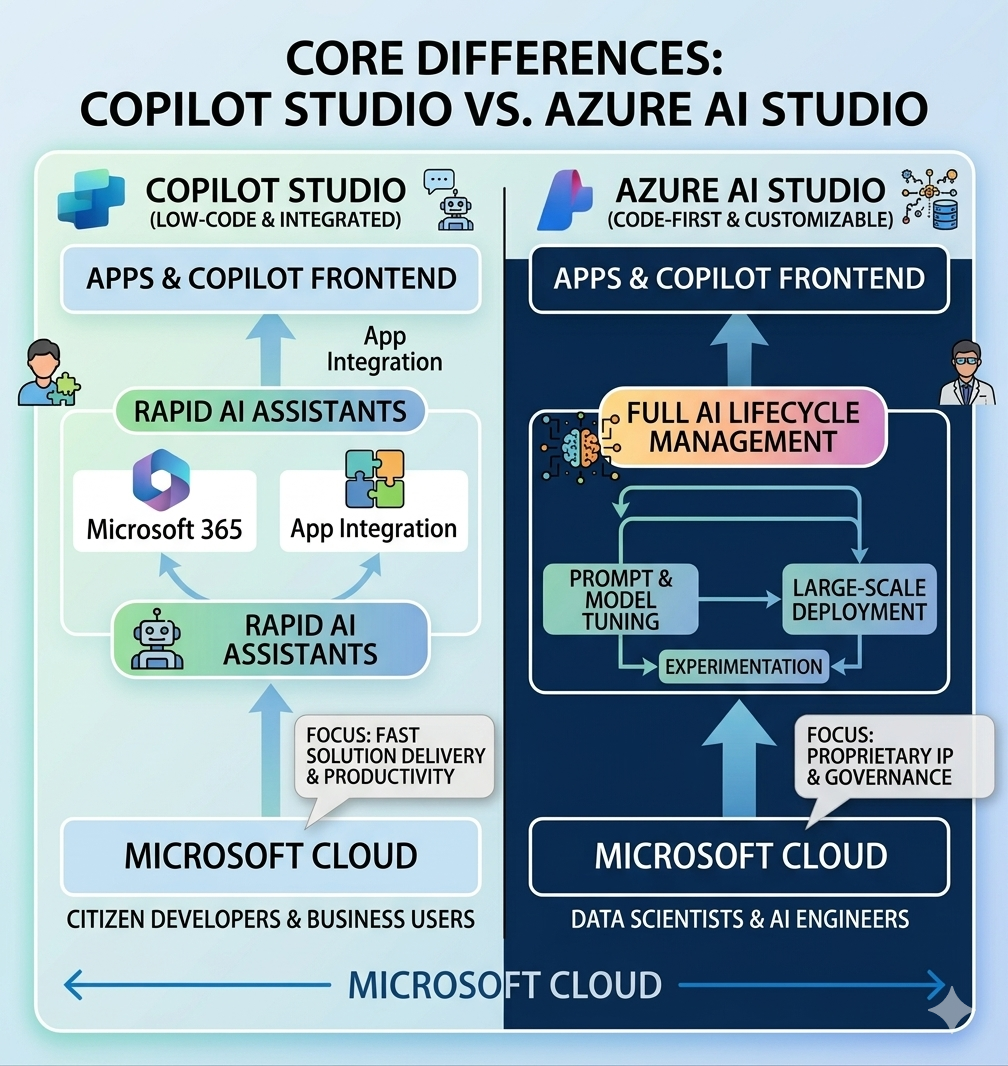
Copilot Studio is ideal for faster low-code conversational and workflow-driven agents. Azure AI Studio is better for deeper model customization, advanced AI lifecycle control, and engineering-led AI solutions.
Copilot Studio Strengths
- Rapid implementation for business and IT teams
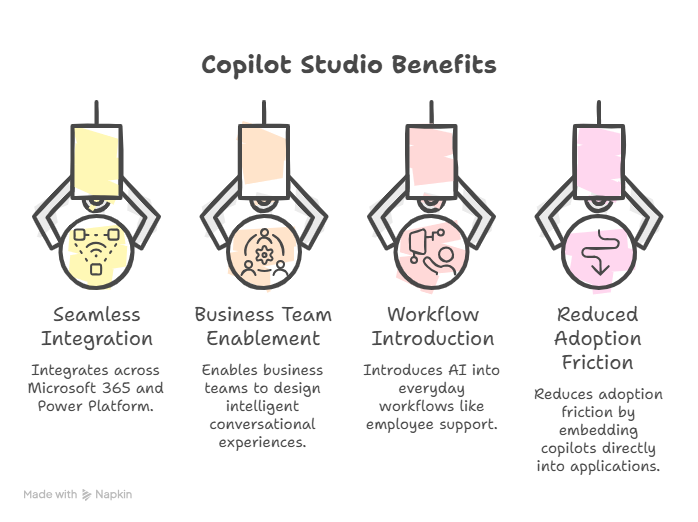
- Strong Microsoft 365 and Power Platform integration
- Faster delivery for support and workflow scenarios
- Lower barrier to entry for non-specialist teams
Azure AI Studio Strengths
- Greater flexibility for model and pipeline customization
- Stronger fit for complex AI engineering programs
- Better support for advanced experimentation and model lifecycle controls
- Ideal for organizations with dedicated AI engineering functions
Decision Framework
| Criterion | Copilot Studio | Azure AI Studio |
|---|---|---|
| Primary audience | Business + IT teams | AI engineers + data teams |
| Speed to first deployment | Faster | Moderate |
| Customization depth | Moderate | High |
| Complex AI lifecycle | Limited to common patterns | Strong support |
When Copilot Studio Is the Better Choice
Choose Copilot Studio when your priority is fast deployment of practical, governed agents integrated with enterprise workflows.
When Azure AI Studio Is the Better Choice
Choose Azure AI Studio when your priority is advanced model control, complex orchestration, and engineering-led AI differentiation.
Hybrid Is Often the Best Enterprise Outcome
Many enterprises use Copilot Studio for conversational and process automation use cases while using Azure AI Studio for advanced model-centric workloads.
Business Benefits of a Right-Fit Choice
- Faster Value Realization: Teams deliver where they are strongest.
- Lower Platform Friction: Better role-to-tool alignment.
- Stronger Governance: Controls match real implementation patterns.
- Scalable Architecture: Platform decisions support future growth.
Common Mistakes to Avoid
- Selecting based only on feature lists, not team capability
- Treating platform choice as all-or-nothing
- Ignoring governance implications during platform selection
- Delaying decision until after implementation starts

Frequently Asked Questions
Can both platforms be used in one organization?
Yes. Many enterprises run a hybrid model where each platform serves different workload types.
Which platform is faster for business use cases?
Copilot Studio typically delivers faster for workflow and conversational scenarios with strong Microsoft ecosystem integration.
Which platform is better for advanced model customization?
Azure AI Studio is generally better for advanced AI engineering, custom model pipelines, and deeper lifecycle control.
How should we decide between the two?
Decide based on use case complexity, team capability, governance requirements, and time-to-value expectations.
Conclusion
Copilot Studio and Azure AI Studio are complementary, not competing, in many enterprise environments. The best strategy is to align each platform to the right operating model and business objective.
If your organization is evaluating both, ARC can help you define the right platform architecture, rollout strategy, and governance approach.
Frequently Asked Questions
Can both platforms be used in one organization?
Yes. Many enterprises run a hybrid model where each platform serves different workload types.
Which platform is faster for business use cases?
Copilot Studio typically delivers faster for workflow and conversational scenarios with strong Microsoft ecosystem integration.
Which platform is better for advanced model customization?
Azure AI Studio is generally better for advanced AI engineering, custom model pipelines, and deeper lifecycle control.
How should we decide between the two?
Decide based on use case complexity, team capability, governance requirements, and time-to-value expectations.

ARC Team
ARC Team
AI-powered Microsoft Solutions Partner delivering enterprise solutions on Azure, SharePoint, and Microsoft 365.
LinkedIn Profile